


In the modern digital era, cloud computing has revolutionized the way businesses operate, enabling organizations to access computing resources, store data, and deploy applications quickly and efficiently over the internet. With the rapid adoption of cloud services like Amazon Web Services (AWS), Microsoft Azure, and Google Cloud Platform (GCP), managing cloud infrastructure has become a critical aspect of IT operations. However, as companies scale and their cloud environments grow in complexity, managing these resources manually can become an overwhelming, time-consuming, and error-prone task.
Imagine the challenge of provisioning hundreds or thousands of servers, configuring networks, managing storage, and ensuring applications are deployed consistently all while maintaining high security and performance standards. This is where cloud automation enters the picture. Cloud automation is the process of leveraging software tools and scripts to automate repetitive and complex tasks related to cloud management. Instead of manually clicking through cloud consoles or writing one-off commands, automation enables IT teams to create repeatable workflows that handle provisioning, configuration, deployment, scaling, and monitoring seamlessly.
This shift not only reduces human errors but also dramatically improves efficiency, speeds up deployment times, and allows businesses to respond faster to changing demands. For beginners, cloud automation might sound like a complex or technical topic, but at its core, it’s about using intelligent processes and tools to make cloud management simpler and smarter. From small startups deploying their first web app to large enterprises managing global infrastructure, cloud automation is becoming an essential skill for anyone involved in cloud computing.
In this guide, we will break down what cloud automation is, why it matters, and how you can start implementing it step by step, even if you’re new to cloud technologies. Whether you’re a developer, system administrator, or IT manager, understanding cloud automation will open up new possibilities to streamline your workflows and deliver better outcomes for your projects and business. Let’s dive into the world of cloud automation and explore how this powerful approach is transforming the way we build, manage, and scale cloud environments.

Cloud automation refers to using software tools and scripts to automate the provisioning, deployment, management, and orchestration of cloud resources without human intervention.
Instead of manually logging into cloud consoles or running repetitive commands, automation lets you streamline these tasks, making your cloud infrastructure more consistent, scalable, and reliable.
Managing cloud environments manually can quickly become complex as the number of resources and applications grows. Here’s why cloud automation is essential:
Here are some typical scenarios where cloud automation shines:
There are several tools designed to help automate cloud operations. Some of the most popular include:
Each tool has its strengths, depending on your cloud provider and requirements.
If you want to start automating your cloud infrastructure, here’s a simple approach:

Cloud automation is transforming how organizations manage their cloud environments. It empowers teams to build faster, more reliable, and cost-effective cloud infrastructure.
For beginners, the best way to learn is by experimenting with simple automation tasks and gradually scaling up your knowledge and use cases.
Are you ready to take the first step toward cloud automation? Let me know if you want recommendations on tools or tutorials to get started!

In the rapidly evolving world of software development, the demand for faster, more reliable, and continuous delivery of applications has never been greater. Organizations are constantly under pressure to innovate quickly and respond to market changes with agility. This pressure has driven the widespread adoption of DevOps practices, which aim to break down the silos between development and operations teams, fostering collaboration, automation, and continuous improvement.
At the heart of DevOps lies the concept of automation, especially within the realms of Continuous Integration (CI) and Continuous Deployment/Delivery (CD). CI/CD pipelines are designed to automate the process of building, testing, and deploying code, ensuring that software can be delivered swiftly and with high quality. By automating these critical workflows, teams reduce manual errors, shorten release cycles, and enhance overall software stability.
But automation doesn’t just happen magically. It requires the right set of tools and frameworks known as DevOps automation frameworks to orchestrate these processes effectively. These frameworks help automate repetitive tasks, manage complex dependencies, integrate various testing tools, and handle deployments across multiple environments and cloud providers.
As technology continues to advance, the landscape of DevOps automation frameworks is also evolving. New frameworks emerge, existing ones gain powerful features, and integration capabilities expand to meet the growing needs of modern software delivery. With the rise of microservices architectures, containerization, cloud-native applications, and multi-cloud environments, selecting the right automation framework becomes increasingly crucial for organizations aiming to stay competitive.
The year 2025 promises exciting innovations in this space, with frameworks becoming more intelligent, flexible, and easier to integrate. Automation is no longer limited to just building and deploying code; it now includes automated security testing, compliance checks, monitoring, and even intelligent decision-making powered by AI and machine learning.

Given this complex and dynamic environment, understanding the leading DevOps automation frameworks available today is essential. The right choice can dramatically enhance your CI/CD pipeline’s efficiency, reliability, and scalability directly impacting your team’s productivity and your company’s ability to deliver value to customers rapidly.
This blog will explore the top five DevOps automation frameworks that are set to dominate and shape the CI/CD landscape in 2025. From well-established players like Jenkins and GitLab CI/CD, which have stood the test of time, to emerging Kubernetes-native frameworks like Tekton designed for cloud-native workflows, we’ll cover a range of solutions tailored to different team sizes, technical needs, and deployment environments.
Each of these frameworks brings unique strengths to the table. Some excel in extensibility and plugin ecosystems, others offer seamless integration with version control systems, and a few specialize in complex deployment strategies like blue/green and canary releases. By the end of this guide, you will have a clearer understanding of which framework aligns best with your organization’s goals, technical requirements, and future growth plans.
In addition to comparing these frameworks, this blog will also touch upon key considerations for selecting the right tool. Factors such as ease of use, community support, scalability, cloud provider compatibility, and security integration are critical when choosing the optimal automation framework.
Whether you are just beginning your DevOps journey or looking to optimize an existing CI/CD pipeline, staying informed about the latest automation frameworks will empower you to make data-driven decisions and avoid costly trial-and-error approaches.
So, buckle up as we dive into the top DevOps automation frameworks to watch in 2025 tools that will help your teams accelerate software delivery, improve quality, and maintain competitive advantage in an ever-changing digital world.
Before jumping into the list, it’s important to understand why automation frameworks are crucial in DevOps:
Choosing the right automation framework can make or break your DevOps success.
Overview:
Jenkins remains the most popular open-source automation server, powering countless CI/CD pipelines worldwide. Its extensive plugin ecosystem allows integration with nearly any tool, technology, or cloud platform.
Why It’s a Top Choice:
Use Case:
Organizations looking for a mature, flexible solution to automate builds, tests, and deployments.
Overview:
GitLab CI/CD is a fully integrated part of the GitLab platform, providing seamless automation directly tied to your Git repositories.
Why It’s a Top Choice:
Use Case:
Teams seeking an all-in-one DevOps platform with minimal setup overhead.
Overview:
CircleCI is a cloud-first CI/CD tool designed for speed and simplicity, with strong support for modern development workflows.
Why It’s a Top Choice:
Use Case:
Startups and enterprises wanting a fast, scalable, and easy-to-use CI/CD platform.
Overview:
Spinnaker is an open-source, multi-cloud continuous delivery platform developed by Netflix and Google, specialized in sophisticated deployment strategies.
Why It’s a Top Choice:
Use Case:
Organizations needing advanced deployment strategies and multi-cloud support.
Overview:
Tekton is an open-source, Kubernetes-native framework to create CI/CD systems, designed to be flexible, composable, and scalable.
Why It’s a Top Choice:
Use Case:
Teams adopting Kubernetes who want a native, cloud-agnostic automation framework.
When picking a DevOps automation framework, consider:

Automation frameworks are the backbone of modern DevOps pipelines. Whether you’re a startup or an enterprise, leveraging the right tool can dramatically improve your software delivery speed and reliability.
In 2025, Jenkins continues to be the go-to for flexibility, GitLab CI/CD offers a seamless all-in-one experience, CircleCI delivers blazing-fast pipelines, Spinnaker excels at complex deployments, and Tekton empowers Kubernetes-native automation.
Explore these frameworks and find the best fit to boost your CI/CD pipeline and accelerate your DevOps journey!
The world of cloud certifications is constantly evolving and nowhere is that more evident than in the AWS certification landscape. If you’re preparing to become an AWS Certified Solutions Architect – Associate, you’ve likely come across two versions of the exam: SAA-C02 and the newer SAA-C03. At first glance, this transition may seem confusing. Do you need to throw out your old study materials? Is the new exam significantly harder? What exactly changed between C02 and C03 and what does it mean for you as a candidate?
I asked myself the same questions when AWS announced the SAA-C03 update. Having already begun studying for SAA-C02, I wondered whether all my prep time was now obsolete. But after digging into the differences, reading AWS’s updated exam guide, and exploring community feedback, I realized that the shift from C02 to C03 is more of a targeted refresh than a complete rewrite. In fact, over 90% of the core concepts and services remain the same, and much of what you learned for C02 is still fully relevant in C03.
That said, the changes that did occur are worth paying close attention to. AWS has refined its focus areas, increased emphasis on topics like security, cost optimization, and resilience, and incorporated more real-world architecture scenarios that mirror current cloud best practices. The updated exam reflects the natural growth of AWS services and the need for solutions architects to make informed, secure, and scalable design decisions in an increasingly complex cloud environment.
This blog is here to give you clarity. Whether you’re just starting your certification journey or are mid-way through preparing for SAA-C02, I’ll break down the key differences in content, structure, exam domains, and what AWS expects from candidates under the SAA-C03 format. I’ll also share what stayed the same so you don’t waste time relearning things that haven’t changed.
Understanding the evolution of this exam is not just about passing a test it’s about ensuring you’re prepared to apply AWS knowledge in real-world architecture roles. The certification should reflect actual job skills, and AWS seems to be moving closer to that vision with each exam revision. SAA-C03 better emphasizes architectural thinking, security-first design, and cost-aware decision-making skills that are now table stakes in most cloud roles.

By the end of this post, you’ll have a clear picture of:
So if you’re trying to decide whether your current study resources are enough, or if you need to pivot your approach, this comparison guide will help you make informed decisions. Let’s walk through the evolution from SAA-C02 to SAA-C03 and help you focus your energy where it matters most.
Because of this overlap, candidates who have begun studying for SAA‑C02 don’t need to discard everything they can reuse much of their material and build on it.
While much has stayed consistent, several updates reflect evolving AWS capabilities, industry trends, and a stronger emphasis on security.
| Aspect | SAA‑C02 | SAA‑C03 | What Changed / Why It Matters |
|---|---|---|---|
| Domain Weightings | Design Resilient (30%) High-Performing (28%) Secure Applications & Architectures (24%) Cost-Optimized (18%) | Design Secure Architectures (30%) Resilient (26%) High Performing (24%) Cost-Optimized (20%) | The biggest shift is rising security emphasis and slightly higher weight for cost optimization. The domain formerly labeled “Secure Applications & Architectures” is now “Secure Architectures,” indicating a more integrated security approach. |
| New & Updated Services | Covered core services (EC2, S3, RDS, IAM, VPC, etc.) | Adds newer services or updated features (e.g. Global Accelerator, AWS Backup, DataSync, enhancements in serverless, hybrid, analytics) | These additions reflect how AWS continues to expand its service portfolio and encourages architects to know newer tools and integrations. |
| Security Depth | Security was already part of the exam, but with a lower weighting | Increased emphasis on IAM, encryption, logging, monitoring, network security, compliance | AWS is reinforcing that security must be foundational—not an afterthought. |
| Exam Labs / Hands-On Tasks | No labs | Still no lab-based tasks in SAA‑C03 | Some expected labs, but AWS chose to continue with the standard MCQ / multiple-response format. |
| Blueprint Specificity | The SAA‑C02 blueprint was broader | The SAA‑C03 blueprint (exam guide) is more detailed in listing in-scope / out-of-scope, services, and skill expectations per domain | The added clarity helps candidates know exactly what is expected in each domain |
| Relative Difficulty for Transitioning Students | All materials geared to C02 | Students migrating from C02 may find gaps around new services or newly emphasized topics | Many materials (courses, practice exams) have been updated or flagged to include “C02 + C03 content” to bridge the gap. |
Given these changes, here’s how to adapt your study strategy:

The transition from AWS SAA-C02 to SAA-C03 is not a complete overhaul but rather a thoughtful update that reflects the growing complexity and maturity of AWS cloud architecture. While the core principles of designing scalable, resilient, and cost-effective systems remain, SAA-C03 places stronger emphasis on security, operational excellence, and modern cloud patterns, including hybrid architectures and serverless solutions.
If you’ve already studied for SAA-C02, don’t panic your existing knowledge is still highly relevant. Most of your study resources, especially those covering foundational services like EC2, S3, RDS, IAM, and VPC, will carry over. However, you will need to fill in the gaps by focusing on:
For those starting fresh with SAA-C03, this is a great opportunity to build your skills with the most current version of the exam. Focus on real-world scenarios, hands-on labs, and services integration not just isolated facts. The exam wants you to think like a cloud architect, not just a memorizer of features.
In the end, whether you studied under C02 or are preparing for C03, the goal remains the same: to build a strong understanding of how to design reliable, secure, and scalable systems on AWS. Keep learning, stay hands-on, and use the official exam guide as your north star.
Good luck on your certification journey and remember: the cloud is always evolving, and so should you.
Embarking on the journey to earn the AWS Certified Solutions Architect – Associate (SAA-C03) certification can feel both exciting and intimidating. When I first decided to pursue this certification, I had a mix of motivation, curiosity, and a little bit of anxiety. I knew that cloud computing was becoming an essential part of IT and software development, and AWS stood tall as the leading cloud platform. So, getting certified seemed like a smart investment in my future but I also knew it wouldn’t be a walk in the park.
This blog isn’t just about me passing the exam. It’s a practical guide for anyone out there whether you’re a developer, sysadmin, student, or tech enthusiast trying to figure out how to tackle the AWS SAA-C03 certification effectively. I’ll share my personal study roadmap, the resources I found most helpful, the challenges I ran into, and some key insights that helped me finally cross the finish line. My goal is to save you time, frustration, and confusion by giving you a clear path you can follow or adapt to your own learning style.
When I started preparing, I was overwhelmed by the sheer number of services AWS offers. It felt like drinking from a firehose. Between EC2, S3, VPC, IAM, CloudFormation, and dozens of others, I wondered how I could possibly understand it all let alone remember enough to pass a certification exam. But over time, I discovered that the key wasn’t to memorize everything, but to understand use cases and patterns. That mindset shift changed everything.
The SAA-C03 version of the exam is particularly focused on real-world architectural scenarios. It doesn’t just test whether you know the features of a service it asks whether you understand how to combine services to build scalable, resilient, cost-effective systems. In other words, this exam is about thinking like a solutions architect. You need to look at a problem, weigh your options, and pick the best AWS tools for the job.
I didn’t come into this as a cloud expert. I had some technical background, but AWS was still new to me in many ways. I had never built a production-grade architecture, never used things like Auto Scaling or CloudFront, and honestly didn’t know much about VPC networking. But I learned, slowly and methodically, by following a structured plan and focusing on hands-on experience. I took advantage of the AWS Free Tier, broke things, fixed them, and slowly built confidence.
What helped me most was combining theory with action. Watching videos was helpful, but it wasn’t until I actually deployed an EC2 instance, configured IAM roles, or built a multi-AZ RDS setup that things started to click. The learning process became much more enjoyable and effective once I made it interactive.
Throughout this journey, I also relied heavily on practice exams to identify my weak points. These were not just assessment tools; they were learning tools. Every time I got a question wrong, I reviewed the detailed explanations and made notes. I wasn’t afraid to go back and rewatch lecture sections, redo labs, or consult the AWS documentation for clarity.
I structured my study time around consistent, bite-sized sessions. I didn’t cram. Instead, I studied 1–2 hours a day over about 6 weeks. I gave myself time to absorb the material, reinforce it through labs, and gradually improve my accuracy on practice questions. I also made flashcards for high-yield topics and reviewed them regularly, especially closer to exam day.
Now, after passing the exam and reflecting on the process, I feel that anyone with dedication and the right plan can achieve this certification. It doesn’t require genius-level intelligence or a decade of cloud experience. It requires focus, consistency, and the willingness to learn by doing.
In the rest of this post, I’ll break down exactly what I studied, what worked, what didn’t, and how you can follow a similar path. Whether you’re just starting your AWS journey or you’re getting ready to schedule your exam, I hope this guide provides the clarity and encouragement you need.

Let’s get started.
AWS is the market leader in cloud computing, and this certification validates your ability to design distributed systems on AWS that are:
The SAA-C03 version (launched in 2022) focuses heavily on real-world architecture scenarios, making it ideal for hands-on learners.
| Week | Focus Area |
|---|---|
| Week 1 | AWS Core Services: EC2, S3, IAM, VPC |
| Week 2 | High Availability, Auto Scaling, Load Balancing |
| Week 3 | Databases (RDS, DynamoDB), SQS, SNS |
| Week 4 | Storage (EBS, EFS, Glacier), Monitoring, CloudWatch |
| Week 5 | Security, Cost Optimization, Well-Architected Framework |
| Week 6 | Practice Exams, Weak Areas Review, Light Revision |
I studied for about 1.5 to 2 hours/day on weekdays and longer on weekends.
Hands-down the most in-depth course. It’s visually rich, deeply explanatory, and great for people who like to understand the “why” behind each AWS service.
AWS Free Tier + TutorialsDojo Labs + ACloudGuru Sandbox
Don’t just watch – build. I recreated:
I scored 78–85% on practice tests before booking the real one.
I skimmed these (not cover-to-cover) but focused on:
I marked about 10 questions for review and still had time to spare.
My Score: 837/1000 🎉

After passing the SAA-C03, I’m considering:
If you’re considering this exam, go for it. It’s challenging, but not overwhelming especially if you follow a structured plan and stay consistent.
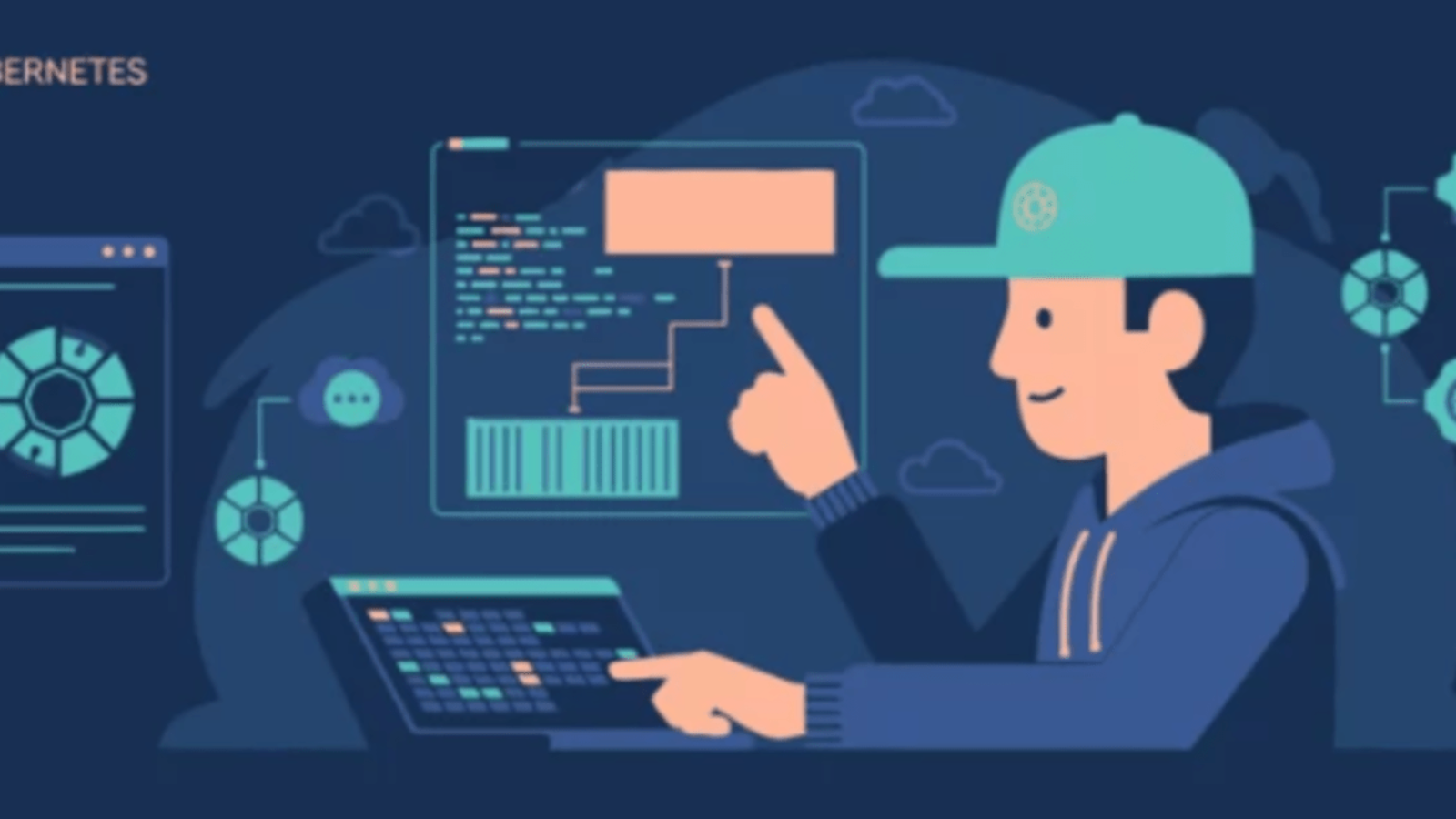
In the rapidly evolving landscape of artificial intelligence (AI) and machine learning (ML), the year 2026 marks a pivotal moment where the demand for scalable, efficient, and reliable infrastructure has never been greater. As organizations continue to embrace AI/ML to drive innovation, enhance decision-making, and automate complex tasks, the underlying platforms supporting these workloads must keep pace with increasing complexity and scale. Kubernetes, an open-source container orchestration platform, has emerged as the cornerstone technology for managing AI/ML workloads, offering flexibility, portability, and powerful resource management capabilities.
However, the unique demands of AI and ML applications including intensive computation, GPU utilization, distributed training, and real-time inference present distinct challenges that go beyond traditional containerized application deployments. Consequently, optimizing Kubernetes to handle AI/ML workloads effectively has become a critical priority for enterprises aiming to maximize their return on investment and accelerate time-to-market for AI solutions.
This optimization journey encompasses a range of strategies, from advanced scheduling mechanisms and GPU resource partitioning to integrating robust MLOps pipelines and enhancing monitoring and observability. In 2026, specialized tools and innovations tailored specifically for AI/ML workloads have emerged, transforming Kubernetes from a generic orchestration engine into a finely tuned platform optimized for machine learning lifecycle management.
Moreover, with the rise of hybrid and multi-cloud deployments, edge computing, and energy-efficient scheduling, organizations face new opportunities and challenges in managing AI workloads across diverse environments. This blog aims to explore the state of Kubernetes for AI/ML workloads in 2026, highlighting the best practices, cutting-edge technologies, and emerging trends that are shaping how teams build, deploy, and scale their machine learning pipelines.
Whether you are a data scientist, ML engineer, DevOps professional, or technology leader, understanding these optimization techniques will empower you to harness Kubernetes’ full potential for AI/ML. By diving into specialized schedulers, GPU sharing technologies like NVIDIA MIG, CI/CD integration with MLOps tools, and cloud-native enhancements, this discussion will provide a comprehensive roadmap to streamline AI/ML workflows.
Furthermore, it will address the importance of observability, security, and energy efficiency in maintaining resilient and sustainable AI infrastructure. As AI/ML workloads continue to grow in scale and complexity, the ability to fine-tune Kubernetes clusters specifically for these demands will differentiate successful deployments from costly bottlenecks and underutilized resources.
This introduction sets the stage for a deeper dive into practical approaches, tools, and real-world examples that illustrate how Kubernetes can be optimized for modern AI/ML workloads a crucial endeavor in 2026’s fast-paced technological landscape. Join us on this journey to unlock the full power of Kubernetes in accelerating AI innovation and operational excellence.

The default Kubernetes scheduler is not tailored for the complex requirements of AI/ML workloads. Specialized schedulers like Volcano, YuniKorn, and Kueue offer features such as gang scheduling, resource fragmentation handling, and topology awareness, which are essential for efficient AI/ML operations. These schedulers ensure better GPU utilization and manage distributed training jobs more effectively.
NVIDIA’s Multi-Instance GPU (MIG) technology allows a single H100 GPU to be partitioned into multiple isolated instances, each with its own memory and compute resources. This enables running multiple AI/ML workloads simultaneously on the same physical GPU, optimizing resource usage and reducing costs. Kubernetes, with the help of the GPU Operator, can automatically discover and schedule these MIG instances.
Integrating Continuous Integration and Continuous Deployment (CI/CD) practices into ML workflows enhances automation and reliability. Tools like ArgoCD and Flux facilitate GitOps-based deployments, automating model training, retraining, and rollouts. This approach ensures consistent and reproducible ML pipelines, reducing manual intervention and accelerating model deployment.
Monitoring the performance of AI/ML workloads is crucial for maintaining system health and performance. Integrating tools like Prometheus, Grafana, and the ELK stack into Kubernetes clusters provides real-time insights into resource usage, model performance, and potential bottlenecks. This observability enables proactive management and optimization of ML workloads.
Cloud providers are enhancing Kubernetes to better support AI/ML workloads. For instance, Google Kubernetes Engine (GKE) has introduced features like Dynamic Resource Allocation (DRA) and Inference Quickstart, which optimize the use of specialized hardware resources and reduce inference latency. These enhancements make Kubernetes a more viable platform for large-scale AI/ML deployments.

Optimizing Kubernetes for AI/ML workloads in 2026 involves adopting specialized scheduling solutions, leveraging advanced GPU technologies, integrating MLOps practices, enhancing observability, and utilizing cloud-native enhancements. By implementing these strategies, organizations can achieve more efficient, scalable, and secure AI/ML pipelines.

Kubernetes has dramatically transformed the way organizations build, deploy, and manage applications. Since its release by Google in 2014, it has grown from a powerful container orchestration tool into the cornerstone of modern cloud-native infrastructure. Over the past decade, Kubernetes has revolutionized how teams think about scalability, availability, and automation, enabling businesses to innovate faster and operate more efficiently. As we move into 2026, Kubernetes continues to evolve at an astonishing pace, adapting to new technological challenges and expanding its reach across industries and use cases.
In the early days, Kubernetes was primarily adopted by organizations seeking to simplify container management. But today, it serves as the universal platform for orchestrating a wide variety of workloads beyond containers including virtual machines, serverless functions, AI pipelines, and edge computing devices. This versatility makes Kubernetes an essential piece of technology in the toolkit of modern enterprises.
The Kubernetes ecosystem has matured, with hundreds of open-source projects and commercial tools enhancing its capabilities. From networking and storage to security and monitoring, the ecosystem has blossomed to address real-world production challenges. Enterprises of all sizes rely on Kubernetes not just for running applications, but as the foundation for complex distributed systems that span multi-cloud and hybrid environments.

In 2026, the trends shaping Kubernetes reflect broader shifts in technology and business priorities. Artificial intelligence and machine learning workloads have become mainstream, demanding specialized scheduling and resource management. Edge computing and IoT deployments push Kubernetes beyond traditional data centers, requiring new approaches to connectivity, latency, and resilience. Meanwhile, security remains paramount, with zero-trust architectures and automated compliance controls becoming standard practice.
Another key trend is the widespread adoption of GitOps where infrastructure and application configurations are managed declaratively through Git repositories. This approach has simplified deployments, enhanced security, and improved collaboration between development and operations teams. Automation, powered by Kubernetes Operators, continues to expand, reducing manual toil and increasing system reliability.
Cost control and sustainability have emerged as critical concerns as cloud spending skyrockets and organizations seek to minimize their environmental impact. Kubernetes now includes features and integrations that enable smarter resource utilization and energy-efficient scheduling, aligning operational excellence with corporate responsibility.
As Kubernetes grows in scope and complexity, developers and operators alike are benefiting from improved tooling and abstractions that lower the barrier to entry and enhance the developer experience. The platform’s flexibility enables organizations to tailor their infrastructure to their unique needs while maintaining consistency and control.
This blog will explore the most important Kubernetes trends in 2026, highlighting what’s new in the platform, the ecosystem, and how enterprises are leveraging these advances to drive innovation. Whether you’re a Kubernetes novice or an experienced practitioner, understanding these trends will help you stay ahead of the curve and unlock new opportunities in cloud-native computing.
From universal control planes and AI workload orchestration to edge deployments and security advancements, Kubernetes in 2026 is more than a tool it’s the backbone of a rapidly changing digital landscape. Let’s dive into the key developments shaping the future of Kubernetes and discover what’s next on the horizon for this transformative technology.
One of the most significant trends in 2026 is Kubernetes emerging as a universal control plane not just for container orchestration but for managing diverse workloads including VMs, serverless functions, AI pipelines, and edge devices.
This universality enables organizations to consolidate their infrastructure management, reduce complexity, and improve developer experience. Projects like KubeVirt for VMs and Knative for serverless continue to gain traction, bridging traditional workloads with cloud-native environments.
Artificial intelligence and machine learning workloads are increasingly deployed on Kubernetes clusters. In 2026, Kubernetes has deepened its integration with AI/ML tooling, enabling seamless orchestration of training jobs, hyperparameter tuning, and inference pipelines.
Frameworks like Kubeflow and emerging projects optimized for GPU/TPU scheduling make Kubernetes the go-to platform for production-grade AI systems. Expect to see Kubernetes clusters specialized for AI, equipped with custom schedulers and autoscaling tuned for heavy compute tasks.
The edge computing revolution is driving new Kubernetes deployments far beyond centralized cloud data centers. In 2026, Kubernetes clusters run across distributed edge locations, managing IoT devices, 5G infrastructure, and localized data processing.
At the same time, multi-cloud Kubernetes strategies have matured, enabling enterprises to seamlessly operate clusters across different cloud providers with unified management tools like Kubernetes Federation and Crossplane.
Security remains a top priority in Kubernetes adoption. In 2026, zero-trust security models are standard, with advanced runtime threat detection and policy enforcement integrated directly into the Kubernetes control plane.
Tools such as OPA Gatekeeper, SPIFFE/SPIRE for workload identity, and continuous compliance auditing have become essential for organizations especially those in regulated industries like finance and healthcare.
GitOps, the practice of managing Kubernetes clusters declaratively through Git repositories, has become the norm. In 2026, GitOps frameworks like ArgoCD and Flux have evolved to support complex multi-cluster, multi-tenant environments with robust rollback, drift detection, and policy controls.
This trend dramatically improves deployment reliability, developer productivity, and infrastructure traceability.
Kubernetes Operators custom controllers automating the lifecycle of complex applications have proliferated. Today, Operators cover everything from databases and messaging queues to machine learning workflows and security tools.
In 2026, we see the rise of meta-operators that manage other operators, bringing an unprecedented level of automation and self-healing capabilities to Kubernetes ecosystems.
As Kubernetes clusters grow in size and scale, cost optimization tools have become vital. Cloud providers and open-source projects offer granular cost monitoring and intelligent scheduling to minimize waste.
Sustainability is also gaining attention; Kubernetes now supports scheduling policies that optimize for energy efficiency, carbon footprint, and regional environmental regulations, aligning cloud-native infrastructure with corporate responsibility goals.
The Kubernetes ecosystem is vibrant and constantly evolving. Looking ahead beyond 2026, expect:

Kubernetes in 2026 is no longer just a container orchestratorit’s a universal platform powering everything from AI workloads to edge computing, across multi-cloud environments. Embracing these trends will be key to unlocking Kubernetes’ full potential and driving innovation in the cloud-native world.
Are you ready for the future of Kubernetes? The journey is just getting started.

In today’s fast-paced world of software development and deployment, the demand for speed, reliability, and scalability has never been higher. Kubernetes has emerged as the leading platform to orchestrate containerized applications, enabling teams to manage complex systems with ease. However, as organizations adopt Kubernetes for their infrastructure, they often face a new challenge: managing and maintaining these environments efficiently.
Manually configuring Kubernetes clusters, deploying applications, and managing resources through graphical interfaces or ad-hoc scripts can quickly become overwhelming, error-prone, and difficult to reproduce consistently across teams and environments. This is where Infrastructure as Code, commonly known as IaC, becomes a game-changer. IaC is a modern practice that allows teams to define, provision, and manage their infrastructure using code transforming infrastructure from static, manually maintained configurations into dynamic, version-controlled, and testable software artifacts.
When applied to Kubernetes, IaC allows developers and operators to describe their entire cluster configuration, application deployments, networking, storage, and security policies in declarative files or through programmable APIs. This shift not only reduces human error but also drastically improves collaboration, consistency, and the ability to automate infrastructure workflows. By treating infrastructure as code, teams can leverage software development best practices such as version control, automated testing, peer review, and continuous integration/continuous deployment (CI/CD) pipelines to manage their Kubernetes environments.
This means faster deployments, easier rollbacks, and greater confidence that the infrastructure running their applications matches exactly what was intended. As Kubernetes environments grow larger and more complex, spanning multiple clusters, clouds, and regions, the ability to codify infrastructure becomes essential to maintain operational excellence.
Moreover, IaC supports the principles of immutable infrastructure and declarative configuration, allowing Kubernetes clusters to self-heal and remain in the desired state, even in the face of failures or unexpected changes. In this blog, we will explore what Infrastructure as Code means specifically in the Kubernetes ecosystem, why it is vital for modern DevOps teams and cloud-native applications, and how you can start adopting IaC tools and practices to streamline your Kubernetes workflows.
Whether you are a developer, an operator, or a DevOps engineer, understanding IaC is critical to harnessing the full power of Kubernetes and achieving scalable, reliable, and maintainable infrastructure. Throughout this post, we will demystify common IaC tools used with Kubernetes, highlight best practices, and provide guidance on how to get started with your first infrastructure code deployments.
By the end, you’ll appreciate how IaC turns the complexity of Kubernetes management into a repeatable, auditable, and automated process setting the foundation for modern cloud-native application delivery.

Infrastructure as Code is the practice of defining and managing infrastructure through machine-readable configuration files, rather than manual hardware or UI-based configuration.
With IaC, you write declarative or imperative code that describes the desired state of your infrastructure whether that’s virtual machines, networks, storage, or Kubernetes resources. This code can then be version-controlled, tested, and reused, bringing software engineering best practices to infrastructure management.
Manually configuring Kubernetes clusters or resources introduces human error. IaC ensures your environments are consistent every time you deploy, eliminating configuration drift.
IaC enables automated provisioning and scaling of Kubernetes clusters and resources. This speeds up deployment times and frees up your operations team for higher-value tasks.
By storing infrastructure definitions in version control systems (like Git), teams can collaborate, review changes, and roll back to previous states safely.
As your applications grow, so does the complexity of your Kubernetes environment. IaC allows you to manage multiple clusters and complex network topologies programmatically.
Having infrastructure defined as code means you can recreate your environment from scratch in case of failure, with a clear audit trail of changes.
There are several popular tools designed for managing Kubernetes infrastructure as code:
Start by writing configuration files that describe your desired Kubernetes resources. For example:
Place your IaC files in a Git repository. This ensures that your infrastructure definitions are tracked, auditable, and shareable.
Use CI/CD pipelines to automate the application of your IaC configurations. For instance, you can configure pipelines to:
IaC is not a “set and forget” process. Continuously monitor your infrastructure, update configurations as needed, and incorporate feedback from your deployments.
Here’s a brief example of how you might define and deploy an application using Helm, a popular Kubernetes package manager:
This approach allows you to manage complex Kubernetes applications as reusable, versioned packages.

Infrastructure as Code is a powerful paradigm that brings software engineering discipline to Kubernetes infrastructure management. It improves consistency, speeds up deployments, and makes scaling and disaster recovery easier.
Whether you’re just getting started with Kubernetes or managing large-scale environments, adopting IaC is a critical step towards operational excellence.
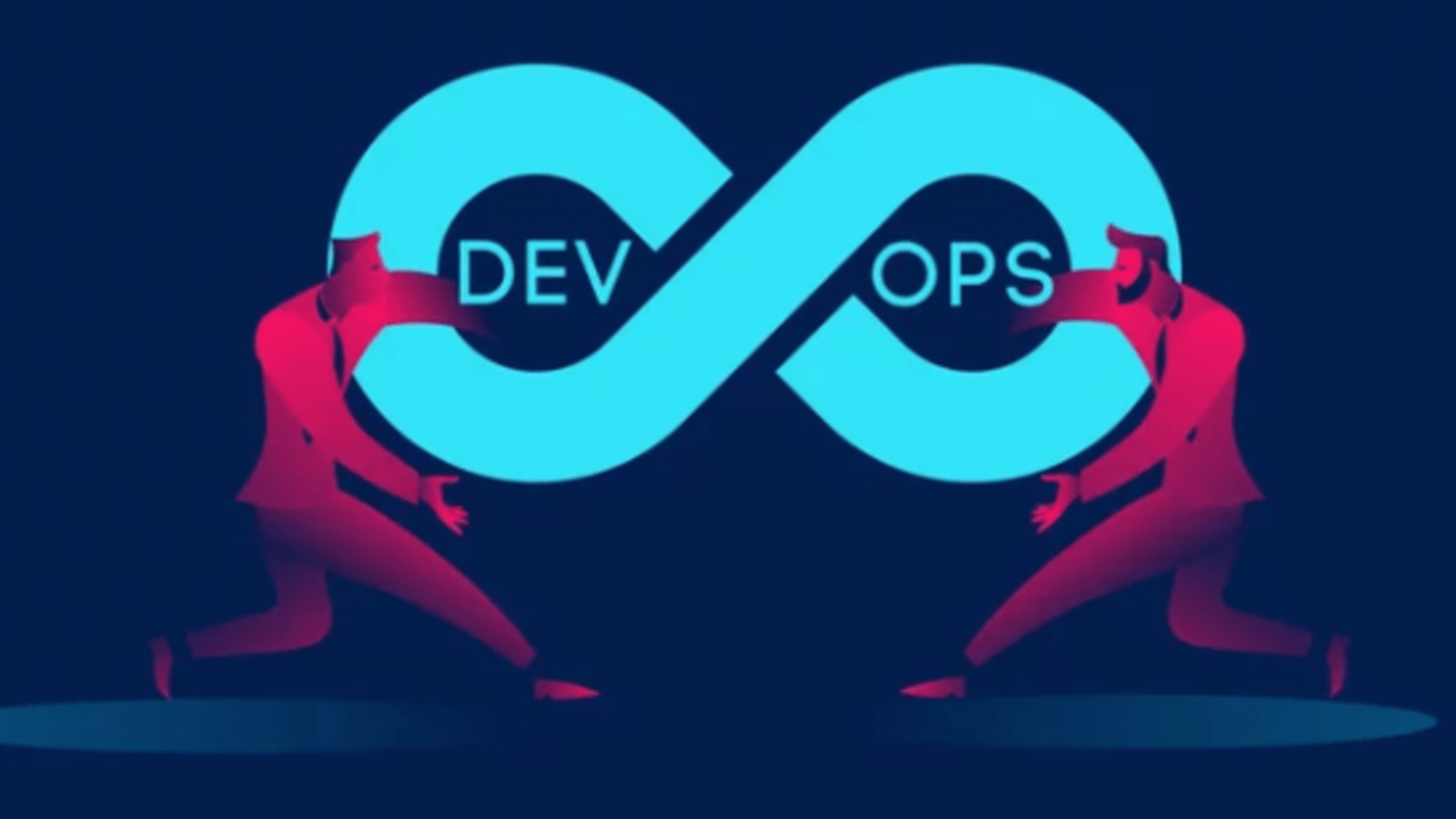
In the fast-paced world of modern IT, DevOps has become more than just a buzzword it’s a critical set of practices that enable companies to deliver software faster, more reliably, and with greater agility. As demand for DevOps professionals continues to rise, so does the popularity of DevOps certifications as a way to validate skills and accelerate career growth. But with so many certifications available each focused on different tools, cloud platforms, or methodologies one common question keeps popping up: “Which DevOps certification should I choose based on where I am in my career?”
This isn’t a one-size-fits-all answer. Choosing the right DevOps certification depends heavily on your current experience level, your familiarity with tools and cloud services, and your long-term career goals. What’s perfect for someone just getting started could be completely irrelevant or even overwhelming for someone with years of experience in systems engineering or software development. Likewise, jumping into an advanced certification too early can lead to frustration and burnout, while picking something too basic might not challenge or advance your career. The key is to align your certification path with your actual skill level and to treat certifications as strategic steps in a broader learning journey, not as shortcuts.
For beginners, certifications can provide a structured way to break into DevOps teaching core concepts like automation, continuous integration, and cloud basics while boosting confidence and credibility. For intermediate professionals, certifications are a way to deepen your knowledge in specific areas like infrastructure as code, Kubernetes, or CI/CD pipelines and demonstrate practical competence to employers. And for advanced engineers, certifications can help refine your expertise, signal leadership capabilities, and position you for high-impact roles like Site Reliability Engineer (SRE), Platform Engineer, or DevOps Architect.
The landscape is broad. You’ll find certifications from major cloud providers like AWS, Microsoft Azure, and Google Cloud, along with tool-specific credentials from platforms like HashiCorp (Terraform, Vault), Linux Foundation (Kubernetes), and GitLab. Each of these has different entry points, learning paths, and expectations. Some focus on hands-on skills, while others emphasize architecture, strategy, and team collaboration. The challenge isn’t a lack of options it’s knowing where to begin and what makes sense for your specific background.
In this blog, we’ll break down how to choose the right DevOps certification based on your current experience level—beginner, intermediate, or advanced. You’ll learn which certifications are realistic and relevant for your skill set, how they align with real-world DevOps roles, and what kind of commitment (time, cost, difficulty) each one involves. Whether you’re starting from scratch, transitioning from another IT discipline, or already deep in the DevOps world and looking to specialize, this guide will help you make smarter decisions about where to invest your time and energy.
Let’s clear the fog around DevOps certifications so you can move forward with confidence, not confusion.

If you’re new to DevOps or tech in general, you want a certification that builds foundational knowledge without overwhelming complexity. At this stage, you should focus on understanding basic DevOps concepts, cloud fundamentals, and introductory tools.
If you have 1–3 years of experience in IT, sysadmin, or software development and some hands-on exposure to cloud platforms or automation tools, you’re ready for more specialized certifications. This is where you start to dive deeper into tooling and real-world DevOps practices.
At this stage, you’re likely already in a DevOps, SRE, or platform engineering role. You’ve worked with infrastructure as code, CI/CD, monitoring, containers, and perhaps security. Your goal now is to specialize, lead, or expand your DevOps scope across enterprise environments.
Here’s a simple framework to help you decide:
| Question | Ask Yourself |
|---|---|
| What’s my current experience level? | Beginner, Intermediate, or Advanced? |
| What tools am I currently using or want to use? | AWS, Azure, Kubernetes, Terraform? |
| What type of role am I aiming for? | Cloud engineer, DevOps engineer, SRE, Platform engineer? |
| What certifications are listed in job descriptions I want to apply for? | Tailor your certs to the market demand. |

Certifications aren’t the end goal they’re a structured, focused way to build and validate skills that are highly relevant in the real world. By choosing a certification that matches your current experience level, you can avoid burnout, gain confidence, and keep moving forward in your DevOps journey.
Don’t worry about chasing every cert. Focus on the next best step for where you are now and build from there.
In the ever-evolving world of cloud infrastructure, Amazon Web Services (AWS) has become a cornerstone for building highly scalable, resilient, and efficient systems. One of the most powerful features AWS offers is Auto Scaling, allowing businesses to automatically adjust their EC2 capacity in response to real-time demand. Whether you’re handling fluctuating web traffic, batch processing, or mission-critical workloads, Auto Scaling ensures you’re only paying for the compute power you need when you need it.
At the heart of Auto Scaling lies a crucial decision: how will your EC2 instances be configured and launched? This choice determines not just what type of virtual machines are spun up, but also how efficiently and securely they operate in production. AWS offers two primary methods to define these configurations Launch Configurations and Launch Templates. For many teams, the difference between these two can seem minor or even negligible, especially when both accomplish the basic goal of launching EC2 instances within Auto Scaling Groups (ASGs).
However, the differences are not just technical they’re strategic. Your choice affects not only what features are available to you today, but also how adaptable and future-proof your infrastructure will be tomorrow. While Launch Configurations have been around since the early days of AWS Auto Scaling, they’ve quietly taken a backseat in recent years. In fact, AWS has deprecated Launch Configurations as of 2023, signaling a clear shift in direction. New features, performance improvements, and security enhancements are now being rolled out exclusively to Launch Templates.
If you’re still using Launch Configurations in your stack, you may be limiting yourself in terms of flexibility, cost optimization, and access to newer EC2 capabilities. For example, Launch Templates support advanced features like mixed instance types, Spot Instance configurations, versioning, parameter overrides, and IMDSv2, none of which are available in Launch Configurations. These aren’t just “nice to haves” they’re critical tools for modern DevOps and cloud-native engineering practices.
But the shift to Launch Templates isn’t just about embracing new tools it’s about adopting a mindset of infrastructure evolution. Cloud environments thrive on automation, adaptability, and continuous improvement. Launch Templates are designed with this philosophy in mind, offering a level of granularity, repeatability, and control that legacy Launch Configurations simply can’t match.
In this blog post, we’ll break down the key differences between Launch Configurations and Launch Templates, explore the benefits of migrating, and show you why making the switch isn’t just a recommendation it’s a necessary step toward optimizing your AWS environment for the future. Whether you’re an AWS newcomer or a seasoned architect managing hundreds of instances, understanding this distinction could make a big difference in your system’s performance, cost-efficiency, and operational flexibility.
So, let’s dive deep into EC2 Launch Templates vs Launch Configurations and see why it matters more than ever in today’s cloud-first world.

Launch Configurations were the original method of specifying how EC2 instances should be launched within an Auto Scaling Group (ASG). They allow you to define:
Once a launch configuration is created, it’s immutable meaning you can’t modify it. You must create a new one and update your ASG if you need to change anything.
Important: As of 2023, AWS has deprecated launch configurations. While they still work for now, you can no longer create them in many regions.
Launch Templates are the modern, flexible replacement for Launch Configurations. They offer all the same settings and much more:
Versioning
You can create multiple versions of a template, making it easy to roll back or test changes without creating an entirely new template.
Support for Newer Features
Launch Templates support:
Parameter Overrides
You can override parameters like instance type or AMI when launching, without touching the base template.
EC2 Spot Instances
Full support for configuring and managing Spot Instances, including the use of Spot Fleet and Auto Scaling strategies.
Instance Metadata Options
Control access to the instance metadata service (IMDSv2) for enhanced security.
| Feature | Launch Configurations | Launch Templates |
|---|---|---|
| Versioning | No | Yes |
| Immutable | Yes (immutable) | Yes (via versioning) |
| Mixed Instance Types | No | Yes |
| Spot Instances Support | Limited | Full support |
| New EC2 Features | Not supported | Supported |
| IMDSv2 Support | No | Yes |
| Ease of Use | Basic | Advanced & Flexible |
| Deprecation Status | Deprecated | Current & Actively Supported |
AWS is continuously adding new features but only to Launch Templates. If you want access to the latest in instance configuration, Launch Templates are the only option.
Launch Templates enable Mixed Instances Policies in Auto Scaling Groups, which let you run multiple instance types and purchase options (On-Demand + Spot) to optimize cost and availability.
Want to enforce IMDSv2 to prevent SSRF attacks? You can’t do that with Launch Configurations. Launch Templates give you modern security options like metadata access control.
Launch Template versioning lets you roll back a change with a few clicks or lines of code no need to recreate and reassign new configurations each time.
Yes. If you’re still using Launch Configurations, AWS strongly recommends migrating to Launch Templates.
Migration is straightforward:

Launch Templates are not just a replacement they’re a major upgrade to how you manage EC2 deployments. Whether you’re managing a large fleet of instances or just getting started with auto scaling, using Launch Templates ensures you’re building on modern, secure, and scalable AWS infrastructure.
As AWS continues to evolve, embracing Launch Templates is the smart move for both performance and operational efficiency.

In today’s digital world, uptime is everything. Whether you’re running a global e-commerce site, managing critical enterprise applications, or hosting scalable SaaS platforms, even a few minutes of downtime can lead to lost revenue, damaged reputation, and missed opportunities. As cloud adoption continues to grow, businesses increasingly rely on platforms like Amazon Web Services (AWS) to power their infrastructure. With its vast ecosystem of services, global availability zones, and robust scalability, AWS offers an unmatched platform for building and deploying modern applications. But as with any complex system, things can go wrong. Services can degrade, scheduled maintenance can affect resources, and unexpected outages can ripple across your workloads without warning. And when something does go wrong, knowing what is happening, where, and why as early as possible can make all the difference in how you respond.
This is where AWS Health Events come into play. AWS Health Events are the cloud equivalent of a real-time status check for your environment delivering critical information about ongoing issues, planned changes, and service status that might directly impact your AWS resources. They are your first line of insight when something isn’t behaving as expected in the cloud. But unlike public service dashboards that provide a generic overview, AWS Health Events are personalized to your AWS account, meaning you get updates that are actually relevant to your environment. Whether you’re dealing with an EC2 instance retirement, a sudden S3 performance dip, or an IAM policy deprecation, AWS Health Events alert you with the context and clarity you need to act fast and smart.
Understanding AWS Health Events isn’t just about reacting to problems it’s about building proactive, resilient cloud operations. With the right setup, you can automate responses to certain types of events, notify the right teams instantly, and reduce mean time to resolution (MTTR) significantly. More than just a convenience, AWS Health Events are a critical part of incident response, compliance monitoring, and operational awareness. For DevOps engineers, cloud architects, and IT leaders alike, being able to interpret and act on these events is essential for keeping systems healthy and customers happy.
In this blog, we’ll explore the fundamentals of AWS Health Events: what they are, how they work, the types of events you might encounter, and why they should be an integral part of your cloud monitoring strategy. We’ll also cover how to access them, how to integrate them into your alerting workflows, and the best practices for leveraging these signals to maintain stability across your AWS environments. If you’re new to AWS or haven’t paid much attention to the Health Dashboard before, this guide will help you understand why it matters and how to use it effectively. And if you’re already familiar with cloud monitoring but want to deepen your AWS-specific knowledge, you’ll walk away with practical insights that can improve your incident response and cloud governance strategies.
Ultimately, cloud success isn’t just about deploying fast it’s about staying informed, staying agile, and responding to change with confidence. AWS Health Events are a tool designed to help you do exactly that. Let’s dive in.

AWS Health Events are real-time alerts provided through the AWS Health Dashboard, a service that communicates important information about the availability and performance of AWS services that may directly impact your environment.
These events fall into two broad categories:
Each event provides detailed information, including the affected services or regions, the scope of the impact, and any remediation steps AWS may be taking or that you need to consider.
AWS Health Events allow you to detect problems early. If AWS experiences service disruption in a region or AZ that affects your workloads, the Health Dashboard provides real-time alerts often before you even notice something’s wrong in your environment.
Rather than troubleshooting blindly or waiting for a vague public update, you get personalized, account-specific insights. This enables faster, better decision-making such as scaling out to another region or rerouting traffic.
Health events also include planned changes, like EC2 instance retirement or scheduled service maintenance. This allows you to plan downtime or migration ahead of time, helping maintain SLAs and minimize impact on customers.
Using the AWS Health API in conjunction with Amazon EventBridge, you can automate responses to certain events like notifying teams via Slack, creating Jira tickets, or initiating infrastructure adjustments.
| Event Type | Description | Example |
|---|---|---|
| Scheduled Change | Planned updates or maintenance | EC2 instance retirement |
| Service Issue | Outages or performance issues | S3 latency in us-east-1 |
| Account Notification | Issues or alerts specific to your account | Limits approaching, misconfiguration |
| Other Notifications | Informational updates or announcements | Security bulletins |
You can access AWS Health Events through:

AWS Health Events are a vital tool in any cloud administrator or DevOps engineer’s toolkit. By providing real-time, account-specific visibility into the operational state of AWS services, they help you maintain uptime, plan for changes, and respond to incidents quickly and effectively.
If you’re not already leveraging the AWS Health Dashboard and its integrations, now is the time to start. It could mean the difference between a seamless operation and a costly outage.