




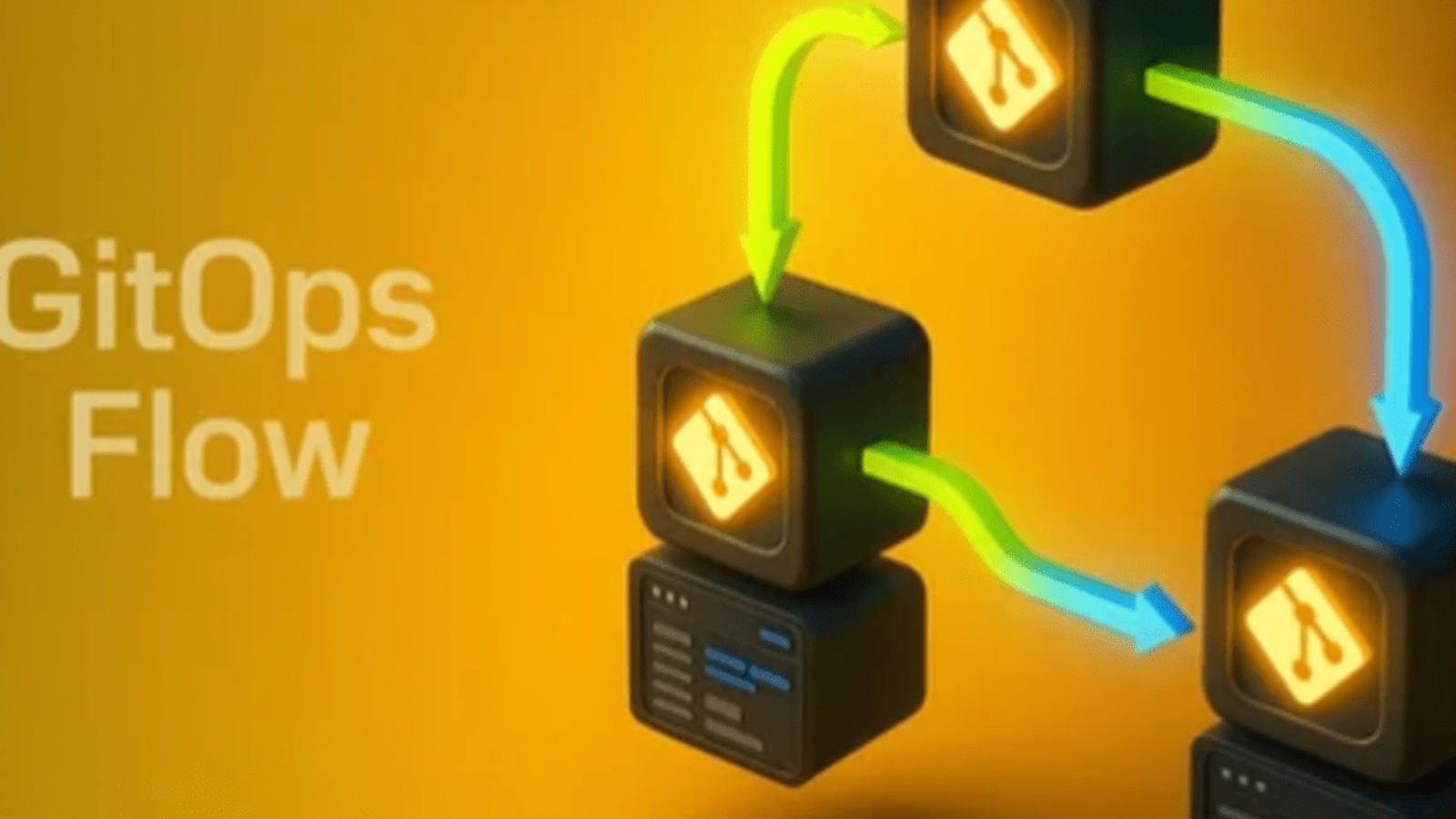
In the rapidly evolving world of software delivery, teams are under constant pressure to ship features faster while maintaining reliability, security, and consistency across environments.
The shift from monolithic applications to microservices, and from static infrastructure to dynamic Kubernetes clusters, has made traditional deployment pipelines increasingly difficult to manage.
Manual deployments, brittle scripts, and snowflake environments introduce risk, inconsistency, and uncertainty into every release.

To overcome these challenges, the DevOps community has embraced a new paradigm known as GitOps.
At its core, GitOps extends the principles of DevOps by making Git the single source of truth for both application and infrastructure configurations.
This means that every desired state from a deployment manifest to a Helm release is stored, versioned, and reviewed in Git. Once merged, automation tools like Argo CD or Flux ensure that the state described in Git is reflected precisely in your running Kubernetes clusters.
In traditional CI/CD pipelines, the “CD” (continuous delivery) process often relies on scripts, manual approvals, and ad-hoc automation. With GitOps, however, the cluster itself becomes self-managing.
Instead of pushing changes into the cluster, you declare them in Git, and your GitOps controller continuously reconciles the live environment with what’s in the repository.
If something drifts from the desired state whether due to a manual change or a failed update the system automatically heals itself by reapplying what’s defined in Git.
This declarative model introduces a number of powerful benefits.
It provides version control for infrastructure, ensuring that every deployment, rollback, or environment change is traceable and auditable. It fosters collaboration, since changes follow the same pull request workflow developers already use for code. It enforces consistency, allowing identical configurations to be deployed across multiple clusters or environments. And perhaps most importantly, it reduces human error, since no one needs to manually apply manifests or run fragile scripts during a release.
Tools like Argo CD and Flux have become the leading implementations of GitOps for Kubernetes.
Both are open source, cloud-native, and CNCF projects that make it easy to manage complex systems declaratively. Argo CD provides a powerful UI, detailed visualization of sync status, and fine-grained control over application lifecycles. Flux, on the other hand, emphasizes simplicity and composability, integrating deeply with Git and Helm while offering automation primitives for a variety of GitOps workflows.
Regardless of which you choose, the core philosophy remains the same your Git repository defines reality, and your cluster obeys it.
GitOps is not just about automation it’s about trust. It allows teams to trust that their production environment always matches the intended configuration. It allows developers to trust that changes have been reviewed, tested, and versioned. And it allows organizations to trust that their delivery process is repeatable, secure, and observable. In an era where reliability and velocity often seem at odds, GitOps brings them together through the simplicity of declarative infrastructure and the power of Git workflows.
In this post, we’ll take a hands-on look at how to get started with GitOps using Argo CD (or Flux).
You’ll learn how to install the tool, connect it to your Git repository, define your first application, and experience the magic of automated synchronization. By the end, you’ll have a complete understanding of how GitOps works not as a buzzword, but as a practical, powerful way to manage modern software delivery.
Let’s dive in and see how GitOps can transform your deployment process from a fragile manual routine into a seamless, automated, and auditable system.
Before we start, make sure you have:
kubectl configured for your clusterhelm if you’re using chartskubectl create namespace argocd
kubectl apply -n argocd -f https://raw.githubusercontent.com/argoproj/argo-cd/stable/manifests/install.yaml
Access the Argo CD UI:
kubectl port-forward svc/argocd-server -n argocd 8080:443
Log in using the admin password:
kubectl -n argocd get secret argocd-initial-admin-secret \
  -o jsonpath="{.data.password}" | base64 -d; echo
brew install fluxcd/tap/flux
flux install
Then bootstrap your repo:
flux bootstrap github \
  --owner=<your-github-username> \
  --repository=<your-repo> \
  --branch=main \
  --path=clusters/my-cluster
A typical GitOps repo might look like this:
gitops-demo/
├── apps/
│   └── myapp/
│       ├── deployment.yaml
│       └── service.yaml
└── clusters/
    └── production/
        └── app.yaml
The apps/ folder contains your manifests or Helm charts,
and the clusters/ folder contains Argo CD or Flux configuration pointing to those apps.
Create a file named app.yaml:
apiVersion: argoproj.io/v1alpha1
kind: Application
metadata:
  name: myapp
  namespace: argocd
spec:
  project: default
  source:
    repoURL: https://github.com/<your-username>/gitops-demo.git
    targetRevision: main
    path: apps/myapp
  destination:
    server: https://kubernetes.default.svc
    namespace: default
  syncPolicy:
    automated:
      prune: true
      selfHeal: true
Apply it:
kubectl apply -f clusters/production/app.yaml
Argo CD will automatically deploy and keep your app in sync with Git.
Try editing your deployment.yaml (e.g., change the image tag):
containers:
- name: myapp
  image: nginx:1.27
Commit and push:
git add .
git commit -m "Update image version"
git push
Argo CD (or Flux) will detect the change and apply it automatically no manual kubectl apply needed!

GitOps with Argo CD (or Flux) turns your Git repository into your deployment engine. Once configured, you’ll spend less time fighting CI/CD pipelines and more time shipping reliable changes confidently.
Whether you’re deploying a small web app or managing complex microservices, GitOps offers visibility, reproducibility, and peace of mind.

Continuous Delivery has become a cornerstone of modern software development, enabling teams to release updates more quickly and reliably. In today’s fast-paced digital world, the demand for frequent, high-quality software releases has never been higher. Traditional continuous delivery approaches have served us well, but as applications grow more complex, they face significant challenges. Microservices, containerization, and cloud-native architectures have introduced new layers of operational complexity.
Managing deployments across multiple environments has become a labor-intensive and error-prone process.

Infrastructure drift, inconsistent environments, and manual interventions are common pain points in traditional CD pipelines. Developers and operations teams are seeking more automated, reliable, and scalable ways to deliver software. This is where GitOps comes into play, offering a paradigm shift in how software is deployed and managed. GitOps leverages Git repositories as the single source of truth for both application code and infrastructure. By declaring the desired state of a system in Git, teams can automate deployments and reduce human error.
Every change in the system is captured as a versioned commit, making operations more transparent and auditable. GitOps not only simplifies deployment but also improves collaboration between development, operations, and security teams. Pull requests become the workflow for production changes, integrating review, approval, and deployment in one process. Automation is at the heart of GitOps, with agents continuously reconciling the actual state with the desired state.
This ensures that systems self-correct when they drift from their intended configuration, reducing downtime. Observability is enhanced because every change is logged, version-controlled, and traceable.
Teams can quickly identify and roll back problematic changes, ensuring faster recovery from errors.
The declarative approach of GitOps brings clarity and consistency to software delivery processes. By treating infrastructure as code, teams can define, test, and manage environments in the same way as application code. GitOps also addresses security and compliance concerns, as all modifications go through Git’s review and approval processes. In regulated industries, this provides a clear audit trail of who made changes and why.
Scalability is another major advantage, especially for organizations running large, distributed systems.
GitOps scales naturally with microservices and multi-cloud environments, reducing operational overhead.
It allows teams to manage multiple clusters and applications consistently from a single source of truth.
The methodology fosters a culture of collaboration, transparency, and accountability across teams.
Teams spend less time firefighting production issues and more time innovating and improving features.
GitOps aligns development and operations workflows, supporting the principles of DevOps and continuous delivery.
It transforms deployments from a risky, manual process into a predictable, automated, and auditable pipeline. As more organizations adopt cloud-native technologies, GitOps is becoming the standard approach to CD. It represents a shift from reactive operations to proactive, declarative management of systems. Developers can focus on writing code, while GitOps ensures deployments happen safely and reliably. Operations teams gain confidence that infrastructure changes are versioned, tested, and automated. Security teams benefit from auditable workflows and policy enforcement built into the deployment pipeline. GitOps helps organizations reduce downtime, accelerate release cycles, and improve overall system reliability.
The methodology is gaining traction across industries, from startups to large enterprises, due to its efficiency. Organizations adopting GitOps report faster deployments, fewer errors, and higher developer satisfaction. It also empowers teams to experiment and innovate safely, knowing changes can be rolled back if needed. By unifying code and infrastructure management, GitOps bridges gaps between traditionally siloed teams. The approach is particularly well-suited for cloud-native environments that rely on containers and orchestration.
Kubernetes, for example, has become a natural fit for GitOps workflows, allowing declarative cluster management. GitOps transforms continuous delivery from a complex operational challenge into a streamlined, automated process. It embodies the principles of reliability, scalability, security, and collaboration that modern software demands. For organizations aiming to stay competitive, adopting GitOps is not just an option it’s a strategic imperative. In the coming years, GitOps is poised to become the default methodology for continuous delivery. It represents the convergence of DevOps best practices, declarative infrastructure, and modern automation tools. By embracing GitOps, organizations can deliver software faster, safer, and at scale, ensuring business agility. The future of continuous delivery is automated, auditable, and Git-driven and GitOps is leading the way.
For teams seeking to modernize their CD pipelines, GitOps provides a clear, proven path forward.
GitOps is a modern approach to continuous delivery where Git repositories act as the single source of truth for both application code and infrastructure. Instead of manually configuring servers or relying on scripts scattered across environments, GitOps enables teams to declare the desired state of their systems in Git. Automated processes then ensure that the actual state of the system matches this declared state.
In short: if it’s in Git, it’s in production.
Automation reduces manual intervention, which means fewer human errors and quicker rollout of features. If something goes wrong, reverting to a previous state is as simple as a Git rollback.
Developers, operators, and security teams can collaborate directly through Git. Pull requests become the workflow for production changes, ensuring code reviews and approvals are part of the deployment pipeline.
All changes are logged in Git. This makes auditing and compliance checks straightforward, helping organizations meet regulatory requirements without slowing down development.
As microservices, containers, and cloud-native applications become the norm, managing deployments manually is impractical. GitOps scales naturally by treating infrastructure and deployments as code.
With continuous reconciliation, systems can self-correct if they drift from the desired state. This reduces downtime and improves reliability.

GitOps is more than just a buzzword it’s a paradigm shift in continuous delivery. By making Git the single source of truth, automating deployment, and enforcing a declarative infrastructure model, GitOps offers faster, safer, and more scalable delivery pipelines. As organizations embrace cloud-native technologies and microservices, GitOps isn’t just the future it’s the present of modern software delivery.

In today’s digital world, software systems have grown increasingly complex, spanning multiple servers, databases, APIs, and microservices. Modern applications are expected to run 24/7, handle thousands or millions of users simultaneously, and provide seamless experiences without downtime. With such high expectations, even small glitches or slowdowns can quickly escalate into serious problems, leading to frustrated users, lost revenue, and damaged reputations.
This is where the concepts of logging and monitoring become crucial, forming the backbone of effective software maintenance and operations. At a glance, logging and monitoring might seem similar they both involve tracking what is happening within a system but they serve fundamentally different purposes, and understanding these differences is essential for any development or operations team. Logging is like a detailed diary of your system’s behavior, capturing every important event that occurs, whether it’s a user action, an error, or a background process completing successfully.

Logs provide a historical record that can be analyzed to troubleshoot issues, understand patterns, and ensure compliance. On the other hand, monitoring focuses on the real-time health and performance of your system. It involves tracking key metrics such as CPU usage, memory consumption, response times, error rates, and system availability. Monitoring is proactive it alerts teams to potential problems before they escalate, allowing immediate action to prevent downtime or degraded performance. Together, logging and monitoring create a comprehensive view of your application, enabling teams to both detect issues quickly and understand them deeply.
Despite their complementary nature, these two practices often get confused or used interchangeably, which can lead to inefficiencies, missed alerts, or delayed problem resolution. Developers and operations engineers need to know when to rely on logs for in-depth analysis and when to trust monitoring tools for real-time awareness. Moreover, modern architectures, such as microservices and cloud-native deployments, have made it even more challenging to track system health and diagnose problems, because services are distributed, ephemeral, and interconnected.
In such environments, traditional monitoring and logging approaches might fall short, requiring advanced solutions that centralize log collection, aggregate metrics, and correlate events across multiple systems. Understanding the nuances between monitoring and logging is not just a technical detail it’s a strategic decision that affects how quickly teams can respond to incidents, maintain reliability, and optimize system performance. In this blog post, we will explore the key differences between logging and monitoring, their respective use cases, how they complement each other, and best practices to implement both effectively in modern software environments. By the end, you will have a clear understanding of how to leverage these tools to maintain high-performing, resilient applications that meet user expectations consistently.
Logging is the process of capturing and storing information about events that happen within your application. Think of logs as a detailed diary of your system: every time something important occurs, it gets recorded.
Example of a log entry:
[2025-10-31 09:45:12] ERROR - PaymentService: Failed to process payment for user 12345. Reason: Insufficient funds
Use Cases for Logging:
Monitoring is the practice of observing the health and performance of your system in real time. It focuses on collecting metrics and triggering alerts when something goes wrong.
Example of a monitoring metric:
CPU Usage: 85% (Threshold: 80%) - Alert triggered
Use Cases for Monitoring:
| Feature | Logging | Monitoring |
|---|---|---|
| Purpose | Capture detailed events | Observe system health & performance |
| Timing | Retrospective (after event) | Real-time / proactive |
| Data Type | Event data, messages | Metrics, KPIs, thresholds |
| Typical Tools | Logstash, Splunk, ELK, Fluentd | Prometheus, Grafana, Datadog, New Relic |
| Use Cases | Debugging, auditing, root cause analysis | Alerting, performance tracking, uptime monitoring |
Logging and monitoring are complementary:
For example:
Think of monitoring as your alarm system, and logging as your security camera. One warns you that something is wrong; the other lets you investigate the details.

While logging and monitoring are not the same, both are essential for modern software operations. Monitoring keeps an eye on the system’s health in real time, while logging provides a detailed historical record of events. Using them together helps teams detect issues quickly and understand them deeply, ensuring a smoother experience for both developers and users.

In today’s fast-paced digital landscape, where cloud computing has become the backbone of most modern businesses, securing access to resources is no longer optional it is an absolute necessity. Organizations are increasingly moving critical workloads, sensitive data, and business applications to cloud platforms such as AWS, Azure, and Google Cloud, and with this shift comes a growing complexity in managing who can access what. Identity and Access Management (IAM) serves as the central framework for defining, controlling, and monitoring permissions across cloud environments, ensuring that only authorized users, roles, and services can perform specific actions.

However, simply creating IAM policies and assigning them to users or roles is not sufficient. A common mistake organizations make is granting overly broad permissions, often in the name of convenience, which can leave the system exposed to security breaches, accidental data loss, and compliance violations. This is where the principle of least privilege becomes critical. The principle of least privilege dictates that every user, role, or application should be given only the minimum permissions necessary to perform their intended tasks, no more and no less. By restricting access in this manner, organizations can significantly reduce the attack surface of their environment, limit the potential impact of compromised credentials, and maintain tighter control over sensitive resources. Implementing least-privilege IAM policies is not just a best practice it is a foundational strategy for robust cloud security and risk management.
Despite its apparent simplicity, creating effective least-privilege policies can be surprisingly challenging. It requires a deep understanding of both the organization’s operational workflows and the underlying cloud service permissions model. Administrators must analyze the exact actions required by each user or role, determine the appropriate resources those actions should apply to, and then encode these requirements into policies that are precise, enforceable, and auditable.
Overly permissive policies, such as granting administrative access to users who only need read-only capabilities, can lead to disastrous consequences. Accidental deletion of critical data, unauthorized modification of configurations, or exploitation by malicious actors are all scenarios that can arise from neglecting the principle of least privilege. Furthermore, cloud environments are dynamic, with resources constantly being added, modified, or decommissioned.
As such, least-privilege policies are not static; they require ongoing review and adjustment to ensure they remain aligned with operational requirements and evolving security needs. Organizations must therefore adopt a proactive approach, combining careful policy design, monitoring, auditing, and continuous refinement to maintain both usability and security.
The benefits of implementing least-privilege IAM policies extend beyond immediate security gains. For one, organizations that adhere to least-privilege principles often find it easier to comply with regulatory requirements, including frameworks such as GDPR, HIPAA, SOC 2, and ISO 27001. These regulations mandate stringent control over access to sensitive data and enforce accountability for user actions, making granular, well-defined permissions essential. Least-privilege policies also foster operational discipline within the organization, encouraging teams to carefully evaluate what access is truly necessary for each role. By doing so, organizations minimize unnecessary complexity in their access control model, reduce administrative overhead, and make auditing and reporting far more straightforward. In addition, least-privilege policies can serve as a foundation for more advanced security models, such as zero-trust architectures, where access is continually verified and dynamically adjusted based on context, behavior, and risk.
Despite its advantages, many organizations struggle with the practical implementation of least-privilege policies. One common challenge is the tendency to grant blanket permissions during the initial stages of deployment, either out of convenience or due to uncertainty about the exact requirements of a user or service. While this may speed up initial setup, it creates latent risks that can be exploited long after the system is operational. Another challenge lies in the granularity of cloud service permissions, which can be vast and complex. For example, in AWS, an administrator must understand the nuances of service-specific actions, resource ARNs, and conditional keys in order to craft policies that are truly least-privilege. Without careful planning, it is easy to unintentionally grant excessive access, undermine security objectives, or create policies that are overly restrictive and disrupt legitimate operations.
In addition to these technical challenges, organizational culture and process play a significant role in successful adoption of least-privilege principles. Security teams, developers, and operations staff must collaborate closely to accurately identify access requirements, test policies in safe environments, and iterate as needed. Automated tools, policy simulators, and monitoring solutions can assist in this process, but they cannot replace thoughtful analysis and human judgment. Ultimately, the effectiveness of least-privilege policies depends on the organization’s commitment to continuous improvement, awareness of evolving threats, and willingness to invest the time and resources necessary to enforce disciplined access management practices.
In this blog, we will explore the concept of least-privilege IAM policies in depth, providing practical guidance on how to design, implement, and maintain policies that protect your cloud environment without impeding productivity. We will examine the steps required to identify user responsibilities, define precise permissions, apply resource-level constraints, and leverage conditional rules for enhanced security. Additionally, we will discuss common pitfalls to avoid, strategies for testing and validating policies, and best practices for ongoing policy review and refinement. By following these guidelines, organizations can strengthen their security posture, reduce risk exposure, and foster a culture of careful, intentional access management across their cloud infrastructure.
A least-privilege IAM policy is one that grants the minimum permissions required to perform a specific function. For example, if a user only needs to read objects from an S3 bucket, their policy should allow s3:GetObject but not s3:DeleteObject.
Benefits of least privilege include:
Start by understanding the tasks the user or role needs to perform. Avoid guessing; speak with your teams to map out actual workflow requirements.
AWS and other cloud providers offer managed policies for common job functions. While not always least-privilege, they provide a baseline and reduce the chance of syntax errors.
List only the necessary actions. For example:
{
    "Effect": "Allow",
    "Action": [
        "s3:GetObject",
        "s3:ListBucket"
    ],
    "Resource": [
        "arn:aws:s3:::example-bucket",
        "arn:aws:s3:::example-bucket/*"
    ]
}
Notice how this policy allows reading from S3 but not deleting or modifying objects.
Where possible, restrict permissions to specific resources instead of granting global access. For instance, target a single bucket or a single DynamoDB table rather than allowing *.
Conditions can make policies more precise, such as:
aws:SourceIp → Limit access to specific IP ranges.aws:MultiFactorAuthPresent → Require MFA for sensitive operations.aws:RequestTag → Apply access based on resource tags.Use AWS Policy Simulator or equivalent tools to verify that the policy grants only the intended permissions. Adjust based on feedback and actual usage patterns.
User responsibilities change over time. Schedule regular audits of IAM policies to remove unused permissions and stay compliant with least-privilege principles.
Action: "*", which gives all permissions.
Creating least-privilege IAM policies may seem tedious, but it’s one of the most effective ways to secure your cloud environment. By carefully analyzing responsibilities, using resource-level permissions, and applying conditions, you can drastically reduce your organization’s risk while ensuring users can do their jobs efficiently.
Remember: Least privilege is not a one-time task it’s an ongoing process. Regular reviews, monitoring, and adjustments are key to keeping your IAM policies effective and your cloud resources safe.
In today’s fast-paced digital world, organizations of all sizes face unprecedented challenges in delivering products and services that meet customer expectations. Traditional project management approaches, which often rely on rigid, linear processes, struggle to keep up with the constant changes and evolving requirements of modern business. In response to this need for adaptability, flexibility, and continuous improvement, Agile has emerged as a transformative approach that helps teams work smarter, faster, and more collaboratively. Agile is not just a methodology or a set of practices; it is a mindset that encourages teams to embrace change, prioritize customer value, and focus on iterative progress rather than waiting for perfection. At its core, Agile is about creating an environment where teams can respond to uncertainty with confidence, where collaboration and communication are valued above strict adherence to processes, and where learning and adaptation are continuous. The principles of Agile, first articulated in the Agile Manifesto in 2001, emphasize the importance of individuals and interactions, working solutions, customer collaboration, and responsiveness to change. These principles may sound simple, but their impact on how teams plan, execute, and deliver work can be profound. By breaking projects into smaller, manageable increments, Agile allows teams to deliver value quickly, gather feedback, and make adjustments before small issues become significant problems. Unlike traditional approaches that often focus heavily on documentation and upfront planning, Agile prioritizes working outcomes and the ability to respond to evolving needs, which results in more relevant and impactful solutions.
Agile is particularly effective in environments where uncertainty is high, requirements evolve rapidly, and innovation is critical. Software development was one of the first fields to adopt Agile, but today its principles are being applied across marketing, operations, HR, education, and even finance. Teams in these fields have discovered that by adopting Agile thinking, they can reduce waste, enhance collaboration, and improve overall productivity. Agile encourages transparency and visibility, ensuring that everyone involved from team members to stakeholders has a clear understanding of priorities, progress, and potential obstacles. This transparency not only fosters trust but also allows for faster decision-making and better alignment with organizational goals. One of the most powerful aspects of Agile is its focus on iterative progress. By delivering work in short cycles, known as sprints or iterations, teams can test assumptions, receive real-time feedback, and continuously improve both their processes and their deliverables. This cycle of planning, executing, reviewing, and adjusting becomes a natural rhythm that helps teams stay focused, motivated, and responsive.
Collaboration is another cornerstone of Agile. Teams are encouraged to communicate frequently, share knowledge openly, and work together to solve problems rather than operating in silos. Daily standups, planning sessions, and retrospective meetings are all designed to foster communication, align priorities, and create opportunities for learning. By working closely with stakeholders and customers, Agile teams ensure that their efforts are always focused on delivering the highest value. Agile also empowers teams to take ownership of their work, make decisions collaboratively, and experiment with new approaches without fear of failure. This empowerment, combined with a culture of continuous learning, leads to innovation, higher engagement, and improved outcomes. Moreover, Agile is inherently flexible. It recognizes that change is inevitable and encourages teams to adapt quickly rather than resist it. By building adaptability into their processes, organizations can respond to market shifts, emerging technologies, and evolving customer needs with agility and confidence. Over time, this flexibility translates into a competitive advantage, enabling organizations to deliver better products faster and more reliably.
While Agile may seem complex at first, its philosophy is intuitive: focus on people, deliver value early and often, embrace change, and continuously improve. Beginners may initially struggle with the shift from traditional methods, but even small steps like adopting iterative planning, holding regular standups, or creating user-focused deliverables can yield noticeable improvements. Agile is not a rigid set of rules but a dynamic framework that adapts to the unique needs of each team and project. By understanding its principles and gradually integrating its practices, teams can transform not only how they work but also the outcomes they deliver, fostering a culture of collaboration, efficiency, and innovation. Ultimately, Agile is more than a methodology it is a mindset and a philosophy that empowers teams to navigate complexity, embrace change, and consistently deliver value in a world where speed, adaptability, and customer focus are paramount.

Agile is a way of thinking and working that focuses on flexibility, collaboration, and delivering value quickly. Instead of following a rigid, step-by-step plan, Agile encourages teams to iterate, learn, and adapt as they go.
It’s rooted in the Agile Manifesto, a set of guiding principles created in 2001 by software developers looking for a better way to manage projects. The Manifesto emphasizes:
These principles can be applied beyond software development to marketing, HR, education, and more.
While the Agile Manifesto lays the foundation, there are 12 key principles that guide Agile teams. Some of the most important include:
These principles emphasize adaptability, continuous improvement, and a focus on customer satisfaction.
Agile is more of a mindset than a strict methodology, but there are frameworks that help teams implement it:
Each framework offers a different approach, but all share the core Agile principles.
To implement Agile successfully, teams adopt practical techniques:
These practices help teams stay aligned, deliver consistently, and continuously adapt.
Agile has become popular because it addresses common project challenges:
If you’re new to Agile:
Remember, Agile is a journey, not a destination. The goal is not to follow rules perfectly but to create more value faster and adapt to change effectively.

Agile is more than just a methodology it is a mindset that empowers teams to work collaboratively, respond effectively to change, and continuously deliver value. By embracing Agile principles such as iterative development, customer collaboration, and flexibility, even beginners can start to see tangible improvements in the way projects are managed and outcomes are delivered. The practices of Agile, from daily standups to retrospectives and user stories, provide a structured yet adaptable framework that helps teams stay aligned, focused, and productive.
Adopting Agile may seem challenging at first, especially for those accustomed to traditional, linear approaches, but its true power lies in its adaptability and focus on people over processes. Agile encourages experimentation, learning from feedback, and making incremental improvements, which fosters innovation and ensures that the final product meets real user needs.
Agile is a journey, not a destination. Teams that embrace its principles, invest in collaboration, and commit to continuous improvement will not only enhance project efficiency but also build a culture of transparency, trust, and high performance. For beginners, understanding Agile is the first step toward transforming the way they approach work shifting from rigid planning to responsive, value-driven delivery and unlocking the potential to achieve better results in any industry or project.

In the modern era of cloud computing, organizations increasingly rely on cloud environments to host critical applications and services. With this shift comes an immense reliance on sensitive information, often referred to as “secrets,” which includes API keys, passwords, encryption keys, certificates, and tokens. These secrets serve as the lifeblood of secure communication between services and access control mechanisms across the cloud ecosystem. When managed improperly, they can become the single point of failure in an otherwise robust system.
Cloud environments are inherently dynamic, with applications often spanning multiple regions, availability zones, and microservices. Each of these components may require access to secrets to function effectively, creating a complex web of dependencies. In traditional on-premises environments, secret management could be centralized and tightly controlled, but the distributed nature of cloud infrastructure introduces new challenges that demand careful consideration and advanced solutions.
Historically, developers have sometimes resorted to embedding secrets directly in code or configuration files, a practice that leaves sensitive data exposed to accidental leaks or malicious actors. Once a secret is exposed in a repository, log file, or container image, it becomes extremely difficult to revoke and rotate without impacting operational continuity. This makes it critical for organizations to adopt a structured approach to secrets management, one that balances security, scalability, and operational efficiency.
Cloud providers recognize this challenge and have developed tools and services to help organizations manage secrets securely. Solutions like AWS Secrets Manager, Azure Key Vault, Google Secret Manager, and third-party options like HashiCorp Vault offer features such as encryption at rest, fine-grained access control, automated secret rotation, and detailed audit logging. These capabilities make it easier for developers and operations teams to handle secrets safely while reducing the risk of human error.
Beyond tooling, a secure secrets strategy also involves cultural and procedural changes within development and operations teams. Implementing the principle of least privilege ensures that services and users only access the secrets necessary for their function. Automated secret rotation policies minimize the risk of long-lived credentials being compromised. Continuous monitoring and auditing of secret usage provide visibility into potential misuse or anomalous behavior, enabling faster incident response.
Furthermore, the rise of containerized applications, serverless computing, and microservices has made ephemeral secrets increasingly important. Short-lived credentials reduce the window of exposure if a secret is compromised, enhancing the overall security posture. Coupled with zero-trust principles, where access is granted dynamically based on verification and context, organizations can create a more resilient and adaptive approach to secrets management.
Ultimately, secrets are not just technical artifacts; they represent trust between services, users, and the infrastructure itself. Mismanagement of these sensitive pieces of information can lead to catastrophic consequences, including unauthorized access, data breaches, regulatory penalties, and reputational damage. Conversely, a robust secrets management strategy fosters confidence in the cloud environment, enabling organizations to innovate faster while maintaining stringent security standards.
Secure management of secrets is therefore an essential pillar of cloud security, combining advanced tools, thoughtful policies, and continuous vigilance. By adopting best practices for storing, accessing, rotating, and auditing secrets, organizations can ensure that their cloud applications remain both functional and secure. In the increasingly complex landscape of cloud computing, mastering secrets management is not optional it is a foundational requirement for any organization committed to protecting its digital assets and maintaining trust with its users.

Secrets are the keys to your digital kingdom. Hardcoding them into your code or storing them in configuration files is risky. Developers may inadvertently commit secrets to version control systems, exposing them publicly. Even cloud environments, while flexible and scalable, can introduce new attack surfaces if secrets are not handled properly.
Proper secrets management ensures that:
Cloud providers and third-party vendors offer secure secret storage solutions:
Hardcoding secrets in code or configuration files is a major vulnerability. Instead:
Only grant access to secrets for services and users that absolutely need them. Use role-based access controls and limit permissions to the minimum necessary.
Even within the cloud, encrypt secrets using strong algorithms (AES-256, TLS 1.2+). This ensures that intercepted data remains protected.
Regularly rotating secrets reduces the window of opportunity for attackers. Automate rotation using your secrets manager, and ensure applications can seamlessly retrieve updated secrets.
Enable logging and auditing to track who accessed which secret and when. Anomalies, such as access from unexpected regions or services, can indicate potential security incidents.
Integrate secrets management into your CI/CD pipeline:

Secrets are the backbone of cloud security. Mismanagement can turn a minor oversight into a major breach. By using dedicated secrets management tools, enforcing least privilege, automating rotation, and monitoring access, organizations can protect sensitive information without hindering development agility.
Secure secrets management is not just a best practice it’s a necessity for building resilient, trustworthy cloud applications.

In today’s fast-paced world of cloud computing and DevOps, automation has become the backbone of modern software development.
Organizations can no longer rely on manual configuration of servers, networks, and storage when deploying applications at scale.
As businesses adopt cloud-first strategies, developers are expected to deliver faster, more reliable, and highly repeatable infrastructure deployments.
Manual setup through the AWS Management Console might work for a small test environment, but it quickly becomes a bottleneck as systems grow in size and complexity.
Imagine a scenario where you have to deploy the same VPC, EC2 instance, and RDS database across multiple environments development, staging, and production.
Doing that by hand each time increases the risk of mistakes, inconsistent configurations, and longer release cycles.
This is where Infrastructure as Code (IaC) comes into play.
IaC transforms the way we manage infrastructure by allowing us to define and provision cloud resources using machine-readable templates instead of manual steps.
It treats infrastructure setup just like software code version-controlled, testable, and easily reproducible.
At the center of AWS’s Infrastructure as Code ecosystem stands AWS CloudFormation a powerful, native service designed to help developers model and manage their entire cloud environment using simple text-based templates.
With CloudFormation, you can describe your infrastructure in code, store it in a Git repository, and deploy it repeatedly with precision.
It automates the creation, configuration, and management of AWS resources, freeing teams from the tedious and error-prone process of manual provisioning.
By converting your infrastructure into a declarative format, CloudFormation ensures that every deployment is consistent, predictable, and auditable.

Unlike traditional scripts or click-based provisioning, CloudFormation focuses on declarative infrastructure management.
You don’t need to define every single command or sequence of actions instead, you declare what your infrastructure should look like, and AWS figures out how to make it happen.
This not only simplifies deployment but also provides built-in dependency management.
For example, if your EC2 instance depends on a security group and a VPC, CloudFormation automatically creates those dependencies in the correct order.
Another major advantage of CloudFormation is its tight integration with the AWS ecosystem.
It supports nearly every AWS service, from EC2 and S3 to Lambda, DynamoDB, and API Gateway.
As new services launch, CloudFormation quickly adds support for them, allowing you to automate even the latest AWS offerings.
This makes it a future-proof solution for teams that are deeply invested in AWS and want to manage everything in a unified, consistent way.
For developers, DevOps engineers, and cloud architects, CloudFormation represents the next step toward full automation.
It enables teams to version-control infrastructure in Git, review changes through pull requests, and roll back deployments if something goes wrong just like you would with application code.
It also integrates seamlessly with AWS CodePipeline, CodeBuild, and CodeDeploy, making it easy to include infrastructure provisioning in your continuous delivery workflow.
By adopting CloudFormation, teams can move toward immutable infrastructure where servers and environments are recreated from templates rather than modified in place, ensuring a cleaner, more reliable lifecycle.
Beyond efficiency and consistency, CloudFormation also brings significant benefits in terms of security and compliance. Because every resource is defined in code, you gain full visibility into what exists in your environment at any time. You can enforce compliance by auditing templates, applying stack policies, and restricting manual changes. This codified approach makes it easier for teams to align with industry standards such as ISO, SOC 2, and GDPR by ensuring infrastructure remains traceable and reproducible.
As organizations scale, CloudFormation helps them manage complex architectures through nested stacks, StackSets, and change sets, enabling safe, controlled updates across multiple regions and accounts.
It gives you the confidence that when you deploy changes, AWS will handle the orchestration and rollbacks automatically. For large enterprises, this level of automation reduces downtime, increases agility, and standardizes infrastructure across departments and teams.
In short, AWS CloudFormation is more than just a deployment tool it’s the foundation of modern, automated cloud infrastructure. It empowers teams to move from manual configuration to programmatic infrastructure management, enabling agility without sacrificing control or security. By adopting Infrastructure as Code through CloudFormation, you can deliver consistent, repeatable environments that evolve alongside your application code. Whether you’re a solo developer experimenting with AWS or part of a global DevOps team managing hundreds of services, CloudFormation offers a scalable and dependable way to manage the cloud.
This blog post will guide you through the fundamentals of CloudFormation what it is, how it works, and why it’s a must-have tool for anyone building on AWS. By the end of this tutorial, you’ll understand how CloudFormation turns infrastructure into code, allowing you to build, deploy, and manage resources faster, safer, and more efficiently.
Let’s dive into the world of Infrastructure as Code and discover how CloudFormation can transform the way you work with AWS.
AWS CloudFormation is a service that lets you model, provision, and manage AWS resources using declarative templates written in YAML or JSON.
You simply describe what you want such as EC2 instances, S3 buckets, Lambda functions, and networking components and CloudFormation takes care of how to create and configure them.
In simpler terms:
CloudFormation is the blueprint for your cloud infrastructure.
Once you define a template, you can deploy it repeatedly and consistently across environments. CloudFormation ensures that all resources are created, updated, or deleted in a controlled and predictable manner.
CloudFormation revolves around two key concepts:
A template is a text file (in YAML or JSON) that defines the infrastructure you want to create.
It typically includes sections such as:
AWSTemplateFormatVersion: "2010-09-09"
Description: Simple S3 Bucket Example
Resources:
  MyS3Bucket:
    Type: AWS::S3::Bucket
    Properties:
      BucketName: my-sample-bucket-1234
This template defines one AWS resource an S3 bucket.
When you run it through CloudFormation, AWS automatically creates that bucket for you.
A stack is a single deployment of a CloudFormation template.
Each time you deploy a template, CloudFormation creates a stack that manages the lifecycle of all the resources it contains creation, updates, and deletion.
If you modify your template and redeploy, CloudFormation updates the stack, ensuring changes are applied safely and consistently.
This workflow ensures your environments are consistent, repeatable, and version-controlled.
Once you define your infrastructure in code, you can deploy identical environments with confidence whether for development, staging, or production.
Eliminate manual configuration and speed up deployment using templates, automation pipelines, and integration with services like AWS CodePipeline.
By defining all resources in templates, you can easily track, audit, and delete stacks preventing orphaned or forgotten resources that incur costs.
CloudFormation fits seamlessly into CI/CD pipelines, enabling continuous delivery of both code and infrastructure.
CloudFormation supports Change Sets, allowing you to preview proposed updates before applying them, and automatically roll back failed deployments.
While CloudFormation is AWS-native, it’s not the only IaC solution.
Here’s how it compares to others:
| Feature | AWS CloudFormation | Terraform | AWS CDK |
|---|---|---|---|
| Language | YAML/JSON | HCL | TypeScript, Python, etc. |
| Scope | AWS-only | Multi-cloud | AWS-only |
| Management | Fully managed by AWS | Open-source CLI | Code-first abstraction |
| Best for | AWS-native teams | Multi-cloud setups | Developers comfortable with code |
If you’re fully committed to AWS, CloudFormation provides the tightest integration and the least friction for managing infrastructure.
Here’s a simple CloudFormation template that launches an EC2 instance:
AWSTemplateFormatVersion: "2010-09-09"
Description: Create a simple EC2 instance

Resources:
  MyEC2Instance:
    Type: AWS::EC2::Instance
    Properties:
      InstanceType: t3.micro
      ImageId: ami-0abcdef1234567890
      KeyName: my-key-pair
      Tags:
        - Key: Name
          Value: MyFirstEC2
Save this as ec2-template.yaml, then deploy it via the AWS Management Console or AWS CLI:
aws cloudformation create-stack --stack-name my-ec2-stack --template-body file://ec2-template.yaml
CloudFormation will automatically launch your EC2 instance and manage it as part of your stack.
aws cloudformation validate-template before deploying.CloudFormation continues to evolve, adding support for new AWS services almost immediately upon release.
It also integrates closely with the AWS Cloud Development Kit (CDK), giving developers the flexibility to define infrastructure using programming languages while still leveraging CloudFormation as the underlying engine.
As organizations adopt DevOps and GitOps practices, IaC tools like CloudFormation are becoming foundational to automated, reliable cloud operations.
If you’re serious about building scalable systems on AWS, learning CloudFormation is an essential first step.

AWS CloudFormation is the cornerstone of Infrastructure as Code within the AWS ecosystem.
It empowers teams to automate infrastructure deployment, maintain consistent environments, and embrace DevOps principles at scale.
With a simple YAML or JSON template, you can define, version, and deploy complex cloud architectures in minutes safely and predictably.
Whether you’re deploying your first S3 bucket or orchestrating a multi-region microservices architecture, CloudFormation provides the foundation for reliable, repeatable cloud infrastructure.
Start small, experiment, and watch your manual deployments become a thing of the past.

In the world of modern software development, automation isn’t just a luxury it’s a necessity.
Development teams across industries are under constant pressure to release new features faster, fix bugs more quickly, and maintain software reliability at scale.
To achieve this level of efficiency, teams rely heavily on Continuous Integration (CI) and Continuous Delivery (CD) pipelines.
These pipelines ensure that every code change is automatically built, tested, and prepared for deployment, reducing human error and accelerating the feedback loop.
Among the many CI/CD tools available today, AWS CodeBuild stands out for its simplicity, scalability, and deep integration with the AWS ecosystem.
It’s a fully managed build service that takes care of compiling your source code, running tests, and producing deployable artifacts all without you having to provision or maintain build servers.
Unlike traditional build systems, where you must manage agents, scale infrastructure, or worry about queue times, CodeBuild scales automatically based on demand.
That means whether you’re building a small side project or a massive enterprise application, AWS handles the heavy lifting behind the scenes.
What makes CodeBuild particularly powerful is how seamlessly it fits into the broader AWS DevOps toolchain.
It integrates natively with AWS CodeCommit, CodePipeline, and CodeDeploy, enabling you to create fully automated CI/CD workflows with minimal setup.
It also supports popular third-party platforms such as GitHub, Bitbucket, and GitLab, so you can continue using your preferred version control system while leveraging AWS for automation.
Because CodeBuild uses standard Docker images under the hood, you can choose from AWS-provided environments or build your own custom ones tailored to your application stack.
For developers and DevOps engineers, this translates into less time managing infrastructure and more time focusing on code quality and innovation.
You no longer need to maintain a fleet of build servers, worry about patching operating systems, or monitor build queues during peak development hours.
CodeBuild eliminates those operational burdens and replaces them with a scalable, pay-as-you-go service that only charges you for the compute minutes you actually use.
This makes it especially attractive for startups and small teams that want enterprise-grade CI capabilities without enterprise-level costs.
Another key advantage of CodeBuild is its flexibility.
It supports a wide range of programming languages, frameworks, and build tools out of the box, including Node.js, Python, Java, Go, .NET, and more.
You can also define your build process using a simple YAML file called buildspec.yml, which gives you full control over how your application is built and tested.
From running unit tests and linting your code to packaging deployment artifacts and uploading them to S3, everything can be automated with a few clear instructions.
In this tutorial, we’ll walk through how to set up your very first AWS CodeBuild project step by step.
We’ll start by connecting a source repository, defining a build specification, and creating a build project inside the AWS Management Console.
Then, we’ll run a build, review the logs, and explore how CodeBuild produces deployable artifacts ready for use in your CI/CD pipeline.
By the end of this guide, you’ll not only understand how CodeBuild works but also how it fits into the larger AWS DevOps ecosystem.
Whether you’re an experienced AWS user or just getting started with cloud-based development, this tutorial will help you lay the foundation for automated builds that are reliable, scalable, and cost-efficient.
Think of it as your first step toward building a modern, serverless CI/CD pipeline that lets your team move faster and deploy with confidence.
With CodeBuild, the process of turning code into deployable software becomes streamlined, consistent, and repeatable everything you need to bring your ideas to production faster.
So, let’s dive in and start building!

AWS CodeBuild is a fully managed build service that compiles source code, runs tests, and produces deployable artifacts.
Unlike traditional CI tools, CodeBuild scales automatically and you pay only for the compute time you use no build servers to manage!
Before starting, you’ll need:
If you don’t already have one:
my-sample-app).Alternatively, connect to GitHub directly during project setup.
buildspec.yml)CodeBuild uses a YAML file called buildspec.yml to know what to do during a build.
Here’s a simple example for a Node.js app:
version: 0.2

phases:
  install:
    runtime-versions:
      nodejs: 18
    commands:
      - echo Installing dependencies...
      - npm install
  build:
    commands:
      - echo Running build...
      - npm run build
  post_build:
    commands:
      - echo Build completed successfully!

artifacts:
  files:
    - '**/*'
  discard-paths: yes
Place this file at the root of your repo and commit it.
MyFirstBuildbuildspec.yml).my-build-artifacts).Click Create build project.
Once your project is ready, click Start build.
During the build:
You can view logs in Amazon CloudWatch or directly in the CodeBuild console.
If your buildspec specified an artifact section, you’ll find the output files in your S3 bucket.
You can use these artifacts for:
You can automate the entire flow by connecting CodeBuild to AWS CodePipeline, so every commit triggers a new build and deployment.
Steps:
Now your builds run automatically when you push code changes.

AWS CodeBuild makes it easy to set up continuous integration pipelines without managing servers or infrastructure.
With just a few steps, you can automate builds, run tests, and prepare deployable artifacts all within AWS.
Next steps:
buildspec.yml.
In the modern era of cloud computing, managing databases efficiently has become more crucial than ever before. Businesses are generating massive amounts of data, and traditional on-premises databases often struggle to keep up. AWS Aurora, a managed relational database service by Amazon Web Services, addresses many of these challenges. It is designed to combine the performance and availability of high-end commercial databases with the simplicity and cost-effectiveness of open-source engines.
Aurora is fully compatible with MySQL and PostgreSQL, which means developers can use familiar tools and frameworks. This compatibility also allows for smooth migration from existing MySQL or PostgreSQL databases to Aurora without major changes. One of Aurora’s standout features is its high performance, often outperforming standard MySQL by up to five times. The PostgreSQL-compatible edition similarly offers significant speed improvements over standard PostgreSQL deployments.
In addition to speed, Aurora provides automated backup, replication, and recovery capabilities, reducing the administrative burden. For businesses that rely on uptime, Aurora’s architecture ensures high availability across multiple availability zones. The database is designed to automatically replicate six copies of your data across three physical locations. It also provides continuous backup to Amazon S3, allowing point-in-time recovery for any database activity.
Scalability is another core strength of Aurora, as it can automatically adjust storage from small to massive sizes as your data grows. Aurora supports read replicas, which can be used to distribute read workloads and improve application performance. For developers building cloud-native applications, Aurora integrates seamlessly with other AWS services like Lambda, EC2, and S3. Security is built into Aurora, with encryption at rest and in transit, ensuring sensitive data remains protected. IAM-based authentication and network isolation via VPCs allow fine-grained access control over your database resources.
Aurora also offers a serverless option, which is particularly appealing for variable workloads or unpredictable traffic patterns. With Aurora Serverless, the database automatically scales compute capacity based on demand.
This eliminates the need to manually provision database instances and can lead to significant cost savings. Aurora Global Database extends these capabilities by allowing a single Aurora database to span multiple regions. This is essential for global applications requiring low-latency access for users around the world. Developers, data engineers, and database administrators alike benefit from Aurora’s performance insights tools. These tools help identify slow queries, monitor resource utilization, and optimize database performance. Aurora also simplifies disaster recovery planning by offering cross-region replication and fast failover mechanisms. The managed nature of Aurora allows teams to focus on application development rather than routine database maintenance. AWS handles patching, scaling, and infrastructure management, freeing up significant operational resources.

Aurora is used across industries, from e-commerce and finance to gaming and media, demonstrating its versatility. Startups can leverage Aurora’s ease of setup and pay-as-you-go model to quickly launch applications without heavy upfront costs. Enterprises can rely on Aurora’s scalability and reliability for mission-critical workloads, ensuring business continuity. Developers familiar with SQL and relational database concepts can get started quickly without a steep learning curve.
Aurora’s ecosystem also supports various extensions and integrations for analytics, monitoring, and automation. Whether you need a transactional database, a data warehouse integration, or a hybrid setup, Aurora provides flexibility. The combination of open-source compatibility, cloud-native features, and managed infrastructure is a compelling value proposition.
In short, AWS Aurora bridges the gap between traditional relational databases and modern cloud demands. Its features address performance, availability, scalability, security, and cost efficiency in a single package. For anyone looking to deploy a robust database on the cloud, Aurora is a natural choice.
In this blog, we’ll guide you through the process of launching your very first Aurora database cluster.
You’ll learn step-by-step how to create, configure, and connect to your database.
By the end, you’ll have a working Aurora cluster ready for experimentation, development, or production workloads. We’ll also touch on some best practices for setup, security, and scaling.
This introduction aims to provide context and show why Aurora is a standout choice in the cloud database landscape. Understanding Aurora’s benefits helps you make informed decisions about database architecture and cloud strategy. Whether you are a developer, DBA, or cloud architect, Aurora offers features that simplify and accelerate your workflow.
With this foundation, we can now dive into the practical steps to launch and manage your first Aurora cluster. The journey begins by logging into the AWS Management Console and navigating to the RDS service. From there, you’ll configure your Aurora database engine, choose instance types, and define networking settings. Following these steps carefully ensures a smooth launch and avoids common pitfalls.
Ultimately, mastering Aurora can improve application performance, reduce operational overhead, and enhance reliability. By learning how to deploy and manage Aurora clusters, you gain a critical skill in today’s cloud-first environment.
Let’s take the first step and start building your very own AWS Aurora database cluster.
AWS Aurora is a managed relational database engine built for the cloud. It’s compatible with MySQL and PostgreSQL, but offers higher performance, automated backups, and easy scaling compared to traditional databases.
Key benefits of Aurora:
my-first-aurora).db.t3.medium for testing).Once your cluster is available:
Example (MySQL CLI):
mysql -h <endpoint> -P 3306 -u <username> -p
Example (PostgreSQL CLI):
psql -h <endpoint> -U <username> -d postgres
Congratulations! Your Aurora cluster is now running. From here, you can:

Launching your first AWS Aurora database cluster is easier than you might think. Aurora combines the familiarity of MySQL/PostgreSQL with the scalability and reliability of AWS’s managed infrastructure, making it ideal for both small projects and enterprise applications.
Start experimenting with queries, backups, and scaling options, and you’ll quickly see why Aurora is a go-to choice for modern cloud databases.

Choosing the right AWS region for your application is one of the most critical decisions when building on the cloud, yet it is often overlooked by developers and architects in the rush to deploy resources quickly. AWS offers a vast global infrastructure composed of multiple regions, each containing several Availability Zones, strategically located to provide low-latency connectivity, fault tolerance, and scalability to users around the world.
At its core, a region is a geographical area that hosts multiple isolated data centers, known as Availability Zones, and these zones are designed to operate independently while being connected through high-speed, low-latency links. Understanding this distinction is essential because the location of your application’s infrastructure can directly affect performance, reliability, cost, and compliance with local laws.

When an application is deployed in a region close to its end users, latency is minimized, leading to faster response times and a smoother user experience. Conversely, deploying in a region far from your user base can result in delays, reduced performance, and even lost customers. Beyond latency, different AWS regions may offer varying levels of service availability.
While most core services such as EC2, S3, and RDS are widely available, more specialized services like certain AI, machine learning, or edge-computing tools may be restricted to select regions. This makes it crucial to verify service availability before selecting a region for your application, especially if your architecture relies on advanced AWS features.
Cost is another important factor. AWS pricing varies between regions for compute, storage, and networking services, which can affect your overall operational expenses significantly over time. Some regions, like US East (N. Virginia), are generally less expensive, whereas others, particularly in Asia-Pacific or South America, may carry higher costs. Understanding these differences allows you to make cost-efficient decisions without compromising performance or functionality. Compliance and regulatory requirements add another layer of complexity.
Applications that process sensitive data may be subject to laws such as GDPR in Europe or HIPAA in the United States, which can dictate where data must reside. Choosing a region that aligns with these regulations ensures that your application meets legal obligations and avoids costly penalties. High availability and disaster recovery are also strongly influenced by region selection.
Multi-AZ deployments within a single region provide fault tolerance against local hardware failures, while multi-region architectures can protect against larger-scale disruptions, such as natural disasters or regional outages. Planning for both scenarios from the outset can prevent downtime and data loss in critical applications. Furthermore, as businesses grow and expand into new markets, the choice of region becomes a strategic decision that can affect scalability and global reach. By carefully selecting regions near target audiences, organizations can maintain low latency while preparing for international expansion.
In short, selecting the right AWS region is not merely a technical choice but a strategic business decision that impacts performance, cost, compliance, and reliability. It requires careful consideration of multiple factors, including user location, service availability, pricing, regulatory requirements, and disaster recovery needs.
In this guide, we will explore each of these factors in detail, providing a practical framework for choosing the most suitable AWS region for your application. Whether you are launching a small web application, a global SaaS platform, or a high-traffic enterprise system, making the right choice from the start can save time, money, and headaches later. By understanding the nuances of AWS’s global infrastructure and leveraging best practices in region selection, developers and architects can design applications that are not only robust and scalable but also optimized for performance and compliance.
Throughout this article, we will also highlight tools, tips, and real-world considerations to help you evaluate and select regions effectively, ensuring your application meets both technical and business objectives. The decision may seem complex, but with a structured approach and careful analysis, you can confidently choose the AWS region that aligns with your goals, users, and operational requirements. Ultimately, understanding the significance of AWS region selection is the first step toward building highly available, cost-effective, and globally optimized cloud applications.
Before we dive in, let’s clarify some terminology:
us-east-1 (N. Virginia), eu-west-1 (Ireland).Think of it like this: Regions = cities, AZs = neighborhoods. You can build highly available applications by distributing your resources across multiple AZs.
Your users’ experience depends heavily on latency.
Pricing varies between regions for EC2, S3, RDS, and other services.
us-east-1 is generally cheaper than ap-southeast-1.Not all AWS services are available in every region.
Some industries require data to remain within certain regions:
Consider if you need multi-region deployment for high availability.
Think ahead: Are you planning to expand to new markets?
| Scenario | Recommended Approach |
|---|---|
| Web app targeting U.S. users | us-east-1 or us-west-2 |
| SaaS product in Europe | eu-west-1 (Ireland) or eu-central-1 (Frankfurt) |
| Global audience | Multi-region deployment for low latency |
| Compliance-sensitive app | Pick region based on data residency laws |

Choosing the right AWS region is more than just picking a location on a map. It impacts latency, cost, compliance, and scalability. By carefully evaluating user location, cost, service availability, and compliance, you can set your application up for success from day one.