





[aux_dropcap style=”classic”]T[/aux_dropcap]ime is precious, and so is web page load time. People don’t want to wait long for their website to load, and they especially don’t want to wait long for pages that they’re actually looking for to load. That’s why website developers are always looking for ways to improve their website’s speed and page load time.
However, there are a lot of different tools out there, and it can be hard to choose the right one. In this article, we’ll outline the top 7 tools for web developers that can help you check your website speed and page load time. Lets get started.

PageSpeed Insights is a tool that was created by Google and it allows web developers to see how well their website is performing based on specific criteria, such as the speed of page loading and the number of HTTP requests made.
It also allows you to see which pages are causing delays for your users and makes recommendations on how to improve performance.
WebPagetest is an online tool that lets you test the performance of your website using a variety of different tools and it also offers a variety of reports that can help you identify areas where your website may be lagging behind.
WebPagetest is suitable for all kinds of testing such as video capture, content blocking, multi-step transactions and etc. It provides you with a detailed view of the page speed check and also suggestions to improve the performance of the website.
GTmetrix is an online tool that was created by Carbon60 and it allows web developers to measure the speed of their websites using different criteria, including the number of HTTP requests made, time to first interactive frame, page loading time, and more.
It allows you to test your website in different countries and browsers. You can monitor the website’s performance in graph mode as well. It supports also multiple device speed tests.
Speedrank is an online tool that was created by Google and it allows you to measure the speed of your website using different criteria, such as the total number of requests, time to the first byte, and more.
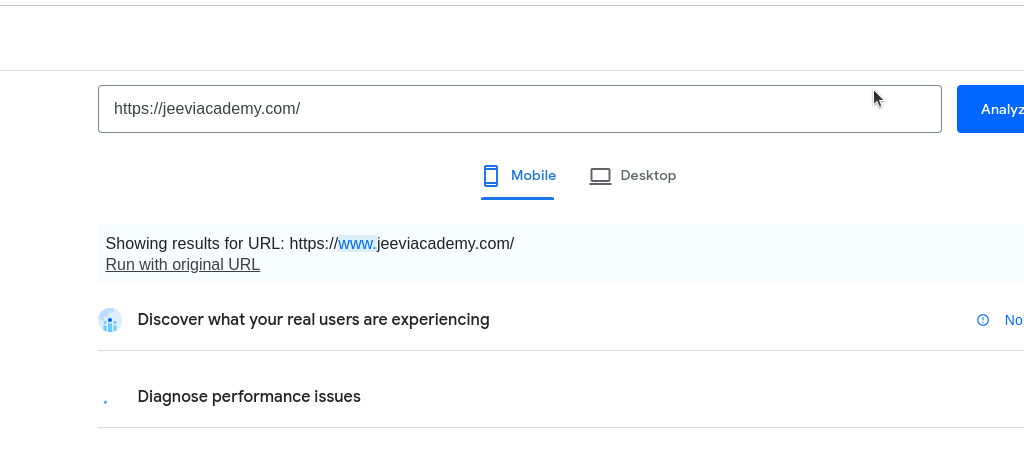
Google has a web developer resource that provides advice on how to optimize the speed of websites for mobile devices and it also offers a free test that can help you see how well your website performs when viewed on a mobile device.
Pingdom is an online tool that was created by Solarwinds and it allows you to test the speed of your website using different criteria, such as time to the first byte, number of requests made, and more.
Additionally, Pingdom offers reports that can help you identify areas where your website may be lagging behind.
It allows choosing the website test for multiple locations. It will provide a detailed performance overview. you can track your performance history.
KeyCDN is another website performance tool for testing your website speed. It offers different tests such as HTTP/1.1, 1.2, and 2.0 load time tests, parallel downloads, redirects, and cookies.
You can also compare your website speed with others in the same category or by country or region

website performance is important, to ensure that the user experience is smooth and uninterrupted. These seven tools can help you optimize your website’s speed so that it meets or exceeds expectations from web users around the world.
Jeevisoft is a website design company in Chennai. We understand the importance of a website these days and that’s why we dedicate ourselves to providing you with world-class web solutions. Our team of skilled professionals has years of experience working on high-profile projects, so you can be sure that your website will look and behave exactly how you want it to.
We guarantee customer satisfaction, so if you have any questions or concerns while working with us, don’t hesitate to reach out!
If you want to learn more about tools and technology of website development, you can always contact jeeviacademy to enrich your learning skills.

This blog post will discuss the top 10 reasons why employees leave their jobs, and provide some advice on how to prevent turnover in the first place.
U.S. employee annual voluntary turnover is likely to jump nearly 20% this year, from a prepandemic annual average of 31.9 million employees quitting their jobs to 37.4 million quitting in 2022, according to Gartner, Inc Source – Gartner Website.

One of the main reasons employees leave their jobs is because they don’t feel like there’s a purpose or mission in their work. If your company lacks a clear goal, it can be difficult for employees to stay motivated and engaged.
Another reason employees may depart is if they’re not happy with the level of engagement and satisfaction that their job offers. If you don’t clearly communicate what’s expected from your team members, it can be tough for them to know whether or not they’re meeting those expectations. Additionally, if your staff feels undervalued or unsupported, they may choose to find a new job instead.
But if you can provide your employees with a clear purpose and direct objectives, it’ll go a long way in keeping them happy and engaged.
When employees feel undervalued, they may start to look for opportunities elsewhere. One of the biggest factors that contribute to employee dissatisfaction is a lack of equitable compensation. If you don’t offer your staff fair pay, it can be tough to attract and keep high-quality talent.
Additionally, low salary offers can give off the wrong impression about the company’s priorities and values. When employees think their hard work isn’t worth anything in return, they’re more likely to switch teams or leave altogether.
To avoid this situation, make sure your salaries reflect both your team’s skills and experience
In addition to compensation and engagement issues, another reason employees may leave their jobs is if they’re working too hard. If your team members are constantly stressed out and tired, it can be tough for them to focus on their work and enjoy their time at the office.
This kind of stress can manifest itself in a number of ways, including decreased productivity, lost concentration, and high levels of absenteeism. In short: when employees are overworked, it’s not only difficult for them to do their job well; it also has a negative impact on the entire organization.
To avoid this situation, make sure you schedule regular rest and relaxation breaks for your team members
If your team is unhappy, chances are good that their manager is also to blame. A bad manager can be difficult to work with, demoralizing the team, and ultimately leading to exodus rates.
Additionally, a bad manager can be a major distraction, causing team members to stray from their work and neglect important tasks. This can lead to decreased productivity and eventually lowered morale.
If you’re not sure if your manager is doing a good job, ask your team members for their thoughts. If they don’t feel confident in the boss’s ability to manage them effectively, it may be time for a change.
To avoid this situation, make sure you find a qualified candidate for the managerial position before hiring someone new into the role.
When employees feel unsupported and unappreciated, it can lead to unhappiness, absenteeism, and even resignation. In order to keep your team members happy and motivated, you need to provide them with clear feedback on their performance.
This doesn’t mean giving everyone a pat on the back all the time – Feedback should be constructive, specific (e.g., “Great job running that meeting last week”), timely (within 24 hours), and actionable (e.g., “I noticed that you didn’t take notes during this presentation – could you try doing that next time?”).
If you’re not sure how to deliver feedback effectively, seeking guidance from professional development or HR consultant may be a good idea.
To avoid this situation, make sure you provide regular recognition and feedback to your team members. This will help improve their morale and performance
Too much work and not enough time for family or friends can be a major drag on workers’ morale. When employees feel like they’re overwhelmed at work and don’t have any downtime, it’s difficult to focus on their job and produce high-quality results.
To avoid this situation, make sure you give your team members the opportunity to take breaks (10-15 minutes every 2 hours is ideal) and set reasonable goals that are achievable. This will help them stay motivated while still meeting deadlines.
Employees who are bored at work often find it difficult to concentrate and produce quality results. In addition, they’re more likely to take unauthorized breaks or leave early (which can lead to job losses).
To avoid this situation, make sure you have a variety of engaging tasks that employees can participate in. This will keep them engaged and motivated while they’re working on their assignments.
When employees feel like their job hasn’t changed in years, they’re likely to become bored and frustrated. This can lead them to take unauthorized breaks or leave work early (which can lead to job losses).
To avoid this situation, make sure you periodically evaluate your team’s strengths and weaknesses and implement changes that will help improve their skills and performance. This will give them the opportunity for growth and a deeper understanding of how their work contributes to the organization’s goals.
Hiring processes that are outdated or inefficient can lead to high turnover rates and a shortage of qualified employees. This can make it difficult to meet deadlines and produce quality results.
To avoid this situation, make sure you use effective recruitment methods (such as online applications or job fairs) and ensure your hiring process is quick and easy to follow. This will help you attract top talent without wasting time or money on unsuccessful candidates.
When employees feel like they’re in a negative environment, they’re more likely to leave or take unauthorized breaks. This can lead to decreased productivity and poor results for the organization.
To avoid this situation, make sure your company culture is supportive and encourages creativity and innovation. This will ensure that employees are motivated to reach their highest potential and deliver outstanding results.
If you want to avoid turnover not happening in your company, you may follow the suggestion of ensuring your team is successfully meeting deadlines and producing quality results. Additionally, you should make sure your hiring process is efficient and use effective recruitment methods to attract top talent. Finally, create a positive company culture that encourages creativity and innovation.
So what do you think? Why do employees turnover? Do you have any others to add to the list?
Please comment in the comment section below and let us know what you think!

The first and most important step in creating great video content is learning how to edit it. There are a number of different editing software options available on the market, so find one that fits your needs and start learning how to use it. if you are not sure which software to use, please watch jeevisoft video tutorial on the Top 5 Best AI Video generators for Youtube and Instagram.
The second important step in creating great video content for your business is understanding your target audience. What do they want to know? Why should they care? Once you have a good idea of who your customers are, it will be much easier to create content that appeals to them and encourages them to take action.
In addition, it is important to understand your competition and what makes them successful. Knowing what you need to avoid in order to create a unique voice for your business will go a long way in helping you succeed.
In order to create engaging video content, you’ll need some background information about the industry that you’re targeting and your competitors within that industry. This information can be found online, by doing some research, and by talking to people in the industry.
Additionally, it can be helpful to watch some video content that’s relevant to your industry and see how it was created. This will give you an idea of the kind of style, approach, and tone that works best for video marketing in your niche.
One of the most important things to remember when creating video content for your business is that you’ll need to make it engaging and useful. If your viewers don’t care about what you have to say, they won’t stick around. Keep your videos short (under 3 minutes is ideal), interesting and informative – and always keep in mind the goals of marketing communication.
As long as you keep these tips in mind, you’ll be well on your way to creating great video content that will help you reach your business goals.
The final key step in creating great video content for your business is promoting it. Make sure that you have a strategy for distributing your videos online and on other platforms, and create an effective social media campaign to help promote them.
Plus, make sure to promote your videos on the channels that are most likely to reach your target audience. For example, if you’re targeting small business owners, make sure to distribute your videos through social media and LinkedIn groups.
It’s important to keep track of your video content in order to make sure that it is engaging and useful and to make any necessary changes as needed. Monitoring your videos will help you capture feedback about how they are being received, which will help you improve them even further.
As you can see, video isn’t just for entertainment anymore. It’s a powerful content marketing tool that can help your business grow. All it takes is a little preparation and creativity to make sure you create videos that stand out from the crowd.

If you need help creating great video content for your business, please don’t hesitate to get in touch. We can provide guidance and assistance as needed. if you like this blog post, please share it with your friends.
If you found this blog helpful or interesting, please consider subscribing to our monthly newsletter.
What are your tips for creating engaging video content? Share in the comments below!


If you’re a designer or user experience (UX) specialist, then you know that AI can play an important role in your work.
By the end of this post, you’ll have everything you need to get started using these tools for your own projects. So without further ado, let’s get started!


Let’s Enhance is an AI-powered tool that can help you enhance your images and graphics. With Let’s Enhance, you can quickly and easily add enhanced effects to your images using a variety of filters and presets. You can also use Let’s Enhance to improve the clarity, color accuracy, and detail in your images.
Additionally, Let’s Enhance upscale your image quality to match the resolution of your final output. So if you’re designing for prints, web displays, or projected screens, Let’s Enhance can help you achieve the highest quality image possible.
Let’s Enhance has automated preset features and it is really easy to get started with. Plus, Let’s Enhance offers 10 free credits so you can try it out before you buy. If you want to use their pro version, they are starting with $9/month for 100 credits.

It would be amazing if there was a tool that could quickly remove backgrounds from images.
Well, that’s what Remove.bg is designed to do! With Remove.bg, you can easily remove any background from an image using a variety of filters and options.
Remove backgrounds 100% automatically in 5 seconds with one click. Remove any type of background including textured walls, carpets, and furniture. Remove people from photos without having to edit them first.
All of these features are available for a free trial so you can see how well it works before you decide if it’s right for your needs. After the trial is over there is a paid version that starts with a credit basis at $0.20/image.

VanceAI is an image editor that is meant for users who are designers and graphic artists. It is easy to use and makes professional-looking images in minutes. Additionally, VanceAI has built-in tools that can help you improve the clarity, color accuracy, and detail in your images.
The AI Image Enhancer tool will enhance the image details just in one click by using AI, AI Anime Portrait will turn people into anime characters, and will enhance the clarity of an image. There are also filters available to make your images look more specific or customized to you.
VanceAI is a great option for users who want to create professional-looking images without having to learn tons of complicated techniques.
Additionally, VanceAI has tools that can help you with face enhancement techniques and repair your old photos to bring them back to life effortlessly.
Unfortunately, there is no free trial available for VanceAI, but there is a paid version that starts at $0.099 for 100 credits/month.
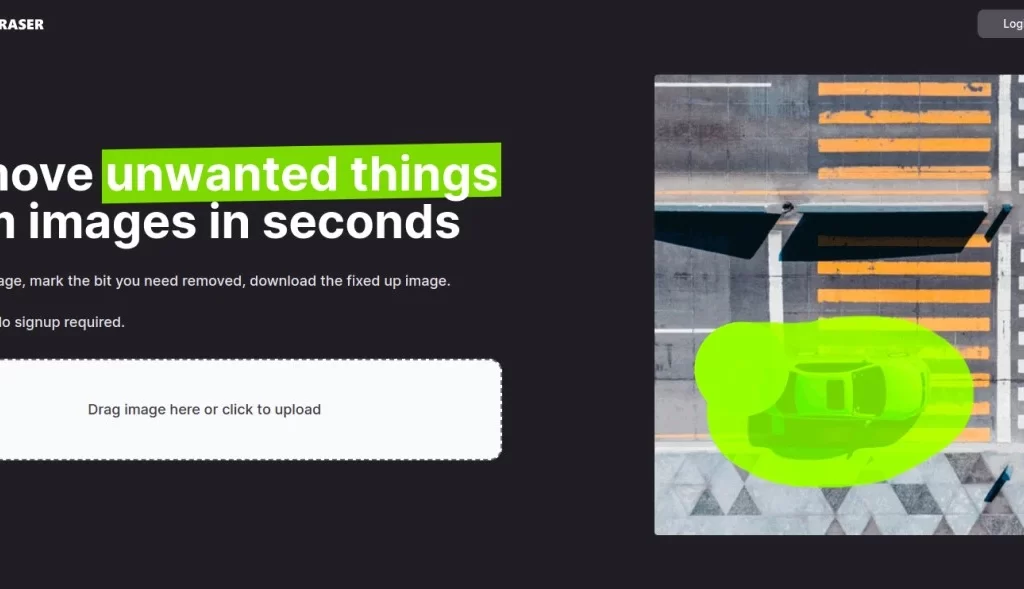
Remove unwanted things With Magiceraser.io, you can remove unwanted text, marks, and other objects from your images quickly and easily.
The tool uses a fast algorithm to identify and remove any unwanted content in minutes. Additionally, the app includes a built-in editor that makes it easy to fine-tune the removal process for even more accuracy.
Magiceraser.io is great for removing all types of objects from your images – including text, marks, blemishes, logos, etc.
There is a free trial with unlimited images and unlimited edits but there is a pro version starting with $9.99/month.
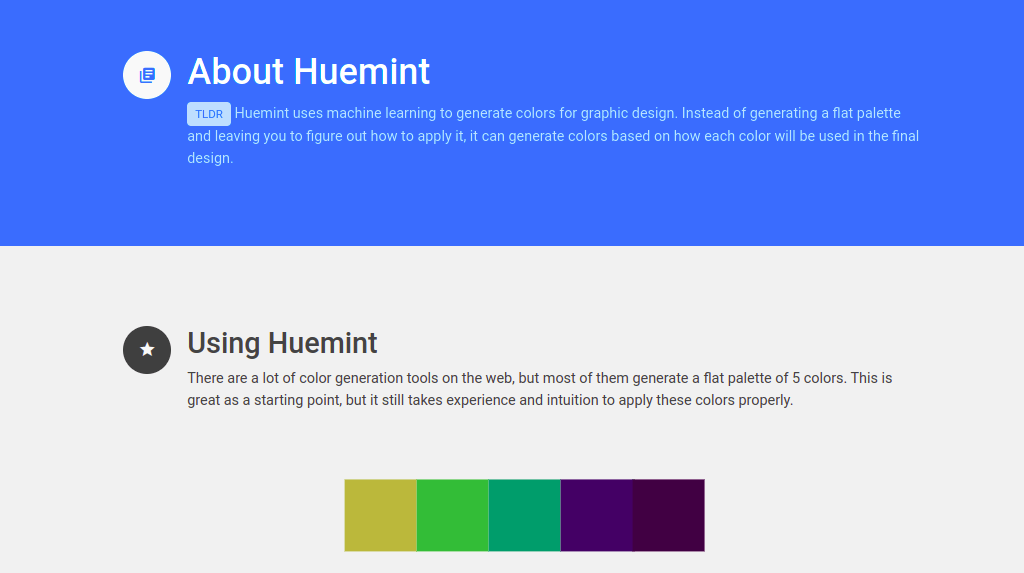
Huemint is a color palette generator. It uses machine learning to create unique color schemes for your brand, website, or graphic. Huemint has a built-in color wheel that helps you quickly create custom colors for your projects.
Surprisingly, it is free forever.

In this blog post, I have shared five amazing AI tools that can help UX and graphic designers easily design better interfaces. We hope that by reading this blog post you will be able to find the tool that is best suited for your needs and start using it to improve your workflow. If you want to work on any UX and graphic design for your future project, you can contact us.
Keep an eye out for more blog post like this in the future! Don’t forget to share it with your friends!

So whether you’re looking for a simple video creator or something more advanced, I hope that this list will help you find the perfect tool for your needs.
Trust me – by the end of this post, you’ll be a pro at creating amazing videos that will impress your followers and help improve your online presence. So what are you waiting for? Let’s get started.

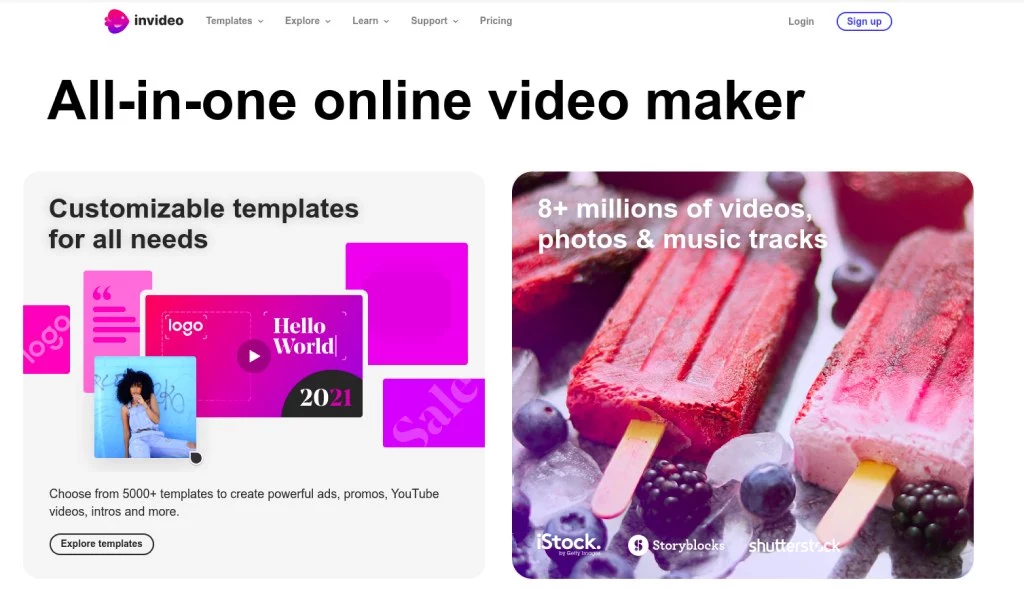
InVideo is one of the most popular AI video generators on the market today. This tool allows you to create high-quality videos that can be used for a variety of purposes.
You can use InVideo to create promotional videos, social media posts, and product demonstrations. Additionally, this tool has a wide range of editing and styling options available, which means that you can customize your videos to match your own brand aesthetic.
InVideo offers free plans and PRO plan pricing plans starting from $15/month for business and $30/month for unlimited.
InVideo is famous for its easy-to-use interface and the wide range of features that it offers. Plus, this tool is extremely affordable, which makes it a great option for small businesses and start-ups.
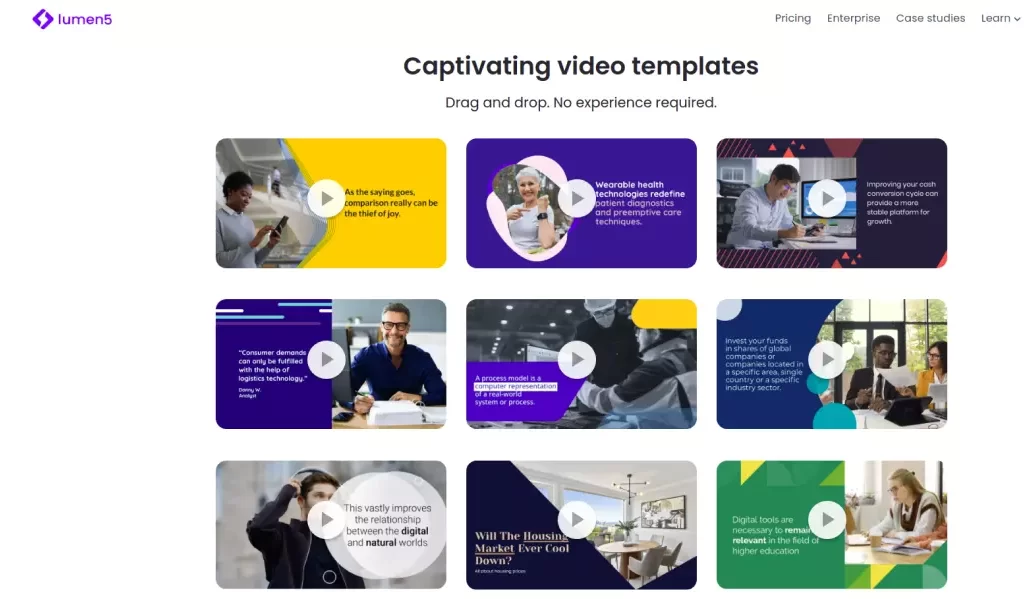
Lumen5 is another popular AI video generator that offers a variety of editing and styling options. This tool allows you to create videos that are both professional and engaging. Additionally, Lumen5 has a wide range of music options available, which means that you can add your own background music to your videos.
Plus, this tool provides unlimited videos at 720p with a free plan with limited features and a paid plan with more features starting from $29/month.
Lumen5 is great for creating high-quality promotional videos that will appeal to a wide audience. Plus, its affordable options make it an ideal solution for small businesses and start-ups.
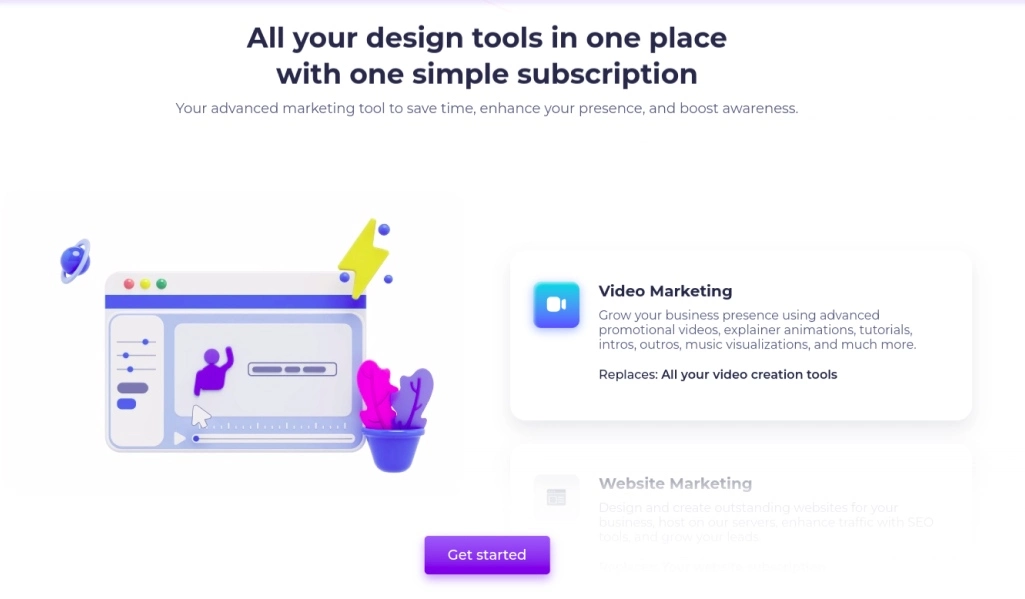
RenderForest is a powerful AI video generator that allows you to customize your videos in a variety of ways. This tool offers access to a wide range of editing and styling options, as well as the ability to add your own music and video clips.
Additionally, RenderForest has an extensive library of pre-made templates available, which means that you can easily create high-quality videos without having to learn how to use the software.
RenderForest provides unlimited videos at 720p with a free plan with limited features and a paid plan starting from $14.99/month for Lite. For Pro, you get unlimited videos at 1080p with more features.
If you are a small business owner and you want to run a youtube channel, consider using RenderForest to get started with creating quality videos that will help you build brand awareness and attract customers.
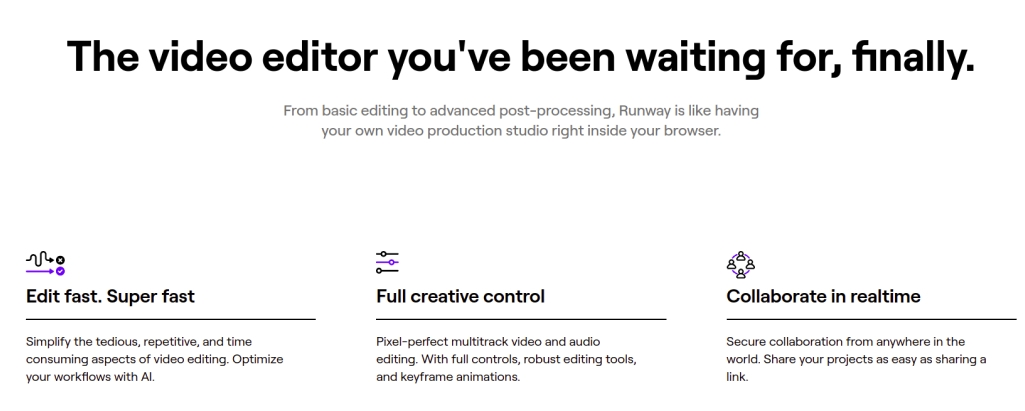
From basic editing to advanced post-processing, Runway offers a wide range of video editing options that lets you create videos that are both professional and engaging. Additionally, this tool has a library of pre-made templates available, which means that you can easily create high-quality videos without having to learn how to use the software.
Plus, Runway provides unlimited videos at 720p with a free plan with limited features and premium plans starting from $15/month.
Additionally, Runway has a library of pre-made templates available, as well as the ability to add your own music and video clips.
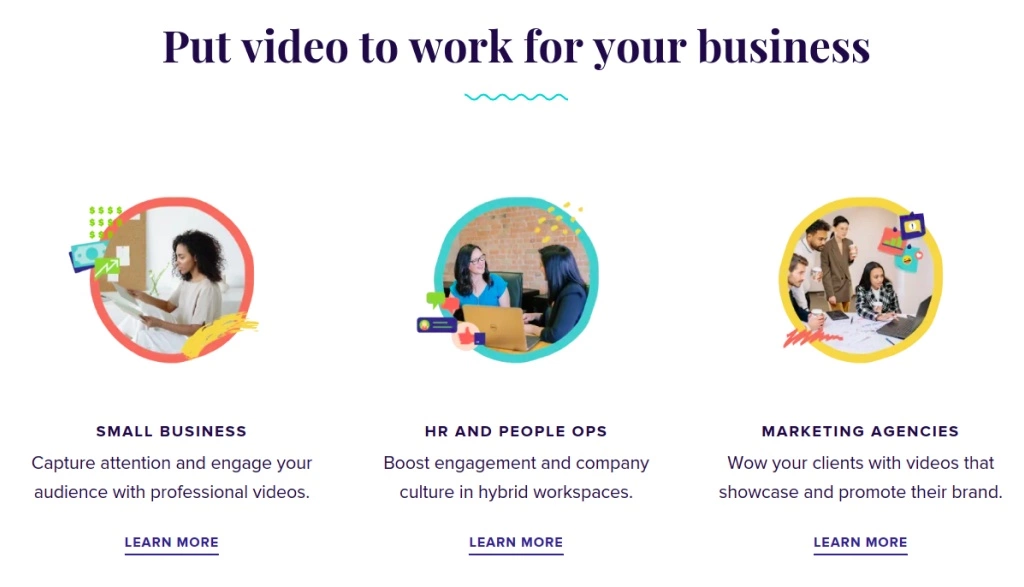
Animoto is one of the oldest AI tools on the market today, but it still remains one of the most popular tools for creating promotional videos online.
Additionally, Animoto has a wide range of editing and styling options available, which means that you can easily customize your videos to match your own brand aesthetic.
You can create unlimited videos with a free plan, with standard features and basic plans starting from $6/month.
Plus, Animoto provides you with the ability to add your own music and video clips, as well as targeted marketing insights that will help you make more informed decisions about how to market your videos.

So these are the best AI Video Generators that you can find online. These tools offer a variety of features and options, which means that you can create professional-grade videos without having to learn how to use them. If you’re looking for a simple and easy way to create high-quality videos, these tools are definitely the best options available.
If you want to know more AI-related blog posts, please subscribe to our newsletter. If you want to know more about services, please check our website.

In fact, a recent study found that almost two-thirds of companies have experienced a cyber-attack in the past year! And while most cyber-attacks are simple and fast to fix, some can be more complex and costly to address.
In this blog, we outline 5 easy tips that will help you stay safe from cyber-attacks in 2022. Utilize strong passwords, keep only what you need online, monitor activity constantly, and educate your employees about cyber-security. By following these simple tips, you’ll be well on your way to avoiding expensive and disruptive cyber-attacks.
If you want to stay ahead of the curve then make sure that you subscribe to our monthly Newsletter. We will provide you with information on how to protect your business from cyberattacks and other online security risks.

Cyber-attacks are on the rise and business owners need to be prepared. To protect your business, you need to have an emergency plan in place and up-to-date antivirus software on all devices connected to the internet.
You also need to stay ahead of the curve by regularly monitoring your data networks for signs of attack. Establish clear security protocols for employees – they must understand how their devices are used, who has access to them, and what secrets they should not keep online.
In addition, cyber-attacks can cause financial damage, jeopardize employee identities, and potentially disrupt operations.
So, it’s important to be proactive and understand the risks associated with cyber-attacks.
Cyber-attacks are on the rise, and organizations need to be prepared. In 2022, cyber-attacks could cause financial losses of up to $445 billion.
There are several reasons for this increase. Cybercriminals are becoming more sophisticated, and they’re increasing their efforts to attack organizations via the internet.
In addition, businesses are increasingly relying on the internet for their operations – from selling products and services to communicating with customers. This makes them more vulnerable to cyber-attacks.
Hence, we are giving 5 tips that you can use to protect your business from cyber-attacks in 2022.

Businesses should only save what is absolutely necessary and delete everything else. This will help to keep your data safe from cyber-attacks.
In addition, make sure you have a backup plan in place. Have multiple copies of your data stored offline and make sure you have the ability to restore them quickly in case of an attack.
Moreover, it is important to authenticate all the users who have access to your data – Organizations need to properly authenticate their users in order for them to be able to access the necessary resources.
This includes ensuring that only authorized personnel have access, as well as verifying their identities. You should also encrypt user login credentials so that they cannot be stolen by cyber-criminals.
The second tip is that you need to use strong passwords and security measures.
By using a strong password, you will make it more difficult for cyber-criminals to access your data. Moreover, by implementing multiple layers of security, you will further protect yourself from attack.
Some of the best measures that businesses can take in order to protect themselves from cyber-attacks include activating two-factor authentication (2FA), encrypting sensitive data with AES-256 standards, and installing anti-virus software on all devices used by employees.
In addition, regularly updated antivirus definitions are also a must. Finally, stay up-to-date on the latest security threats and implement appropriate measures to protect your data.
In order to stay up-to-date on the latest security threats, you can find the resources on the following website.
NIST’s National Vulnerability Database (NVD) is an excellent resource for finding out about new cybersecurity threats.
The SANS Institute website offers a variety of information and resources, including a blog that covers recent security threats.
The Lieberman Software Security Incident Response Team (LSIRT) offers online training courses on how to identify and respond to cyber-attacks.
The third tip is that you need to constantly monitor activity.
By monitoring activity, you will be able to detect any suspicious or unauthorized activities. This includes anything from unauthorized access attempts to data theft and espionage.
Once you have detected any suspicious activity, you need to Immediately report it to your security team. By doing this, you will help them to investigate and mitigate the threat.
Moreover, it is also important to continuously monitor your company’s systems for vulnerabilities. By doing this, you will be able to quickly fix any issues that may arise.
Finally, it is essential to have a good attack strategy in place. This includes developing contingency plans in case of an attack, appointing a team responsible for coordinating the response, and establishing standards for data protection and cyber-attack prevention.
Fourth, you need to always update your software and firmware.
Updating your software and firmware will help to protect against a number of different types of attacks. This includes vulnerabilities that may be exploited by hackers.
Furthermore, by updating your software and firmware, you will also reduce the chances of experiencing any performance issues or errors.
Finally, it is important to note that you should never install unverified software or firmware updates. Doing so may introduce security vulnerabilities to your system. Instead, you should always use verified updates from the manufacturer.

You need to educate your employees about cyber-security.
In particular, you should make sure that they are aware of the dangers posed by cyber-attacks. Furthermore, you should also provide them with educational materials on cyber-security. This will help them to understand how to protect themselves from attacks and defend your company’s data.
Moreover, it is also important to closely monitor their online activity. If someone within your organization appears to be engaging in suspicious or unauthorized activities, you need to take appropriate action immediately. Regularly update passwords and security questions
The cybersecurity threats that businesses should be aware of in 2022 include ransomware, data breaches, and phishing attacks.
A data breach can be prevented by following a few simple steps. First, it is important to have a data security plan in place that includes proper security measures such as password management, encryption of data, and firewall protection.
Second, it is important to Monitor and Track Actual or Suspected Incidents of Data Breaches so that you can take corrective action quickly.
Finally, make sure that your backup and recovery procedures are in place in case of a data breach.
In addition to using strong passwords and cyber security measures, businesses can explore ways to protect themselves from data breaches by using cybersecurity services and encrypting sensitive information.
There is no one-size-fits-all answer to this question, as the best way to protect a company from cyber attacks will vary depending on the specific circumstances of each case.
However, some simple steps that companies can take to protect themselves from cyber attacks include installing security software and update their antivirus software regularly.

Cyber-attacks are on the rise, and businesses of all sizes are at risk. Make sure to follow our 5 tips to protect your company from cyber-attacks in 2022. By doing so, you can ensure that your business remains safe and secure from any malicious activity. If you looking for support or advice in relation to cyber security, feel free to get in touch with us at any time.

From artificial intelligence (AI) and machine learning to 5G Network, you’ll be able to stay ahead of the curve with this list.
By understanding these trends and implementing them into your business strategy, you can ensure success in the coming year. So check back often for updates on the latest technology trends – they definitely won’t be around forever!


The future of business is looking bright, and that includes investing time and resources into artificial intelligence (AI) and machine learning. As these technologies continue to grow in popularity, businesses that invest now will be in a much better position in 2022.
AI is already being used in a variety of industries, and it will continue to become more prevalent in the next few years.
Machine learning offers companies a way to improve their algorithms without having to hire additional staff. This technology can help you automate tasks and processes so you can focus on what’s important – your business strategy. Additionally, there are many applications for AI that go beyond businesses – such as healthcare and education. So, whether you’re a small business or a Fortune 500 company, it’s important to stay ahead of the curve and invest in these technologies.
According to Statista statistics, the number of businesses using AI or machine learning will grow from 85% in 2021 to 95% by 2025. So, if you’re not already investing in these technologies, it’s time to take action!
The future of technology is going to be dominated by artificial intelligence and machine learning.
Edge computing will change how we interact with technology, making it faster, more efficient, and seamless.
Not only that, but edge computing can also help you make better decisions faster – a key requirement for businesses that want to stay ahead of the curve.
Many companies are already starting to adopt edge computing, and it will only become more popular in the coming years. So, if you’re looking for a way to improve your business productivity, then edge computing is an important technology trend to keep an eye on.
According to Statista statistics, the number of businesses using edge computing will grow from 10% in 2022 to 26% by 2025. So, if you want to stay ahead of the curve in the world of technology, then edge computing is a key area to focus on.

Quantum computing is a technology that has the potential to change a number of industries.
It will help us make better decisions faster and automate tasks, leading to a more efficient world.
Apart from this, quantum computers also have the ability to process information in ways that traditional computers can’t.
This makes them advantageous in areas like finance, healthcare, and retailing where accuracy is key.
As quantum computing becomes more widespread, it will have a huge impact on the way we live and work. So, if you’re interested in staying ahead of the curve in your industry, then Quantum Computing is an important technology trend to keep an eye on.
According to Statista statistics, the number of businesses using quantum computing will grow from 2% in 2022 to 10% by 2025.

Virtual Reality and Augmented Reality are two of the most exciting emerging technologies that will impact business in 2022.
As such, it’s important to be prepared for their arrival and understand the benefits they offer.
VR can provide a unique experience that customers will love, while AR can provide valuable information or products to buyers.
These technologies have the potential to revolutionize how people shop, learn, work, and more in the digital world.
Be sure to research which VR or AR tools are best suited for your business before they hit mainstream adoption! By doing so, you’ll be well on your way to a successful future with VR and AR technology.
Blockchain is one of the most important technology trends in 2022.
It’s a digital ledger that allows for secure and transparent transactions between individuals or organizations.
As such, it has the potential to revolutionize many industries, including healthcare, finance, and retail.
At its core, blockchain is a trustless system where data is verified through cryptography rather than third-party verification. This makes it highly secure and reduces the risk of fraudulence or other malfeasance.
Organizations are starting to apply blockchain across multiple industries in order to build more integrated, efficient, and transparent systems.
Be sure to stay up-to-date with blockchain technology in order to reap the benefits it has to offer your business. By doing so, you’ll be able to increase trust and security among your customers and employees.
According to Statista statistics, by the year 2022, blockchain will be used in over $1.5 trillion worth of transactions. This is an indication of just how important this technology trend is!
Another major technology trend in 2022 is cyber security.
As the world becomes increasingly connected and automated, it’s important that businesses invest in robust cyber security measures to protect their data and systems from attack.
There are a number of different cyber security threats facing organizations today, including ransomware attacks, data theft, malware outbreaks, and more.
By protecting your business against these threats using proper cybersecurity practices, you can safeguard your customers’ information as well as your own assets.
Cybersecurity is one of the most important aspects of risk management for any organization today, and it’s something that should be constantly monitored.
As per Statista statistics, the global cybercrime industry is expected to reach $1 trillion by 2022. This means that businesses need to have a sound cybersecurity strategy in place if they want to stay safe from attack.
Another technology trend that’s set to grow in 2022 is cloud computing.
As businesses move away from traditional on-premises systems and towards more cloud-based models, they’re able to save money on hardware and software costs.
Furthermore, using cloud computing allows organizations to scale their operations quickly without having to worry about the underlying infrastructure. This makes it a great choice for companies that need to rapidly expand their reach or capabilities.
By 2024, Statista predicts that almost two-thirds of businesses worldwide will be using some form of the cloud service provider.

By 2022, 5G wireless networks will have become widespread across many parts of the world.
This next-generation network technology is able to provide faster speeds and more reliable connections than traditional networks.
5G wireless networks are expected to play a big role in the future of internetworking, paving the way for new applications that couldn’t be possible before.

The new technologies are expected to drive growth in the coming years and if you wish to step into this trending technology, you will have to learn about and invest in the right tools. It is important to consider how these new technologies can benefit your business and make sure that you are taking advantage of all of their potential benefits.
However, these are just a few of the major technology trends that are expected to come into play in 2022. There are many other exciting developments that will be taking place this year, so stay tuned!
If you want to know more about the latest technology trends, keep reading our blog posts or follow us on social media platforms. If you are interested to learn the latest technologies, get in touch with us at jeeviacademy.
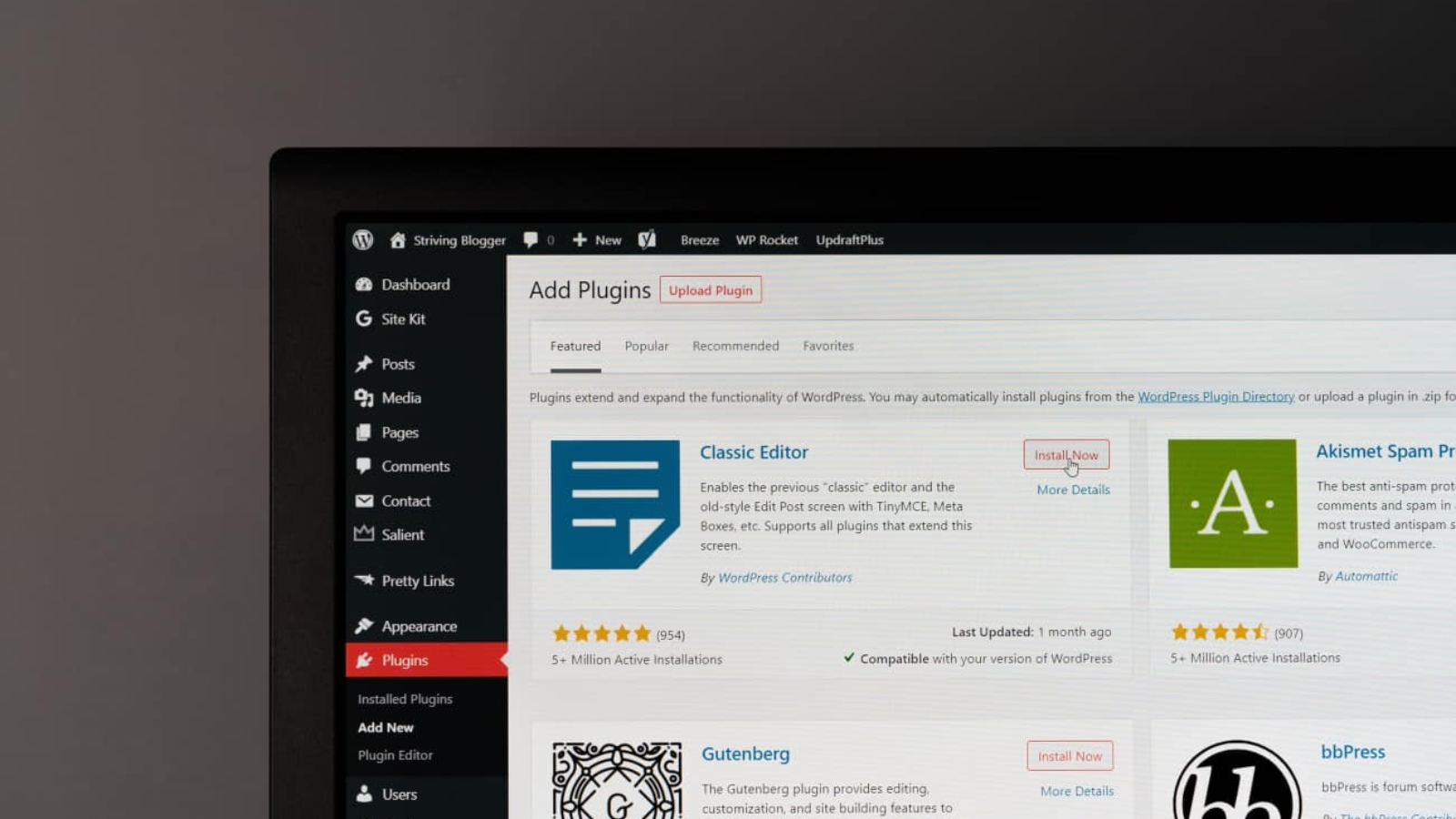
But, You are still looking for enhancing your Web development skill using the best WordPress plugin.
No worries, you are in the right blog for what you are searching for. In this blog post, I will discuss the Top 10 Best WordPress plugins that are always used in any WordPress Web development.
Again, whether you’re a beginner or an experienced developer, be sure to check out these blog posts for some helpful tips and tools!
WordPress is a free and open source content management system in short CMS that works with a MySQL or MariaDB database and is protected by HTTPS.
WordPress is running on over 24.1 million websites and powering almost half of the top 10 million sites online. It also has an extensive plugin ecosystem that enables developers to add features and functionality to the platform. With that wide varity of plugins, you can build any type of website you want.
Moreover, since it is free and easy to use, It is a popular platform for anyone who has recently started their Web development Journey.
As it is an open-source content management system, you can setup WordPress on any platform such as Desktop, Laptop, or system.
The most prominent platform is installing WordPress in Hosting Space. It supports both self-hosted sites or is hosted on a web server like GoDaddy, Google Apps, or Container.
As WordPress is the most popular platform, the hosting provider will have an in-built Auto installer option to install WordPress and Start the development.
If you are not willing to pay for hosting space, you can still use local install software to develop the Website. If you are keen on learning WordPress Installation, we will cover the WordPress Installation in another blog post.
WordPress has quickly become one of the most popular platforms on the internet, and for good reason. It’s easy to use, fast, reliable, and affordable.
Plus, it comes with thousands of free plugins and themes that allow you to customize your site exactly how you want it.
There’s no need to hire a developer or spend money on custom software – WordPress can do everything for you!
WordPress Plugin is a tiny program that extends the functionality of WordPress websites. They’re easy to install and use, and come with easy-to-read installation instructions.
Before you download and install a plugin, make sure you understand its functionality and how it can benefit your website.
You can also search for plugins using the WordPress Plugin Directory, or install them from the WordPress dashboard using the ‘Add New’ button.
Once you’ve found the plugin you’re looking for, simply click on the ‘Install’ button to get started.
Moreover, WordPress themes are the templates that make up a WordPress site. Once you’ve installed a plugin or created a new site, you’ll need to choose a theme for specific needs.
The themes available on the WordPress Theme Directory are free themes and easy to use. Just select one from the list, click on ‘Install’ and your website is ready to go!
We will be discussing the Top 10 of the best WordPress available plugins for web development in 2022.
These plugins will help you with a variety of tasks, such as creating a page builder, securing your website, migrating to a new WordPress platform, and more.
We’ve reviewed multiple plugins to choose from, and here’s a list of the top 10 WordPress plugins for a variety of reasons and their benefits
Elementor is no 1 free WordPress website builder. It is an all-in-one, drag-and-drop suite that lets you create professional websites in minutes. You can use Elementor to build anything from a simple own website to a full-fledged eCommerce store.

Benefits of using Elementor include:
RankMath plugin helps you improve your website’s search engine optimization (SEO) by identifying and fixing common issues. It’s free to use, and it works with both fresh installations of WordPress as well as themes and plugins that include SEO features.
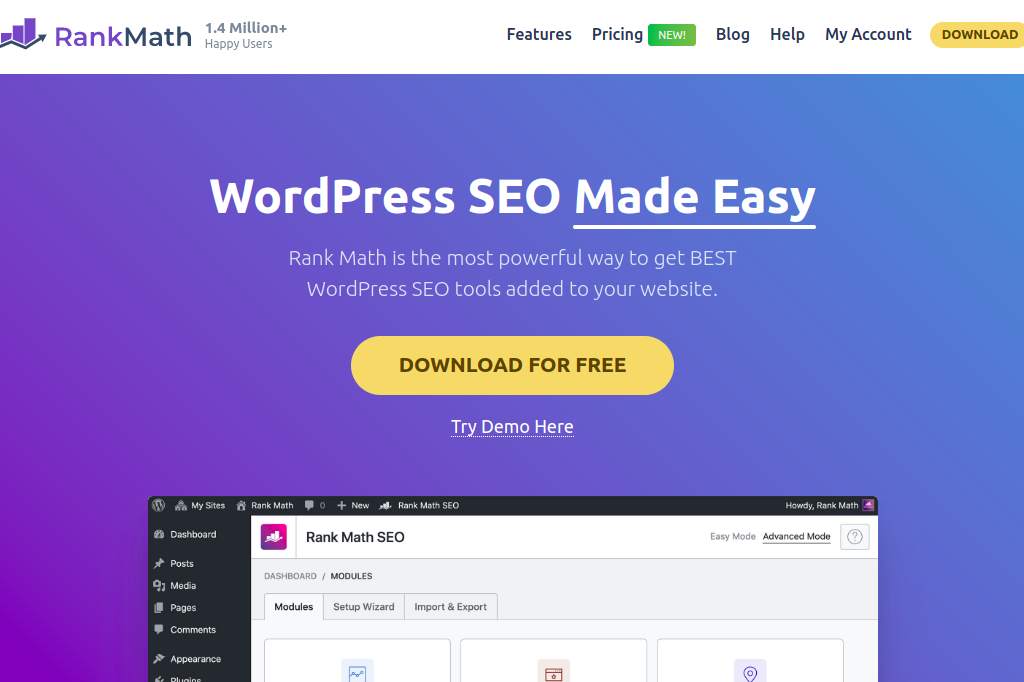
Benefits of using RankMath include:
Smush is a WordPress plugin that helps to optimize images for faster loading times. It can save up to 50% of the image’s total size, and it works with both posts and pages. Moreover, it can also compress JPG and PNG files, as well as HTML and CSS files.
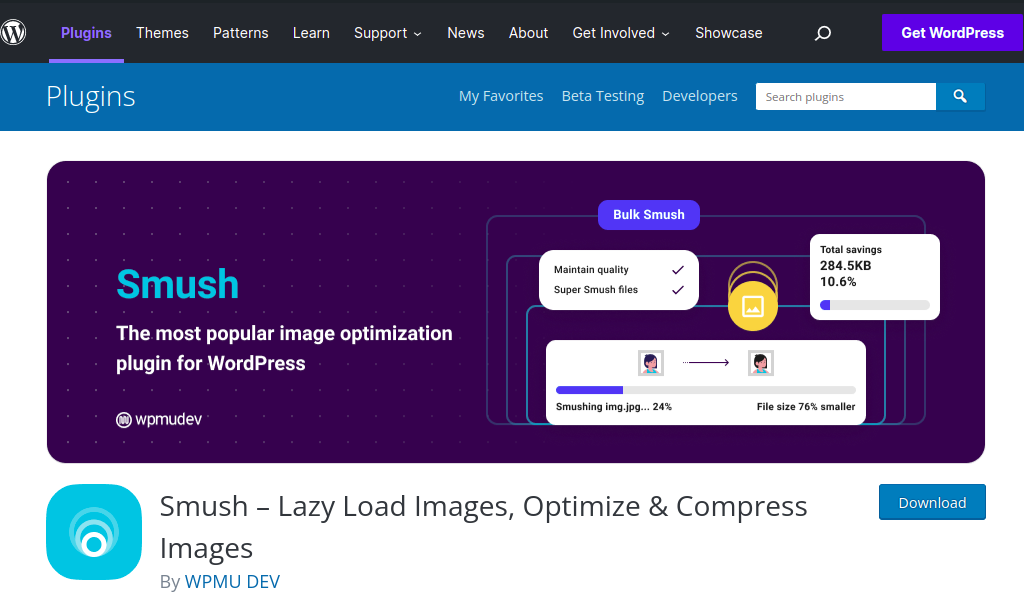
Benefits of using Smush include:
WPForms is a WordPress plugin that allows you to easily create and manage forms. It provides an easy way to add form fields, submit data, and track submissions.
WPForms also offers built-in validation and submission tracking so you can see how many forms are being submitted, where they came from (users or pages), and the success rate of each form.
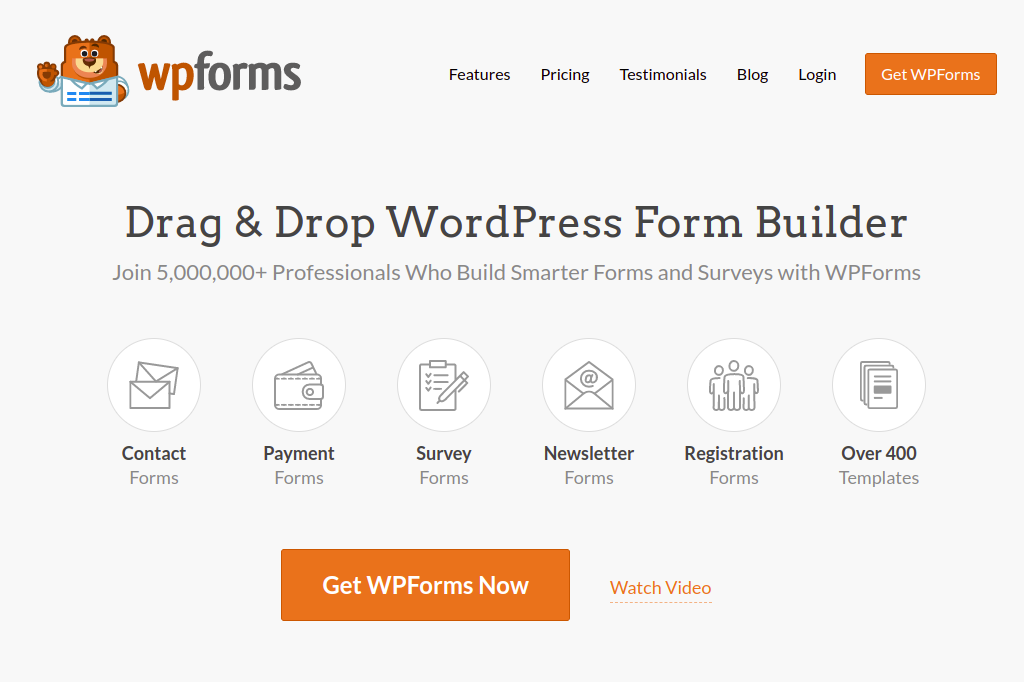
Benefits of using WPForms include:
All-in-One WP Migration is a WordPress plugin that helps you to migrate your website from one hosting provider to another. It provides an easy way to export your data and move it over to the new host, as well as import all of your old posts, pages, comments, followers, and likes.
This plugin also includes support for Multisite networks – so you can easily move sites between different hosts without any lost data. You can easily take the backups of the website whenever it is needed.
Benefits of using all-in-one wp migration include:
Wordfence is a security solution that uses cutting-edge technology to protect your website from hackers and other malicious actors.
It includes features such as blacklisting, malware scanning, intrusion detection, and more. Plus, it’s available as a free and premium edition.
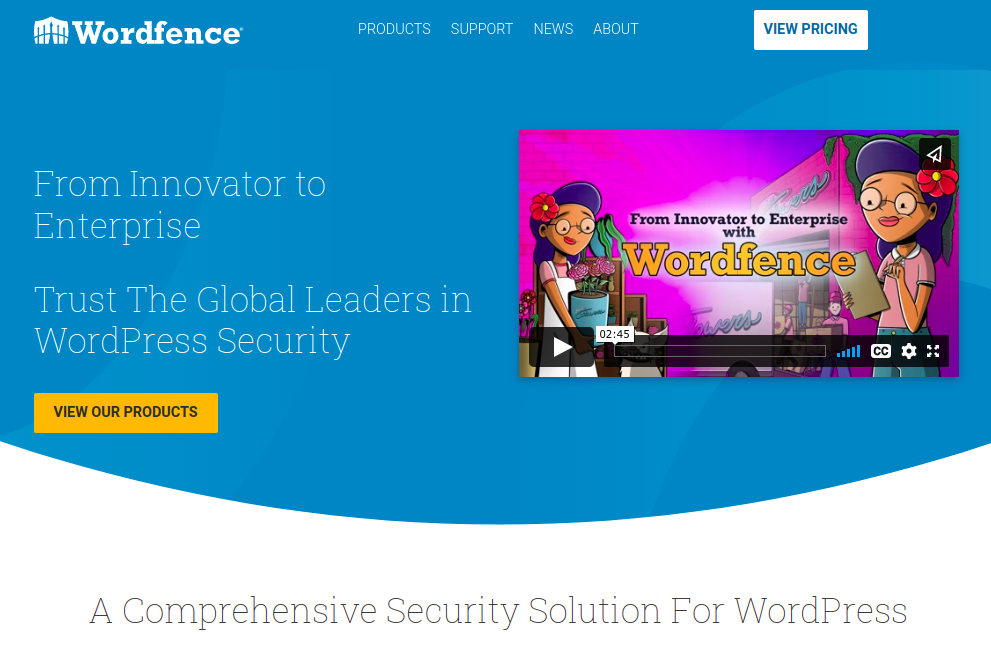
Benefits of using Wordfence include:
W3 Total Cache is a caching solution that speeds up your website by storing pages and files on the client side. It also includes features such as minification, compression, gzip encoding, and more.
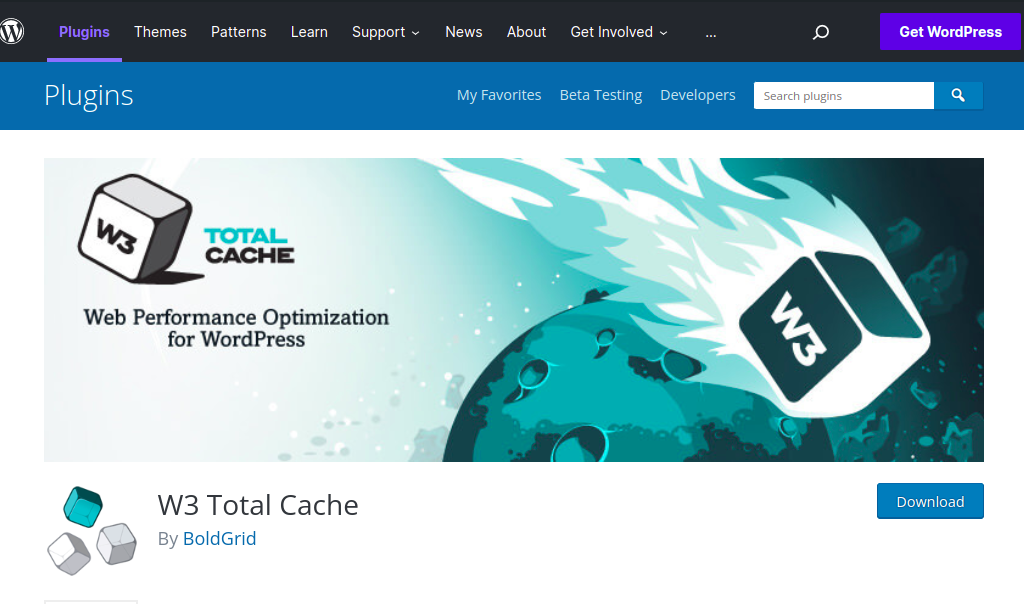
Benefits of using W3 Total Cache include:
Really Simple SSL is a secure socket layer (SSL) certificate provider that provides customers with high-quality, trusted certificates. It also includes features such as automatic renewal, verification of ownership, and more.

Benefits of using Really Simple SSL include:
WooCommerce is an e-commerce platform that allows you to create and manage your own online store. It includes features such as custom checkout forms, shipping options, and more.
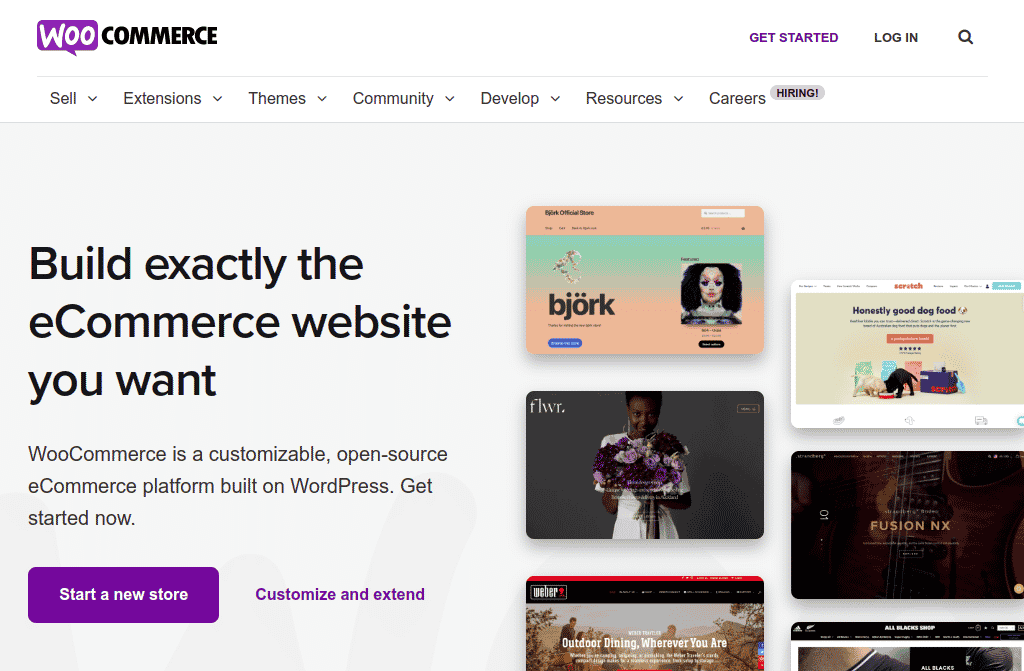
Benefits of using WooCommerce include:
WP Mail SMTP is an email provider that allows you to send and receive mail through your WordPress website.

Benefits of using WP Mail SMTP include:
Now that you’re aware of what WordPress is and some of its features, it’s time to explore 10 of the best WordPress plugins for web development. These plugins will help you with everything from content management to security and optimization.
So, don’t wait any longer and start using these essential plugins to boost your web development skills!.
If you looking for a web development or web design company in India, then you should get in touch with us at Jeevisoft.
We are a Chennai-based web development company that specializes in custom WordPress and eCommerce solutions for businesses of all sizes.
if you like this blog, please share it on social media and consider following us on Twitter or Facebook.
The best WordPress plugins for SEO in 2022 are Truly Social Media, Yoast SEO, and Google Analytics for WordPress.
WordPress is free to download and use.
Websites and WordPress are both web applications that allow you to create a website. Websites use HTML, while WordPress uses PHP. Both have their pros and cons, but websites tend to be more versatile due to the fact that they can be used for various purposes, including businesses and personal sites.

SEO is short for “search engine optimization.” It’s a process that helps your website appear on the first page in google search results when people type in relevant keywords. This can help you attract more organic web traffic, which in turn can lead to increased sales and increased visibility.
So, in this blog post, We’ll cover what SEO is, why it is important for your business, and also will cover its benefit, and help you to understand how it works.

Let’s first understand what SEO is. SEO is an optimization process that businesses use to improve their ranking in search engine results pages (SERPs).
“Ranking” refers to how high up on a SERP your web page appears. The higher the rank, the more likely people are to see your webpage when they perform a search.
As you can imagine, having high rankings enables businesses to attract more website traffic and thereby reach new customers and increase sales.
In other words, SEO is all about helping your business get as many clicks as possible from potential customers through effective online marketing strategies!
Now you understand what SEO is. In other words, what Search Engine Optimization is. But, you need to understand why it is very important for your business. If you are running an online business or your business is dependent on the people who are searching for their needs on the internet, then SEO is very important for your business. why because?
All in all, SEO is an essential optimization strategy for businesses of all sizes – small or large. Why? Because it can help you reach new customers and increase profits!
There’s no one-size-fits-all answer to this question, as SEO optimization depends on the specifics of your business and the keywords you’re targeting. However, there are a few basic concepts that underlie search engine optimization (SEO).
First, search engines work by ranking websites based on how well they match relevant keyword queries.
Second, SERP rankings reflect how high up in search results a page appears for particular keyword queries. Higher-ranked pages receive more traffic than lower-ranked pages.
Third, web page content must be appropriate for the keyword(s) you are targeting in order to rank well. If your content is not relevant, search engine crawlers will penalize you by giving your page a lower ranking.
In order to be successful with SEO, you need to have a good understanding of search engine algorithms ( like google, yahoo, and bing ), keyword research, Social media Marketing, content marketing, on-page SEO, and the concept of link building. In other words, it will be called backlinks.
It’s important to remember that ranking factors are determined by a number of factors. So always make sure to focus on optimization tactics and strategies that will work best for your business and also follow the best practices.
last but not least, SEO optimization is not a one-time event. It’s an ongoing process that requires regular attention in order to maintain rankings and improve traffic flow.
Now that you understand what SEO is, why it is important for your business, and how SEO works, it’s time to see the benefits of SEO optimization. Here are just a few:
SEO can help you improve your click-through rates (CTRs), which is important because a higher CTR results in more people visiting your website.
SEO optimization can lower the cost of converting leads into customers, as search engine visitors are more likely to convert if they’re qualified prospects.
SEO allows you to reach a larger audience by ranking higher on search engine results pages (SERP). This visibility also attracts new traffic that may not have been interested in your product or service previously.
Higher rankings also lead to increased engagement and loyalty from your target audience, as they feel more engaged with your content and are more likely to return in the future.
Higher rankings can result in increased revenue by attracting more traffic and converting that traffic into sales transactions.
SEO can also help you achieve increased brand awareness, which is important for building a strong online presence.
So, as you can see, SEO optimization is a valuable tool that can help your business in many ways – from increasing revenue to building brand awareness. If you’re not taking advantage of SEO optimization now, it’s time to start and see your business grow!
While these are all undeniable benefits of SEO optimization, there are also a number of factors that can influence how successful SEO optimization is for your business.
In order to effectively optimize your website for SEO, you need to tailor an SEO strategy specific to your business goals and objectives. If you are unsure, it is always best to consult with SEO experts.
Thank you for reading! I hope this article has helped to give you a better understanding of SEO optimization and its importance for your business.
If you have any questions or would like help optimizing your website, please don’t hesitate to contact us over mail or reach us through the social media platform.

To get started, here are some tips on how to start a freelance consulting business from scratch. In this blog post, you’ll learn about the importance of Mental Preparation, how to identify your niche, and more.
By the end of this blog post, you’ll have everything you need to launch your very own freelance consulting business!. So, We hope that this blog will help you to get started on the right foot and that you enjoy the journey!

A freelance consulting business is a business that provides services to clients who are not employed by the consultant.
I think you have understood now what a freelance consulting business is. But, you are not sure how to take this up as a career. No worries, we will guide you through it. Before starting a freelance consulting business. You should mentally prepare yourself to be a Freelance Business Owner which means:
Starting out as a freelance consultant can be an exhilarating and daunting experience at the same time. However, if you’re mentally prepared and have a plan of action, you’ll be on your way to success.
To get started, set realistic goals for yourself and don’t overshoot them. In addition, create a marketing plan and adhere to it as closely as possible.
Be patient and continue working hard, because success is within reach. Therefore, consider the following tips for a business plan for starting a freelance consulting business :
Setting up your business the right way is essential in order to avoid any potential pitfalls. Make sure you choose the best platform and configure it according to your needs.
There are many free options available, so start small and work your way up as you grow your business. By doing this, you’ll be able to minimize costs while maximizing profits.
Freelancing can be a great way to work from home and set your own hours. However, it’s important to have an organized system in place so you don’t end up wasting time or feeling overwhelmed.
Before starting a freelance business, make sure you are mentally prepared for the challenge ahead by thinking about all the tasks that need to be completed.
Once this is done, write down everything – including deadlines – so there is a clear picture of what needs to happen in order for you to succeed as a freelance business owner.
Building a strong client base is crucial for any freelance consultant. There are many ways to do this, but the most effective way would be by networking and attending events that your target market attends.
In addition, you can also write great reviews of the services you offer – which will help build trust and credibility with potential clients.
When it comes to charging for your services, the first step is to set realistic prices and be transparent about what you can offer. This way, potential customers will know how much they should expect to pay and won’t feel cheated when the final bill arrives.
Furthermore, it will help build trust and goodwill with clients – something that is essential in a business environment.
Freelance consulting is a great way to make some extra money and also has the potential for long-term success. However, it takes a lot of hard work and dedication to be successful at it.
So, remember to stay motivated! Be patient with your project – failure isn’t the end of the world.
Believe in yourself and keep going despite any setbacks or difficulties you might encounter.

The next step is to create a Freelance Consulting Business Plan. Starting a freelance consulting business can be a daunting task, but with the right tools and a plan in place, it can be extremely rewarding.
A freelance consulting business plan can help you track your progress, manage finances, and attract new clients.
Once you have a plan created, it’s time to start networking! Contact potential clients through social media, online directories, or email marketing campaigns.
Be sure to highlight the skills and expertise that you bring to the table, and be sure to provide testimonials from satisfied clients.
With a little bit of hard work and a plan, starting a freelance consulting business can be a reality!

Now the Business plan is ready. Next, we need to have a Business model to execute. To know more about what Business Model is.
A business model is a blueprint that outlines how your business will operate. It should include an identification of your target market, a marketing strategy, and financial projections.
Without a clear plan in place, it will be difficult to achieve success in Freelance Consulting Business.

To be successful as a freelance consultant, you will need to have a lot of skill set and experience. You will need to be knowledgeable in your field, additionally able to write effective proposals, and possess excellent communication and interpersonal skills.
Additionally, it is important that you have some knowledge about marketing and business development strategies.
If you can combine these areas of expertise with the drive and determination necessary for success, then you are well on your way to starting a successful freelance consultancy business!

The next list that comes from the freelance consulting business is identifying the target market.
When planning your Freelance Consulting Business, it is important to first identify who your target market is. This can be done by conducting surveys or consulting with experts in the niche.
Once you know this information, you need to determine how best to reach them and offer them the services or products they demand.
For example, if your target market consists of small business owners who are looking for new ways to improve their online presence, then social media platforms like LinkedIn or Facebook, or Twitter might be the most effective way of reaching them since a majority of business owners are on social media sites.
Furthermore, offering helpful blog posts that address the specific needs of this audience would also likely prove useful in gaining credibility and converting visitors into customers.

This is the most important aspect of running a Freelance Consulting Business in a successful way. Therefore, It is important to always be transparent about the pricing strategy of your business.
This way, you can ensure that your target audience knows what they are paying for and why it is important to use your services.
Furthermore, make sure that the prices you set reflect the value of what you offer and don’t overcharge unnecessarily.
Also, you might also want to consider using a subscription-based pricing model or templates where customers pay a fixed amount every month or annually.

Though it is a great way to work from home and make some extra money. However, it’s not easy, and the first step is identifying your ideal clients.
Once you have a good idea of who these people are, it’s time to create personas representing them. This will help you to understand their needs and how best to serve them.
You’ll also be better prepared to negotiate rates and terms with potential clients. By doing this, you’ll be well on your way to starting and running a successful freelance business consultant!.

Through some online research, you can gather information about the client segment that best matches your business aims and objectives. When it comes to effective communication, make sure first place all the materials (email content, blog posts, social media updates, etc.) are relevant and interesting for your target audience.
You can also ask friends and family members for their opinion on who might be a good potential client or customer base for your services.
Doing so will help you create tailor-made marketing material that is both persuasive and engaging!

In order to create a clear value proposition that customers can understand and appreciate, you first need to know what they want.
Afterward, it’s time for marketing! Creating awareness about your business, driving website traffic through effective online marketing strategies, and setting up social media profiles are all important steps in this process.
However, the most effective way of selling your services or products is through consulting engagements with potential clients – ensuring that you deliver on expectations every step of the way!

When it comes to selling your services, the next step is to know what your clients are looking for.
This way, you can craft a persuasive pitch that will make them want to work with you. Always be respectful and keep in mind the client’s time constraints when meeting up to discuss potential projects or sales leads.
When starting out as a freelancing business, it can be helpful to get in touch with a freelance consulting platform. This could be an online platform or an app.
The best part of these platforms will allow you to post your services and connect with potential freelance clients. They will also offer other tools and resources or referrals that you may find useful when starting out as a freelance consultant.

Choosing the right freelance consulting platform can be a daunting task. However, by following these simple tips, you will be on your way to finding the perfect one for your business.
First of all, it is important to build up a portfolio so potential clients can see what quality work you are capable of.
Once you have this up and running, start posting jobs on popular freelance consulting platforms such as Upwork or Fiverr.

Look for platforms with good reviews and research which ones are currently most in demand – this will save you time and money in the long run!.
To make things easier, try doing some online research on the internet or google first to get an idea of what is available and then explore different options before making a decision.
Once you find the Freelancing Consulting Platform, you need to have a solid business consulting profile to showcase your skill set, experience, contact details, past deliverables, or even the freelance projects you have done.
You can also upload a portfolio of work so potential clients can get an idea of what you are capable of.
Apart from advertising on the right platforms, it’s important to keep up-to-date bare minimum with industry trends and developments – this will help you target the right clients and promote your freelancer consulting service in the best way possible.
Now Profile is ready. The next step is to post a service you offer on the Freelance Consulting Platform. When you are posting service, it is important to include all the relevant details such as hourly rate, the budget, timeline, and target audience.
After completing a Freelancing Service, it is important to follow up with the client to ensure that everything went as planned and to get feedback. You can also reach out via email or phone call if required.
It’s also important to keep in touch with your clients after the project is over – this will help you maintain positive relationships with them and make future collaborations much easier.

We have reached a conclusion. I hope you enjoyed the blog post in terms of learning about a freelance consulting business. Hence, Starting a freelance consulting business can be a daunting task, but with the right mindset and preparation, it can be a rewarding experience.
In this blog, we shared our own experience of starting a freelance consulting business from scratch and provide tips and advice on how to make the transition from full-time employee to a successful freelancer.
If you are looking for any technology Consulting solution or implementation, you can reach us at any point in time. Jeevisoft will provide Information technology solutions for all types of business services. We are always happy to assist business that needs a consulting solution.