





Amazon SQS (Simple Queue Service) Dead Letter Queues (DLQs) are a feature that helps manage message processing failures in your messaging workflows. When messages in a standard SQS queue fail to be processed successfully after a certain number of attempts, they can be automatically sent to a DLQ.
DLQs can also be monitored for metrics like the number of messages and errors, which can help you maintain the health of your messaging system.
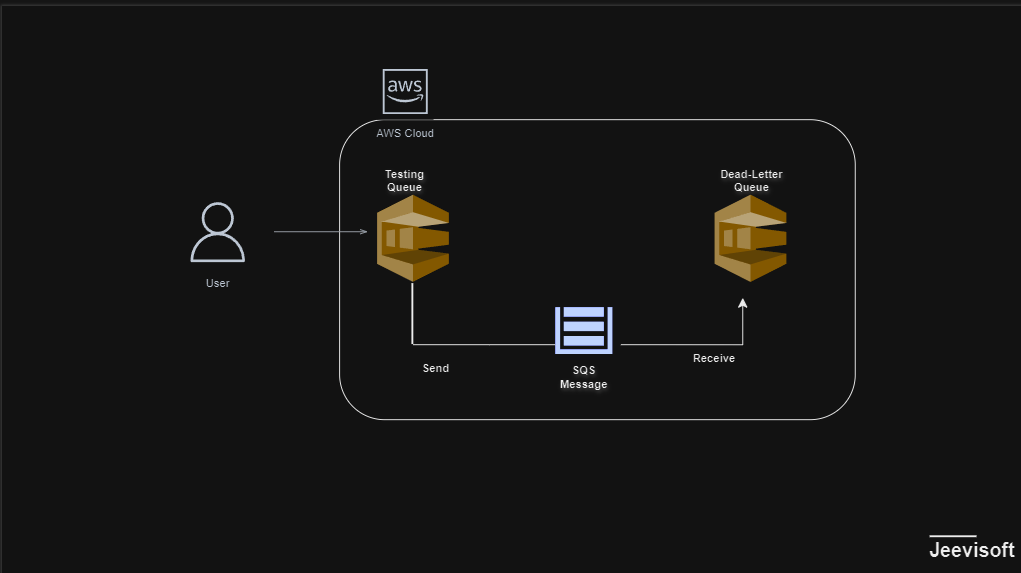

For this task, we will establish a primary testing queue along with a Dead-Letter Queue.
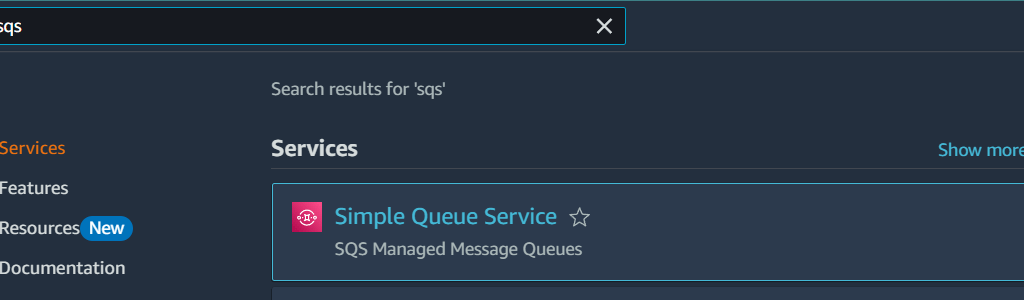
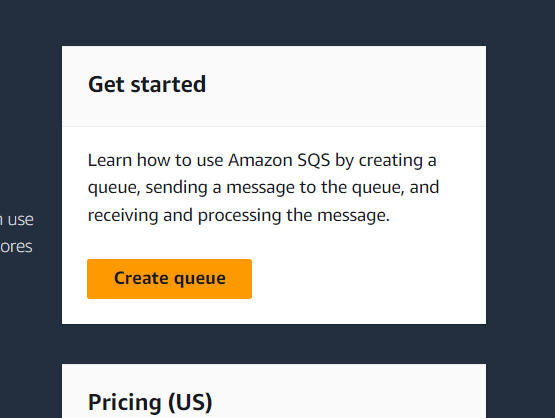
2. Click the standard and , enter the queue name.
3.Message retenation period : Enter 14 Days.
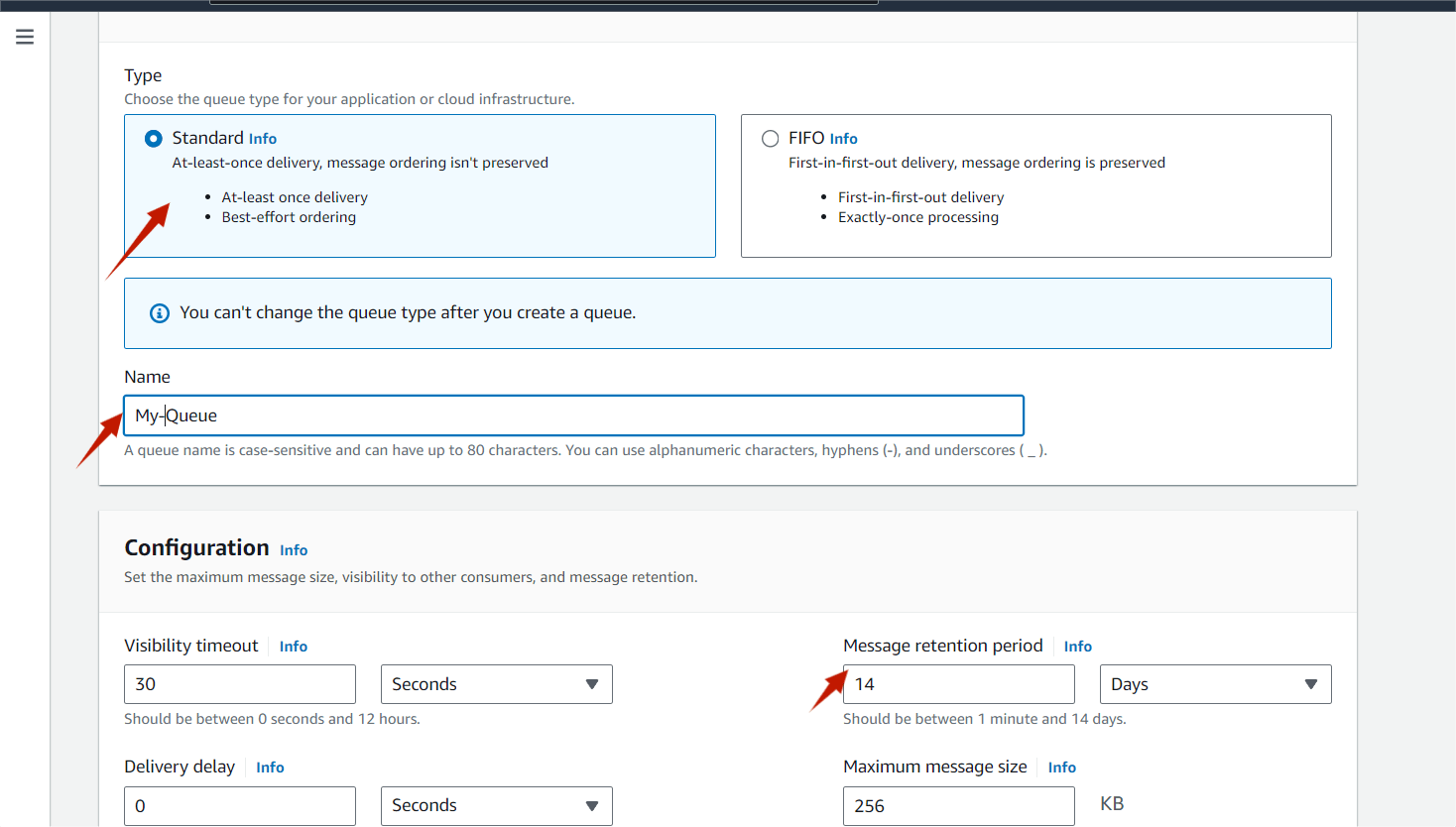
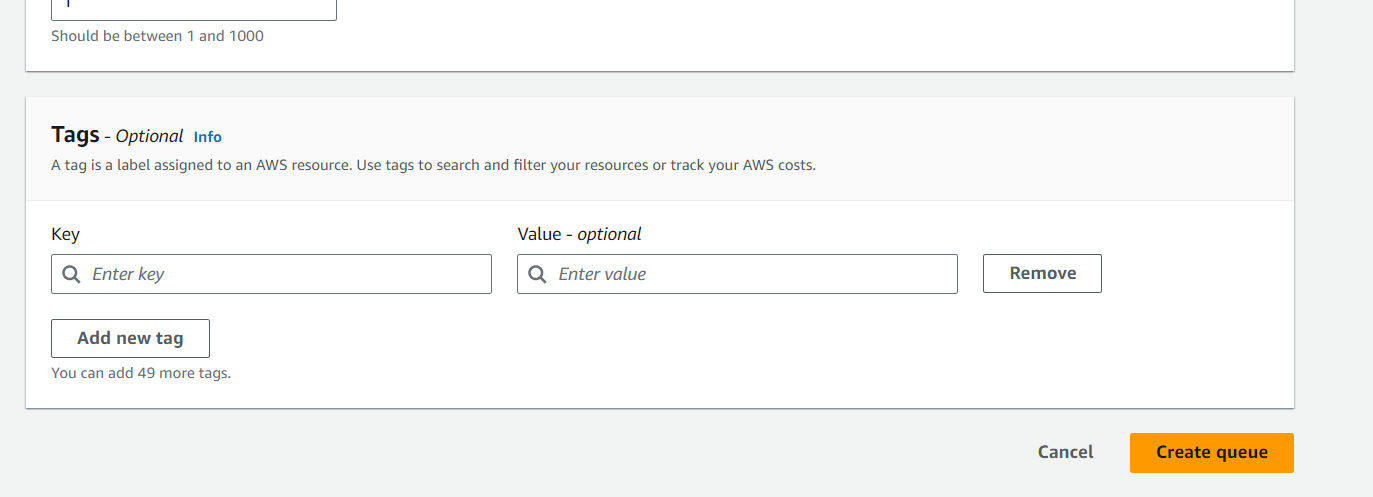
4. Then next , click on create Queue button.
5. Once you click on Create Queue, you will get a success message.
6. Next, we’ll set up a Primary Queue using all default options and link it to the previously created queue.
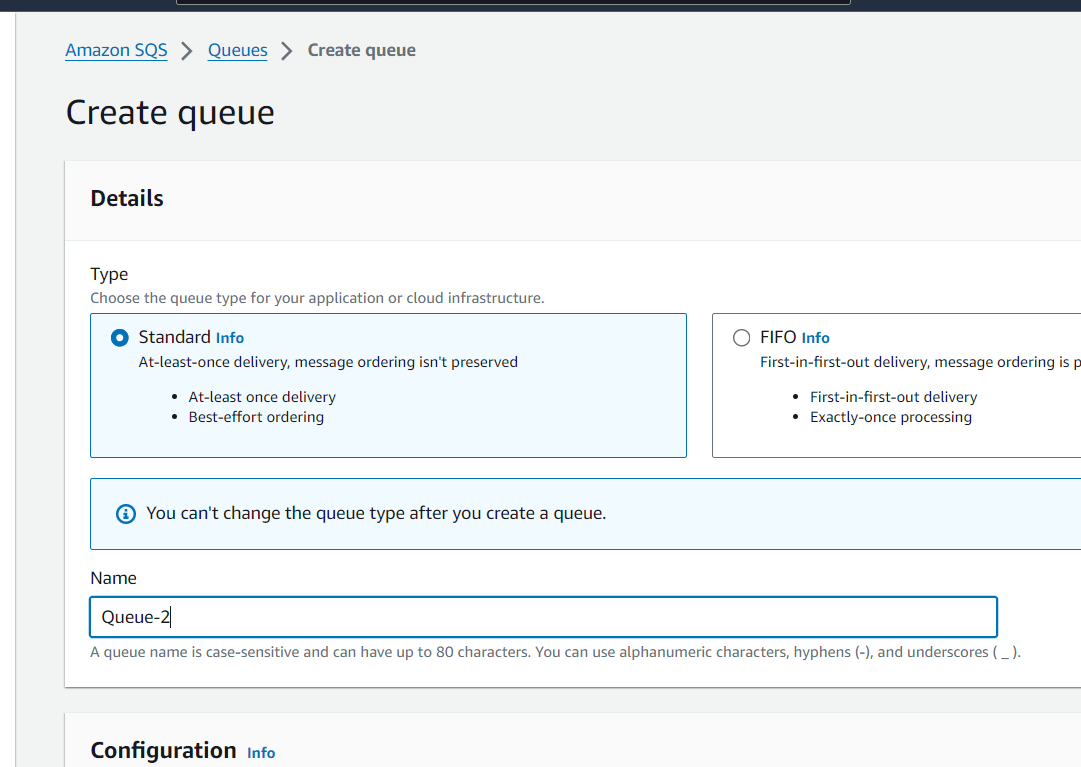
7. Click on Create queue button and , Select the standard and , enter some other queue name.
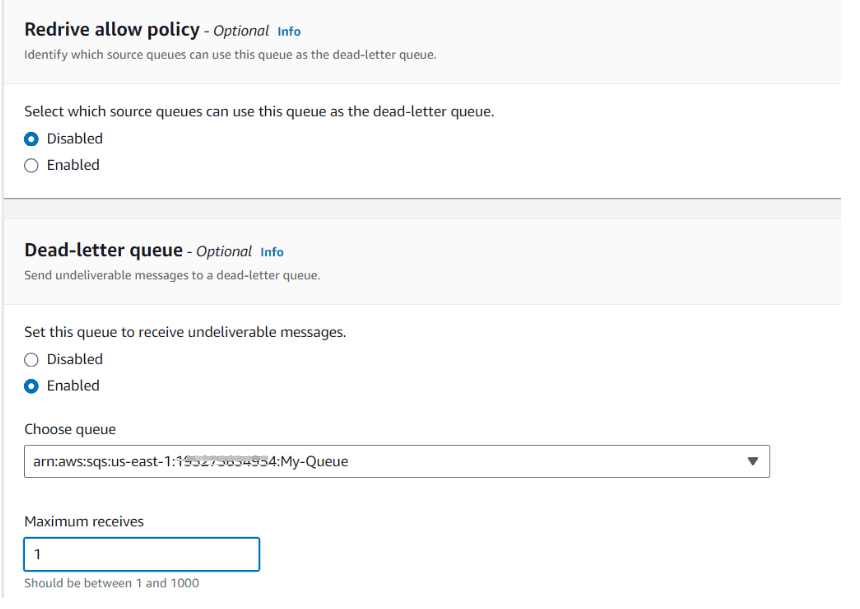
9. Select the Dead-letter queue and click on enable.
10. Choose queue : Select My queue arn , and select the Maximum receives : Enter 1
11. Click on the Create queue button.
12. We are now going to send a message from our Testing Queue.Click on Send and receive messages button.
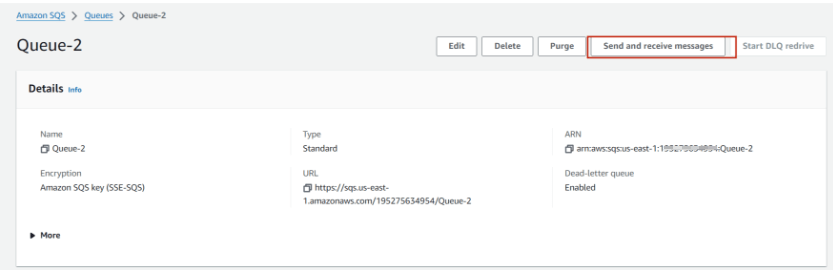
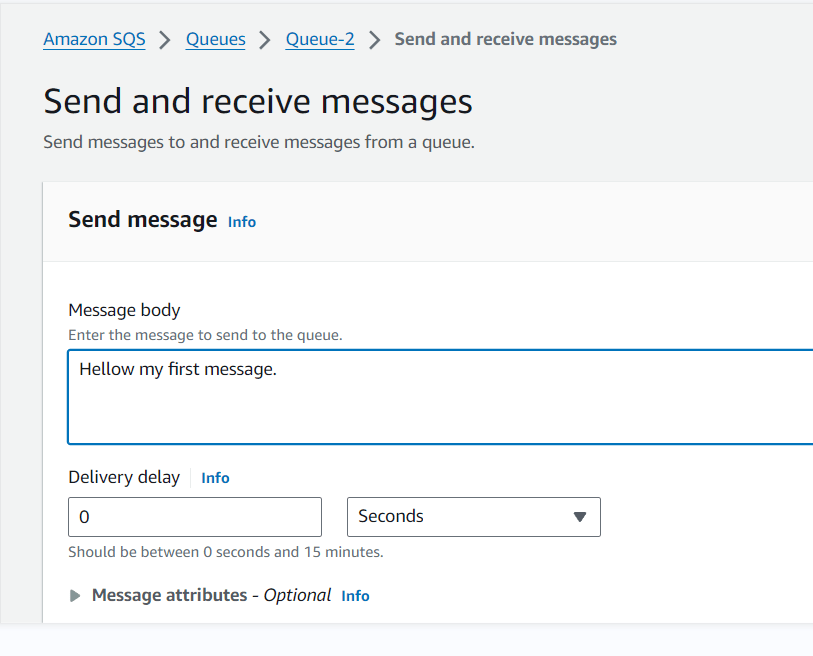
Now click on Send message .Once you have sent a message, you get an acknowledgment .Now we can see that Messages available changes to 1.

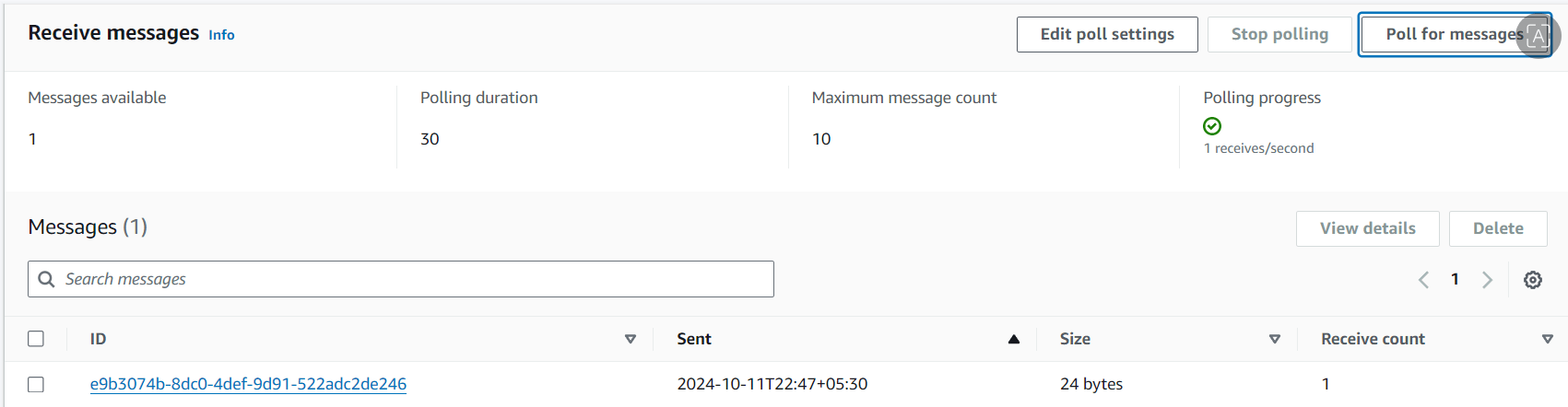
Now, to get all the messages we have sent, click on Poll for messages in the Receive messages section.We can now see the message column has been filled with the messages .
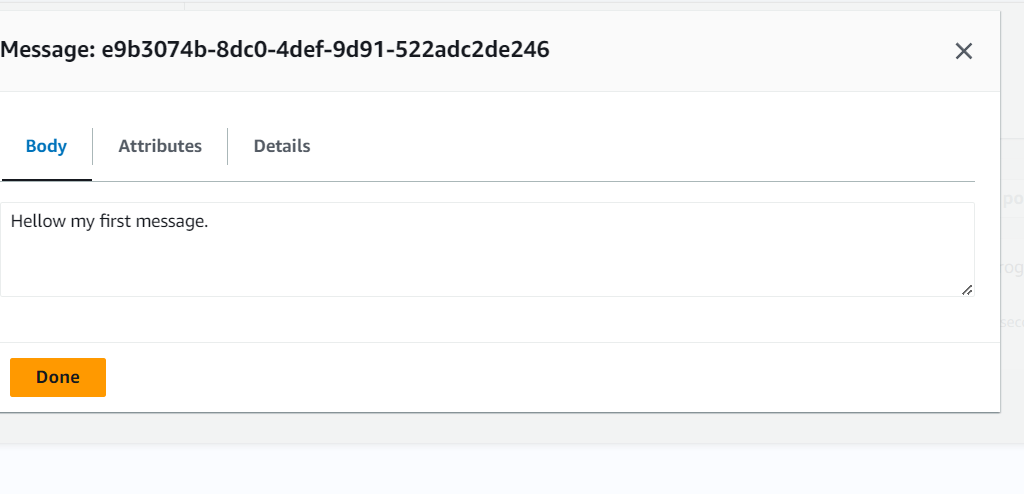
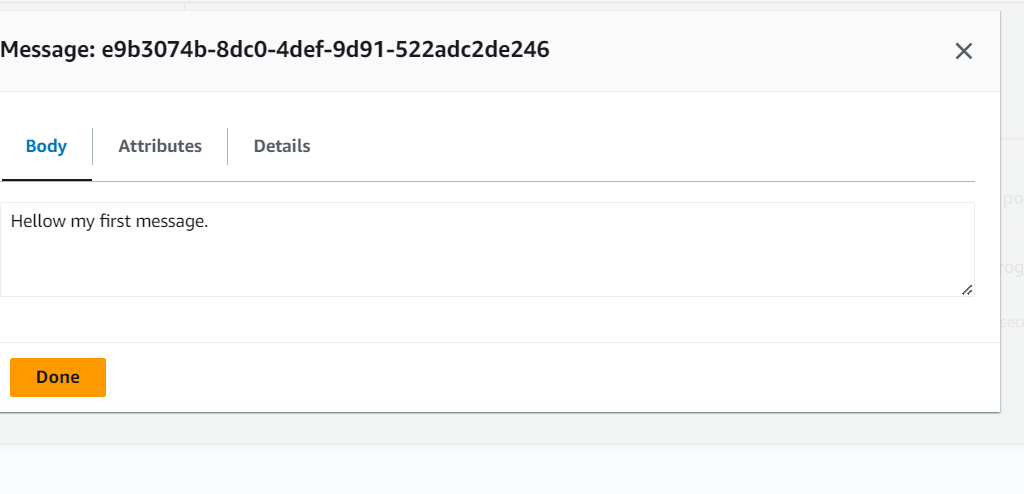
Now, click the message to open and read its body.
Now, click on poll for messages again. You will see the messages available will become 0.

we received the message once and added the received count to 1 limit to the Queue 2 this time the message we polled has been moved into the My -queue. Now, let’s navigate to the Queue Dashboard and check the message available count in both queues.
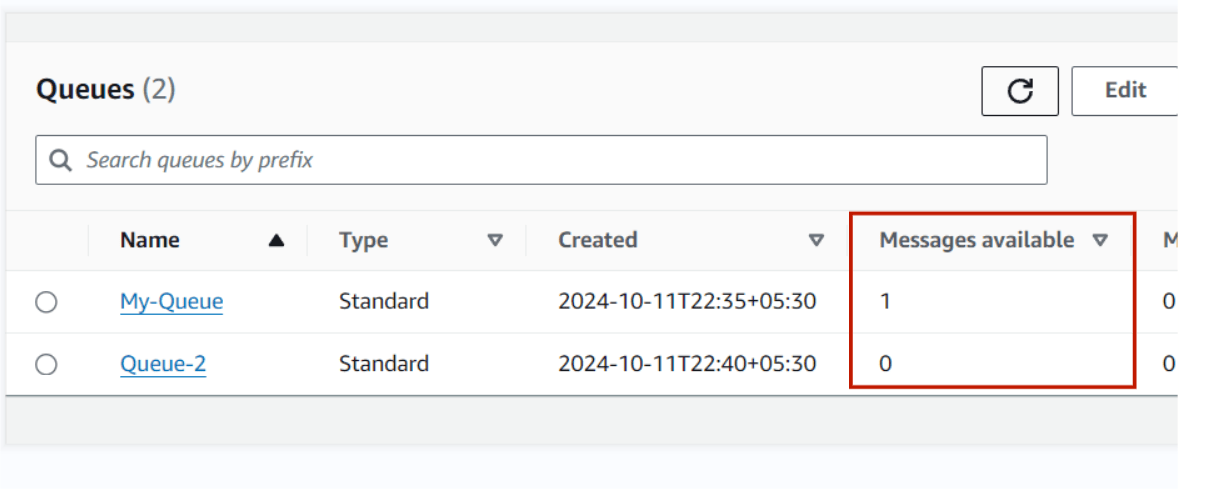
You might find the message availability in My-Queue is 1 and Queue-2nis 0.
Now click on My-Queue to check the message and click on Send and receive messages.
Now, to get the message, click on Poll for messages in the Receive messages section. Additionally, take note of the receive count which is 2 that means it is same message which we received on Queue-2.
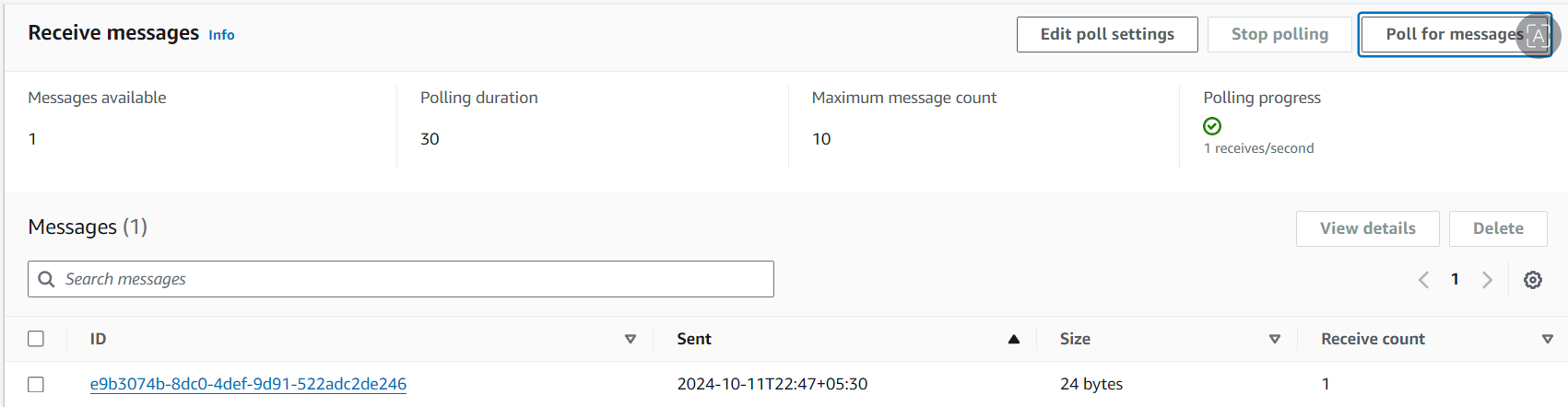
Click on the message to view its body and confirm that it is identical to what we sent earlier.

You have successfully set up a dead-letter queue.
Its features, such as message queuing, FIFO (First-In-First-Out) ordering, and the ability to integrate with other AWS services, make SQS a versatile tool for managing workloads in cloud environments. However, organizations should consider best practices for message handling, monitoring, and cost management to fully leverage SQS’s capabilities. As businesses increasingly move towards cloud-native solutions, SQS stands out as a key component for efficient and scalable application development.

Amazon Route 53 is a powerful Domain Name System (DNS) web service that helps route users to applications by translating domain names into IP addresses. One of its fundamental features is the concept of hosted zones, which are essential for managing DNS records for your domains.

A hosted zone is a container for records that define how you want to route traffic for a domain and its subdomains. It serves as a place to manage DNS records for your domain. There are two types of hosted zones:
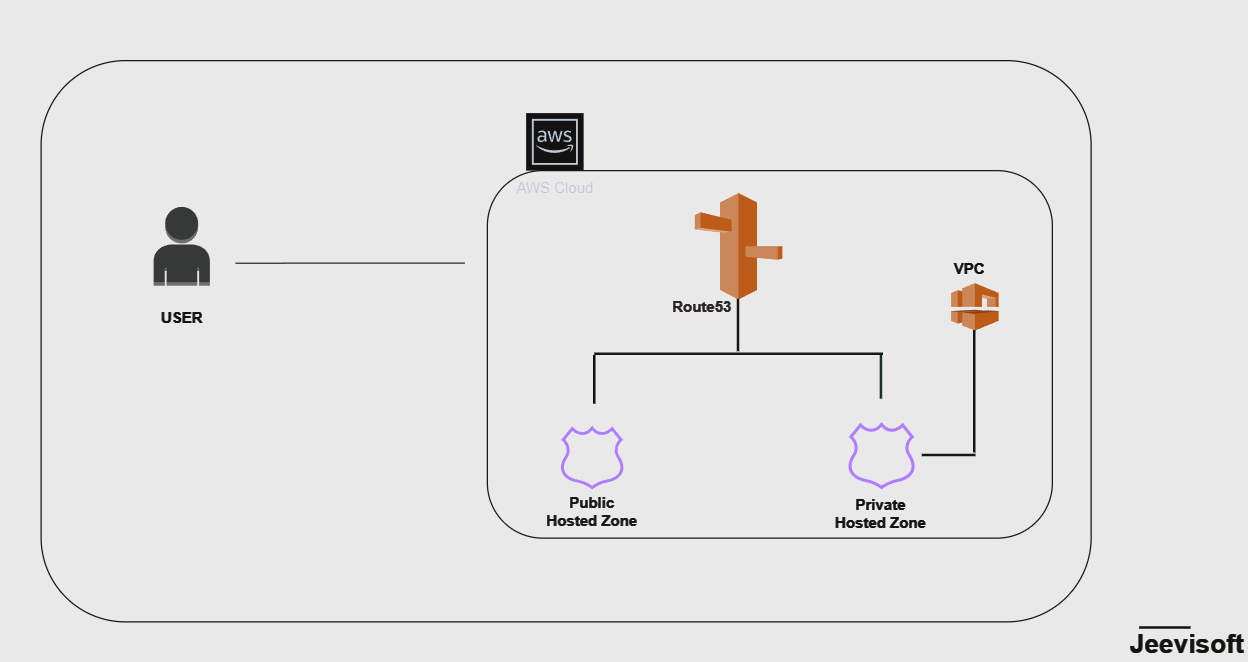
In this guide, I will show you how to create Route 53 hosted zones.
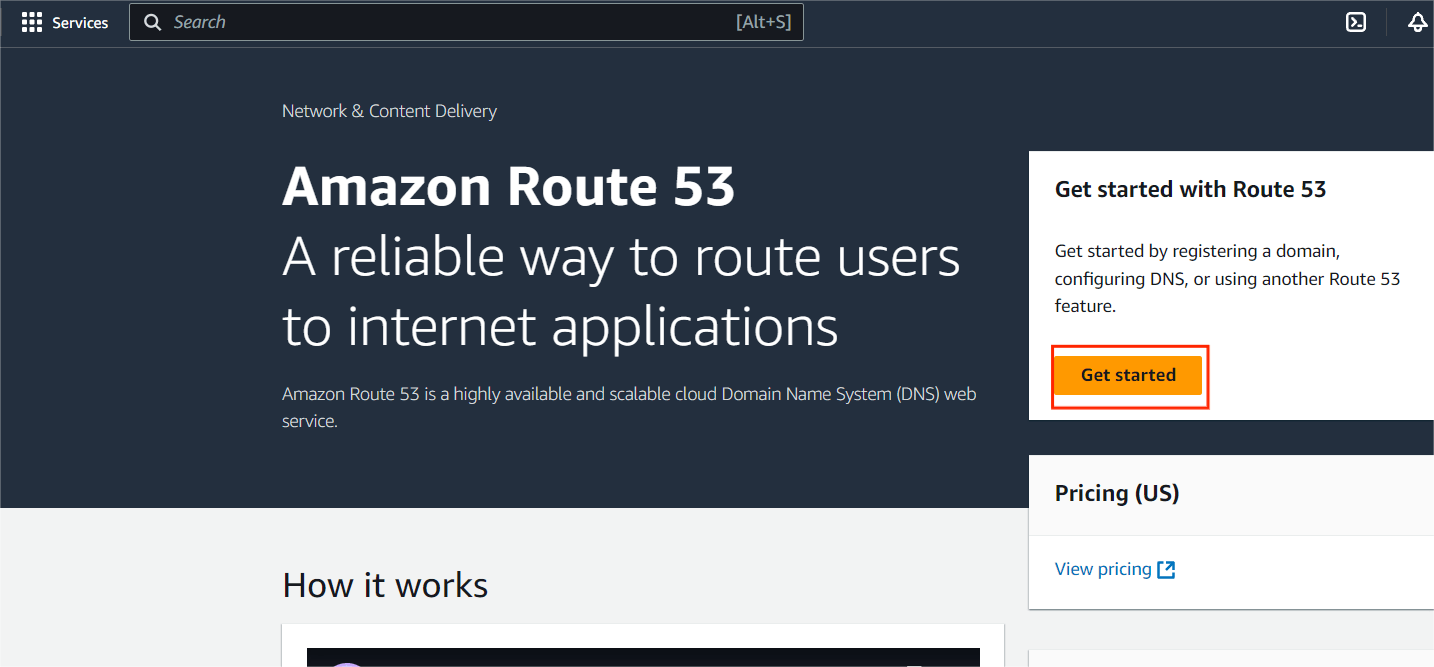
STEP1:Navigate the Route 53 and select the Create hosted zones.
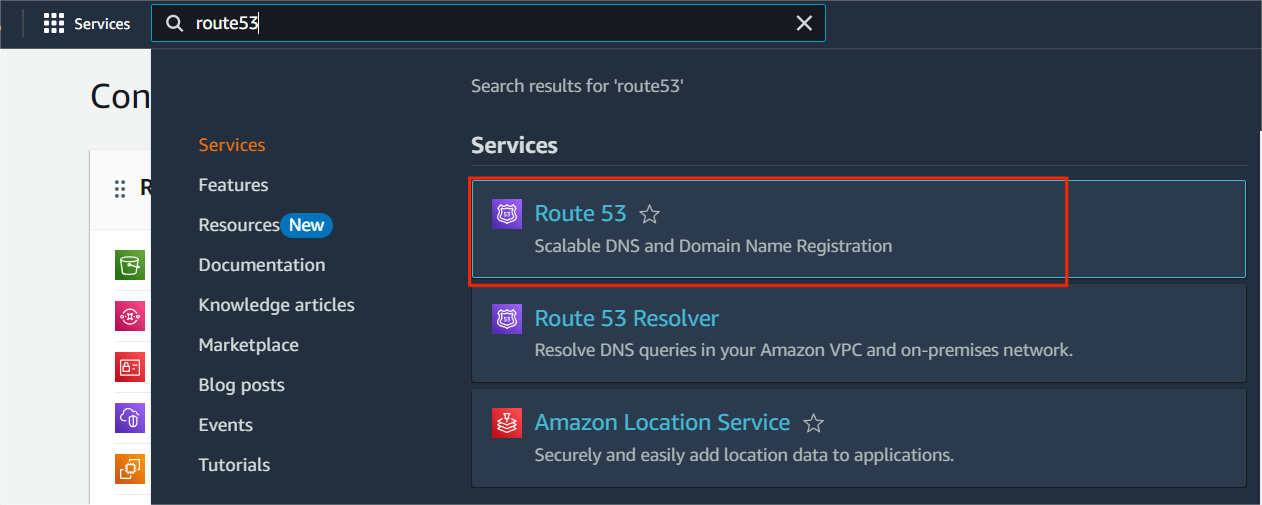
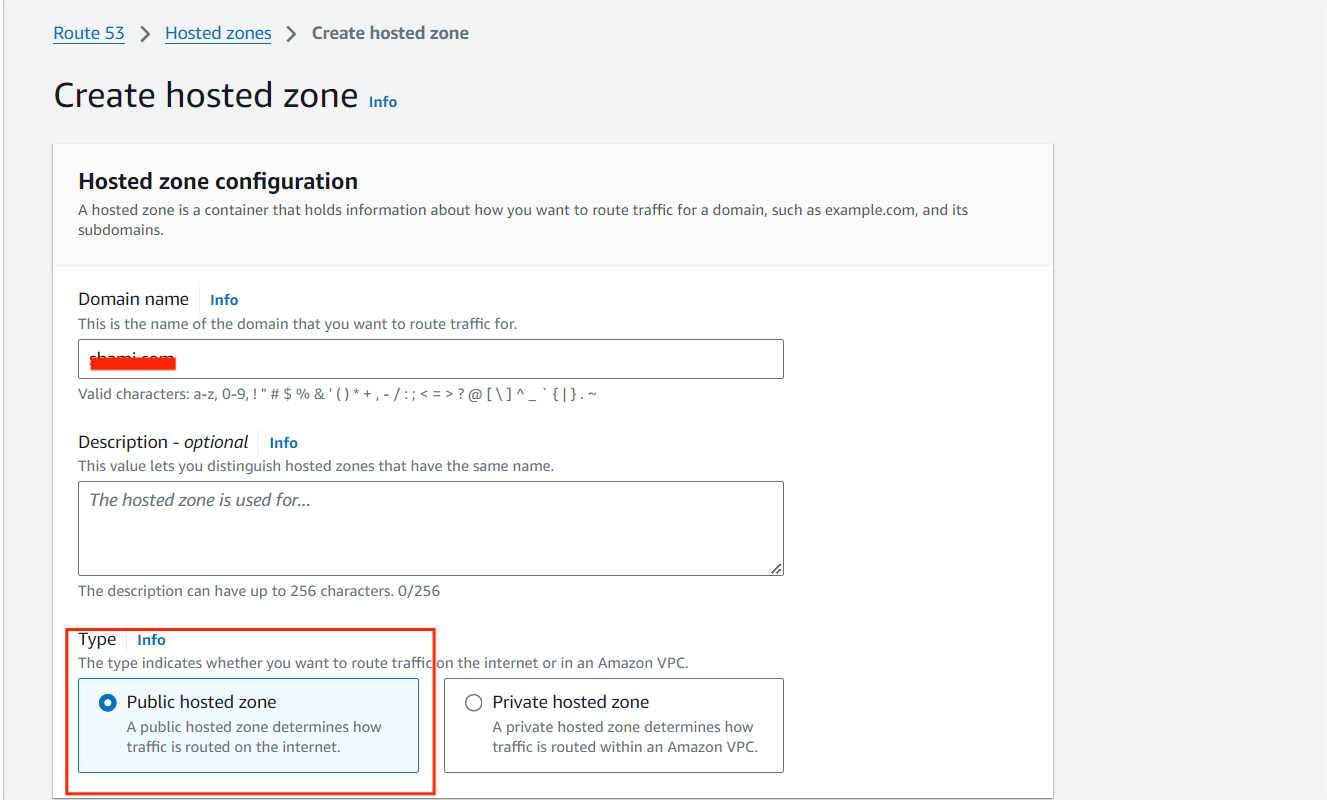
STEP2: Create a Hosted Zone, Enter the Domain name and select the public hosted zone.
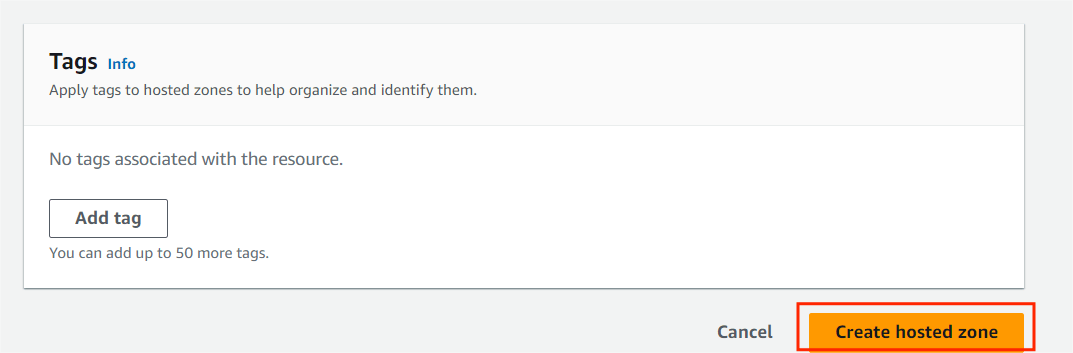
STEP3:Now click the create hosted zone button.
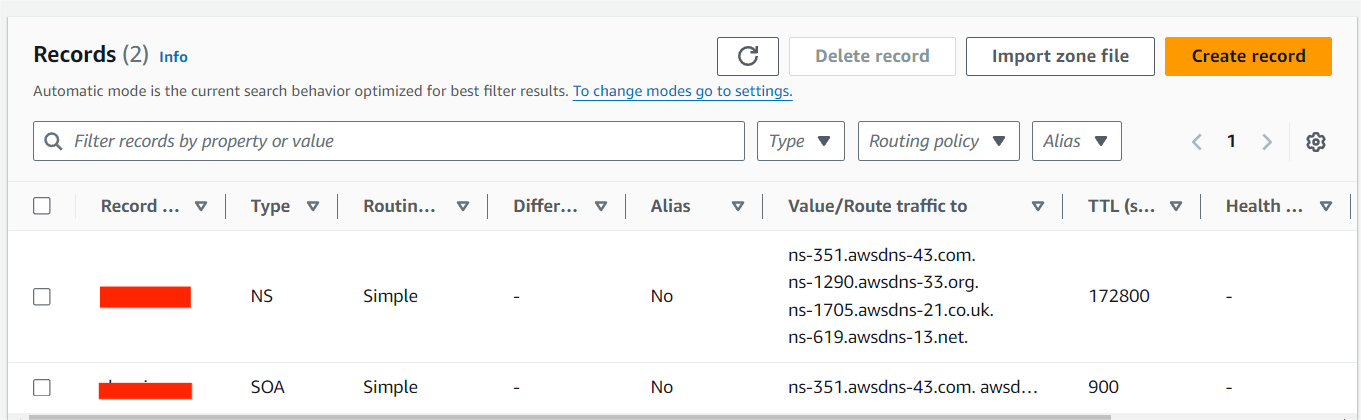
STEP4:You will see the 2 record sets have been already created. One is NS type another is SOA type. From here you can create the hosts of your domain.
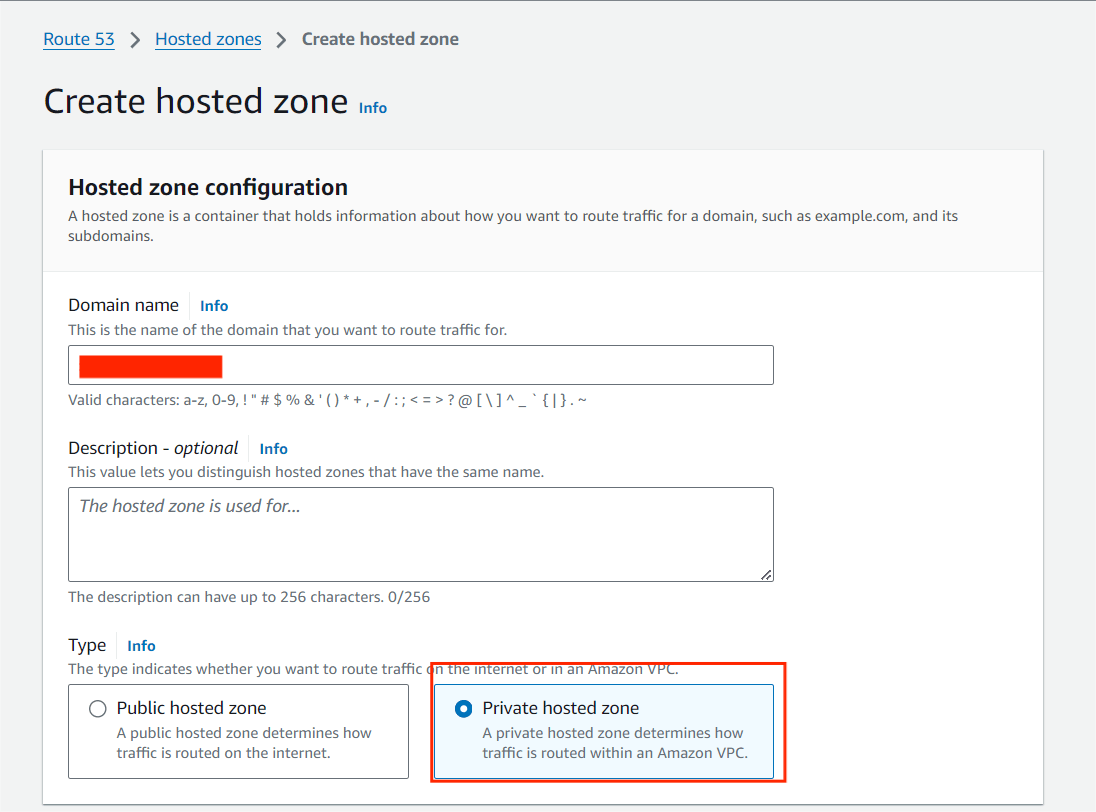
STEP5:Select the create hosted zone button, Enter the domain name and select the Private hosted zone.
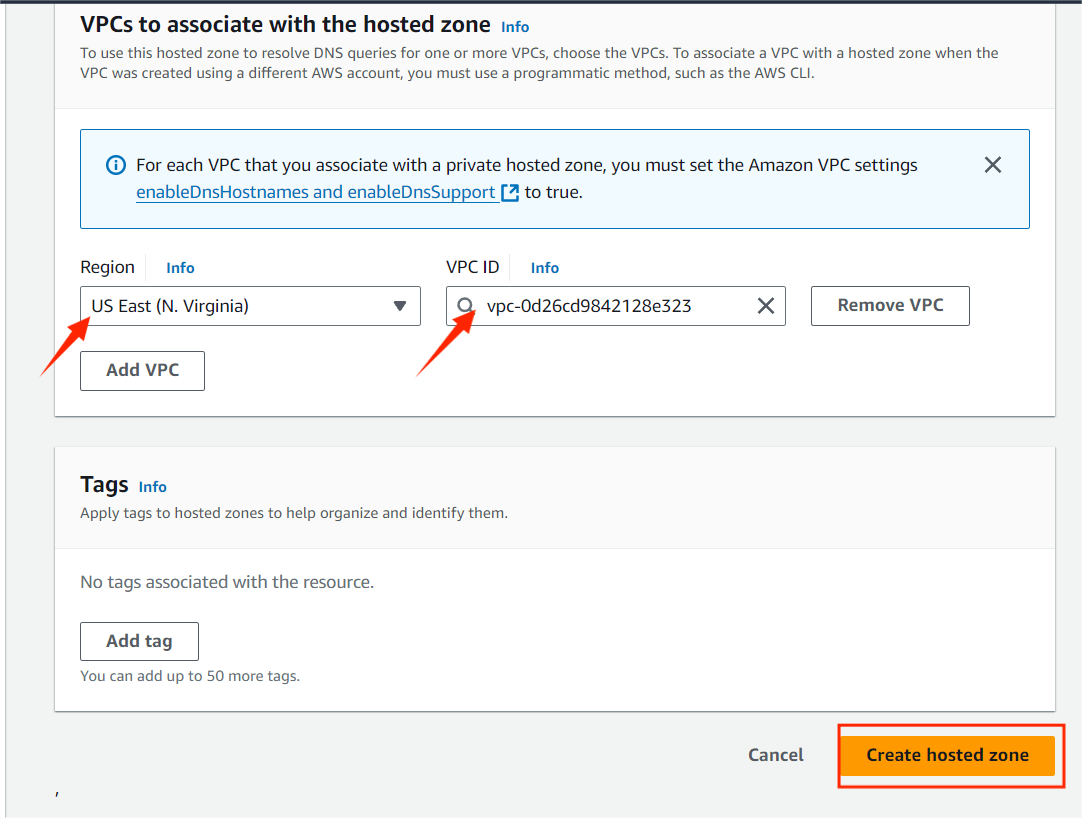
STEP6:Then, select the Region and VPC (default).
STEP7:Click the Create hosted zone.
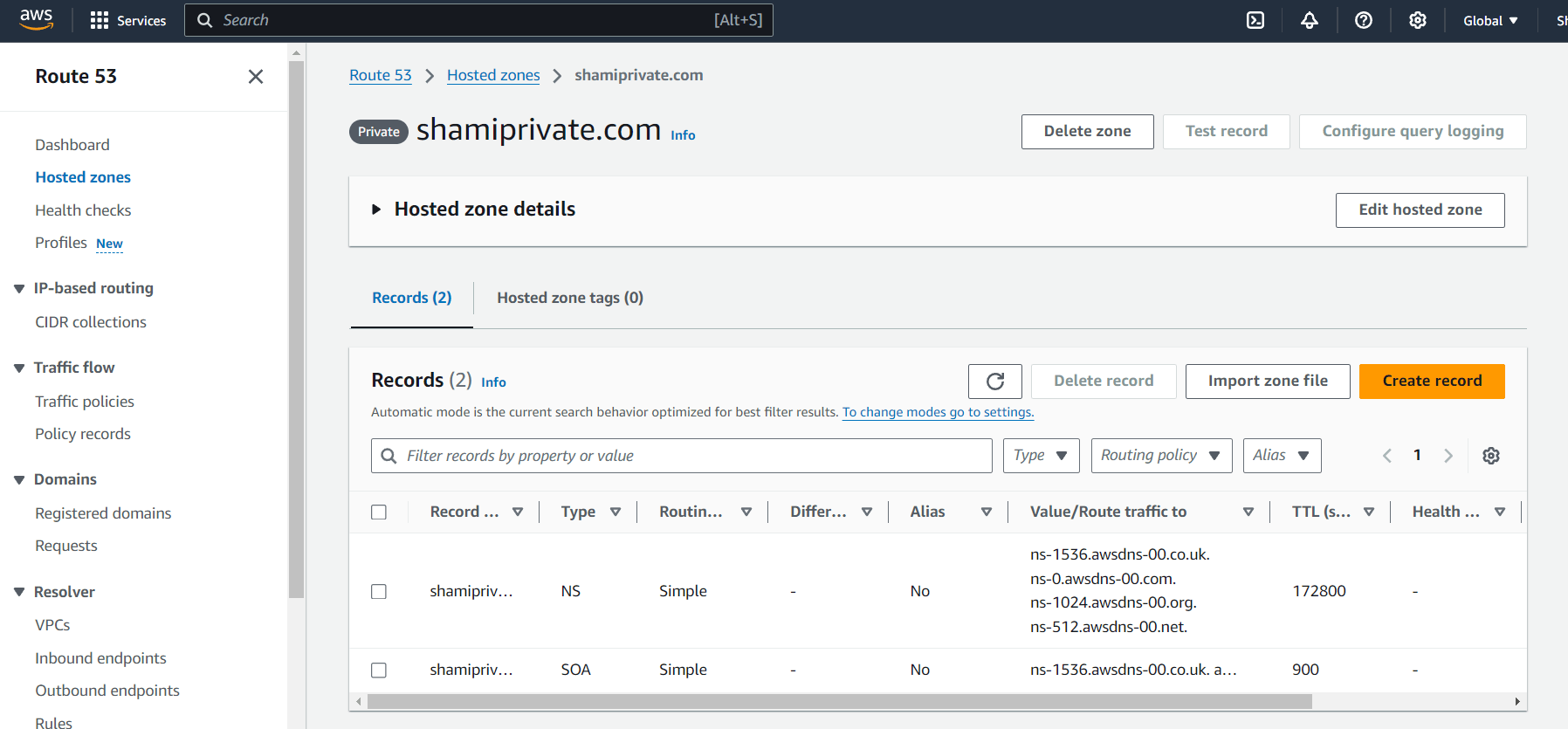
STEP8:You can see 2 record sets have been already created. One is NS type another is SOA type. From here you can create the hosts of your domain.
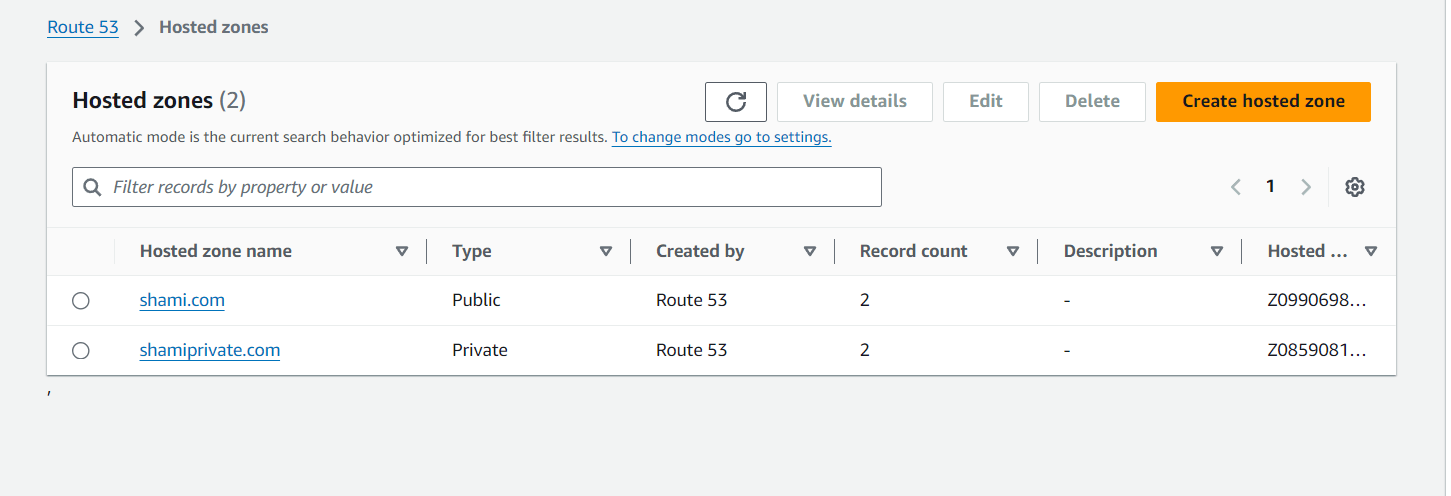

Finally, you create the Route53 Hosted zone. Creating a hosted zone in Amazon Route 53 is an essential step in managing DNS for your domains, whether they are publicly accessible or used within private networks. By following this guide, you’ve learned how to create both public and private hosted zones, configure DNS records, and update your domain registrar to route traffic through AWS.

IAM, or Identity and Access Management, serves as the guardian of access within the AWS ecosystem. IAM is a framework of policies and technologies that ensures the right individuals have the appropriate access to technology resources within an organization. It involves managing user identities, roles, and permissions to secure access to systems, applications, and data.

USER: IAM users help manage access to AWS resources securely, and you can set permissions for them individually or in groups.
GROUPS: Collections of users, streamlining permission management by assigning policies to a group rather than individual users.
ROLES:IAM roles are a feature of AWS Identity and Access Management (IAM) that allow you to grant specific permissions to entities (like users, applications, or services) without needing to create permanent IAM users.
POLICIES: Access control rules that define what actions are allowed or denied. These can be attached to users, groups, or roles.
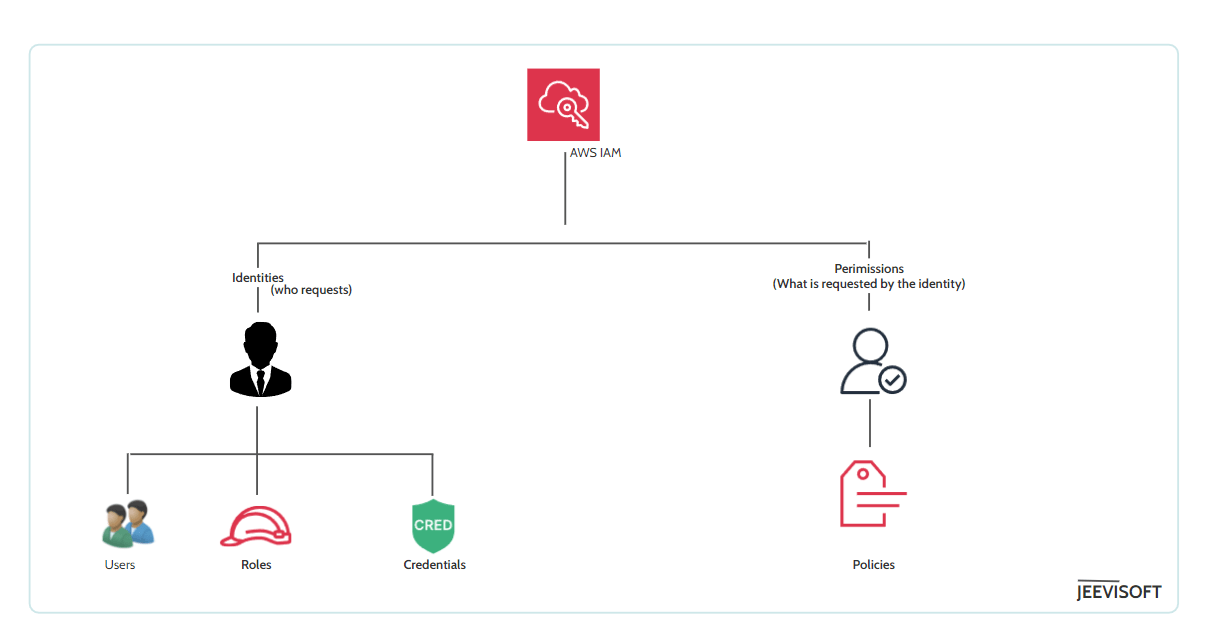
Use this sequential guide to create IAM groups and users.
STEP1:Log in to AWS Console as a root user, Navigate to the IAM Dash board.
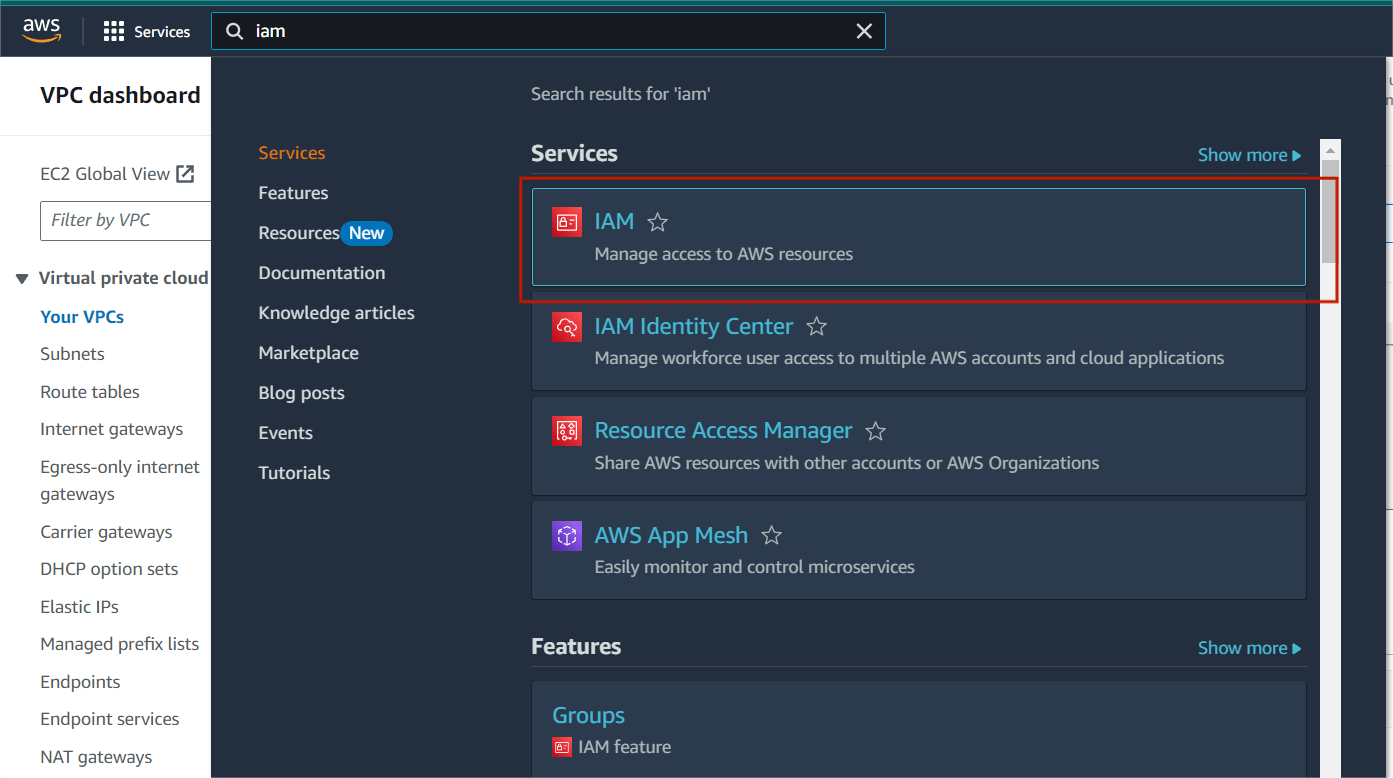
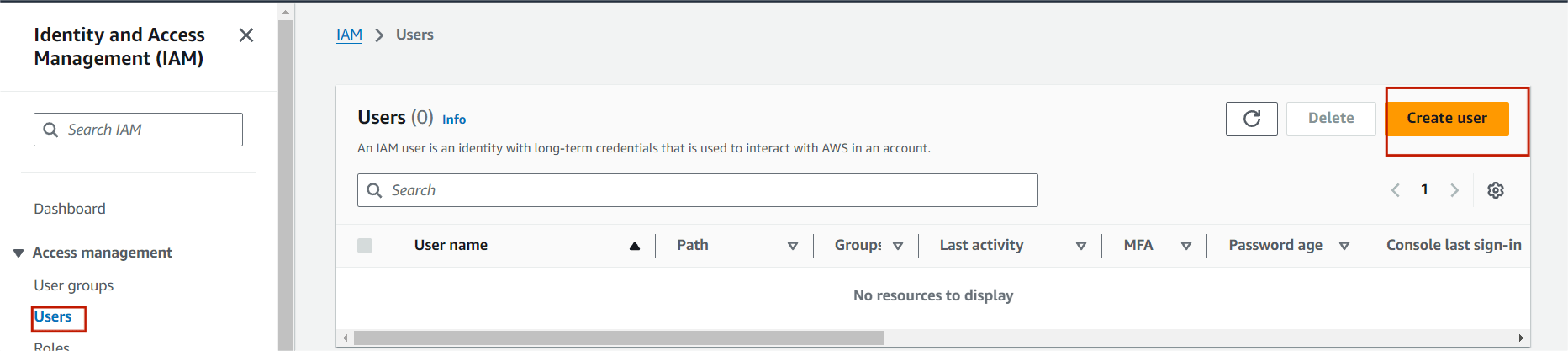
STEP2: Go to the left navigation pane click on user and select the “create user“
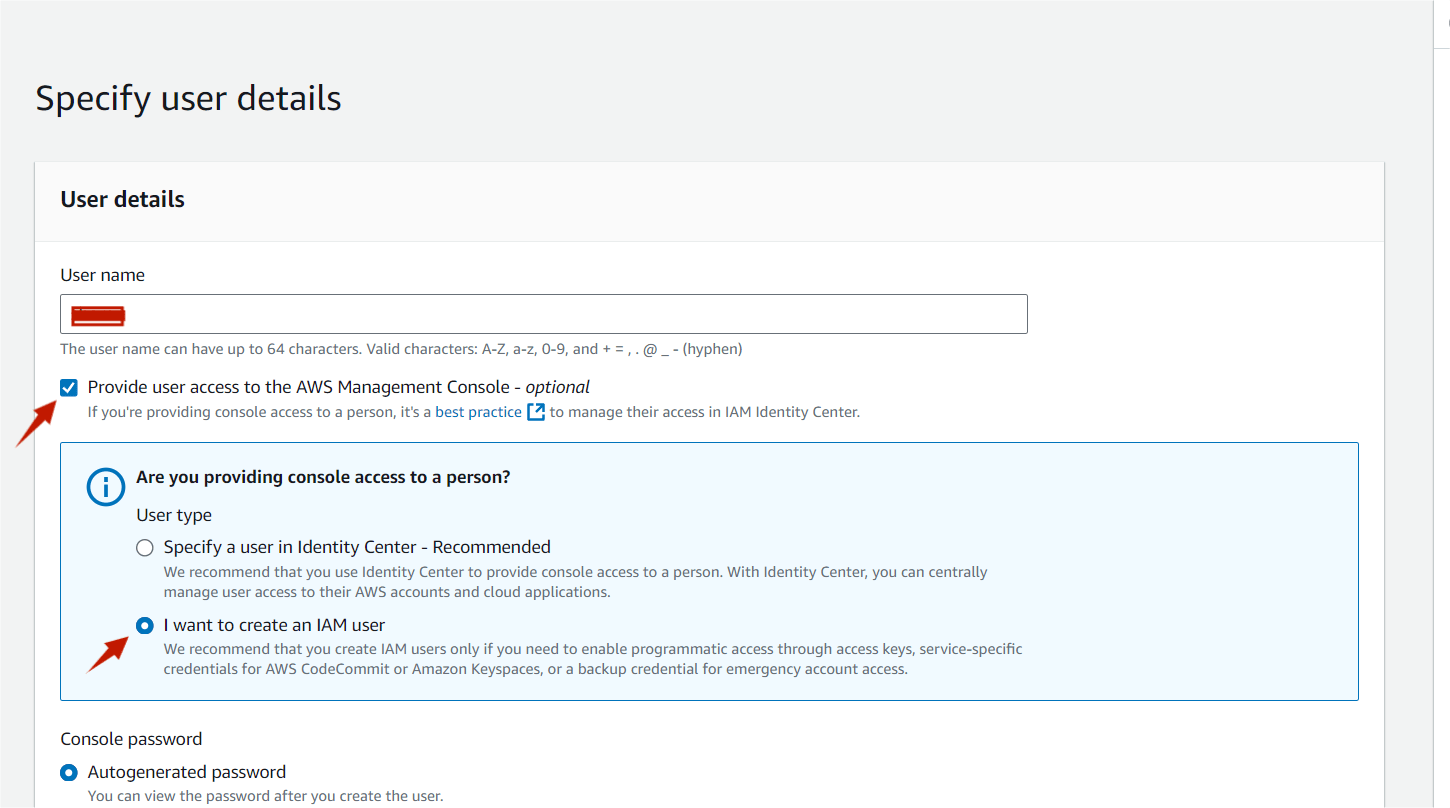
STEP3:Next, enter the user name and tick the Provide user access to the AWS management console.
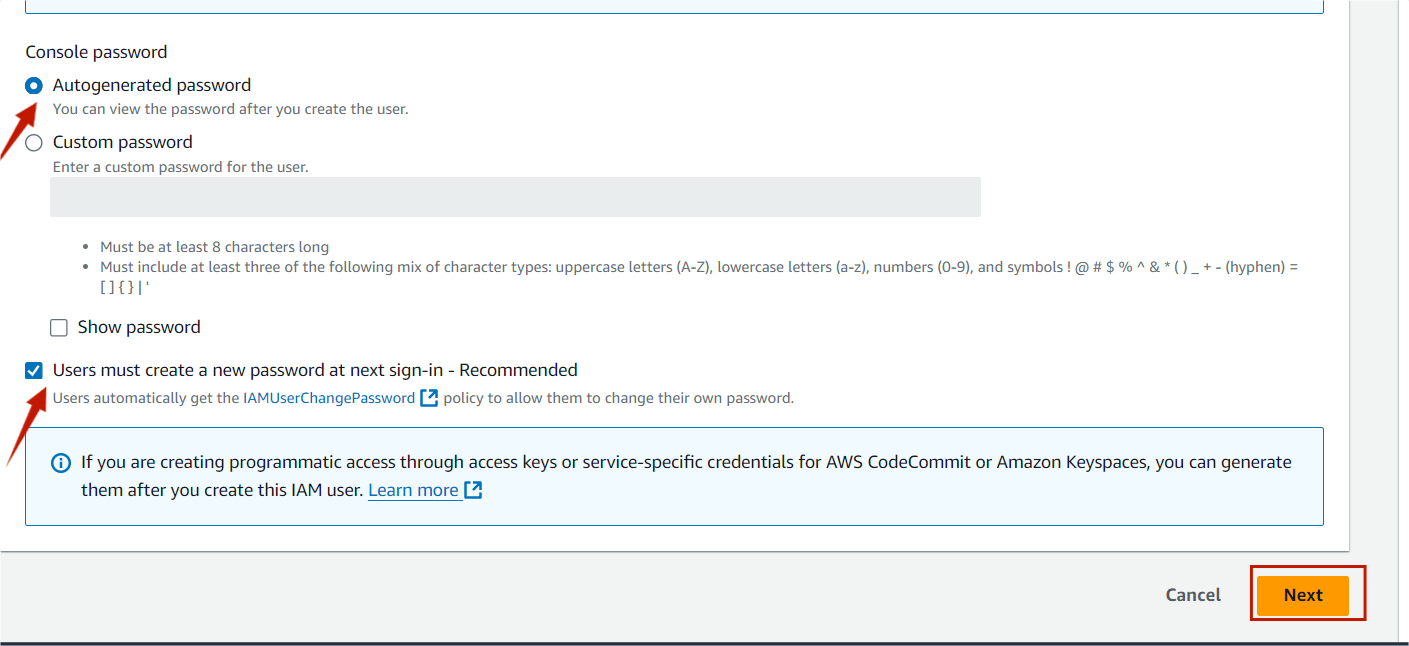
STEP4:select the IAM user and also autogenerated password.
STEP5:Then click on next button.
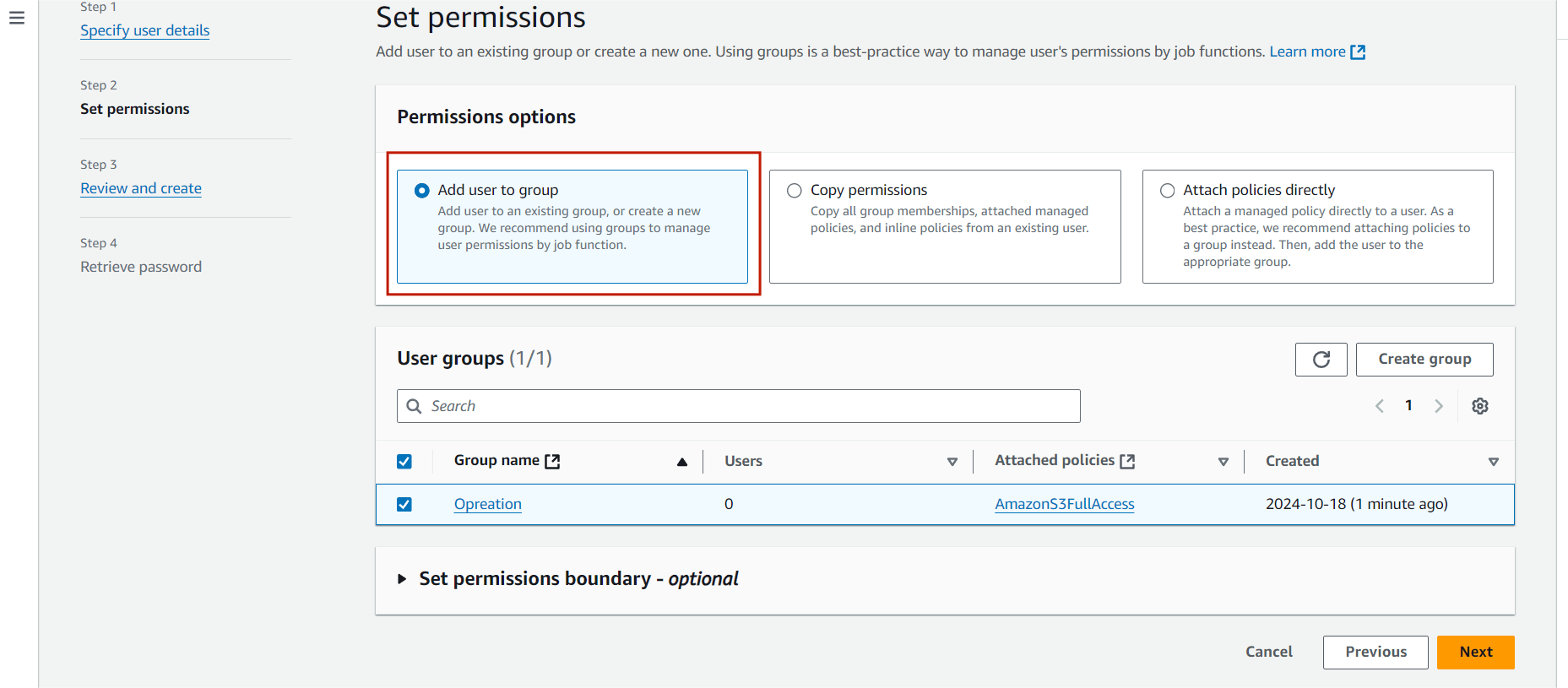
STEP6:select the add user to the group.
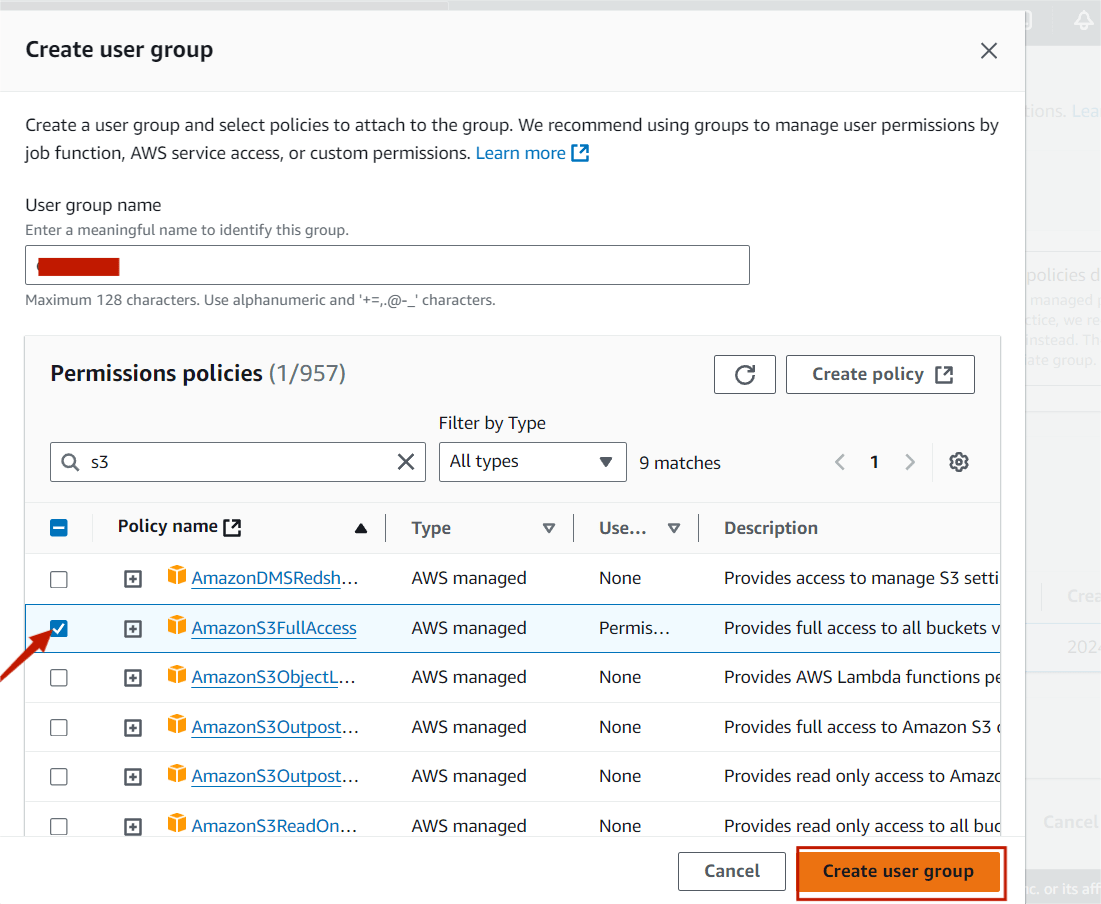
STEP7:Next you will create the user group.
STEP8:Enter the user group name and click the any permission policies (For example : I select the S3 policies.
STEP9:Then , next select create user group.
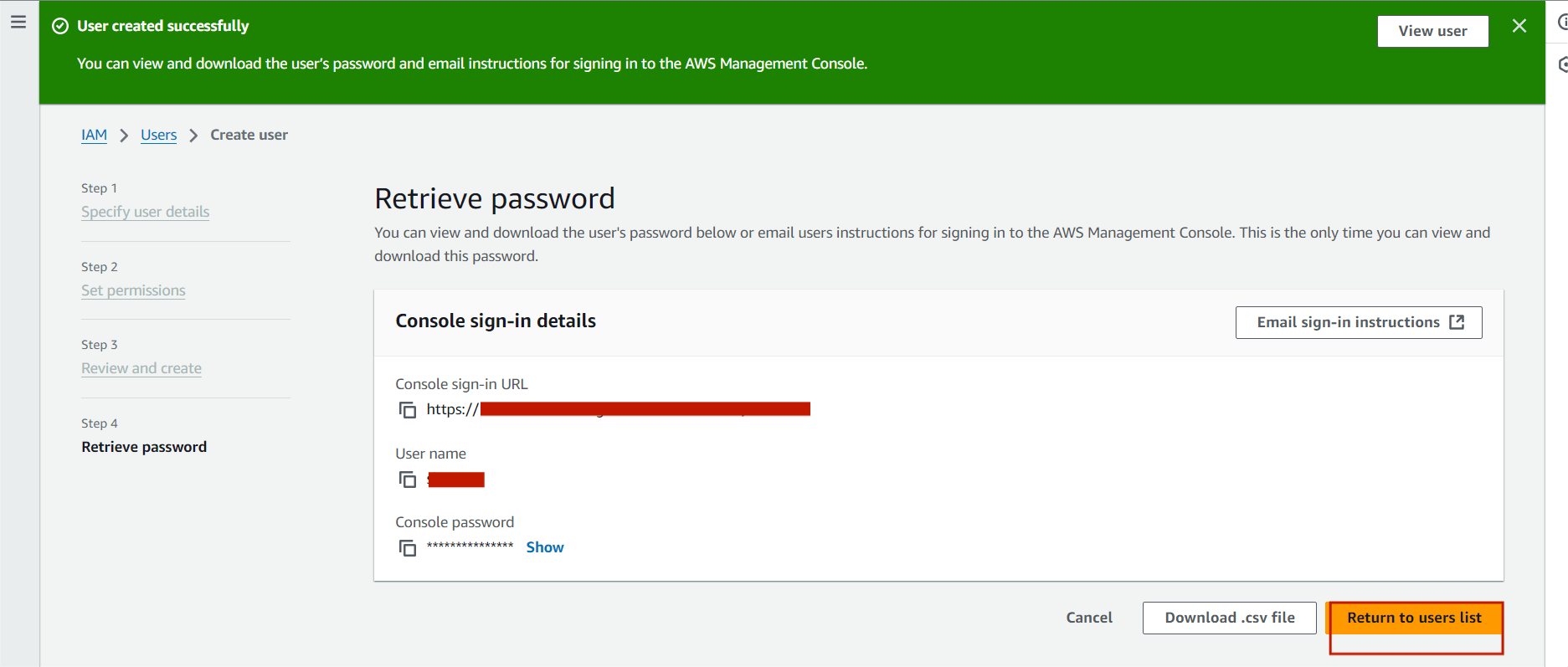
STEP10:Next , you will see this page, Copy the link and paste the browser.
STEP11:You see this following page. click the sign in.
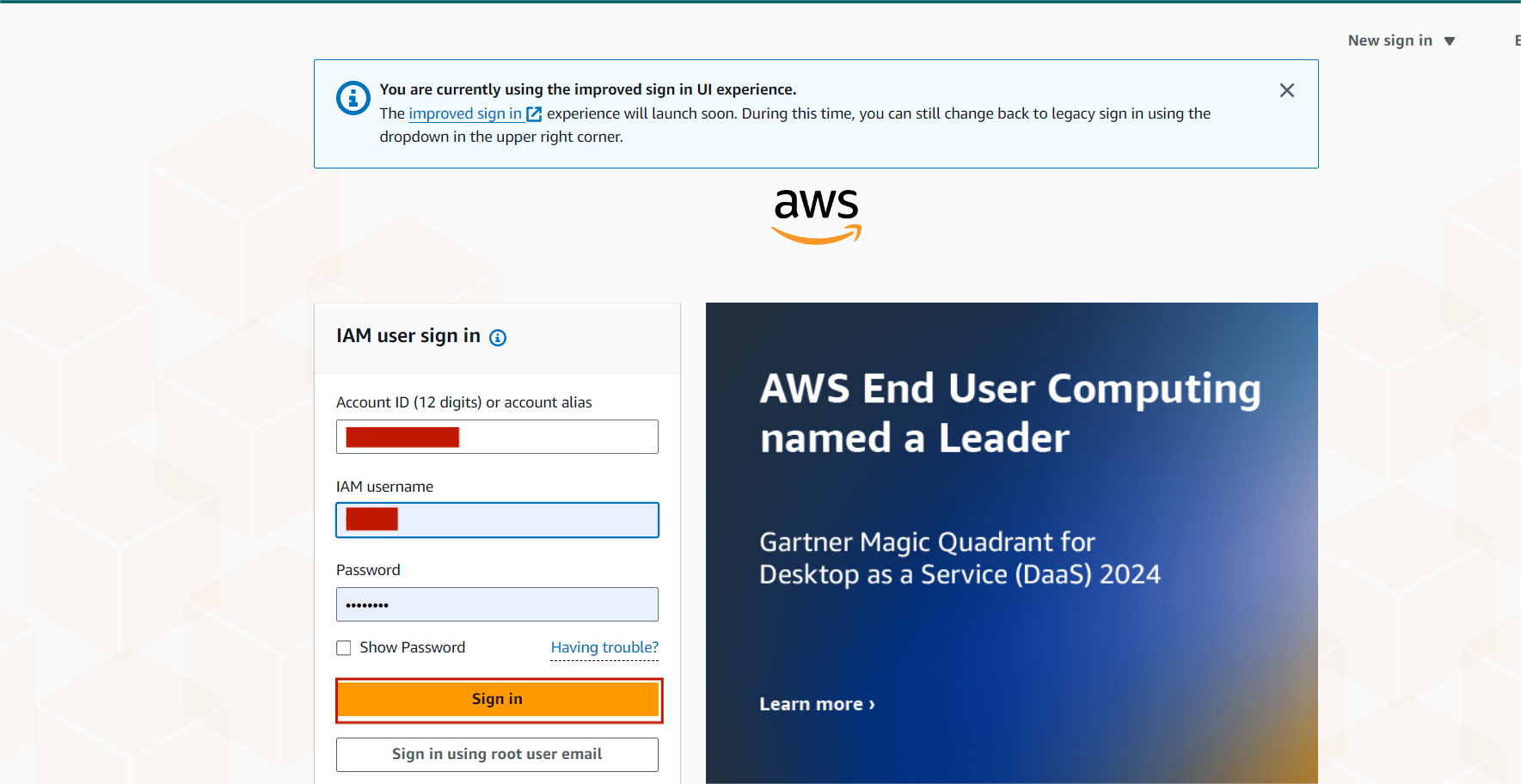
STEP12:Then it will ask to create new password as we autogenerated password.
STEP13:Then open the AWS IAM Console.
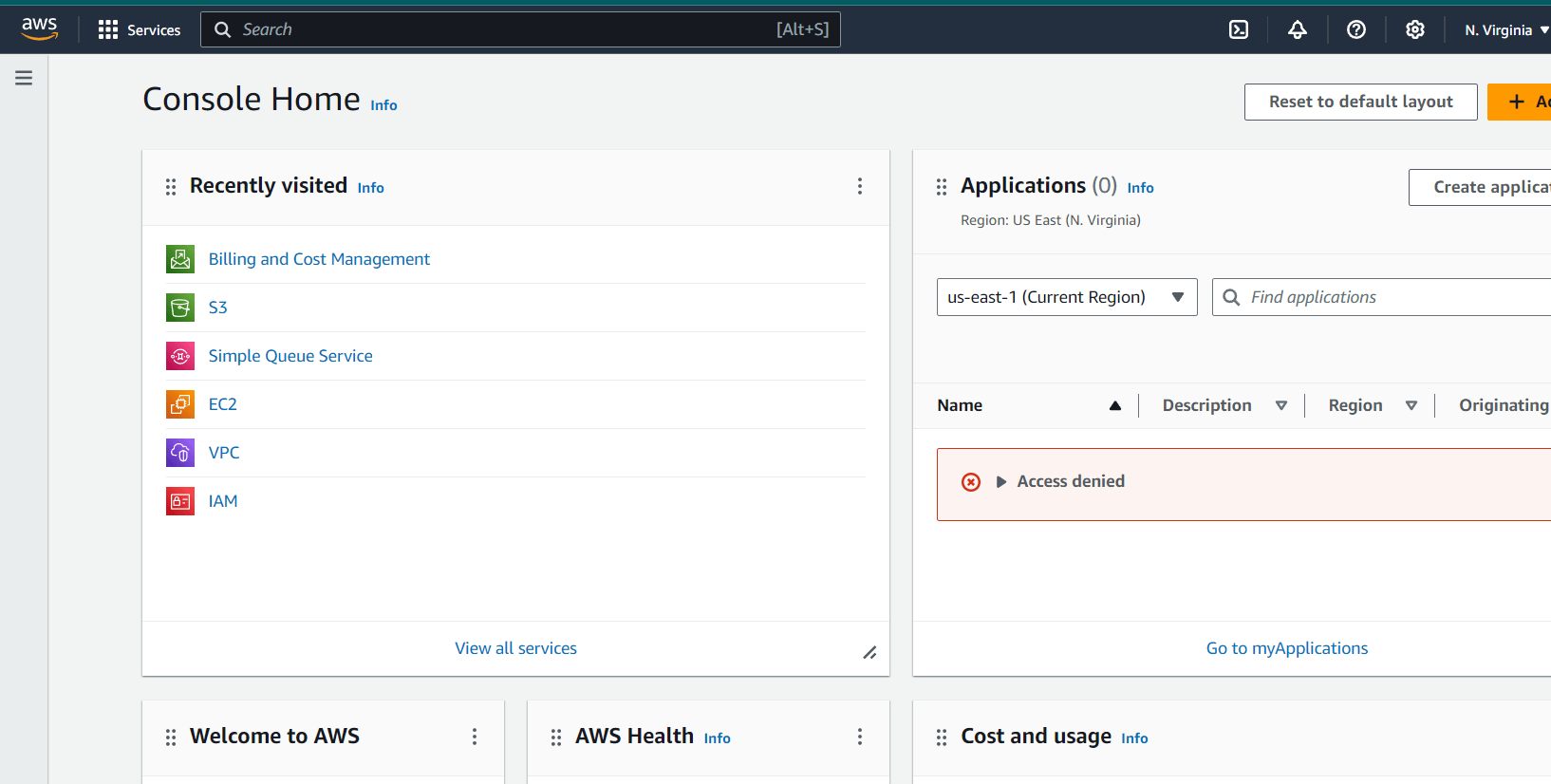
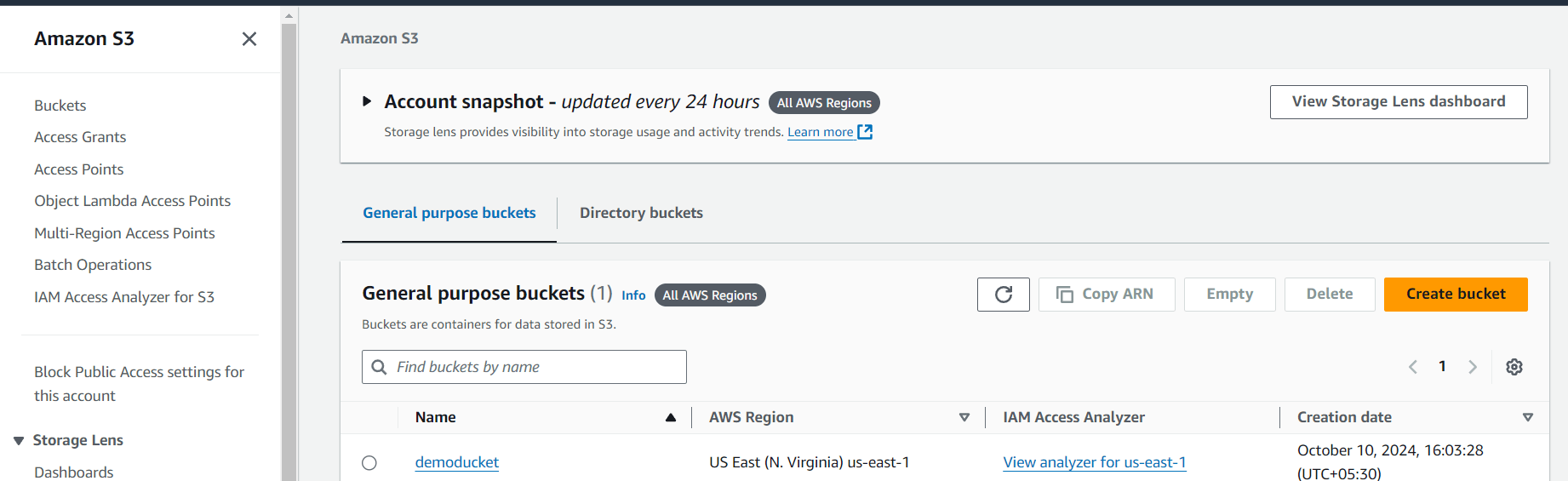
STEP14:Now you will use only S3 bucket in IAM console. because, permission polices only allowed to S3 bucket.
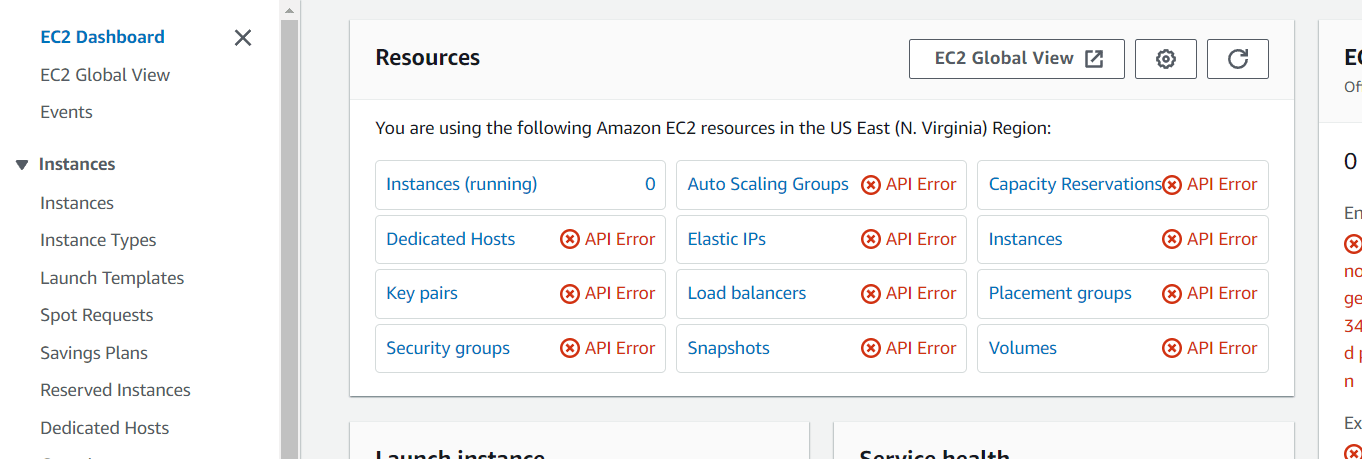
If you try some other services. You will see the this type of page.

Congratulations, you successfully created a new user group and added a new user to your AWS account!The article discusses creating IAM (Identity and Access Management) users and groups on AWS through a step-by-step guide.IAM (Identity and Access Management) users and groups on AWS is essential for ensuring robust security and access control within your cloud environment. By following best practices, such as implementing the principle of least privilege, regularly reviewing permissions, and utilizing groups for easier management, organizations can safeguard their resources while enabling efficient workflows.
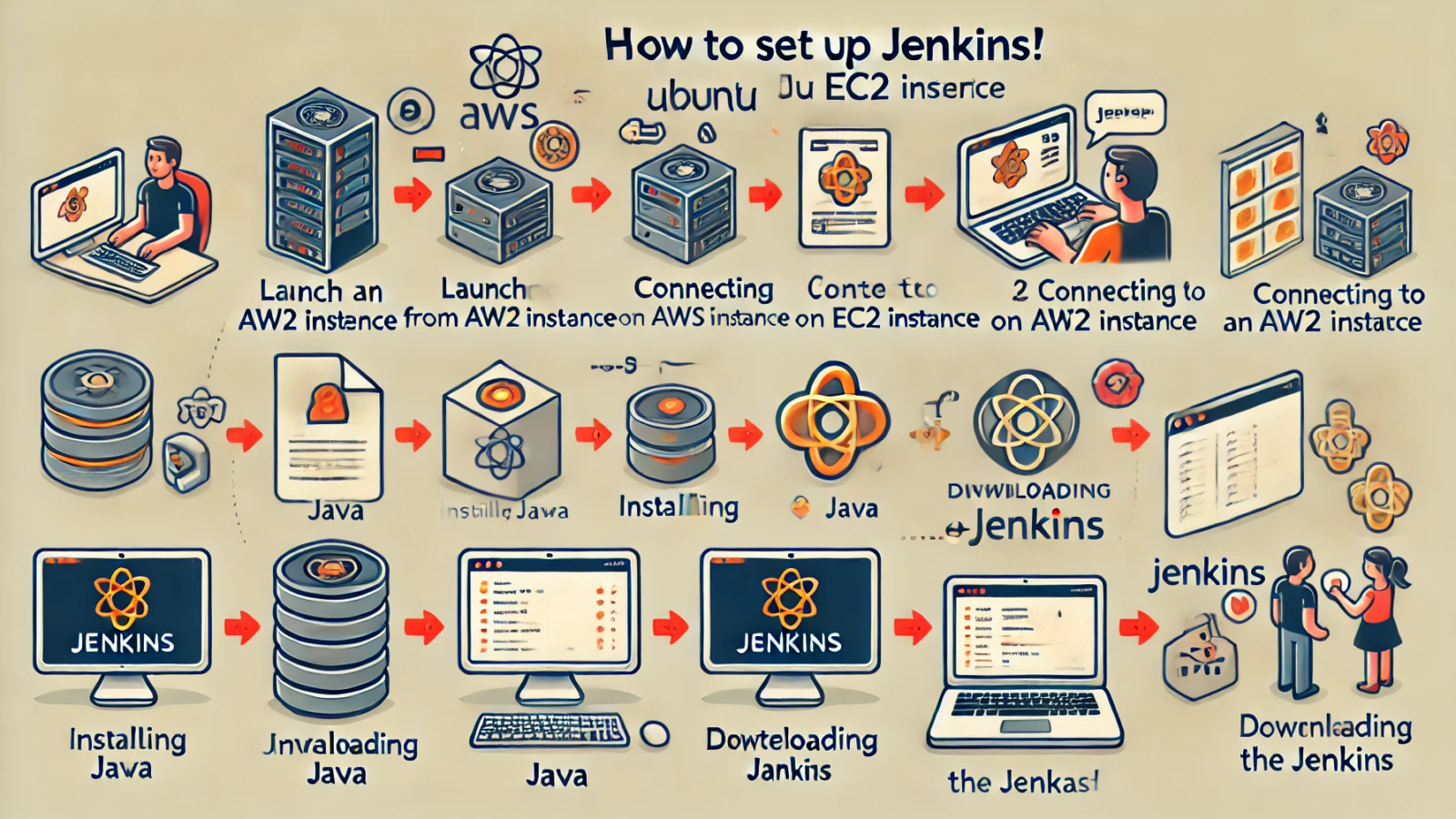
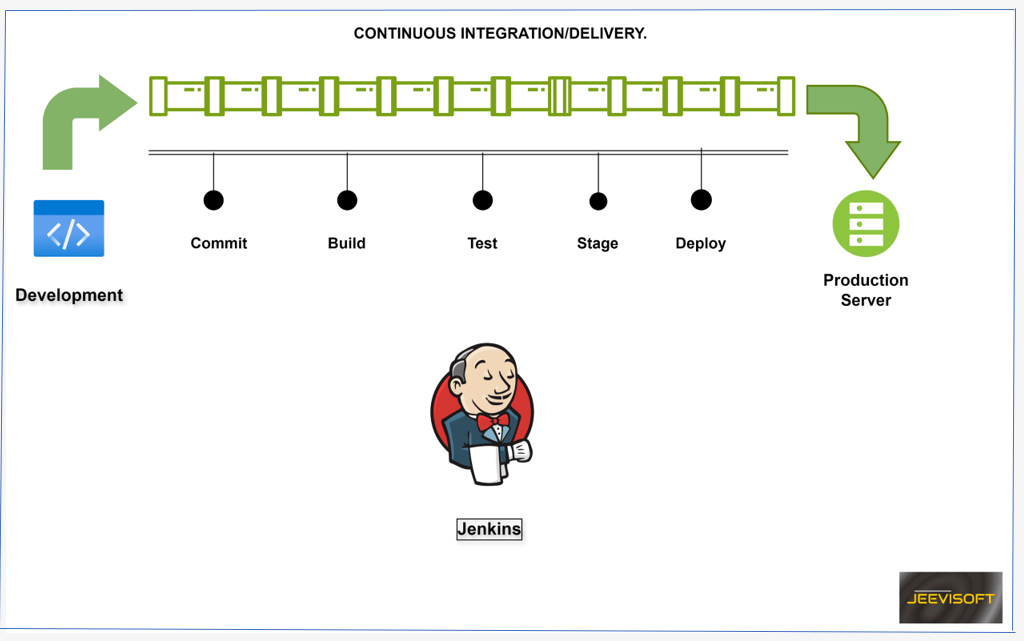
Jenkins is an extensible automation server widely used in the software development lifecycle. It supports continuous integration and delivery by automating the processes of building, testing, and deploying applications through a robust plugin system.
Jenkins can run on various operating systems, including windows, macOS and Linux.
Continuous Integration: Automatically building and testing code changes to ensure they integrate smoothly.
Continuous Delivery: Automating the deployment of applications to various environments, including development, testing, and production.

In this guide, you will learn how to install Jenkins on ubuntu in AWS ec2 instance. Ready to roll? let’s do this!
STEP1: Create the instance.
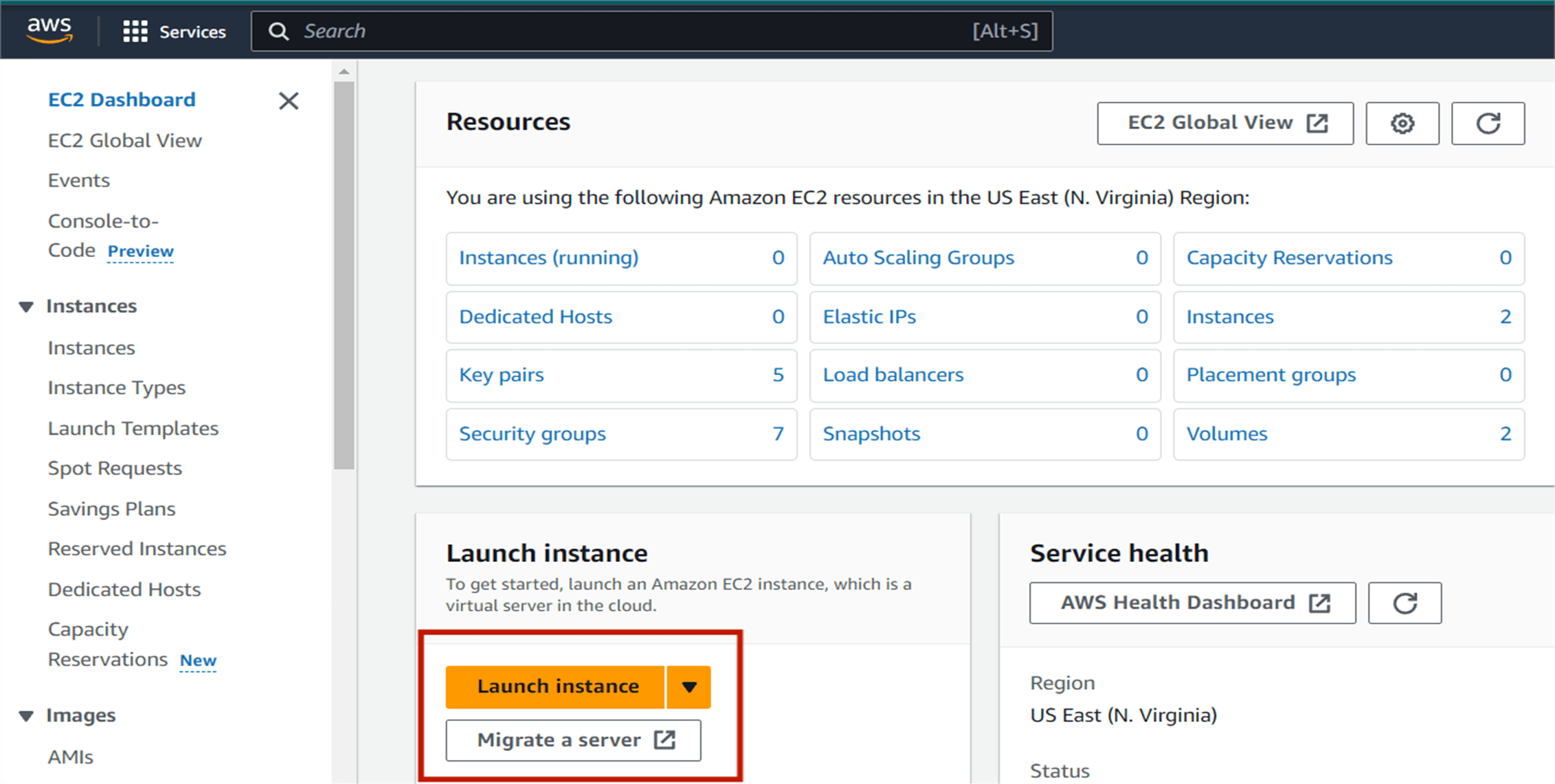
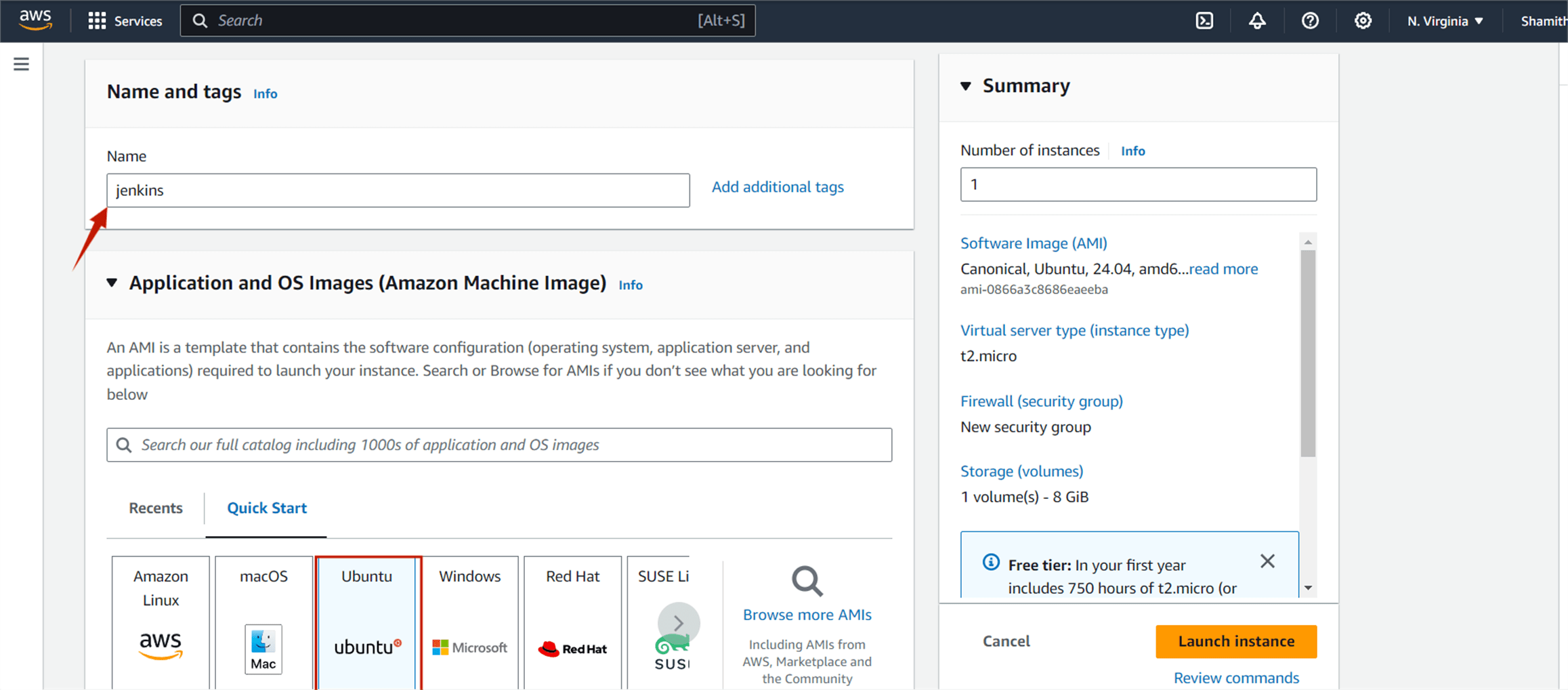
In the AWS management console, Find the EC2 service and then click on launch instance.
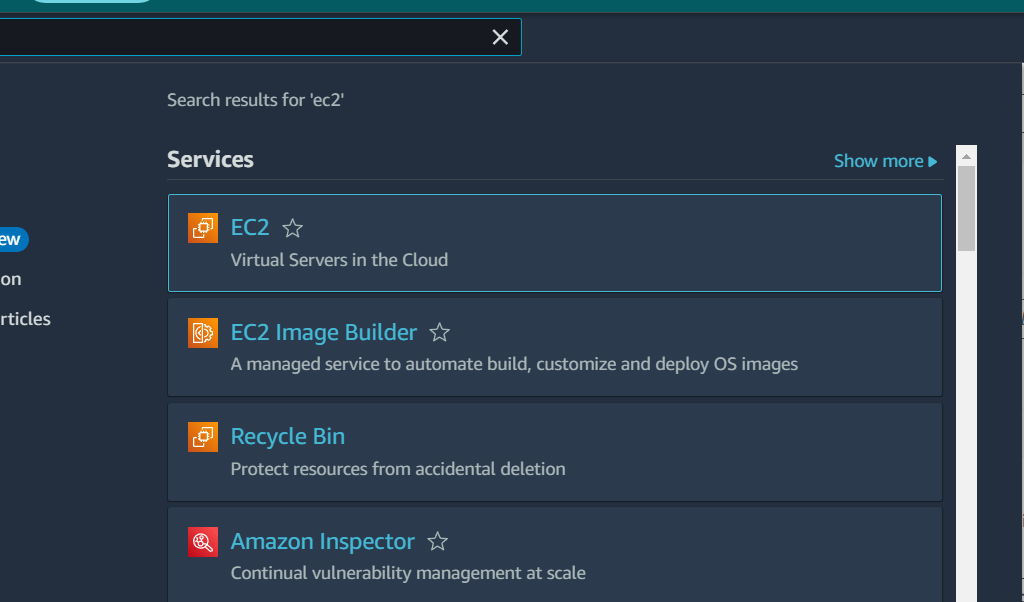
You create the name and choose on Amazon Machine Image (AMI) is ubuntu.
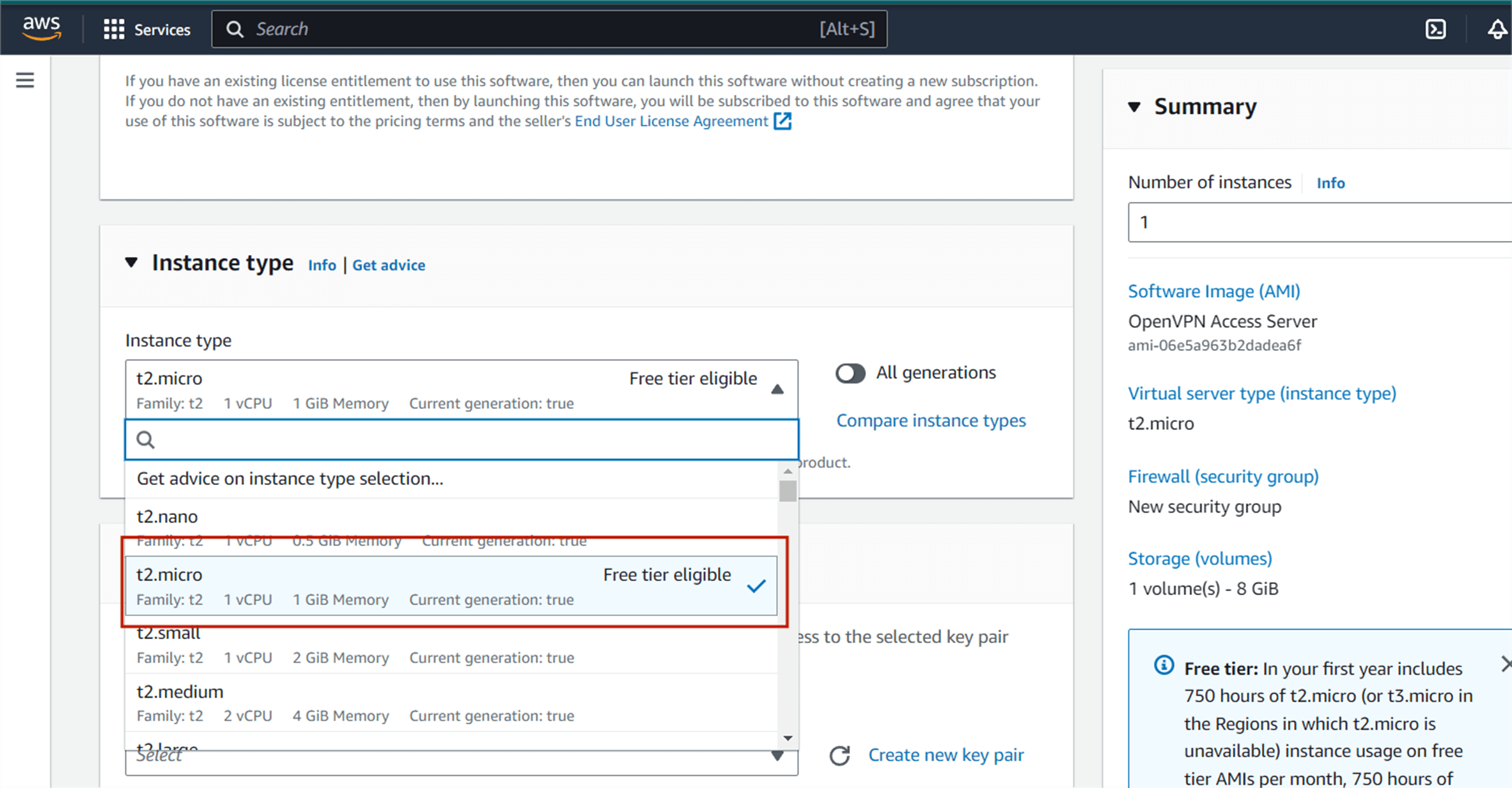
Then you will be directed to this page, this is where the service will be running on, select the t2.micro which contains the Free tier eligible tag.
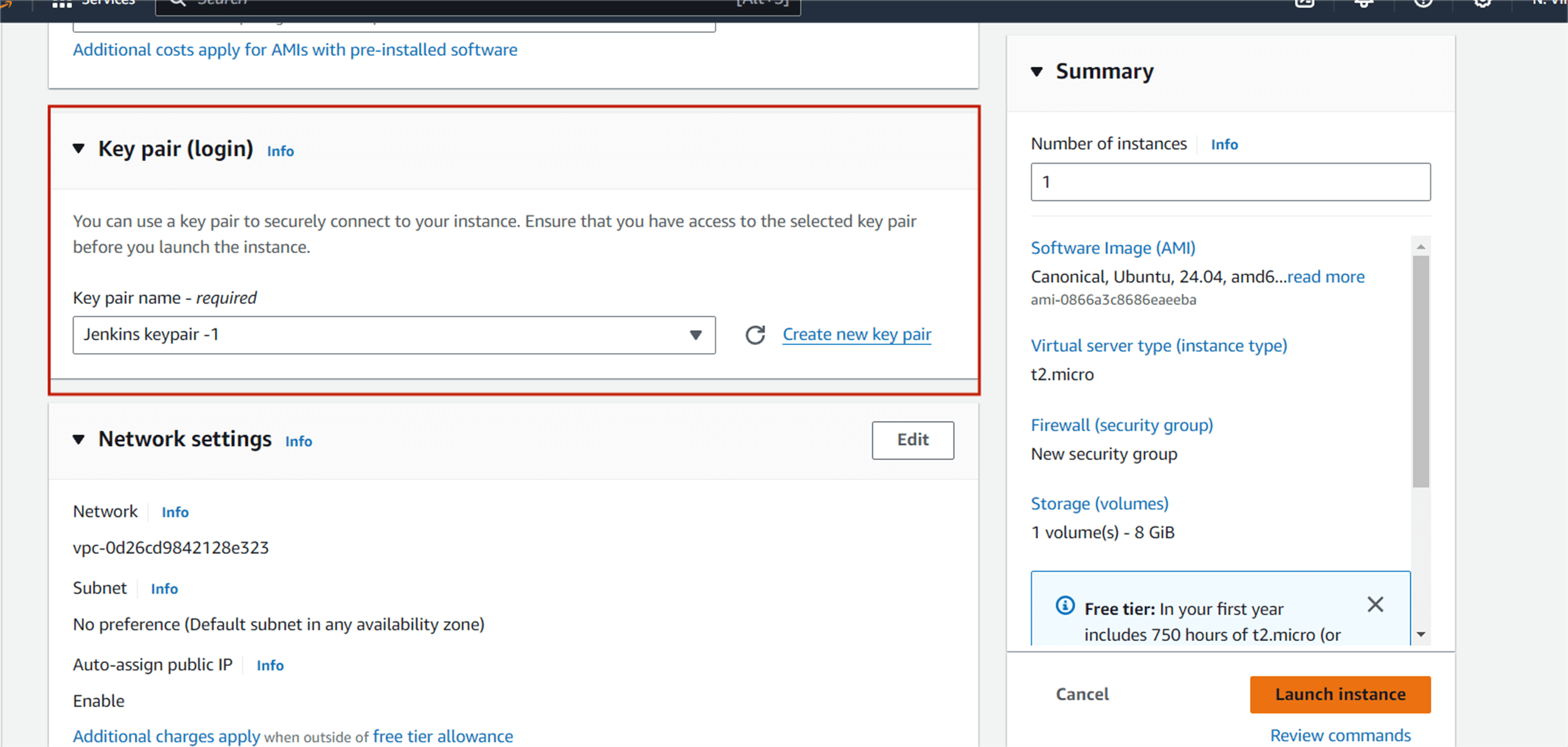
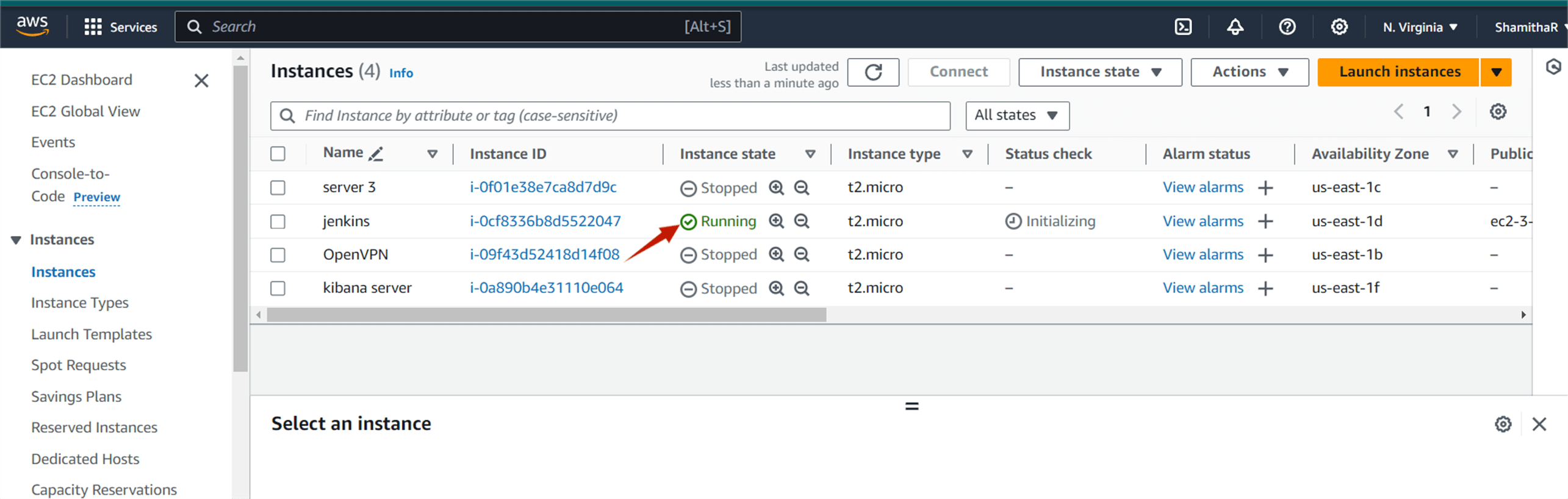
Create a new key pair (or use an existing one if you already have one), enter a name, and click download key pair. Then click Launch Instance and wait for the instance to go to running state.
STEP2: Installing Jenkins
You select the instance and click the connect option, and then next you click the connect.
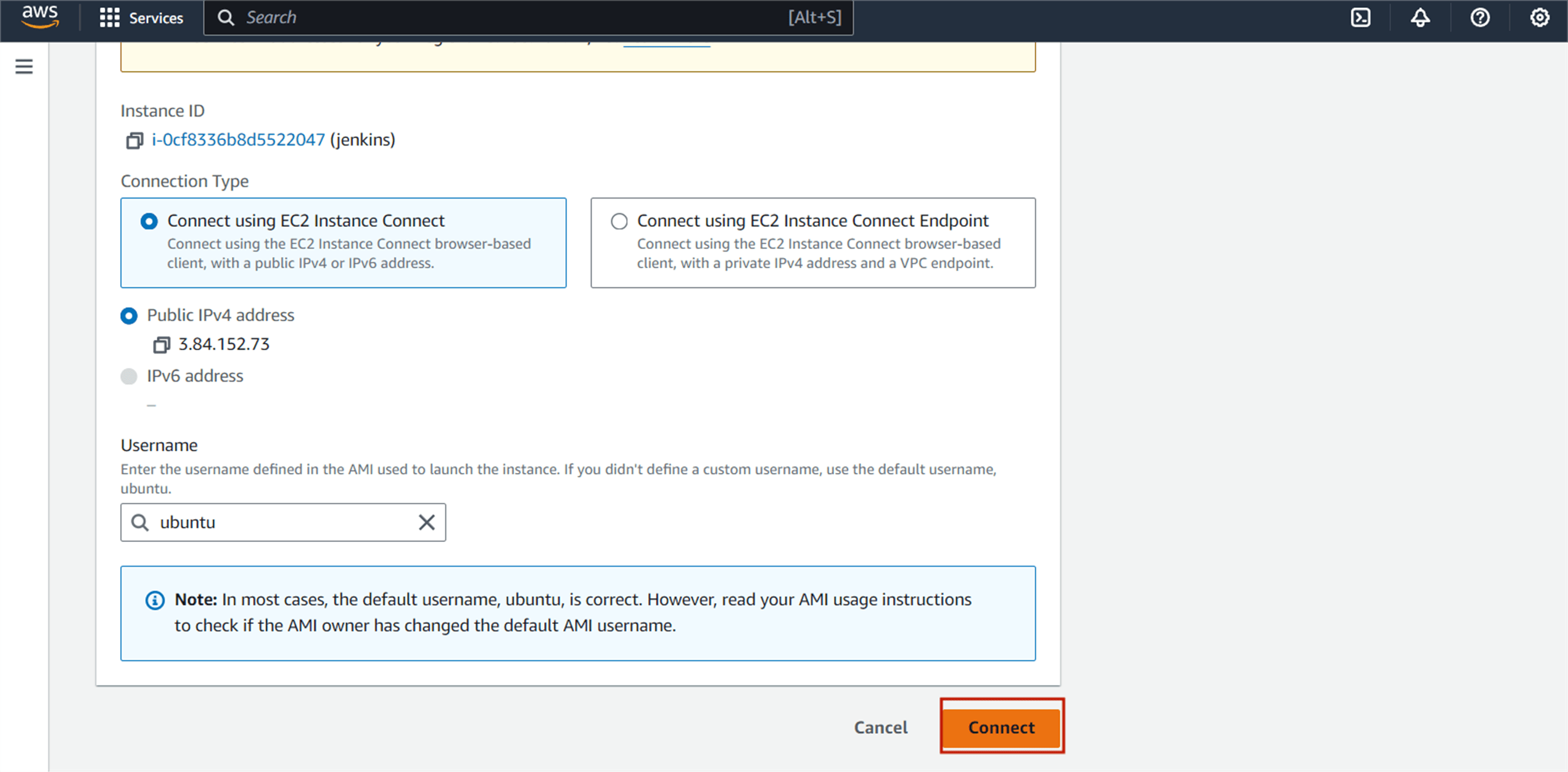
You should see the following page.
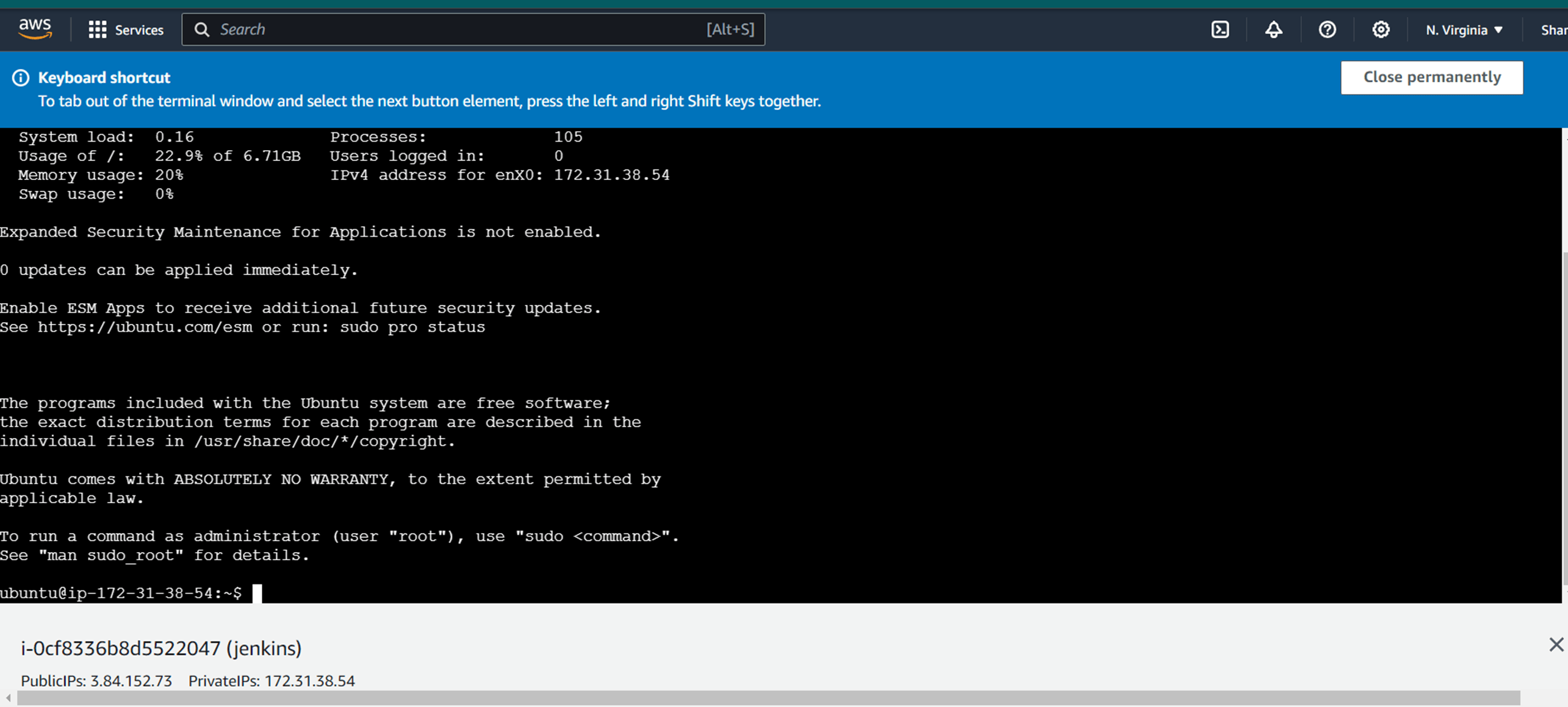
And then next, you will update the instance.
sudo apt update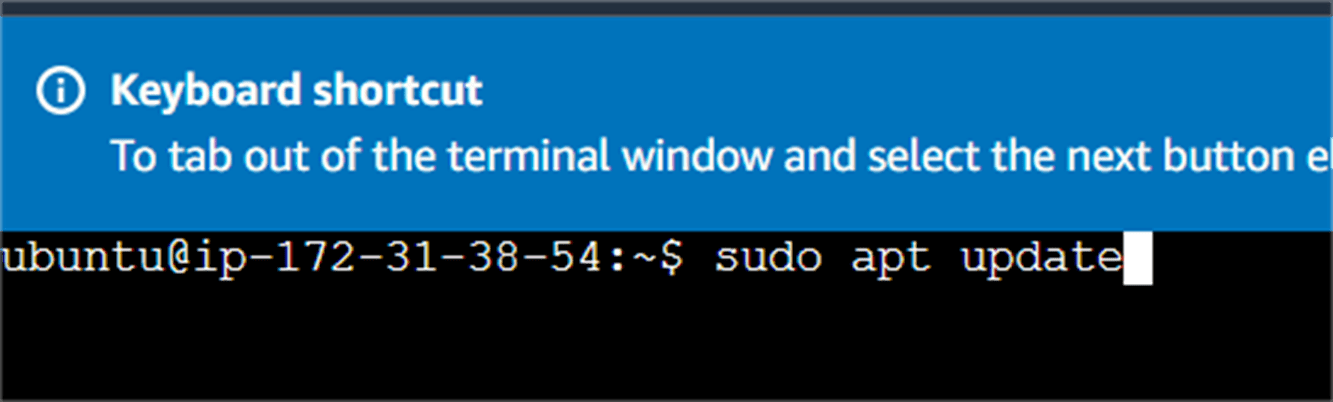
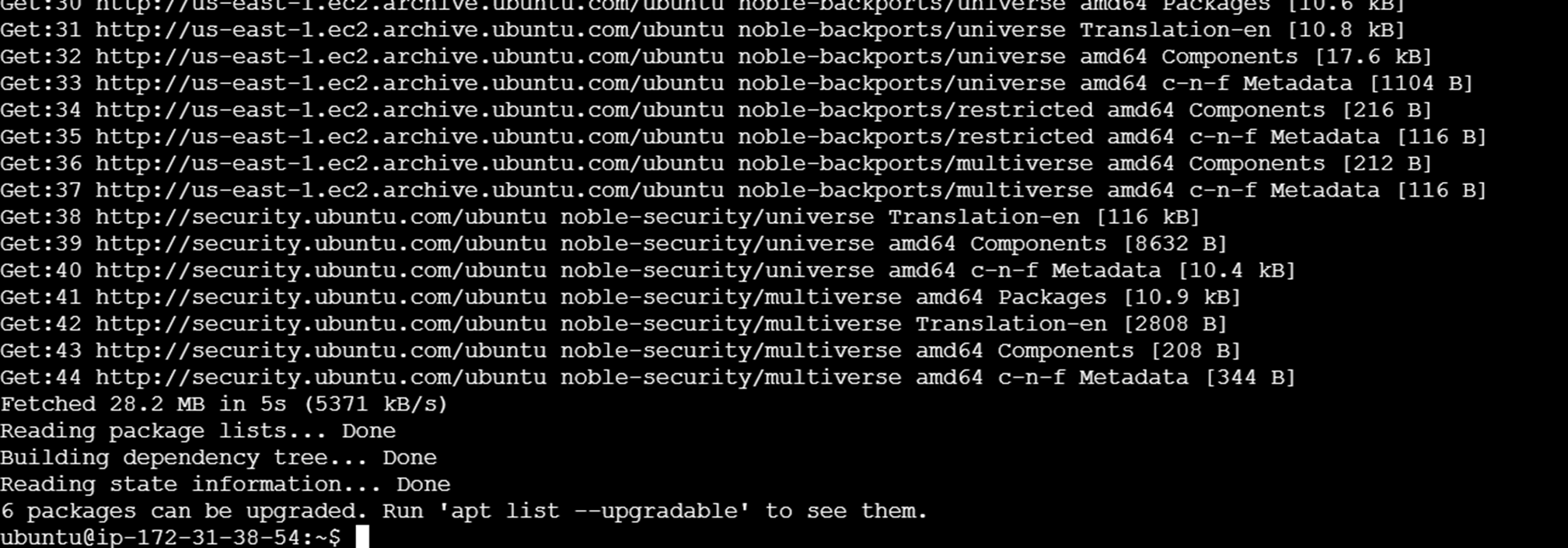
Java needs to be installed and configured on the server on which you want to configure Jenkins. OpenJDK is preferred with Jenkins, but you can also use any other version of Java.
Enter the comment below.
sudo apt install openjdk-8-jdk -y
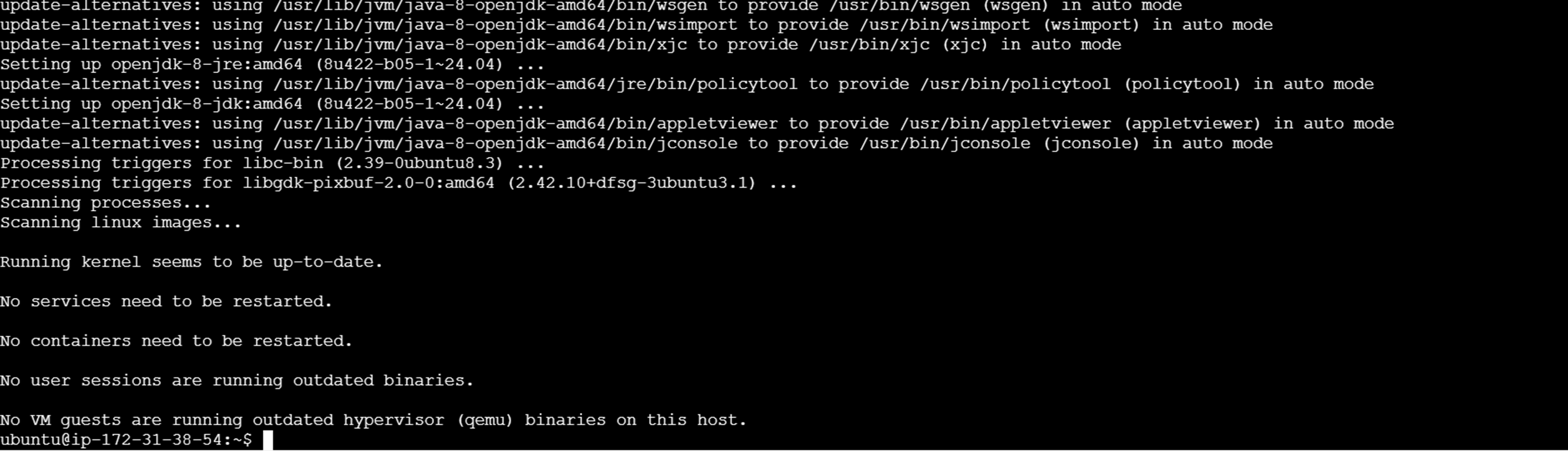
To install Jenkins on to your operating system, follow the latest documentation provided by Jenkins. (Use this link https://pkg.jenkins.io select the Debian-stable you’ll get the URL for Jenkins package).
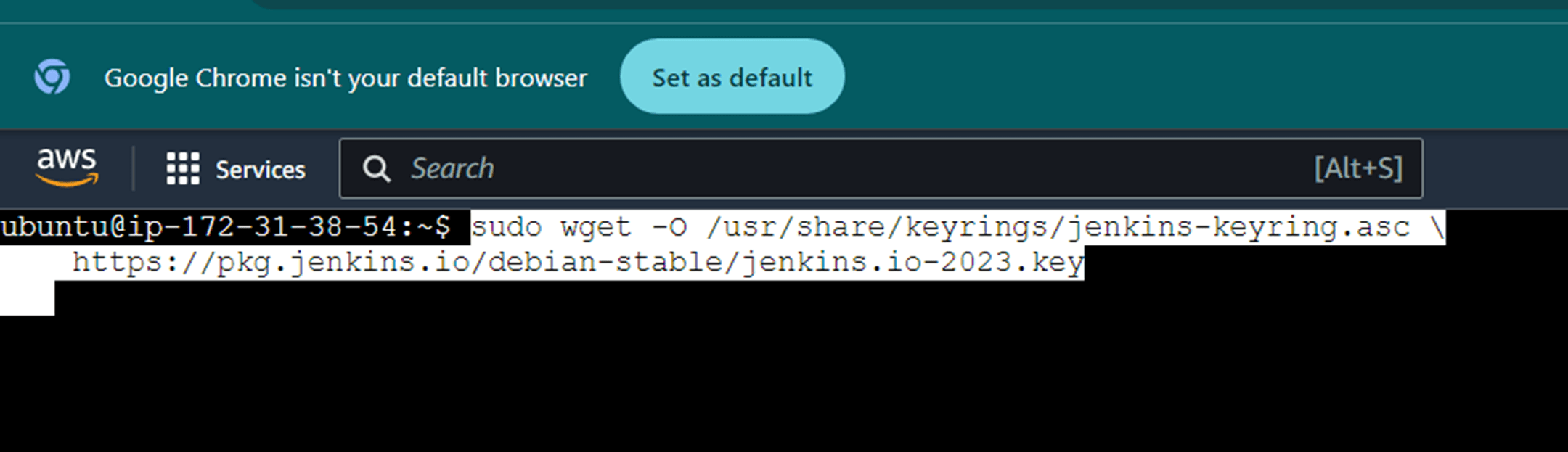
Now, you enter the comment step-by-step.
sudo wget -O /usr/share/keyrings/jenkins-keyring.asc \
    https://pkg.jenkins.io/debian-stable/jenkins.io-2023.key

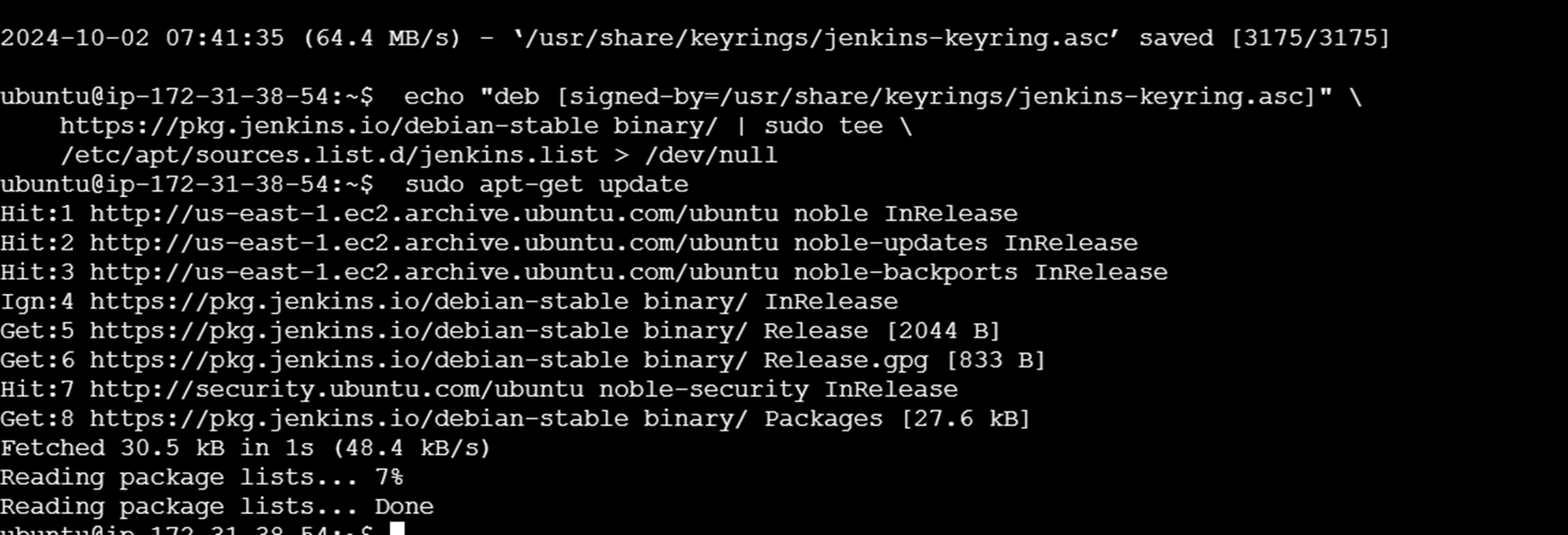
Add a Jenkins apt repository entry,
  sudo apt-get update
  sudo apt-get install fontconfig openjdk-17-jre
  sudo apt-get install Jenkins

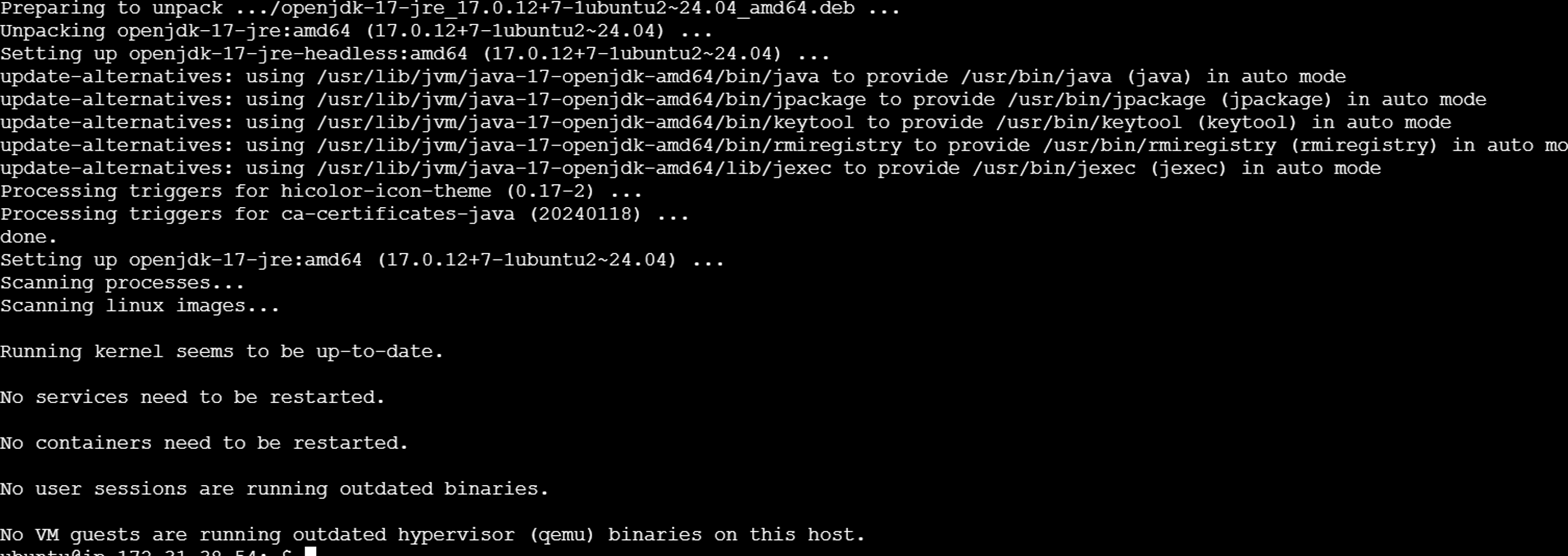


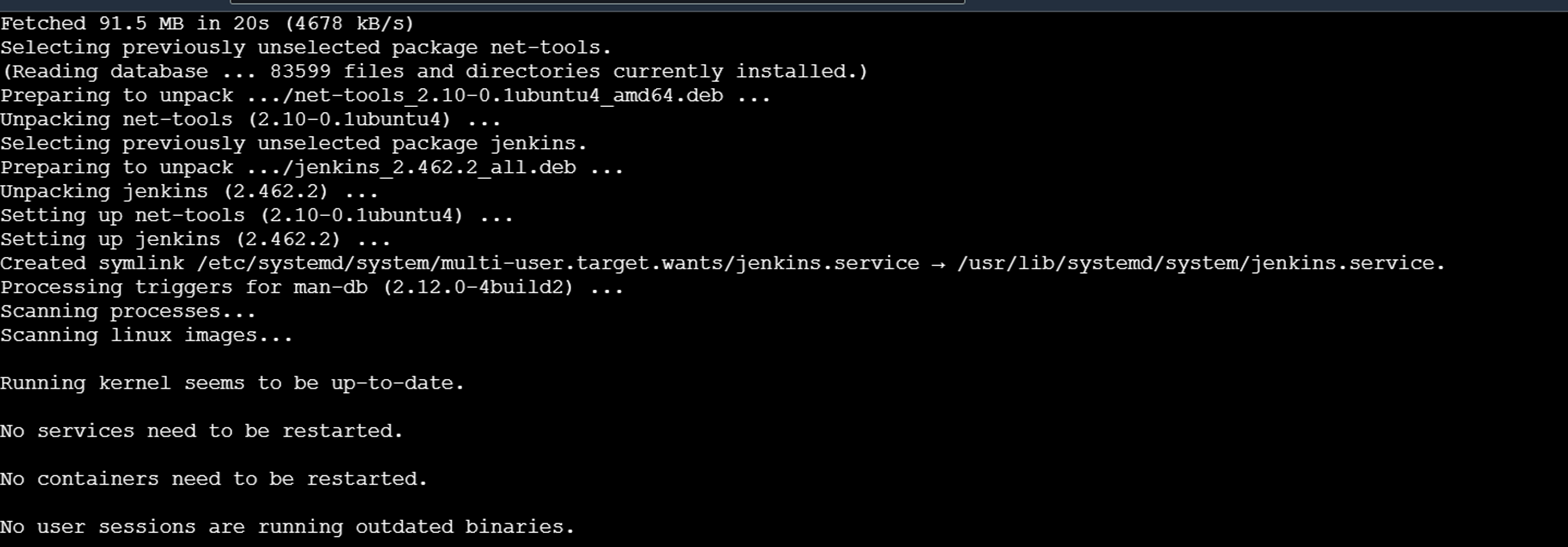
To check if the java version is installed, use the command.

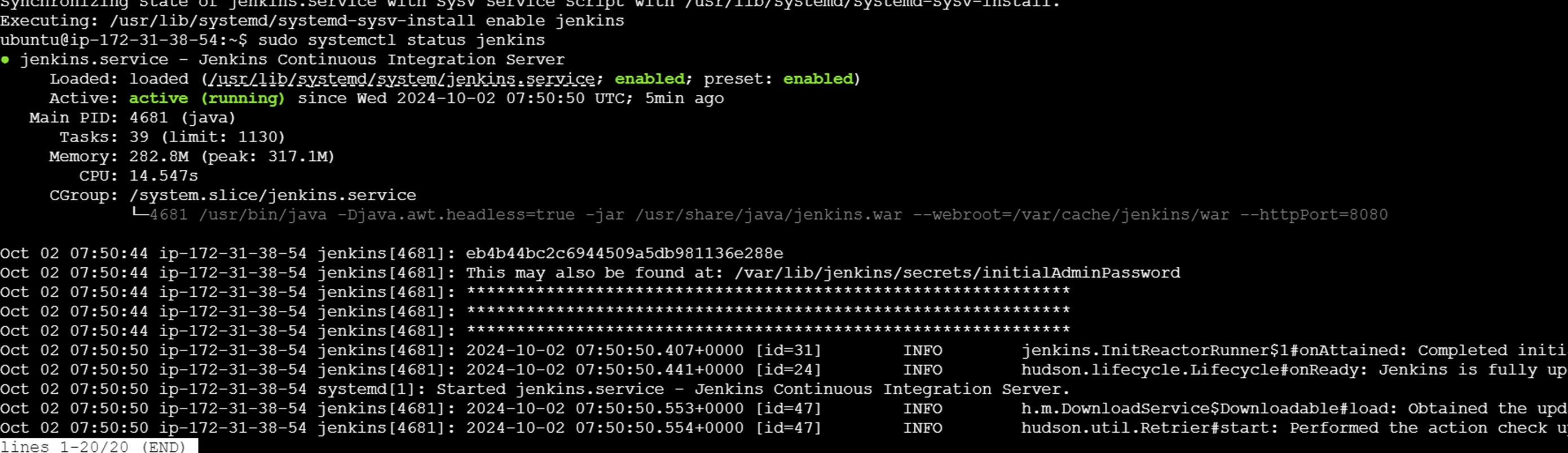
Using the systemctl start command start the Jenkin service, and then use the systemctl enable command .
Sudo systemctl start Jenkins
Sudo systemctl enable Jenkins
Sudo systemctl status jenkins

Once you reached the end, you will see the Jenkins running page.
STEP3: Setting up Jenkins.
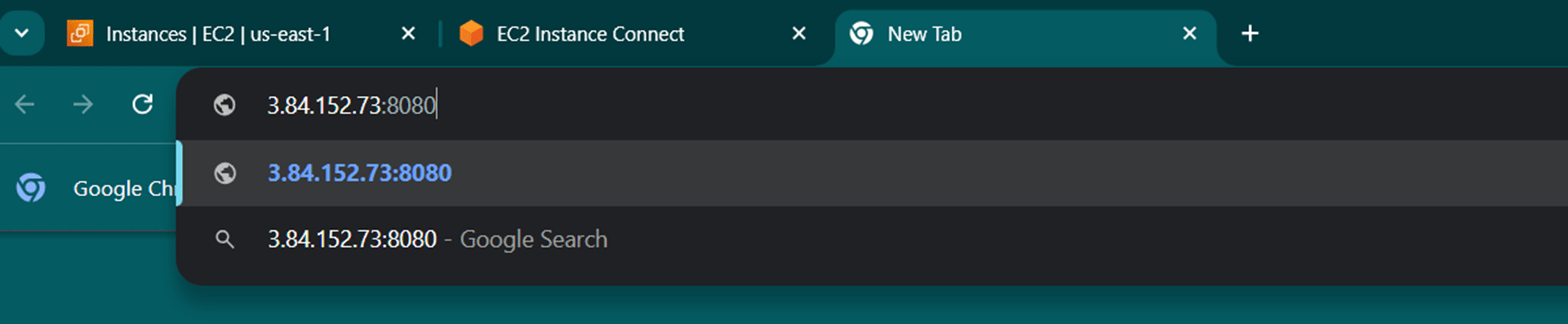
To set up your installation, visit Jenkins on its default port, 8080 , using your instance IP address.
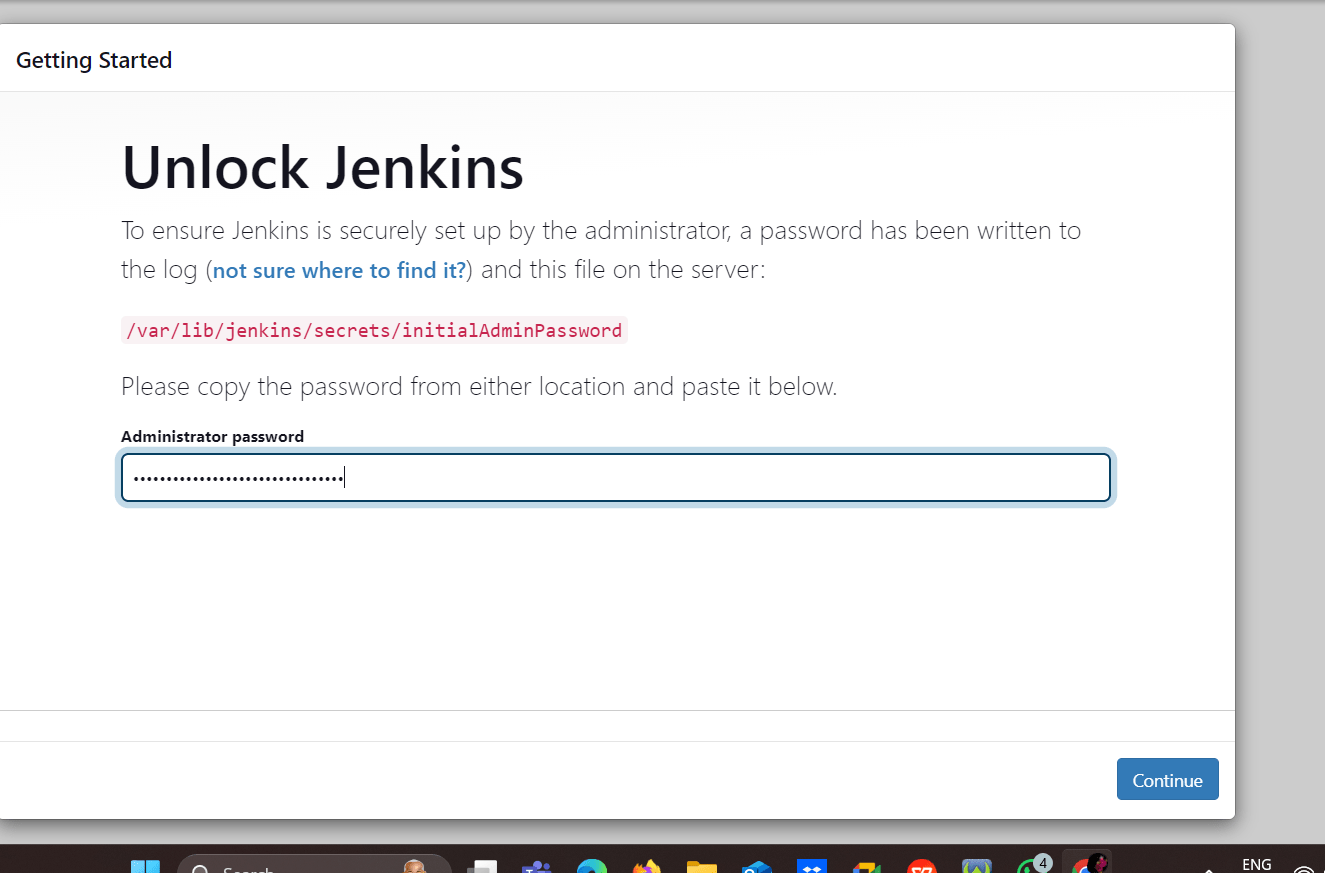
You see the following page, now you will go to the terminal, enter the sudo cat command to display the password.
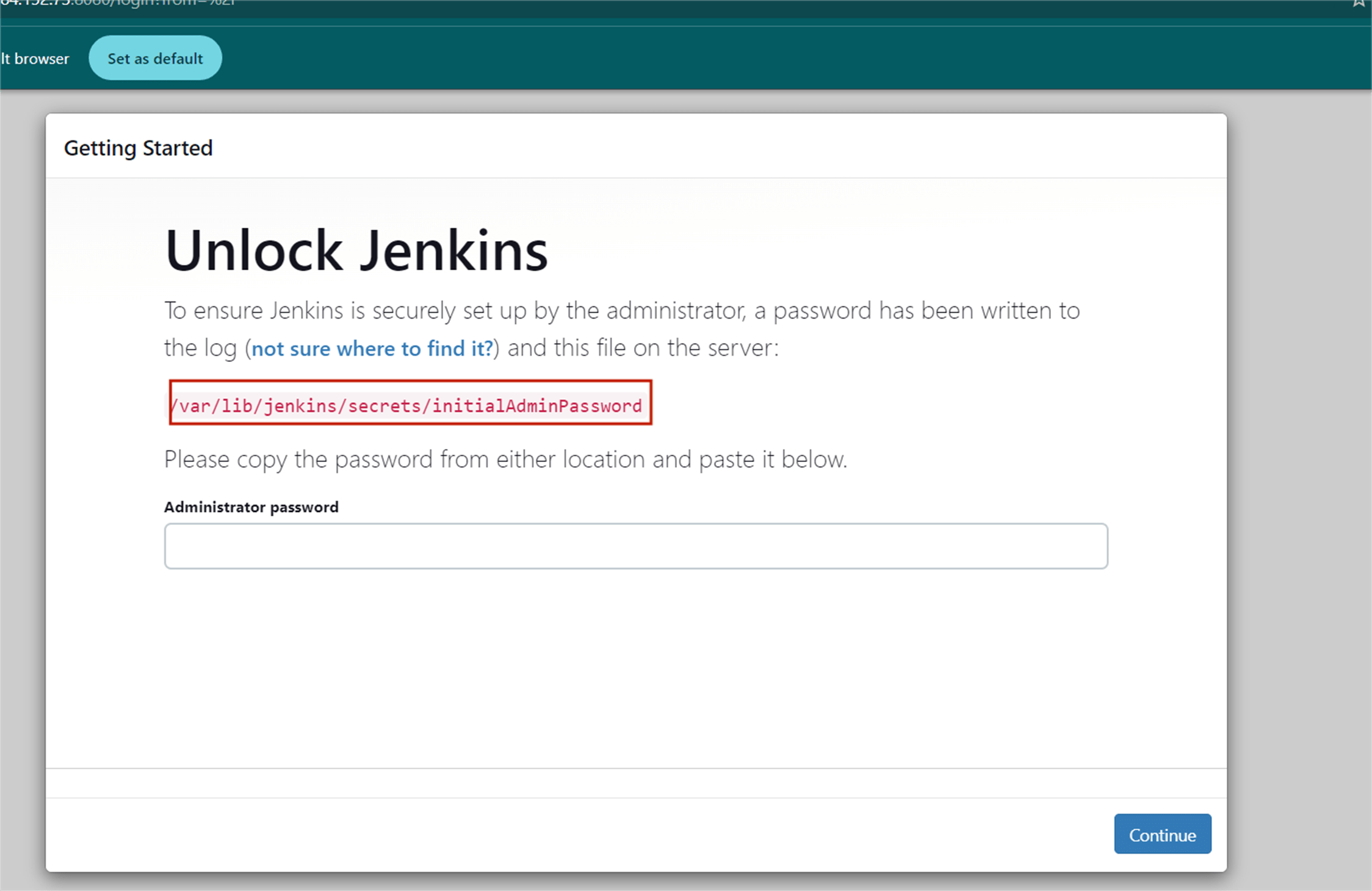

Copy the 32-character alphanumeric password from the terminal and paste it into the Administrator password field, then click Continue.
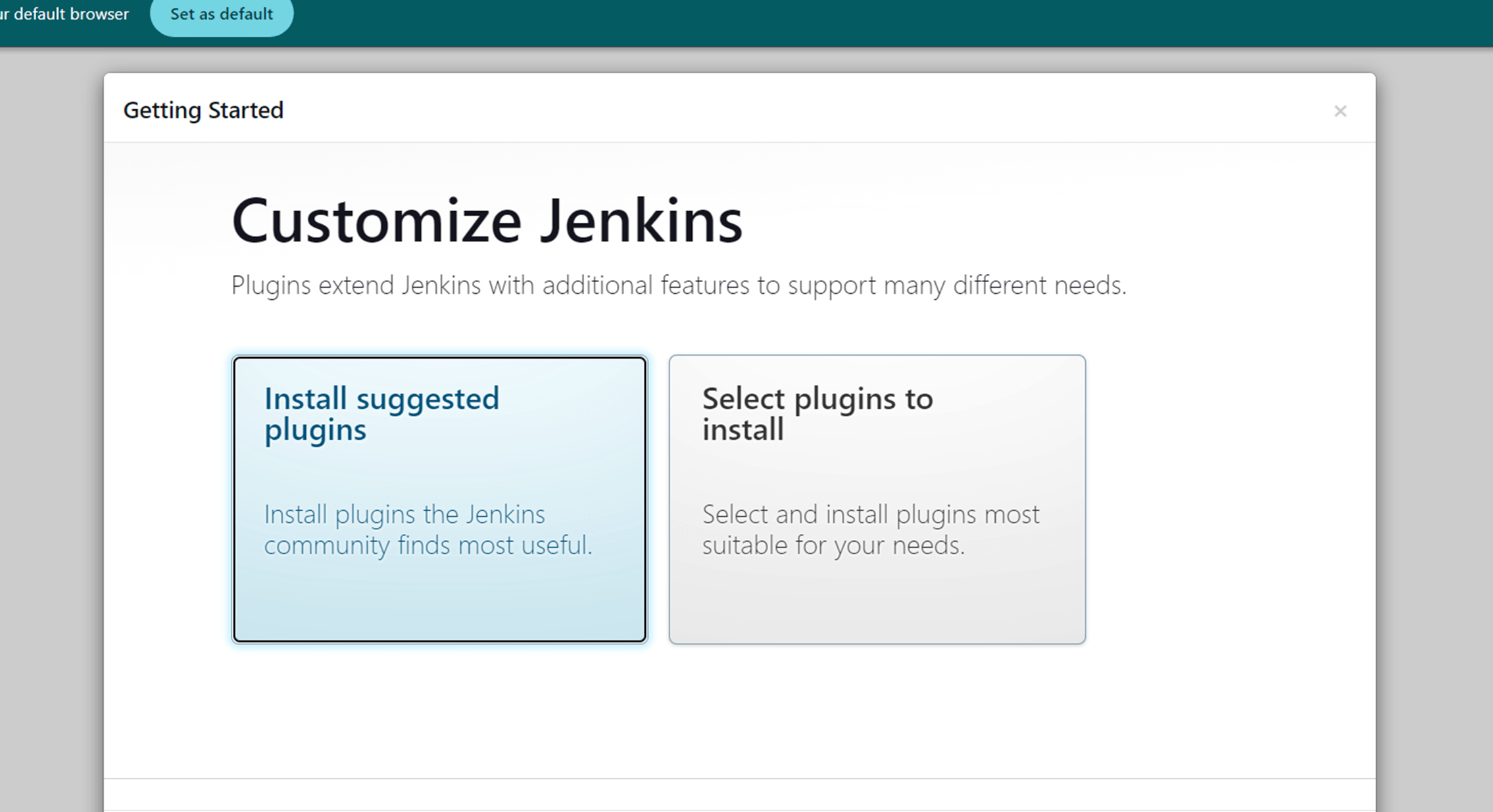
Next you click the install suggested plugins.
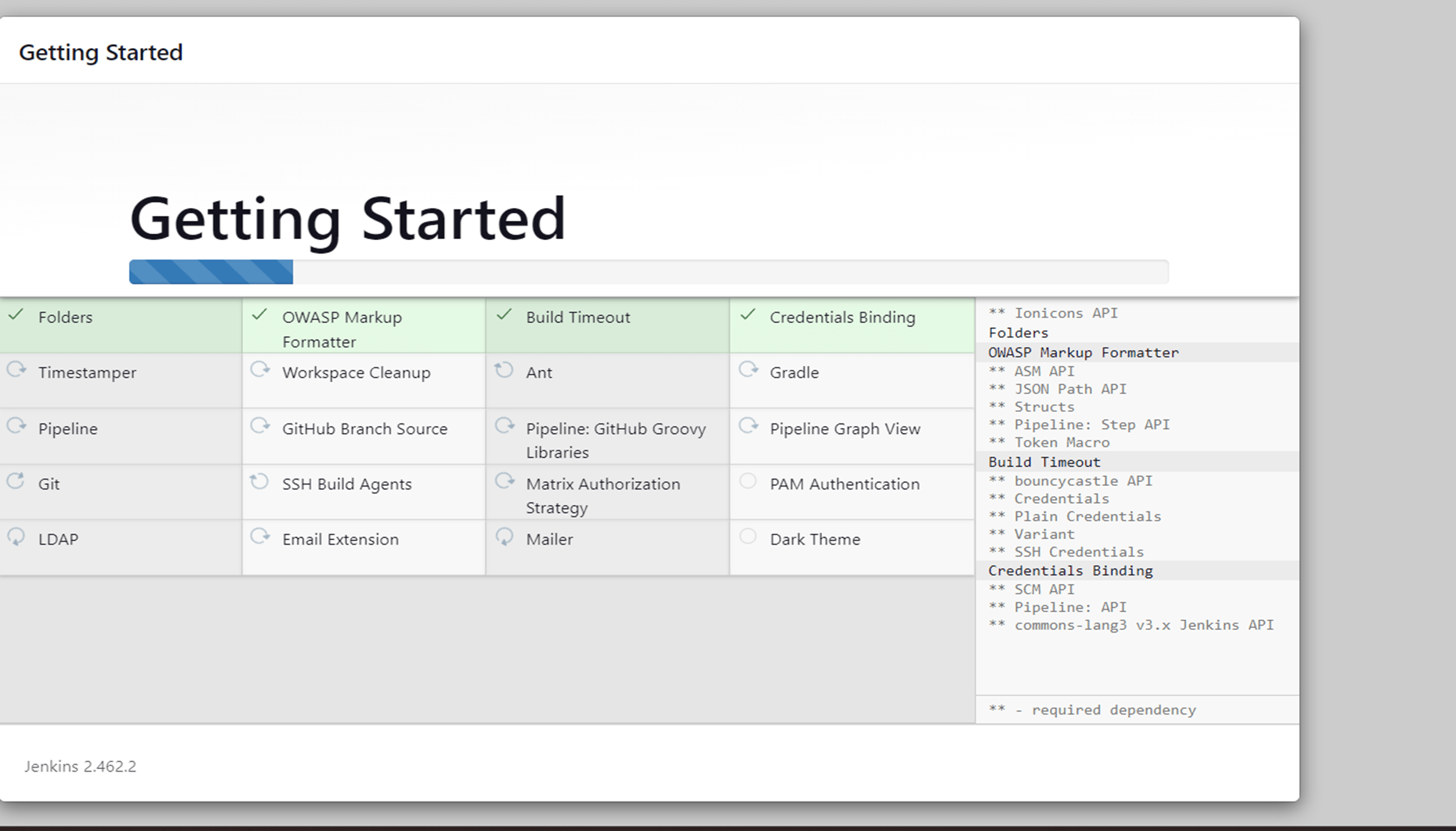
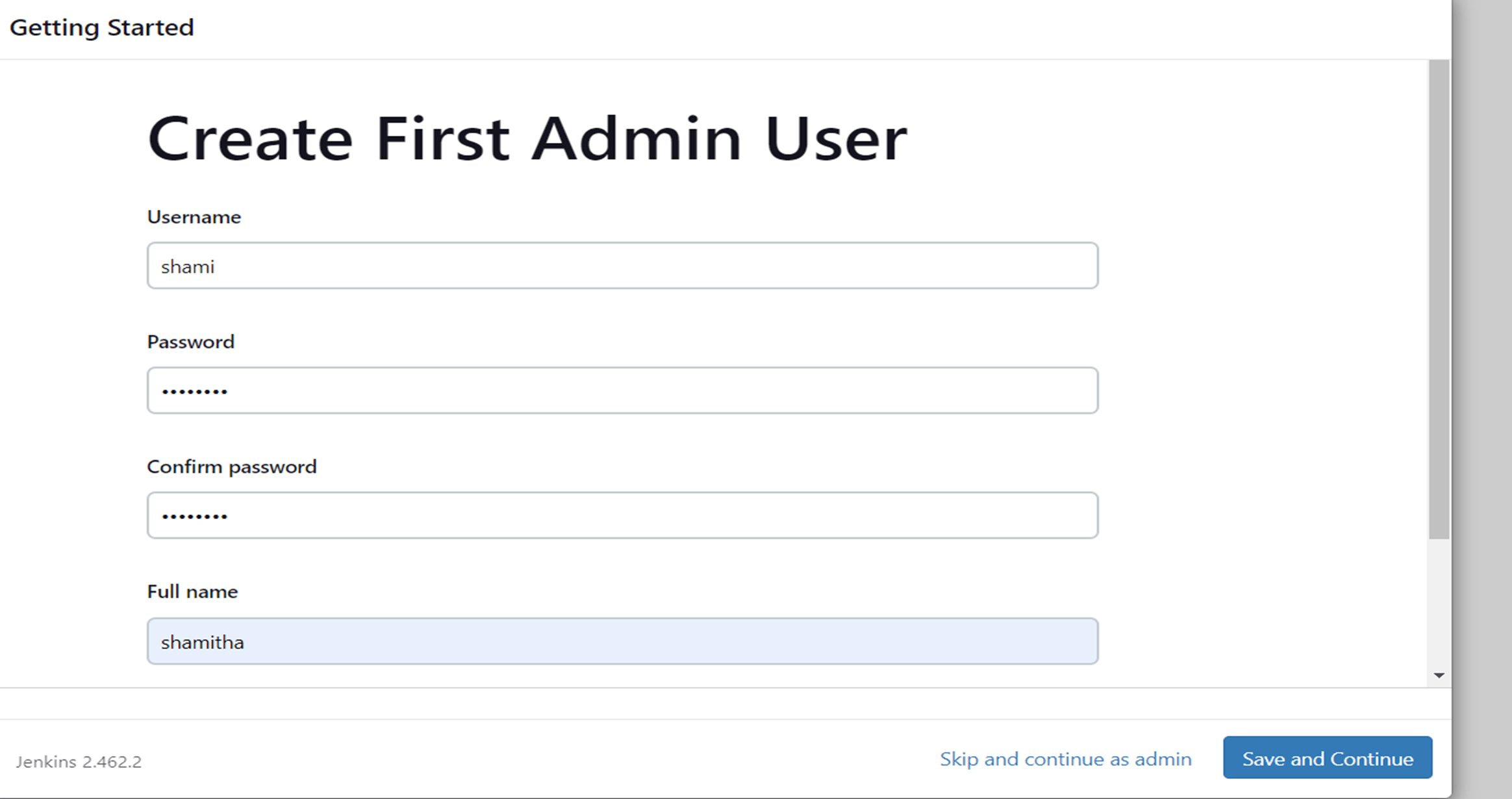
Create an admin user. Make sure you remember the username and password.
Click save and finish.
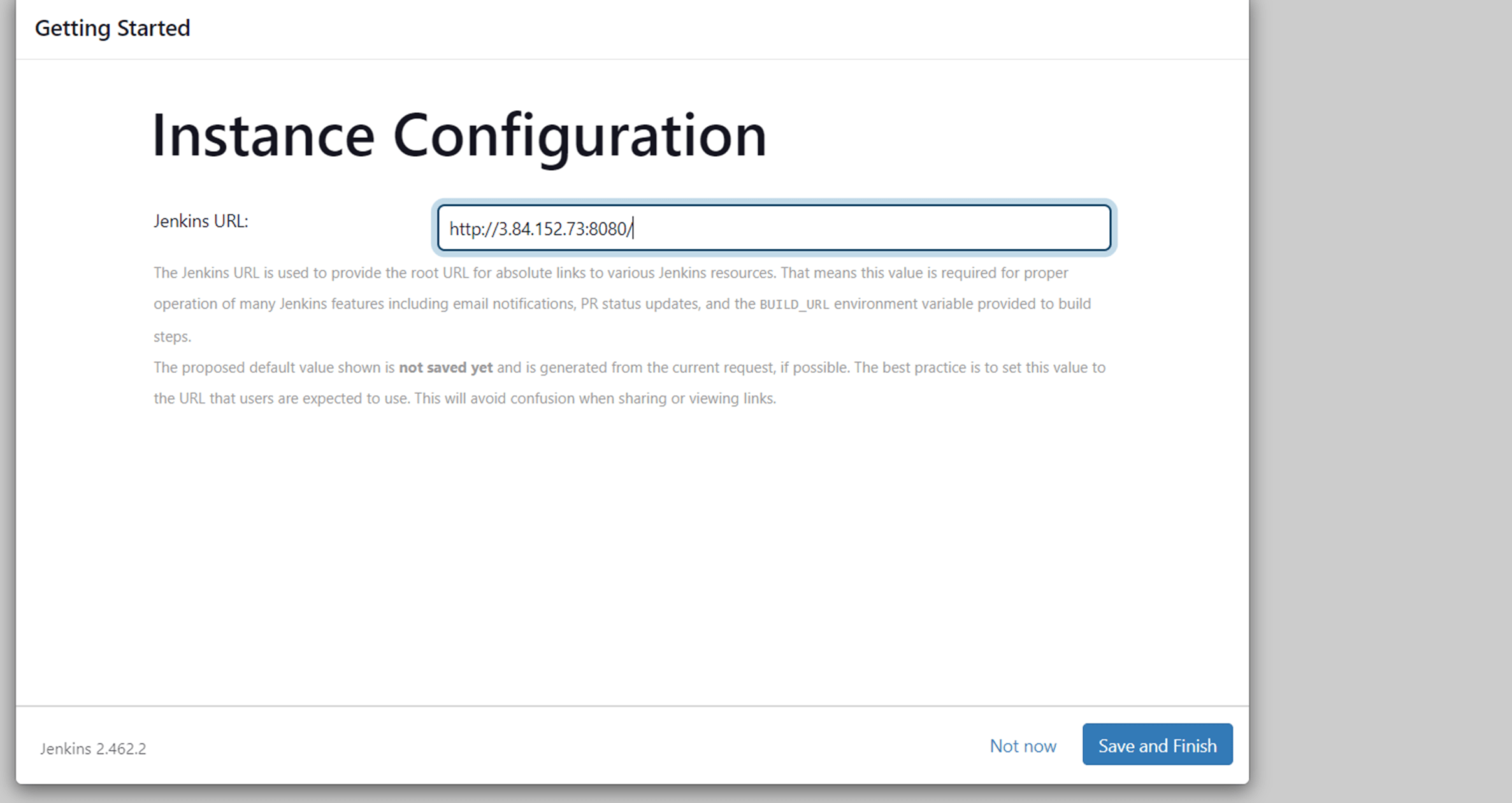
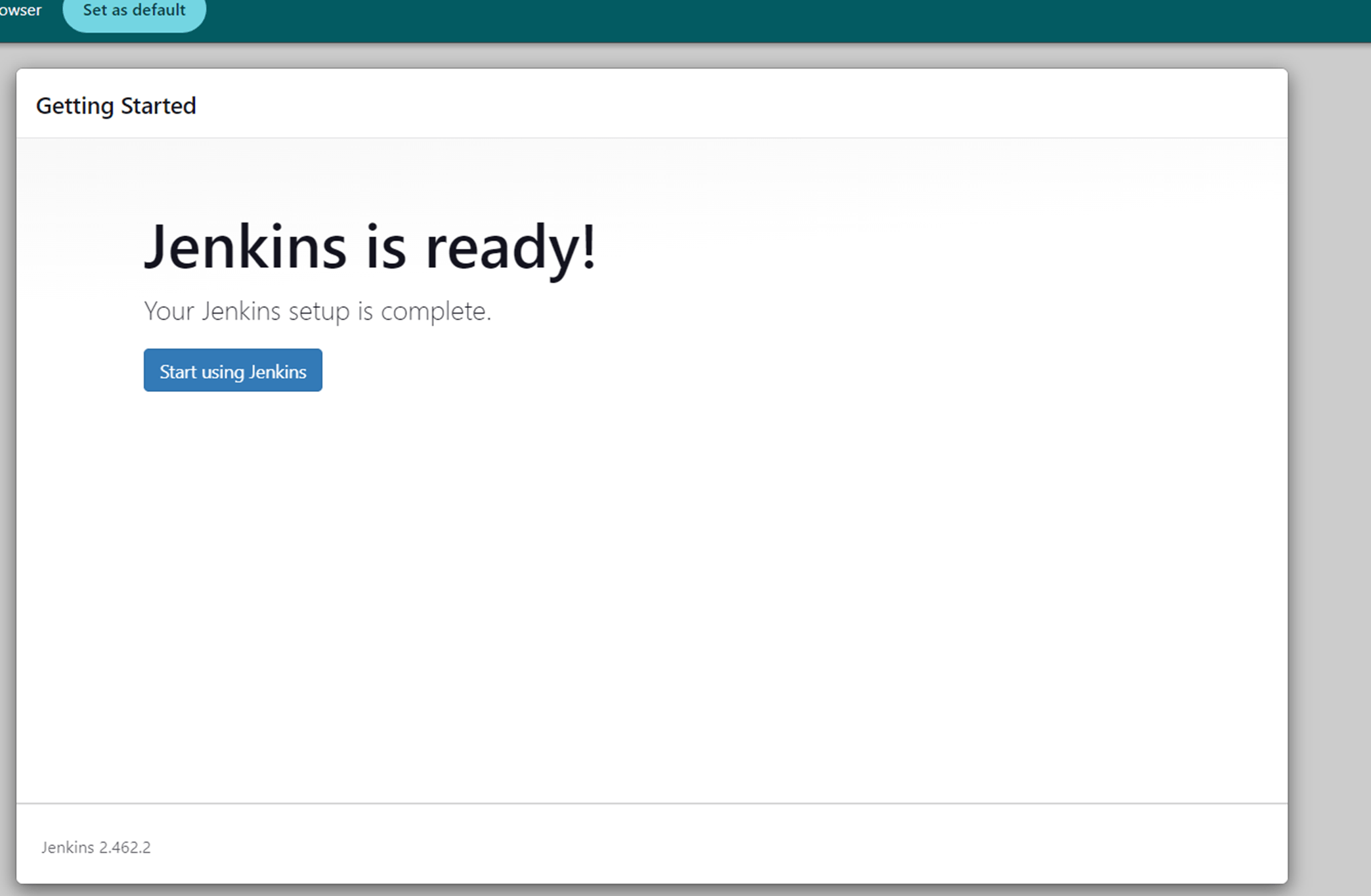
Next, click start using Jenkins.
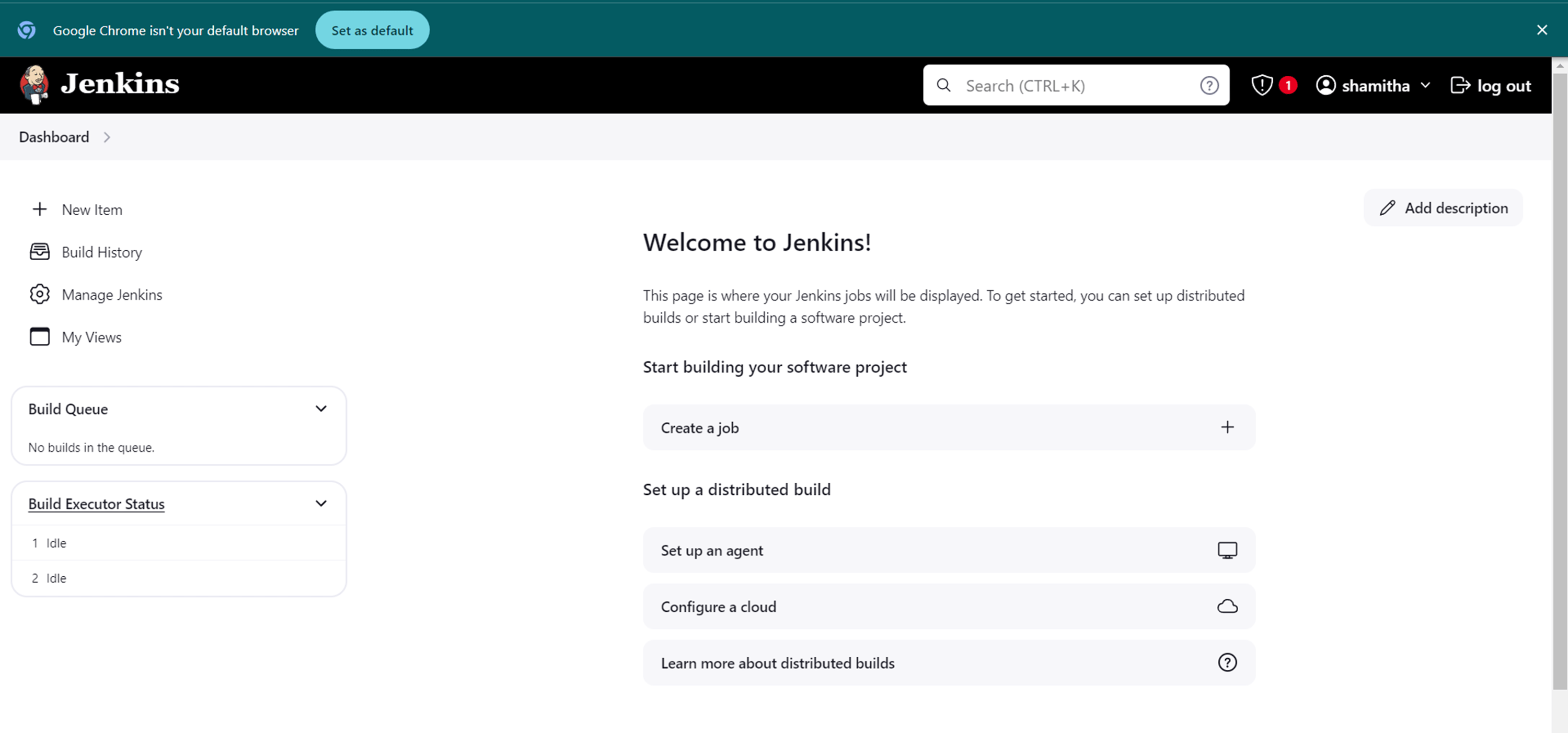
You visit the main Jenkins dashboard.

CONCLUSION
Finally you install the Jenkins on ubuntu machine. Jenkins is free to use and has a large community of contributors who continuously improve the software. However, to maximize its benefits, teams should prioritize proper configuration, maintain a clean and organized Jenkins environment, and invest in training to ensure effective usage. As the software landscape evolves, Jenkins continues to adapt, remaining a key player in DevOps practices and agile methodologies.

A VPN, or Virtual Private Network, creates a secure and encrypted tunnel to the VPN server. It utilizes both client and server applications, allowing users to send and receive data as if their device were directly connected to a private network.
OpenVPN uses a combination of SSL/TLS for key exchange and AES encryption to secure data transmission. It works on multiple platforms and is available on most operating systems, including macOS, Linux, iOS, and Android. OpenVPN helps mask a user’s real IP address, providing anonymity when browsing the internet or accessing sensitive data.


In this guide, I’ll show you how to connect an Android mobile device to a VPN server on EC2. This configuration will enable you to use the internet securely from your phone, even when connected to an untrusted network. Let’s get started!
Login to your management console, navigate to the EC2 Dashboard and then click “Launch instance”.

Choose on “AWS Marketplace” and type Open VPN. Select the first option with the free tier eligible tag.

On the next page click “Subscribe on instance launch” and select the t2micro which contain the free tire eligible tag.


Create a new keypair and download the keypair.

Then click on Launch Instance and wait for the instance to go to running state.

Open your terminal and SSH to your server as a root user in order to configure the admin side of VPN, to do that use the command below.
ssh -i "{keyname}.pem" openvpnas@{Your-IPv4-Public-IP}Type yes for these 2 prompts want to configure your VPN.
Should client traffic be routed by default through the VPN?
> Press ENTER for default [no]: yes, should client DNS traffic be routed by default through the VPN?
> Press ENTER for default [no]: yes.


Upon you reaching the end, Change the user password. Enter a new password twice and you’re good to go.
sudo passwd openvpnCopy the public DNS and IP address for your instance and paste the following on your browser.
https://your IP address:943/admin.
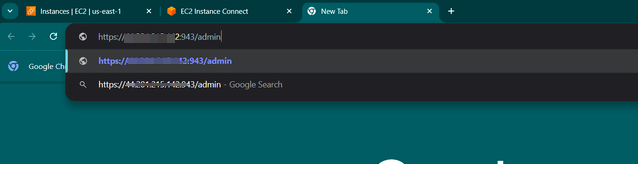
You see this following page.

If successful, you will be asked to accept the agreement and they would be seeing this page. On left page go to configuration and click on the VPN setting.

Scroll down and apply the following changes:
Make sure the toggle for the should client internet traffic be routed through the VPN? Yes
Change the toggle for her clients use specific DNS server to yes.
Primary DNS server 1.1.1.1
Secondary DNS server 8.8.8.8

You change the setting, and you’ll need to update the server, so click on “Update Running Server”.
To obtain the official open VPN connect app. Install the official OpenVPN connect app on your android device, and the open it.

Start the import process by entering the public Ip address of your running EC2.
Next you type the username and the password.
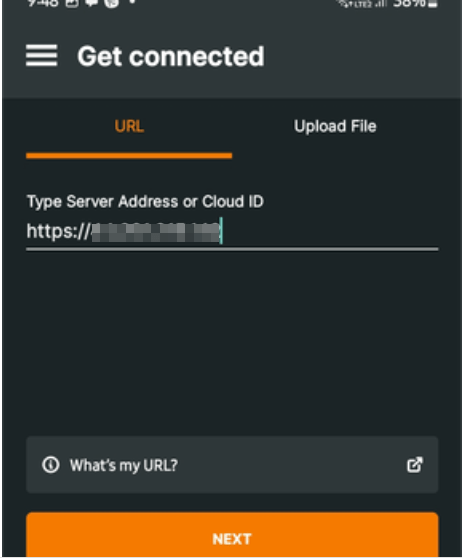
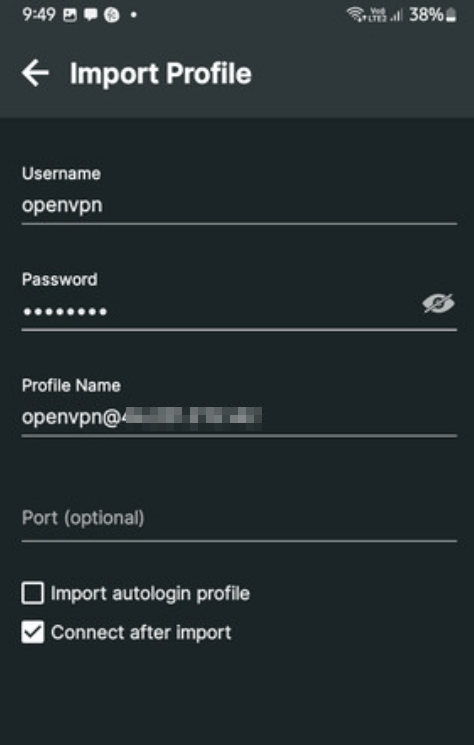
You’re all set! Time to explore the app.
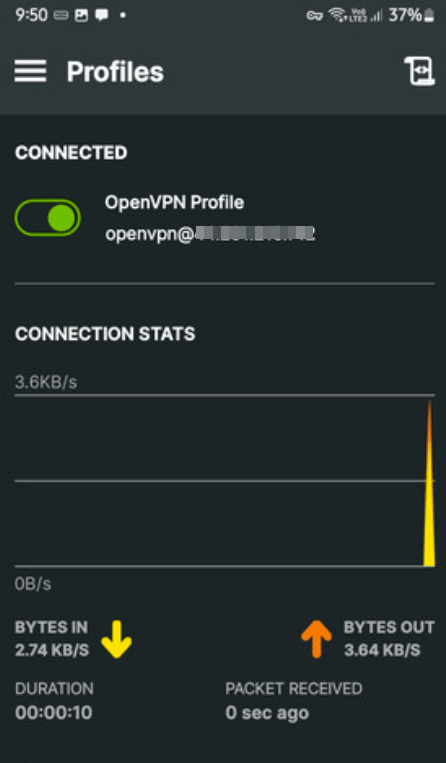

Congratulations! You’ve successfully set up your own free VPN server on AWS. Now, you can enjoy a secure and private browsing experience with complete peace of mind. Happy surfing!

Everyone aspires to land a high-paying job to succeed in life, achieve their dreams, and reach their goals. However, in reality, it often doesn’t happen as smoothly as expected.
Let’s focus on the positive and explore some of the highest-paying jobs in the IT industry.

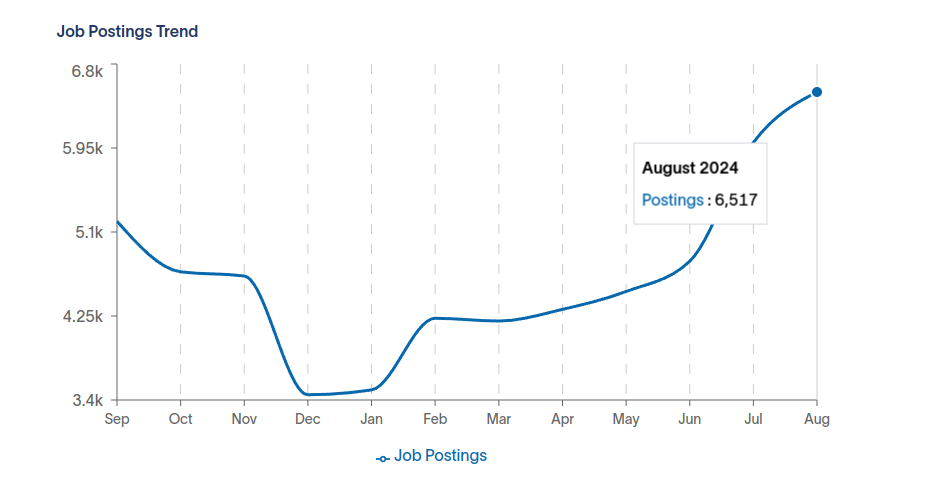
With the rise of cloud computing, professionals who can design and manage cloud solutions are in high demand, especially those skilled in AWS, Azure, and Google Cloud. See the Job postings trend is raising upwards. If you’re looking to upskill your career, consider getting certified in AWS, Azure, or Google Cloud. As the job market for cloud experts continues to grow, having these certifications can give you a significant advantage.

Let see what are the top companies that are searching for a cloud architect, and What type of job titles that you should search for.

Data scientists who can analyze and interpret complex data to help companies make data-driven decisions are highly sought after, particularly in industries like tech, finance, and healthcare. Data science is revolutionizing industries, from healthcare to finance. It’s helping companies improve efficiency, reduce costs, and drive innovation.
If you love solving puzzles and have a passion for numbers, data science might be the perfect career for you.

Artificial Intelligence and Machine Learning engineers are critical in developing cutting-edge technologies, making this one of the hottest and highest-paying roles in the market. Generative AI is opening up a world of possibilities for businesses across various industries.
Generative AI can streamline processes, automate tasks, and optimize resource allocation, leading to increased efficiency and cost savings. If you are looking to upskill your career in GenAI, The certification like Generative AI Professional Certificate , Artificial Intelligence Expert Certificates can help you to land in AI Jobs.
Now! Let’s see the AI job trends and the top companies that are looking for.

With the increasing threat of cyberattacks, cybersecurity professionals are essential for protecting sensitive data, making this a high-demand, well-compensated career. This in-demand field offers lucrative career opportunities for those passionate about protecting digital assets. Ethical hacking, Penetration testing, SOC Analyst, Security Engineer, Cyber security Architect are the most demanding jobs in the market. If you are from System Admin background, in my personal experience. It would be easy to learn this technologies and land in the high paying jobs.
The website like cyberseek.org can guide you to choose the right role for your cyber security career path.
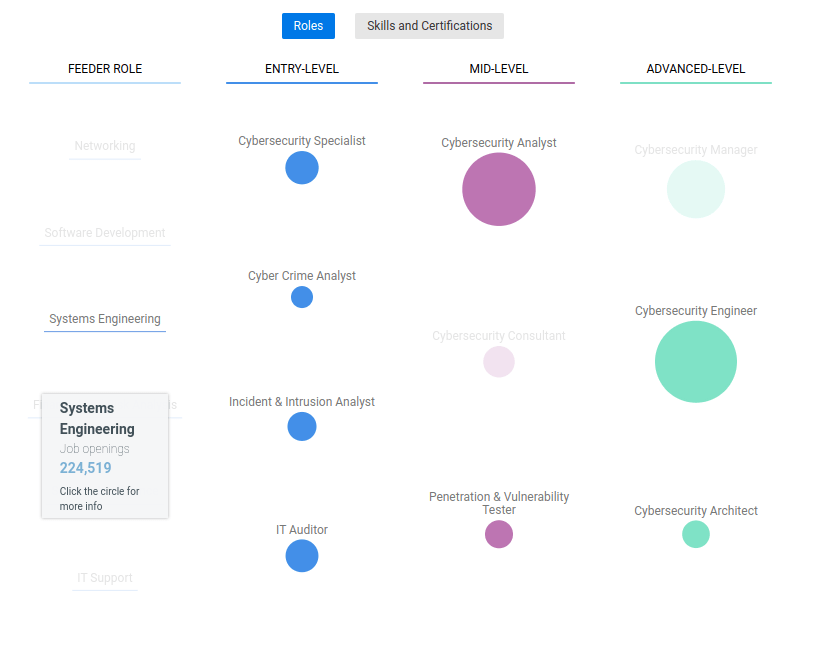
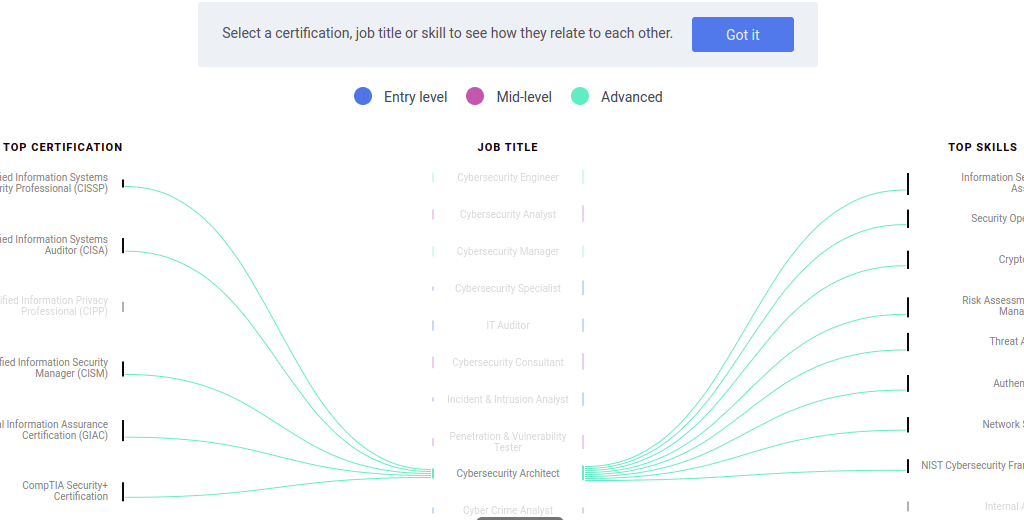
Let’s see the jobs trend now.
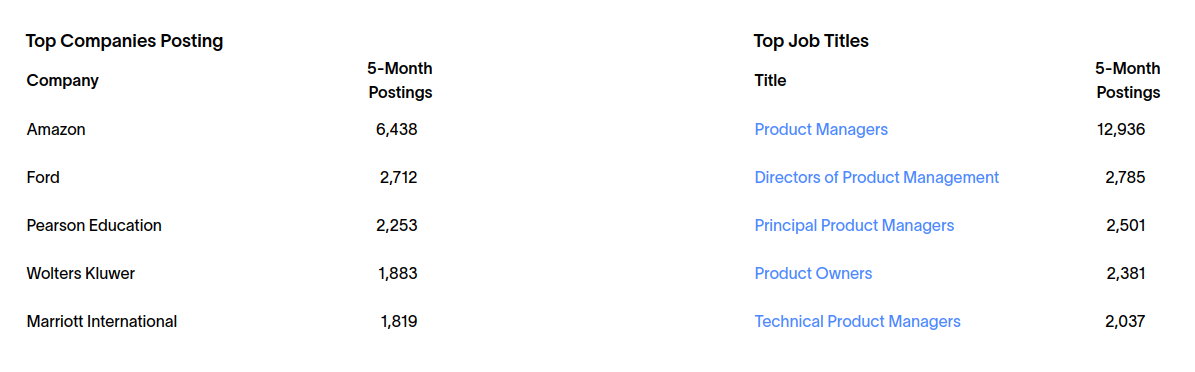
Some of the Top Companies and Top job titles that they are looking for

Product managers who can lead cross-functional teams to develop and launch successful products are valued, especially in tech companies, where innovation drives growth. Product Analytics, Feature prioritization, Product roadmap, Bi-Weekly Sprints are some of the product manager tasks in her/ his day to day life. To become a successful product owner, you should be able to solve some of the common product management challenges. Certifications like CSPO, Scrum Product Owner Professional Certificate can help you to land in Product management jobs.

Some of Top Companies Posting & Top Job titles are.
With a focus on creating user-friendly and visually appealing interfaces, UX/UI designers are crucial for enhancing user experience, leading to high demand in tech and product-driven companies. A strong UX/UI can contribute to a positive brand image. A positive user experience can drive more sales and conversions. Well-designed interfaces can lead to happier and more engaged users.
Figma is a most popular tools which are widely used in UX world now. The key benefits of learning Figma are:
Real-Time Collaboration: Figma’s cloud-based platform allows multiple users to work on the same project simultaneously, making teamwork seamless and efficient.
Easy to Learn: Figma’s intuitive interface makes it accessible for beginners while offering advanced features for seasoned designers.
Industry Demand: Proficiency in Figma is highly valued in the job market, particularly in UI/UX design roles, making it a great asset for your career.
Cost-Effective: Figma offers a free plan with robust features, making it an affordable option for designers and teams of all sizes.



These roles not only offer competitive salaries but also provide opportunities for growth in industries that are shaping the future of technology and business.

In this blog, we are going to discuss how you can make your content more relevant to your audience.
By doing this, you will be able to engage with them on a deeper level and create a strong connection with them.
Following these 5 strategies will help you achieve success in this area, so be sure to read this blog and learn everything that you need to know

It is important to identify your target audience and research their needs before you start writing or creating content. This will help you make sure that your content is more relevant and useful to them, which in turn will lead to increased engagement and conversion rates.
By understanding your audience’s needs, you can create content that is both engaging and valuable, helping you to reach your goals faster and more easily. Use data analysis tools to study how different strategies have influenced user engagement and conversion rates on your website or blog.
Using keywords throughout your content can help people find your content more easily when they are looking for information on a specific topic. By including keywords in the title, in the body of the article, and in the tags associated with your content, you can help people find your content more easily when they are looking for information on those topics.
Additionally, you can use search engine optimization (SEO) techniques such as keyword placement and keyword usage to help increase the visibility of your content and make it easier for people to find it.
Use visuals such as images, videos, and infographics to make your content more appealing and memorable. Visuals can help convey your message more effectively and break up large blocks of text. Use high-quality visuals that are relevant to your content and your audience.
Stay up-to-date with the latest trends, news, and developments in your industry. Incorporate current events and timely topics into your content to make it more relevant and timely. Use social media to monitor conversations and trending topics in your industry, and use this information to create content that resonates with your audience.
The best way to test the effects of your content is to measure key metrics such as engagement rates, click-through rates, and conversion rates. By tracking these metrics over time, you can determine which aspects of your content are most effective and adjust your strategy accordingly.
There are many analytics tools available that can help you track the performance of your content. Google Analytics is a popular free tool that can track website traffic and user behavior. Social media platforms like Facebook and Twitter also have built-in analytics tools that can track engagement and reach.
Additionally, you can track how changes in your content affect other aspects of your business, such as lead generation or customer retention rates. By testing and measuring the effects of your content, you can ensure that you are providing the highest possible level of value to your customers.
Data and analytics are essential tools for businesses of all sizes to understand the behavior of their customers and followers, and to make informed decisions about how to allocate resources and grow their business. By using data and analytics to optimize content delivery, businesses can improve the user experience, boost conversion rates, and increase brand awareness.
Data and analytics can be used in a variety of ways to optimize content delivery, including:
By utilizing data and analytics to fine-tune your content, you can ensure that your messaging is relevant and engaging to your target audience. This will help you build a loyal following and drive more traffic to your website.
It’s important to use real-life examples when writing content for your website or blog, as this will help readers connect with the material and understand it better. Real-life examples can be used to illustrate points made in an article, to provide context for a discussion, or to provide inspiration for future behavior. When selecting real-life examples, it is important to be sure that the examples are relevant and useful to your audience.
In addition, sharing your own personal experiences can help your audience relate to your content on a more personal level. For example, if you’re writing about overcoming obstacles in business, you could share a story about a challenge you faced and how you overcame it.
It is also helpful to select examples that are representative of the topic at hand – for example, if you’re writing about retirement planning, it would make sense to include examples from people who are currently in or have recently retired.

There are a number of ways that you can make your content more relevant to your audience. By focusing on the specific needs and interests of your audience, you can create content that is both engaging and valuable. By incorporating these 7 tips into your content strategy, you can help your blog become more effective and useful for your readers.
I hope this blog is helpful to make your content more relevant to your audience. If you have any doubts please contact us.

In this blog post, we are going to talk about 8 common reasons why startups fail. These reasons can apply to any type of startup, whether it’s a tech startup, a restaurant startup, or even a pet startup. By understanding these reasons, you will be able to avoid making the same mistakes and create a successful business.
We would love for you to share this blog post with your friends and family so that they can learn from it as well.

The first mistake is to select the wrong Cofounder. There are a lot of good people out there, and it can be really tough narrowing it down to just one. If you don’t have someone in mind when starting your business, try meeting with different types of entrepreneurs and see what type of chemistry they seem to share. It may take some time but eventually, you’ll find the perfect fit!
The second common mistake is choosing a faulty business model. This can be anything from running your startup as a for-profit entity instead of a non-profit, to charging high fees for your products or services. It’s important to always make sure that your business is sustainable and will be able to generate enough revenue so that you can continue operating without any help from investors or customers.
One of the worst things you can do is raise money too early in your startup’s life. This will cause you to spend more money than necessary and put pressure on your team to achieve high milestones prematurely. It’s always better to wait until your business has solid footing before pitching investors.
Another mistake that many startups make is to ignore the competition. It’s important to always be aware of what’s going on around you and understand how your business compares to others in its field. This will help you create a competitive advantage and stay ahead of the curve.
Without a solid product, your startup will have a hard time attracting customers and making money. It’s important to prototype your idea and develop a working version as soon as possible so that potential users can see how great it is. This way, you’ll be one step closer to achieving profitability!
One of the biggest mistakes that startups make is to mismanage their resources. This can include not hiring the right people, squandering money on unnecessary expenses, or not planning for future growth. It’s important to always be mindful of where your company’s income comes from and how you can use it most efficiently.
Another common mistake that startups make is to have poor execution. This can include not meeting deadlines, making incorrect decisions, or failing to properly communicate with team members. Poor execution can ultimately lead to lost business and customer confidence.

One of the most important factors to consider when starting a business is market demand. If there’s not enough interest in your product or service, it’ll be difficult to attract customers and make money. It’s essential to research what consumers are looking for and figure out how you can provide that same experience without breaking the bank.
In summary, it’s important to pay attention to these common startup mistakes in order to avoid them. By doing so, you’ll be more likely to succeed and create a lasting legacy for your company.



The first and most important step in increasing website traffic is creating a compelling brand. Your logo, your website design, and all other marketing materials must reflect this branding to create a unified message. Creating an effective brand requires time and effort, but it’s well worth the investment if you want to achieve success online.
Furthermore, a well-designed website can help you attract new customers. Visitors will be more likely to visit your site if it looks professional and is easy to navigate. Make sure all of your content, from the logo down to the descriptions on each page, reinforces your brand message.
If you want people to visit your website, you need to supply them with quality content. This means writing articles that are interesting and informative, as well as featuring posts on relevant topics. By providing valuable information, you’ll encourage people to stay on your website longer and explore the rest of your offerings.
Moreover, engaging content is also important for ranking high in search engine results pages. This means optimizing your website for keywords and including relevant titles, descriptions, and images. By increasing your website’s visibility, you’ll increase the chances that people will find what they’re looking for.
When you write your content, be sure to include keywords that people are likely to search for. This will help attract more visitors from the Google rankings and improve your website’s click-through rate.
Additionally, be sure to use keyword phrases in the titles and descriptions of your posts. This will help you appear higher on search engine results pages when people do a search for those keywords.

One of the most effective ways to increase website traffic is through SEO (Search Engine Optimization). By optimizing your site for search engines, you’ll improve your chances of appearing in the top results when people do a Google search. This will lead to more website visitors and conversions.
Responsive design ensures that your website looks good on all devices, including smartphones and laptops. This is a crucial aspect of marketing today, as more and more people are using mobile devices to access information.
Hence, if you can make your website look good on mobile devices, you’ll likely attract more visitors from that segment of the population. In addition, a responsive design makes it easier for people to find and interact with your content.
Social media is an extremely effective way to market your website. By using popular social networks such as Twitter and Facebook, you can reach a wide audience of potential customers. Not only that, but studies have shown that social media marketing generates more leads than any other form of marketing.
Therefore, if you’re not using social media to market your website, you may be missing out on an opportunity to reach a large audience.
Email marketing is another powerful tool for promoting your website. By sending out emails on a regular basis, you can keep people informed about new content and offers on your site. This will help increase conversion rates and build loyalty among your online followers
So, if you’re not already using email marketing to promote your website, now is the time to start. It’s an extremely effective way to reach a wide audience and drive traffic to your site.
One of the best ways to ensure that your website is doing well in terms of SEO is to track your site’s analytics. This will give you insights into how people are interacting with your content and which keywords are leading to the highest traffic levels. Armed with this information, you can continue to optimize and improve your site for increased visibility and profitability.
Additionally, it’s important to remember that website optimization is a continuous process – so make sure you’re always monitoring your progress and updating your strategies as necessary.
The online marketing landscape is always changing, and to stay ahead of the curve you need to be on top of the latest trends. By regularly checking out industry blogs and following popular social media accounts, you can keep up with the latest developments in SEO, email marketing, and more. This will help you create more successful campaigns that achieve your desired results.

Eventually, you will find some strategies that work better for your site than others. By conducting A/B testing, you can try out different versions of your website’s content, email campaigns, and more to see which approach produces the best results. This way, you can adapt your marketing efforts as necessary in order to achieve the most success possible.
By following these 10 tips, you can create a compelling brand and increase website traffic. Keep in mind, however, that optimization is a continuing process – so be sure to regularly evaluate your progress and make necessary adjustments as needed.
Have you been looking for a web design company in Chennai?
Jeevisoft is a digital marketing agency that provides top-notch services for various fields such as e-commerce, digital marketing, and app development. Our team of experts has years of experience and knowledge in these areas. We are committed to delivering quality work and results to our clients at an affordable price. Contact us today!

So if you’re looking to learn more about link building then make sure to check out our future blog post.

Guest posts are a great way to get backlinks and increase the visibility of your site. If you have expertise in a specific area, writing a guest post on another website can be an excellent way to promote your content and build links back to your site.
Some popular websites where you can write an article to create a backlink:
Video content is one of the most effective ways to get people interested in your site and increase traffic. If you have some interesting information or footage that you want to share with the world, make a video about it and post it online! This can be done through popular social media platforms like YouTube, Facebook, Instagram, or Twitter. You could also create an entire website around videos – this would allow you to easily create new videos as well as embed videos from other websites.
Some popular social media platforms where you can share your video content:
Quora is a site where users can ask and answer questions about anything. If you have knowledge about a topic that people might be interested in, answering questions on Quora can be an excellent way to promote your content and build links back to your site.
If you are looking for content generation opportunities, look for questions that have a large number of views and/or upvotes and create content around the subject.
To increase the chances of getting noticed by Quora editors, it’s important to make sure that your submissions are well-written and relevant to the audience. By linking to your project or article on another website, you can indicate that you’re subscribed and support quality content.
Group mail is a great way to connect with people who have similar interests and can help promote your site or project. By creating an email list of interested individuals, you can send them information about your site or project regularly. This allows you to reach a wider audience than would be possible through social media alone and increase the chances that potential supporters will take notice.
To create a group mail account, you’ll first need to find an email marketing service like MailChimp or Get Response. After signing up for the service, create an email address where people can submit their addresses (you’ll also need to provide your business’s contact information). Next, you’ll need to configure the group mail settings so that it sends emails automatically.
Adding a link to your project on a blog page can be an effective way to promote your content and build links back to your site. By providing interested readers with access to more information about the project, you can help increase awareness and interest in it. Additionally, by linking from relevant pages on your website, you’re likely to get more people visiting those pages and potentially supporting what you have to say.
When you notice a broken link on one of your site’s pages, there’s no need to panic. By using the broken link building strategy, you can help improve the visibility of your project and potentially attract new visitors to it.
To begin, find any broken links on their website that lead to relevant pages about your project. Once you have identified them, contact the webmaster or owner of those websites and explain why they should fix the link. You may also want to provide them with a copy of your project’s overview document or article so that they have a better understanding of what is it.
Images can play an important role in helping people learn about your project. By including images on relevant pages of your site, you’re likely to draw more attention to them and help increase the visibility of your content. Additionally, by linking to high-quality images, you’re also likely to improve the overall quality of your website’s appearance.
If you’ve lost a significant number of links from your website in recent months, there’s a good chance that you’re losing links due to broken or outdated link building strategies. By trying to regain missing backlinks, you can help improve the visibility and credibility of your project.
To begin, review all of the pages on your website that have any potential linking potential. Once you have pinpointed which pages should be targeted, take action and create new links to those pages from other websites. Additionally, consider promoting your project through social media platforms such as Twitter and Facebook so that even more
By engaging with other industry experts, you can help build awareness and legitimacy for your project. By exchanging ideas and sharing best practices, you’ll be able to create a stronger connection between your project and the community of professionals who are involved in its field.
If the linking page is related to your topic, it’s more likely that your site will receive a link from it. For example, if you run a blog about gardening, then pages that mention specific plants or garden tips are likely to contain links back to your site. Conversely, if you work in finance and have an article on investing strategies, then sites that discuss those topics are likely to include links back to your site.
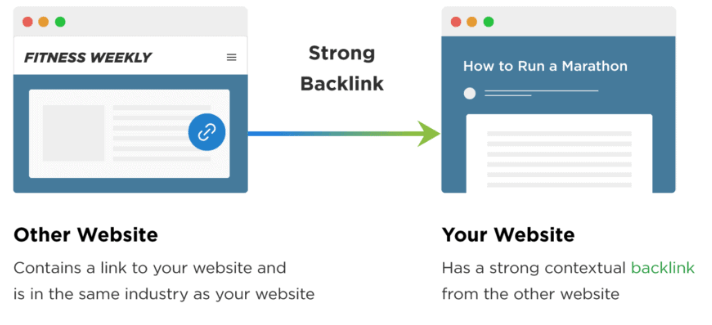

By following these ten tips, you can help improve the visibility and credibility of your project. By doing so, you’ll increase the chances that potential clients and collaborators will consider working with you in the future.
Whether you’re a small business looking to save on web hosting and domain registration, or a large enterprise trying to speed up your website’s load times, Jeevisoft is here for you. We offer affordable services that will help you take your online presence to the next level. In addition to our stellar track record with SEO, we also understand how important mobile-friendliness is these days. So whether it’s a new site or an existing one, we have you covered.
Give us a try today!