





In an era where nearly every aspect of our lives is intertwined with digital technology, cybersecurity has emerged as one of the most vital fields to ensure the safety and integrity of information. From personal data stored on smartphones to sensitive corporate secrets and government information, the need to protect digital assets has never been greater. Cyberattacks are becoming more frequent, sophisticated, and damaging, impacting millions of individuals and organizations worldwide every year. This rising threat landscape has created a massive demand for trained professionals who can defend systems, networks, and data from malicious actors.
If you’re interested in building a career that is both intellectually challenging and socially impactful, pursuing a diploma in cyber security offers a practical and effective way to enter this booming industry. For many, especially those new to IT or those looking to pivot their careers, a diploma provides a structured, focused, and accessible entry point into the world of cybersecurity.
Unlike lengthy degree programs that require years of study, cyber security diploma courses are designed to deliver essential knowledge and hands-on skills in a shorter timeframe often within six months to two years making it possible to start your career sooner. The curriculum in these diploma programs is carefully curated to cover all the foundational cyber security subjects necessary to understand the fundamentals of protecting digital environments.
Topics like network security, ethical hacking, cryptography, malware analysis, and digital forensics are covered in-depth, ensuring students gain both theoretical understanding and practical expertise. Moreover, many institutions now offer online cyber security diploma courses, making it easier for working professionals and students from remote locations to access high-quality education without compromising their current responsibilities.
The growing recognition of cyber security diplomas in the industry means graduates are often well-prepared for a range of entry-level positions such as security analyst, penetration tester, or incident responder. These roles are not only in high demand but also offer attractive salary packages and career growth opportunities.
Another significant advantage of pursuing a diploma is that it prepares students for globally recognized certifications like CompTIA Security+ and Certified Ethical Hacker (CEH), which further boost employability and credibility. Additionally, diploma programs often emphasize hands-on training through labs, simulations, and projects, giving students the practical experience employers seek.
This experiential learning bridges the gap between theoretical knowledge and real-world application, which is crucial in cybersecurity roles. As cyber threats continue to evolve with advances in technology such as cloud computing, Internet of Things (IoT), and artificial intelligence the demand for skilled cyber security professionals is expected to grow exponentially.
A diploma equips you with up-to-date skills and knowledge to stay ahead of emerging threats and safeguard digital assets effectively. Whether you’re a recent high school graduate exploring career options, a college student looking for specialization, or a professional seeking a career change, a diploma in cyber security can be your stepping stone into this dynamic and rewarding field.
Beyond just technical skills, these programs also develop critical thinking, problem-solving, and ethical decision-making abilities, which are essential for success in cybersecurity. The field offers diverse career paths, from ethical hacking and security consultancy to digital forensics and compliance analysis, allowing you to tailor your journey based on your interests and strengths.
Ultimately, choosing to pursue a diploma in cyber security is not just about securing a job it’s about becoming part of a global effort to protect individuals, businesses, and nations from the growing threat of cybercrime. As you take the first steps towards this career, the knowledge, skills, and experience gained through a diploma program will empower you to make a meaningful impact in the digital world. With cybersecurity threats showing no signs of slowing down, the time to start your journey is now.

A diploma in cyber security is a focused educational program designed to equip students with the foundational knowledge and practical skills needed to defend against cyber threats. Unlike full degree programs, diplomas are typically shorter ranging from 6 months to 2 years and emphasize hands-on training alongside theoretical learning. Many diploma programs cover topics such as network security, ethical hacking, cryptography, malware analysis, digital forensics, and cyber laws.
Cybersecurity professionals are in high demand globally. A diploma allows you to enter the workforce quickly, providing you with the necessary skills to take on entry-level roles without spending years in school.
Diploma courses cover essential cyber security subjects that prepare you for real-world challenges. You’ll learn how to identify vulnerabilities, perform penetration testing, analyze malware, and implement security protocols.
Many programs include labs, simulations, and projects that simulate actual cyber attacks and defense strategies, giving you practical experience that employers value highly.
Compared to full degree programs, diplomas are often more affordable, making them accessible to a broader range of students, including working professionals looking to upskill.
A diploma in cyber security often aligns with industry certifications like CompTIA Security+, CEH (Certified Ethical Hacker), and CISSP, which can boost your resume and earning potential.
Many institutions offer online cyber security diploma courses, allowing you to study at your own pace and balance education with other responsibilities.
Pursuing a diploma opens the door to a variety of career opportunities. Here are some common roles that diploma holders can pursue:
Monitors networks and systems for suspicious activity, investigates security breaches, and implements defensive measures.
Simulates cyberattacks to identify vulnerabilities before malicious hackers can exploit them.
Manages and secures an organization’s network infrastructure, ensuring safe and reliable communication channels.
Responds to security incidents, containing and mitigating the impact of cyberattacks.
Investigates cybercrimes by recovering and analyzing digital evidence.
Ensures that organizations comply with cybersecurity laws and regulations and helps manage security risks.
Advises organizations on best practices for protecting their digital assets and infrastructure.

In a world where cyber threats constantly evolve, a diploma in cyber security offers a practical, affordable, and effective way to gain the skills needed for a rewarding and high-growth career. Whether you want to become a penetration tester, security analyst, or digital forensics expert, this focused education path provides a strong foundation and opens doors to numerous opportunities. If you’re passionate about technology and eager to make a difference by protecting digital systems, pursuing a cyber security diploma could be the perfect step forward.
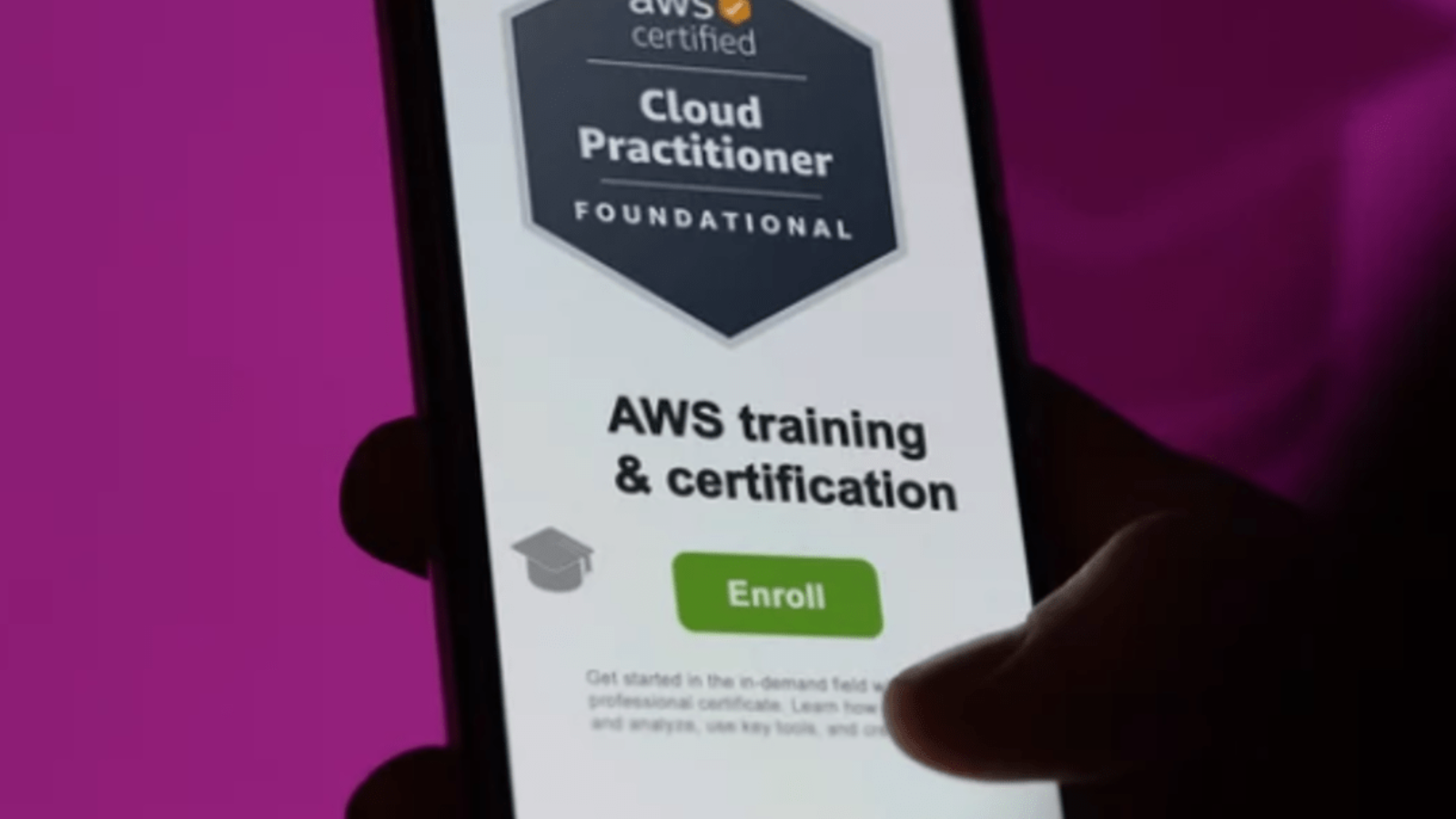
In today’s rapidly changing digital landscape, cloud computing has become more than just a buzzword it’s the backbone of modern business, technology, and innovation. From startups to Fortune 500 companies, organizations across every industry are migrating to the cloud to improve efficiency, cut costs, and scale at speed. At the forefront of this revolution is Amazon Web Services (AWS), the world’s leading cloud service provider.
As cloud adoption continues to grow, so does the demand for individuals who understand how the cloud works, how AWS fits into the picture, and how to communicate those concepts clearly across technical and non-technical teams. But here’s the challenge: Where do you start if you’re new to cloud computing? If you’re not a developer, not an engineer, or maybe just curious about technology, the cloud can seem overwhelming filled with jargon, complex diagrams, and hundreds of services.
That’s where the AWS Certified Cloud Practitioner certification comes in.
This certification is designed as a foundational-level entry point into the world of cloud computing with AWS. You don’t need a technical background. You don’t need to know how to code. You don’t need to have years of IT experience. All you need is curiosity, a willingness to learn, and a desire to understand the fundamentals of how cloud services work.
Think of it like a cloud “passport” a way to prove that you understand the basics of AWS and cloud infrastructure. It’s perfect for business professionals, project managers, product owners, salespeople, marketers, students, or anyone looking to future-proof their career in a world increasingly dominated by cloud technology.
Unlike more advanced AWS certifications, which dive deep into specific technical skills, the Cloud Practitioner focuses on the bigger picture. You’ll learn about core AWS services like EC2 and S3, but also how billing works, how AWS keeps data secure, how global infrastructure is organized, and how businesses use the cloud to drive innovation. It’s about building cloud literacy the essential knowledge you need to engage in cloud conversations confidently and meaningfully.
Whether you’re hoping to land a job in tech, get promoted in your current role, or simply understand what your technical colleagues are talking about during meetings, the Cloud Practitioner can help bridge the gap between where you are now and where you want to go.
In this blog post, we’ll break down exactly what the AWS Certified Cloud Practitioner certification is, who it’s for, what the exam includes, and why it might be the best first step on your journey into the cloud.
Let’s dive in.

The AWS Certified Cloud Practitioner is a foundational-level certification offered by Amazon Web Services. It’s designed for beginners, and you don’t need any technical background or hands-on cloud experience to take it.
This certification proves that you understand the basic concepts of cloud computing and how AWS works.
In simple terms: It’s like getting your “cloud learner’s permit” before you move on to more advanced certifications.
The CCP exam is designed to test your overall understanding of AWS not your ability to configure services or write code.
Here are the four domains the exam focuses on:
This cert is ideal for:
Here are some real benefits of earning the Cloud Practitioner cert:
It’s also a great way to test the waters before committing to a career path in cloud, DevOps, or cybersecurity.
Once you’ve passed the CCP, you can explore more advanced, role-based AWS certifications:
Each of these builds on what you’ve learned in the Cloud Practitioner exam.

The AWS Certified Cloud Practitioner isn’t just for IT professionals it’s for anyone curious about cloud computing and how it’s transforming the world.
If you’re thinking about jumping into the cloud, this certification is a low-risk, high-reward way to get started.

In today’s digital-first world, cloud computing is more than just a trend it’s a fundamental shift in how businesses, developers, and everyday users think about technology. It has changed the game by replacing bulky on-site servers and rigid infrastructure with flexible, scalable, and efficient systems that can be accessed from virtually anywhere. Whether it’s streaming your favorite show, collaborating with global teams, backing up files automatically, or running complex AI models, chances are that cloud computing is playing a vital role behind the scenes.
But despite its growing adoption, many still have one pressing question: What do you actually need to start using the cloud effectively?
Contrary to the common belief that moving to the cloud is as simple as signing up for a service, successful cloud adoption depends on a variety of key elements. These include technical capabilities, organizational readiness, secure network infrastructure, and a solid understanding of cloud models and services. The cloud may eliminate physical servers and reduce hardware costs, but it still demands proper planning, foundational tools, and trained personnel to deliver its full value.
Whether you’re a startup exploring cloud-native development, a mid-sized business migrating legacy applications, or a large enterprise aiming for hybrid or multi-cloud environments, understanding the basic requirements is the first step toward a smooth and sustainable cloud journey. Skipping this step can lead to performance issues, security risks, compliance violations, and unexpected costs all of which can derail your cloud strategy before it even takes off.
Think of it like building a house. You wouldn’t pour concrete or put up walls without first surveying the land and laying a solid foundation. The same principle applies to cloud computing. Jumping in without understanding the core requirements is like building on sand your systems may look good on the surface but could collapse under pressure.
So what exactly are those requirements?
From ensuring reliable internet connectivity and selecting the right service provider, to securing your applications and training your workforce each component plays a critical role. Additionally, depending on your goals, you might also need to evaluate your data storage needs, your application architecture, and your regulatory obligations. It’s not a one-size-fits-all scenario and that’s precisely why preparation matters.
In this blog, we’ll take a closer look at the fundamental building blocks of cloud computing. Whether you’re new to cloud or looking to strengthen your existing infrastructure, this guide will give you the clarity and confidence to move forward. We’ll break down the must-haves, the nice-to-haves, and the things you absolutely cannot ignore if you want your cloud experience to be secure, cost-effective, and future-proof.

So let’s get started because understanding what the cloud needs from you is the first step in unlocking everything it has to offer.
Cloud computing is internet-based. That means high-speed, reliable, and stable internet connectivity is your first non-negotiable requirement.
Without a stable internet connection, your cloud applications can become slow, unreliable, or even inaccessible.
Though the heavy lifting is done in the cloud, users still need client-side devices (desktops, laptops, tablets, or smartphones) to access services and perform tasks.
Choosing a cloud service provider is one of the most important decisions in your cloud journey.
Key factors to consider:
Popular providers include:
Virtualization allows you to run multiple virtual machines (VMs) on a single physical server a core concept in cloud computing.
Even if you’re not directly managing VMs (e.g. in SaaS or serverless), your cloud provider uses virtualization behind the scenes.
Cloud computing requires scalable, secure, and flexible data storage solutions.
Depending on your needs, you might use:
Data should be:
Security is non-negotiable in cloud computing. You need a framework that includes:
Not all legacy applications are built for the cloud. Before migrating:
Modern applications built with containers, microservices, and APIs are ideal for cloud environments.
Cloud computing isn’t just about tech it’s about people. You need skilled IT professionals who understand:
Consider training, certifications, or hiring cloud experts to fill any gaps.
Depending on your industry, there may be legal and regulatory requirements that must be met in the cloud.
Examples include:
Make sure your cloud provider and internal practices align with these standards, especially regarding data handling and storage.
Lastly, no cloud strategy is complete without a disaster recovery (DR) and business continuity plan.
Your plan should include:

Cloud computing opens the door to agility, efficiency, and global scale but only if the foundation is set correctly. By meeting these basic requirements, you give your organization the tools it needs to build, grow, and innovate in the cloud with confidence.

We live in a world that’s more connected than ever. From the smartwatch on your wrist to the smart thermostat in your home, the Internet of Things (IoT) has quietly woven itself into the fabric of our daily lives. It’s not just about convenience anymore IoT is transforming industries, reshaping cities, and driving innovation at a global scale.
Imagine a factory where machines monitor their own performance and alert engineers before they break down. Or a hospital where patient vitals are streamed in real-time to doctors’ dashboards, no matter where they are. Or even a farm where soil sensors trigger automatic irrigation systems to optimize crop growth. These aren’t ideas from a distant future they’re real, and they’re happening right now.
But here’s the question: how are all these smart devices collecting, storing, and analyzing such vast amounts of data? How do they communicate with each other across regions, networks, and platforms? How do they keep that data secure, accessible, and usable in real time?
The answer lies in cloud computing.
Cloud computing isn’t just a buzzword or an IT trend it’s the foundation that supports the growing ecosystem of connected devices around the world. It provides the infrastructure, scalability, and intelligence that make IoT solutions possible, practical, and powerful.
Without cloud computing, the potential of IoT would be severely limited. Devices would struggle to share information efficiently. Data storage would become expensive and fragmented. Real-time analytics would be nearly impossible. And innovation would slow to a crawl.
Cloud platforms act as the digital nervous system for IoT handling everything from device communication to data processing, security, automation, and artificial intelligence. They enable businesses to scale fast, innovate quickly, and make better decisions based on real-time insights.
Whether you’re running a smart home system, managing thousands of remote sensors in an industrial setting, or building the next-generation wearable tech, cloud computing is what brings it all together.
This blog explores how cloud computing powers the Internet of Things why it matters, how it works, and what it means for the future of connected technology. We’ll break down the relationship between the cloud and IoT, explore real-world use cases, and look at the tools and services that make it all possible.
So, if you’ve ever wondered what’s really driving the world of smart devices and seamless connectivity, read on the cloud is calling.

At its core, the Internet of Things refers to a network of physical devices sensors, machines, wearables, vehicles that collect and exchange data through the internet. But collecting data is just one part of the puzzle.
These devices generate massive amounts of data that must be:
This is where cloud computing comes in.
Cloud computing provides on-demand access to computing resources (like storage, processing power, and analytics tools) over the internet. Instead of relying on local servers or physical infrastructure, companies can use scalable cloud services to run applications, store data, and process complex workloads.
IoT devices generate massive volumes of data think of smart homes, factories, or city-wide sensors. Cloud platforms like AWS, Azure, and Google Cloud offer virtually unlimited storage, allowing businesses to handle large-scale data without worrying about server capacity.
IoT data is only valuable if it can be analyzed in real time. Cloud services provide powerful processing engines and AI/ML tools to help extract insights from raw sensor data enabling predictive maintenance, behavior tracking, and dynamic decision-making.
With cloud dashboards and APIs, companies can manage IoT devices remotely updating firmware, monitoring health, or troubleshooting issues from anywhere. This is essential for large-scale deployments across cities or global operations.
Leading cloud providers offer built-in security protocols, encryption, and compliance support (e.g., HIPAA, GDPR) helping businesses protect sensitive IoT data and stay aligned with global regulations.
Cloud services work on a pay-as-you-go model. Organizations only pay for the resources they use, which lowers the entry barrier for startups and helps enterprises scale IoT applications without huge upfront investments.
While the cloud handles centralized storage and analytics, edge computing brings processing closer to the device reducing latency and bandwidth usage. Together, cloud and edge computing enable real-time responsiveness and deep analytics the best of both worlds.

As IoT networks grow in complexity and scale, cloud computing will remain the backbone of this connected world enabling smarter applications, faster insights, and better user experiences.
Whether you’re a developer, startup founder, or enterprise leader, embracing cloud-powered IoT is no longer optional it’s the engine of innovation for the next digital decade.

In the digital age, we’re creating, sharing, and storing more data than ever before. From the photos we take on our smartphones to the documents we create at work, our lives have become increasingly dependent on data. But with this surge in digital information comes an important question: where should we store all of it safely and accessibly? Gone are the days when saving files to a USB stick or external hard drive was enough. These traditional methods, while once revolutionary, are limited in capacity, vulnerable to damage, and often inconvenient.
That’s where cloud storage comes in a modern solution that’s transforming the way individuals, businesses, and entire industries manage their digital assets. Cloud storage allows you to store data on remote servers that are accessible via the internet, freeing you from the limitations of physical devices. It offers real-time syncing, remote access, automatic backups, and seamless sharing features that make managing digital files easier and more secure than ever before.
Whether you’re working from home, traveling, or simply switching between devices, cloud storage ensures your important files are always within reach. It’s not just a tool for tech-savvy users or large companies it’s something everyone can benefit from. With the rise of remote work, online learning, and digital collaboration, cloud storage has quickly become an essential part of daily life.
It saves time, reduces risk, and simplifies how we interact with our data. Whether you’re backing up cherished family photos, collaborating on work projects, or managing a business, cloud storage provides the flexibility and peace of mind we all need. It also promotes a more sustainable digital environment by reducing the need for excessive hardware.
In this blog, we’ll explore what cloud storage really is, how it works, and why it’s something every person should consider using. From convenience to cost-effectiveness, the benefits are clear and once you understand them, you may wonder how you ever lived without it. So if you’ve ever emailed a file to yourself just to access it later, or panicked over a lost document, it’s time to discover a smarter way. Cloud storage isn’t just a tech trend; it’s the future of digital living, and it’s here to stay.

Cloud storage is a service that allows you to save data and files on remote servers, which you can access over the internet. Instead of storing files locally on your hard drive or mobile device, cloud storage lets you access them anytime, anywhere, from any device.
Popular examples include:
Cloud storage makes your files available on any device with an internet connection. Whether you’re at home, at work, or traveling, you can log in and access your documents, photos, or videos instantly.
Ever lost important files due to a hard drive crash or lost phone? Cloud storage automatically backs up your files, so they’re never lost even if your device is. Many services also offer real-time syncing, meaning any changes you make are updated across all your devices instantly.
Need to send a large file or collaborate with a team on a project? Cloud platforms make sharing files effortless. You can send a link instead of an email attachment and work on documents with others in real time.
Free up memory on your phone or computer by moving files to the cloud. Instead of filling up your internal storage, just upload what you don’t use daily to the cloud and download it when needed.
Many cloud services encrypt your data, making it more secure than local storage. In the event of theft, natural disaster, or technical failure, your data is still safe and recoverable.
Whether you need 5GB or 5TB of space, cloud storage plans are flexible and can grow with your needs. Perfect for businesses or individuals with expanding digital libraries.
Cloud providers run large, efficient data centers that reduce the need for multiple personal or office-based servers. By centralizing resources, cloud storage helps reduce the overall environmental impact.

Cloud storage isn’t just a tech trend it’s becoming a necessity. It simplifies how we manage and protect our digital lives while offering flexibility and peace of mind.
Whether you’re safeguarding personal memories or collaborating on business projects, cloud storage is an easy, affordable, and smart solution.
So if you haven’t already started using cloud storage, now’s the perfect time to explore your options and see how it can simplify your life.

When it comes to building and deploying applications on the cloud, ensuring your services are both highly available and scalable is crucial. This is where load balancers play a vital role, helping distribute incoming network or application traffic across multiple servers to improve performance, reliability, and fault tolerance.
Among the various load balancing solutions offered by Amazon Web Services (AWS), the Application Load Balancer (ALB) stands out as a powerful and flexible choice designed to handle HTTP and HTTPS traffic with advanced routing capabilities. It allows developers to direct traffic based on URL paths, hostnames, or request headers, making it ideal for modern microservices architectures and containerized applications.
However, while AWS ALB offers many features, understanding its pricing model is essential for anyone looking to manage cloud costs effectively. AWS pricing can often seem complex to beginners because charges are based on multiple factors, not just on the number of hours the service is running. Specifically, ALB pricing involves a combination of fixed hourly fees and variable charges based on a unique metric called Load Balancer Capacity Units (LCUs).
LCUs represent different dimensions of your load balancer’s usage, such as the number of new connections, active connections, processed data volume, and the number of rule evaluations your load balancer performs. Because of these layers, predicting your ALB costs without a clear understanding can lead to surprises in your cloud bill. For startups and enterprises alike, managing costs is as critical as managing performance, and having a solid grasp of how ALB pricing works allows you to design your infrastructure to be both efficient and cost-effective.
This guide aims to simplify the AWS ALB pricing model by breaking down its components in clear, straightforward language tailored for beginners. We will explore what Load Balancer Capacity Units are, how they influence your monthly costs, and why certain traffic patterns or configurations might increase your spending.
Additionally, we’ll provide practical tips and strategies to estimate your ALB costs accurately and optimize them without sacrificing the performance your users expect. By the end of this guide, you’ll not only understand the AWS ALB pricing model but also be equipped to make informed decisions about deploying, scaling, and monitoring your load balancers within AWS.
Whether you’re running a small web application, a microservices environment, or a complex distributed system, mastering ALB pricing is a key step toward effective cloud cost management. So, let’s dive in and demystify AWS ALB pricing together!

AWS ALB is a Layer 7 load balancer that routes incoming HTTP/HTTPS traffic to targets like EC2 instances, containers, and IP addresses. It supports advanced routing features such as path-based routing, host-based routing, and WebSockets.
Because it handles traffic intelligently and scales automatically, ALB is a popular choice for modern, scalable applications.
AWS charges for ALB usage based on two main components:
You pay a fixed hourly rate for each Application Load Balancer you run, regardless of traffic. This fee applies as long as your ALB is active, even if it’s handling zero requests.
LCUs are a unique metric AWS uses to measure how much traffic and workload your ALB processes. Your hourly usage is billed based on the highest number of LCUs consumed in any hour.
LCUs represent four dimensions of ALB traffic. AWS calculates your usage based on whichever dimension consumes the most units in a given hour:
Example: If you have 500 new connections per second but only 100 active connections and moderate data, the new connections dimension will determine your LCU usage.
Pricing varies by region, but here’s a typical example (prices are approximate):
| Pricing Component | Cost (US East – N. Virginia) |
|---|---|
| Load Balancer Hour | $0.0225 per hour |
| LCU | $0.008 per LCU per hour |
So, if your ALB runs 24/7 and averages 3 LCUs per hour, your monthly cost estimate would be:
To estimate your costs, consider the following:

Understanding AWS ALB pricing is essential for controlling your cloud costs while maintaining reliable, scalable application delivery. Remember that your monthly bill depends not just on how many load balancers you run, but also on the traffic, connection patterns, and rule complexity.
Use the AWS Pricing Calculator and monitoring tools to keep your ALB costs predictable and optimize continuously as your application grows.
Containers have revolutionized how applications are developed, deployed, and managed in the cloud. Among the many container orchestration platforms available today, Amazon Elastic Container Service (ECS) stands out as a powerful, scalable, and fully managed option for running Docker containers on AWS. Whether you are a startup launching your first app or a large enterprise migrating legacy systems to containers, ECS offers flexibility to run workloads efficiently. However, one of the biggest questions that come up when adopting ECS is: how much will it cost? Understanding the pricing model is crucial because, while ECS simplifies container management, the underlying billing can be complex.
AWS ECS offers two primary ways to run your containers: the EC2 launch type, where you manage a cluster of virtual machines (EC2 instances), and the Fargate launch type, a serverless option where AWS handles the infrastructure. At first glance, these choices might seem purely technical, but they have significant implications for your cloud budget. Each launch type has its own pricing model, cost factors, and operational trade-offs that can affect your bottom line. This makes understanding ECS pricing not just an accounting exercise, but a strategic decision.
Many newcomers to ECS find themselves overwhelmed by the variety of pricing elements EC2 instance types, reserved vs on-demand pricing, CPU and memory allocation in Fargate, storage and networking costs, and more. Without a clear grasp of how these components come together, it’s easy to either overspend or under-provision resources, leading to wasted budget or poor application performance.
This guide is designed to demystify ECS pricing. We’ll start by explaining what ECS is and how it operates with both EC2 and Fargate launch types. Then, we’ll dive into the specifics of pricing for each, breaking down what you pay for, how AWS calculates charges, and the pros and cons of each option. Along the way, we’ll highlight real-world considerations that can impact costs, such as scaling patterns, workload types, and resource utilization.
By the end, you’ll have a solid understanding of ECS pricing fundamentals, empowering you to make informed decisions. Whether you want to optimize costs for a stable production environment, scale dynamically during peak usage, or experiment with containerized applications on a budget, this guide will serve as your roadmap. The goal is to help you leverage the power of ECS while keeping your cloud expenses predictable and manageable.
Running containers on AWS is a powerful capability, but without understanding pricing, you risk surprises on your bill or inefficient use of resources. Armed with knowledge about EC2 and Fargate pricing models, you’ll be better equipped to architect solutions that balance cost, performance, and operational simplicity. So let’s get started and unravel the details of how AWS ECS pricing works helping you confidently deploy containers in the cloud without breaking the bank.

Before diving into pricing, a quick refresher: AWS ECS is a fully managed container orchestration service that lets you run Docker containers on AWS. You can:
AWS ECS itself does not charge you for the service directly. Instead, you pay for the underlying compute resources that run your containers. These resources differ depending on your launch type:
When you use ECS with the EC2 launch type, you provision and manage a cluster of EC2 instances yourself. ECS schedules your containers onto these instances.
Fargate is AWS’s serverless compute engine for containers. It removes the need to manage servers; you specify the CPU and memory requirements per task, and AWS handles the rest.
| Factor | EC2 Launch Type | Fargate Launch Type |
|---|---|---|
| Pricing model | Pay for EC2 instance uptime | Pay per vCPU and memory usage |
| Cost predictability | Predictable with reserved instances | Pay-as-you-go, fluctuates with usage |
| Management overhead | Higher (manage EC2 instances) | Lower (serverless) |
| Scalability | Manual or auto-scaling | Automatic, built-in |
| Best for | Steady workloads, cost-sensitive teams | Variable or bursty workloads, agility focus |

Understanding how AWS ECS pricing works with EC2 and Fargate launch types is essential for cost management and choosing the right infrastructure for your container workloads.
By carefully evaluating your application’s needs and workload patterns, you can optimize your ECS deployment for both performance and cost.

If you’re new to Amazon Web Services (AWS), one of the first services you’ll likely encounter is EC2 (Elastic Compute Cloud) and with good reason. EC2 allows you to rent virtual machines in the cloud to run applications, host websites, process data, and much more. It’s one of the most powerful and flexible compute services available today.
But with that power comes complexity, especially when it comes to pricing.
AWS EC2 pricing can be confusing, overwhelming, and even intimidating for beginners. You open the AWS console, see dozens of instance types, regions, pricing models, and billing options and suddenly you’re wondering: How much will this really cost me? Why are there so many choices? Am I going to accidentally rack up a huge bill?
You’re not alone.
Thousands of developers, startups, and even large companies struggle to understand EC2 pricing when they first dive in. And if you’re not careful, it’s easy to overspend or worse, underutilize resources and hurt performance.
That’s why we created this guide.
Whether you’re a solo developer building your first web app, a data scientist running ML workloads, or a business owner trying to cut cloud costs, this article will help you understand EC2 pricing clearly without the jargon and confusion.
We’ll break down:
By the end of this guide, you’ll know exactly how EC2 billing works, and you’ll be equipped with the knowledge to launch instances with confidence, avoid surprises on your AWS bill, and make smarter decisions for your cloud infrastructure.

Sound good?
Let’s break it down step by step and take the confusion out of AWS EC2 pricing once and for all.
Amazon EC2 lets you rent virtual servers (called instances) in the cloud. You can choose the hardware (CPU, RAM, storage), install your software, and scale up or down as needed. You only pay for what you use but what you pay depends on several factors.
There are 5 key factors that influence EC2 pricing:
There are many EC2 instance families, each designed for specific workloads:
| Instance Family | Use Case | Example | Starting Price (On-Demand) |
|---|---|---|---|
| t4g / t3 | General purpose, burstable | t4g.micro | ~$0.0042/hr |
| m6i / m5 | Balanced compute/memory | m5.large | ~$0.096/hr |
| c7g / c5 | Compute-optimized | c5.large | ~$0.085/hr |
| r6g / r5 | Memory-optimized | r5.large | ~$0.126/hr |
| g5 / p4 | GPU instances | g5.xlarge | ~$1.006/hr |
Prices depend on instance size and region. Always check the AWS pricing page for the latest.
Great for: Testing, development, or new users.
Great for: Predictable, long-term workloads.
Great for: Batch jobs, data analysis, rendering.
Not suitable for: Critical or persistent services.
Great for: Companies using multiple compute services.
Before you launch, use these tools:
| Item | Cost |
|---|---|
| EC2 t3.micro instance | $0.0104/hour |
| 30 days (720 hrs) | $7.49 |
| 20 GB EBS storage | ~$2.00 |
| Monthly total | ~$9.49 |
Pretty affordable for small workloads or learning projects!

Understanding EC2 pricing might feel overwhelming at first but once you know the basics of instance types, pricing models, and cost controls, it becomes much easier to manage.
Start with On-Demand, experiment with Spot Instances, and consider Savings Plans or Reserved Instances as your workloads grow.

In an age where digital interactions are at the heart of business operations, securing user access while maintaining a seamless experience is a top priority for organizations of all sizes. With the rapid expansion of cloud applications, third-party integrations, and hybrid work environments, Identity and Access Management (IAM) has evolved from a backend IT function to a core business enabler.
Two terms that often come up in discussions around modern IAM strategies are Identity Federation and Single Sign-On (SSO). Although they are commonly used interchangeably, especially in vendor marketing material and casual conversations, they serve distinct purposes and are built on different models of trust and identity flow.
At first glance, both Identity Federation and SSO seem to offer the same value proposition: users can access multiple services with fewer logins and less friction. And while this is partially true, a closer inspection reveals key differences in scope, implementation, and use cases. SSO is focused on streamlining access within a single organization or trust boundary.
It eliminates the need for users to log in separately to each system by authenticating once through a central identity provider. On the other hand, Identity Federation allows users to access systems across different domains, organizations, or even cloud environments using credentials from a trusted external identity provider. It’s the mechanism that allows your employees to log in to partner platforms, cloud services, or SaaS applications without needing to create a new account.
Understanding the distinction between these two concepts is more than just a technical exercise. It’s essential for designing a secure, scalable, and user-friendly identity architecture. Misapplying one in place of the other can lead to security gaps, compliance issues, or poor user experience. For example, using SSO alone may work great for your internal apps but fall short when you need to integrate with a third-party vendor or allow external partners to access your resources. Similarly, deploying identity federation without the right SSO setup could force users into unnecessary login prompts, negating the benefits of seamless access.
The confusion often stems from the fact that both Federation and SSO rely on similar protocols such as SAML, OAuth, or OpenID Connect (OIDC) and often work together in modern identity platforms. In many scenarios, SSO is the front-end experience users see, while federation is the underlying mechanism making it possible behind the scenes. This relationship is particularly important in multi-cloud environments, cross-organization collaborations, or when using enterprise SaaS tools that support external IdPs.
As IAM continues to evolve alongside cloud transformation, remote work, and the rise of Zero Trust security, knowing when to use Federation, when to rely on SSO, and how to combine them effectively is becoming a critical architectural decision. Organizations need to think beyond simple login convenience and focus on security, governance, and interoperability.
This blog post will walk you through the key differences, provide real-world use cases, and help you determine the right approach depending on your environment and goals. Whether you’re a security architect, IAM engineer, IT leader, or just someone trying to make sense of the jargon by the end of this post, you’ll have a clear understanding of how these two identity mechanisms differ and how they can work together to strengthen your overall security posture.

Let’s dive in.
Single Sign-On (SSO)
SSO allows users to log in once and gain access to multiple systems or applications without needing to re-authenticate each time.
Example: Log in to your Google account once and automatically access Gmail, Drive, Calendar, and YouTube.
Identity Federation
Federation is the process of linking identities across multiple systems or organizations, allowing a user to access services across domains using a trusted identity provider (IdP).
Example: An employee from Company A uses their corporate login to access a partner portal hosted by Company B.
| Feature | Identity Federation | Single Sign-On (SSO) |
|---|---|---|
| Scope | Cross-organization/domain access | Within an organization/domain |
| Trust Model | Based on federated trust between IdPs | Centralized authentication mechanism |
| User Identity Source | External (trusted IdP) | Internal (same IdP for all apps) |
| Common Protocols | SAML, OIDC, WS-Fed | SAML, OIDC |
| Use Case | B2B/B2C collaboration, SaaS integrations | Unified access to internal apps |
Let’s say your company (Acme Corp) is working with a logistics provider (LogiTrack). Instead of creating separate LogiTrack accounts for your employees, Acme sets up a federation trust with LogiTrack. Now, your employees can log in to LogiTrack using their Acme credentials.
Your organization uses Office 365, Salesforce, and Zoom. Rather than logging in separately to each, users authenticate once via Azure AD (or another IdP) and get access to all apps without repeated logins.
In fact, SSO often uses identity federation behind the scenes.
Here’s how:
This is particularly common in enterprise SaaS environments where you want to centralize authentication but also integrate with third-party platforms.

SSO and Identity Federation are not interchangeable but they are complementary.
In modern IAM architectures, the two are often used together to build secure, seamless, and scalable access experiences.

In today’s digital age, every click, tap, and swipe leaves a trace. Whether you’re browsing your favorite shopping site, checking your bank balance, or simply watching a video, your activity is constantly being tracked. From internet service providers and advertisers to potential hackers, a surprising number of people and organizations can see what you’re doing online often without your knowledge or permission. That’s where a VPN, or Virtual Private Network, comes in.
You may have heard the term “VPN” thrown around in tech articles, ads, or even casual conversations. It’s a popular tool among cybersecurity experts, privacy enthusiasts, remote workers, travelers, and even everyday internet users who just want a little more peace of mind. But despite its growing popularity, many people still don’t fully understand what a VPN actually does, or how it protects you. It can sound like technical wizardry encryption, tunneling, IP masking but don’t worry. It’s not as complicated as it seems.
At its core, a VPN is all about privacy. It’s about taking control of your digital life, especially in a world where surveillance, data breaches, and online censorship are becoming increasingly common. If you’ve ever connected to public Wi-Fi at a coffee shop or hotel, you’ve put yourself at risk even without realizing it. These networks are often unsecured, making it easy for cybercriminals to intercept your data. A VPN helps prevent that. It creates a private, secure tunnel for your internet traffic, shielding it from unwanted eyes.
But privacy isn’t the only reason people use VPNs. They’re also incredibly useful for accessing content that’s blocked or restricted in your region. Ever tried to watch a show on a streaming platform, only to be told it’s “not available in your country”? A VPN can help you bypass those restrictions by making it look like you’re browsing from another location. It’s also a game-changer for travelers who need access to services from home while abroad.
Beyond entertainment and security, VPNs are becoming essential tools for people living under restrictive governments or in countries where certain websites are censored. In these environments, a VPN can be the key to open access to global information, social platforms, and news essentially, the free internet.
So, whether you’re trying to protect your personal data, maintain privacy, browse safely on public Wi-Fi, or access the open web without borders, a VPN can help. It’s a digital bodyguard, a privacy shield, and a location mask all rolled into one simple tool.
Still wondering how it works? Don’t worry we’re about to explain VPNs in the simplest way possible. No tech jargon, no confusing acronyms just a clear, straightforward explanation of what a VPN is, how it works, and why you might want to start using one today.

A VPN, or Virtual Private Network, is a service that protects your internet connection and online privacy. It does this by creating a secure, encrypted tunnel between your device and the internet. When you browse the web without a VPN, your data travels openly through your internet service provider (ISP), which can be tracked, logged, or even intercepted by hackers, advertisers, and surveillance agencies. But with a VPN, that data is encrypted scrambled into unreadable code making it nearly impossible for outsiders to see what you’re doing online.
A VPN also hides your IP address, which is like your device’s digital ID. Normally, websites and services can use your IP address to track your location and behavior. But when you use a VPN, your traffic gets routed through a secure VPN server, and you appear to be accessing the internet from that server’s location not your own. This not only helps protect your identity but also allows you to bypass region-based restrictions or censorship.
For example, if you’re in a country where certain websites are blocked, a VPN can help you access them by making it look like you’re browsing from somewhere else. Similarly, if you’re traveling abroad and want to access your home streaming content, a VPN can trick those platforms into thinking you’re still back home.
VPNs are widely used by individuals, businesses, travelers, and even activists. They offer protection when you’re connected to public Wi-Fi, such as in cafes, hotels, or airports places where hackers often prey on unprotected users. With a VPN, your personal data, passwords, messages, and online activities stay hidden and secure.
In simple terms, a VPN is your personal bodyguard for the internet. It keeps your information private, your identity masked, and your connection secure. Whether you’re working remotely, shopping online, or simply browsing the web, a VPN helps ensure that your digital footprint stays safe from prying eyes.

A VPN is a powerful tool for protecting your online privacy and security. By encrypting your data and masking your IP address, it keeps your internet activity safe from prying eyes — all while giving you more freedom on the web.